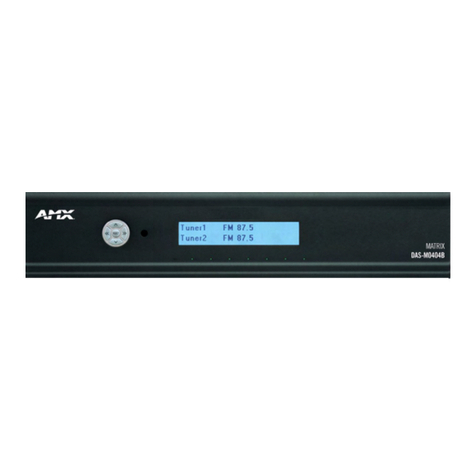
AMX Codec Master Control System User manual

9&/LQN#9LGHRFRQIHUHQFLQJ#&RQWURO#6\VWHP#
,QVWUXFWLRQ#0DQXDO#
#
#
$0;#6RIWZDUH#3URJUDPV#

6RIWZDUH#/LFHQVH#$JUHHPHQW
GRANT OF LICENSE. AMX grants to you the right to use the enclosed VCLink Videoconferencing Control System
software program (the SOFTWARE) on a single central processing unit (CPU). If you want to install the SOFTWARE
on multiple CPUs, you will need to pay an additional license fee for each CPU. This license is for object code only and
does not convey any rights to use of the source code.
This Agreement does not authorize you to distribute the SOFTWARE.
COPYRIGHT. The SOFTWARE is owned by AMX and is protected by United States copyright laws and international
treaty provisions. Therefore, you must treat the SOFTWARE like any other copyrighted material (e.g., a book or musi-
cal recording) except that you may either (a) make one copy of the SOFTWARE solely for backup or archival purposes,
or (b) transfer the SOFTWARE to a single hard disk provided you keep the original solely for backup or archival pur-
poses. You may not copy the written materials accompanying the SOFTWARE.
OTHER RESTRICTIONS. You may not rent or lease the SOFTWARE, but you may transfer the SOFTWARE and ac-
companying written materials on a permanent basis provided you retain no copies and the recipient agrees to the
terms of this Agreement. You may not reverse engineer, decompile, or disassemble the SOFTWARE. If the SOFTWARE
is an update or has been updated, any transfer must include the most recent update and all prior versions.
You may use only one version of the SOFTWARE at any time. You may not use the version of the SOFTWARE not
being run on your CPU on any other CPU or loan, rent, lease or transfer them to another user whether with or without
consideration.
/,0,7('#:$55$17<
LIMITED WARRANTY. AMX warrants that the SOFTWARE will perform substantially in accordance with the accom-
panying written materials for a period of ninety (90) days from the date of receipt. Any implied warranties on the
SOFTWARE and hardware are limited to ninety (90) days and one (1) year, respectively. Some states/countries do not
allow limitations on duration of an implied warranty, so the above limitation may not apply to you.
CUSTOMER REMEDIES. AMX's entire liability and your exclusive remedy shall be, at AMX's option, either (a) return
of the price paid, or (b) repair or replacement of the SOFTWARE that does not meet AMX's Limited Warranty and
which is returned to AMX. This Limited Warranty is void if failure of the SOFTWARE or hardware has resulted from
accident, abuse, or misapplication. Any replacement SOFTWARE will be warranted for the remainder of the original
warranty period or thirty (30) days, whichever is longer.
NO OTHER WARRANTIES. AMX disclaims all other warranties, either expressed or implied, including, but not lim-
ited to implied warranties of merchantability and fitness for a particular purpose, with regard to the SOFTWARE, the
accompanying written materials, and any accompanying hardware. This limited warranty gives you specific legal
rights. You may have others which vary from state/country to state/country.
NO LIABILITY FOR CONSEQUENTIAL DAMAGES. In no event shall AMX be liable for any damages whatsoever
(including, without limitation, damages for loss of business profits, business interruption, loss of business information,
or any other pecuniary loss) arising out of the use of or inability to use this AMX product, even if AMX has been ad-
vised of the possibility of such damages. Because some states/countries do not allow the exclusion or limitation of
liability for consequential or incidental damages, the above limitation may not apply to you.
U.S. GOVERNMENT RESTRICTED RIGHTS
The SOFTWARE and documentation are provided with RESTRICTED RIGHTS. Use, duplication, or disclosure by the
Government is subject to restrictions as set forth in subparagraph (c)(1)(ii) of The Rights in Technical Data and Com-
puter Software clause at DFARS 252.227-7013 or subparagraphs (c)(1) and (2) of the Commercial Computer Software--
Restricted Rights at 48 CFR 52.227-19, as applicable. Manufacturer is AMX Corporation, 11995 Forestgate Drive, Dal-
las, TX 75243.
If you acquired this product in the United States, this Agreement is governed by the laws of the State of Texas.
Should you have any questions concerning this Agreement, or if you desire to contact AMX for any reason, please write: AMX
Corporation, 11995 Forestgate Drive, Dallas, TX 75243.

VClink Codec Master Control System Table of Contents i
Table of Contents
Introduction ...........................................................................1
Overview 1
Features 1
AXB-EM232 Enhanced Master
RS-232 Controller 2
EXM-256KB Extended Memory 3
PS4.2 Power Supply 3
AC-RK Accessory Rack Kit 3
CC-232 RS-232 Cables 3
VClink Software 3
Hardware Configuration 4
User Interface Options ...........................................................5
Overview 5
AXT-CM Color Video TiltCam 5
AXT-CM rear view 6
CV10 Series Color Video Touch Panels 6
CV Series Color Video Touch Panels 7
CP Series Color Passive Touch Panels 8
LC Series Black/White Touch Panels 8
AXmodules.............................................................................9
Overview 9
External Echo Canceller 9
Document Camera 9
Integrated Pan/Tilt Camera Assemblies 9
Analog Pan/Tilt Camera 10
Video Monitor Control 10
VCR Control 10
Installation...........................................................................11
Overview 11
Mounting the Equipment 11
Installing the AXB-EM232 11
Mounting the PS4.2 12
Mounting the AC-RK Assembly 12

ii Table of Contents VClink Codec Master Control System
Wiring the System ............................................................... 13
Overview 13
Wiring Devices to the AXB-EM232 13
Connecting the CC-232 Cable 14
Connecting the PS4.2 Power Supply 14
Optional TiltCam
AXlink Mini-XLR Connector 15
Configuring the System....................................................... 17
Overview 17
AXlink LED 17
RS-232 Program Connector 17
RS-232 Program DIP Switch 18
TX1 and RX1 LEDs 18
RS-232/422 1 and 2 DIP switches 18
TX2 and RX2 LEDs 18
Setup & Configuration......................................................... 19
Overview 19
Powering the System 19
Setup Wizard....................................................................... 23
Overview 23
Terminal Settings Page 23
Advanced Settings Page 25
Dialing Features 26
Data Port Setup Page 26
Speed Dial Setup Page 28
Speed dial directory
mapping control screen 28
Edit speed dial location 29
Finished 30
Audio/Video Setup Wizard ................................................... 33
Overview 33
Audio/Video Names 33
Video Settings 34
Audio Follow Video 36
Audio Setup 36
AXmodules 38

VClink Codec Master Control System Table of Contents iii
Operational Features ...........................................................43
Overview 43
Control System Menu Tree 43
Conference Control Page (CONF) 44
Audio Source 45
Video Source (default source list) 45
Privacy 46
Volume 46
Still Image 46
PIP 46
Line 47
Speed Dial & Manual Dial
Control Page (DIAL) 47
Speed Dial 48
Line 48
PIP 48
Video Source (default source list) 48
Privacy 49
Volume 49
Manual Dial 49
Manual Dial 49
Manual Dial Section 50
Speed Dial 50
Call Status Control Page (CALL STATUS) 50
Audio Quality 52
Video Quality 52
Video Resolution 52
Line 52
Privacy 52
Volume 53
Status - Version 2.2 53
Status - Version 3.0 53
Help - Version 2.2 53
HELP Section Version 3.0 54
Multipoint Control Page (MCU) 55
MCU Services 56
Sites 57
Video Source (default source list) 57
Privacy 57
Volume 57

iv Table of Contents VClink Codec Master Control System
PIP 58
Echo Canceller Control
Page (ECHO CANCEL) 58
Audio Source 59
Video Source (user-definable
source list) 59
Privacy 60
Volume 60
Still Image 60
Center Section 60
Operational Quick Guide ..................................................... 61
Overview 61
Making a Call 61
Entering Speed Dial Numbers 61
Making speed dial calls 65
Manual Dialing 66
Hanging up a call 67
Receiving a call 67
If the local system is in
Auto Answer mode 67
Manual answer mode 68
Controlling the Conference 68
Audio 68
Turning the microphone on/off 68
Volume adjustment 68
Selecting an audio input 68
Video 68
Viewing your outgoing video signal 69
Selecting the source to be transmitted 69
Linking audio and video inputs 69
Sending and Receiving Graphics 69
Sending a Still Image 69
Requesting a still image 70
Viewing a stored still image 70
Far-End Control 70
Multipoint Conferences ....................................................... 73
Overview 73
Control Issues 74
Requesting the Floor 74

VClink Codec Master Control System Table of Contents v
Releasing the floor 74
Becoming the conference Chairman 74
Choosing the site to be broadcast 74
Disconnecting a site 75
Terminating a meeting 75
Releasing the conference chair 75
Viewing another site 75
Returning to the Broadcast 75
Using the Dataport ..............................................................77
Overview 77
Connecting Equipment to the Dataport 77
Connecting Equipment to the Dataport 77
Configuring the Dataport from
the Control Page 78
Technical Support................................................................81
Overview 81

vi Table of Contents VClink Codec Master Control System

VClink Codec Master Control System Introduction 1
Introduction
Overview
The AMX Codec Master Control System is an easy-to-use videoconferencing Con-
trol System designed for use with the Tandberg 1000 and 2000 series codecs. The
Control System designed is expandable through external AXlink bus modules. A
Codec Bus Control System is also available, providing an easy way to add many of
the same features as the Codec Master Control System to any existing AMX AX-
CESS Control System.
This manual describes a typical application using all of the equipment included
with the Codec Master Control System, an optional AMX touch screen panel, and a
Tandberg 2000 series ISDN codec.
Features
The following features are available with the AMX Codec Master Control System:
• Codec Setup Wizard featuring:
—Terminal setting setup
—Data port setup
—Speed dial setup
—Password protection capabilities
• Audio/Video Setup Wizard featuring:
—Video source naming
—Video feature selection
—Audio follow video source assignment
—Internal echo cancellation system setup
—Configurable alerts for incoming signals
• Simple pick-up and hang-up procedures

2 Introduction VClink Codec Master Control System
·#Re-dial functions
·#Single button speed dialing
·#Manual dialing
·#Auto-answer capabilities
·#Flexible picture-in-picture (PIP) modes
·#Incoming audio volume adjustment level
·#Audio and video muting
·#Multiple audio and video source selection
·#Graphics send and receive capabilities
·#Call in progress/call quality status reporting
·#Far-end camera control
·#Far-end source selection
$;%0(0565#(QKDQFHG#0DVWHU#560565#&RQWUROOHU
The AXB-EM232 (Figure 1) is a bus device that functions like an AMX Master Card in
a single compact enclosure. It is fully compatible with the AXCESS Control System
and can be used as a stand-alone device or with other AMX bus devices. The AXB-
EM232 runs complete AXCESS programs, controls two devices using RS-232, RS-422
or RS-485 as a control protocol, and will control other AXlink components connected
via the AXlink control bus. In the AMX Codec Master Control System the AXB-
EM232 eliminates the need for an AXCESS CardFrame or other Central Controller.
)LJXUH#4
AXB-EM232
This manual suits for next models
1
Table of contents
Other AMX Software manuals
AMX
AMX NETLINX PROGRAMMING LANGUAGE User manual
AMX
AMX NetLinx Studio User manual
AMX
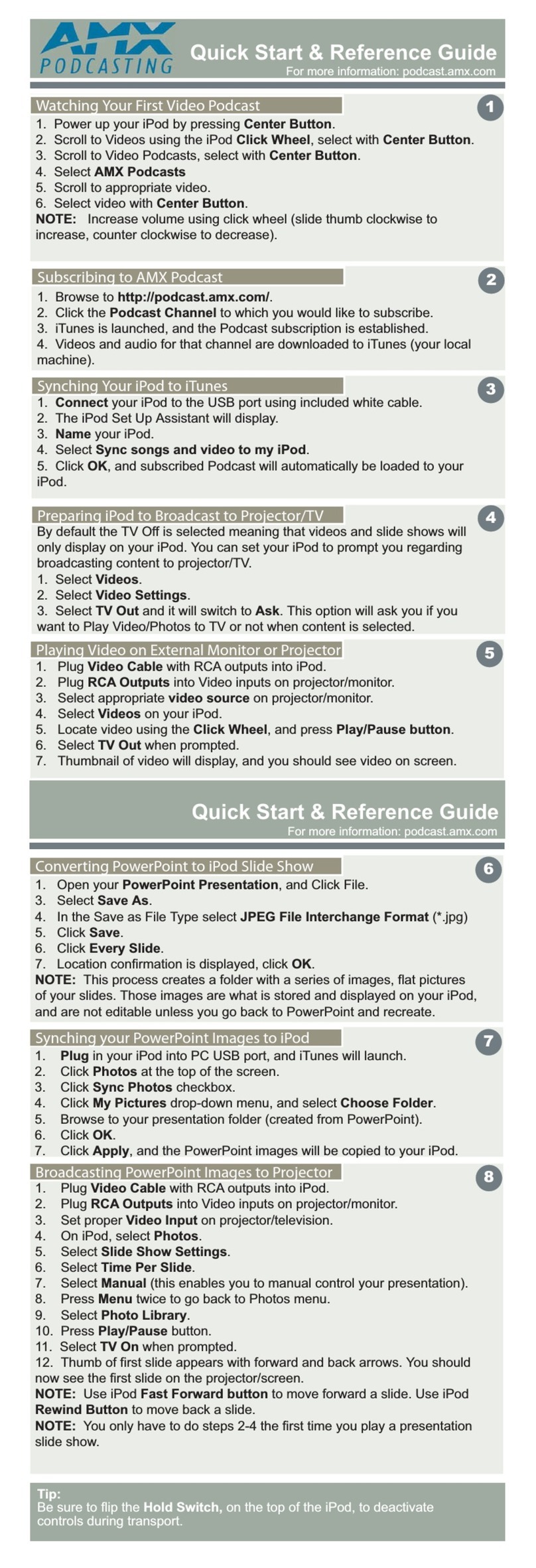
AMX Podcast User manual
AMX
AMX NSS-PFRAME PICTUREFRAME User manual

AMX
AMX Design XPress User manual
AMX
AMX DESIGN XPRESS HOME THEATER V1.3 - ON SITE INSTALLER... User manual

AMX
AMX I!-MACROMANAGER User manual
AMX
AMX FILETRANSFER2 V1.0 User manual

AMX
AMX Camrobotics User manual
AMX
AMX TPDESIGN3 V3.16 User manual