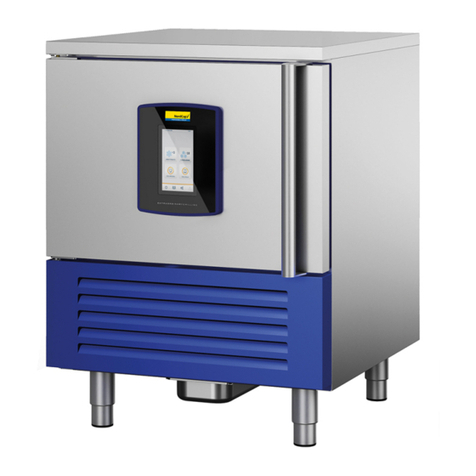
Blast Chillers
10
50LIB055
The following operating status exist:
• The “off” status (the device is not powered)
• The “stand-by” status (the device is powered and is off)
• The “on” status (the device is powered, is on and is in stand-by for the start-up of an operating
cycle)
• The “run” status (the device is powered, is on and an operating cycle is in progress).
If a power cut occurs during the “stand-by” status or during the “on” status, the device will re-
propose the same status when the power supply is restored.
If a power cut occurs during the “run” status, the device will operate as follows when the power
supply is restored:
• if a temperature-controlled blast chilling or deep-freezing operation was in progress, these will be
started again from the beginning
• if a time-controlled blast chilling or deep freezing operation was in progress the unit will be re-
started from the time the power cut occurs
• if storage was in progress, this will be re-proposed.
8.1 SWITCH THE DEVICE ON&OFF
Operate as follow:
• Make sure that the keyboard is not locked and that no procedure is in progress.
• Hold the START/STOP key down for 1 s: the LED will switch on/off.
• The display is off during the “off” status and during the “stand-by” status. The display shows
the chamber temperature during the “on” status.
8.2 SET THE REAL DATE AND TIME (if supported)
Operate as follows:
• Make sure that the keyboard is not locked and that no procedure is in progress.
• Hold the DOWN key for 1 s: the display will show the rst label available.
• Press and release the UP or DOWN key to select “rtc”.
Operate as follows to set the year:
• Press and release the BLAST CHILLING key: the display will show “yy” followed by the last
two numbers of the year and the LED will flash.
• Press and release the UP or DOWN key within 15 s to modify the value.
Operate as follows to set the month:
• Press and release the BLAST CHILLING key when setting the year: the display will show “nn”
followed by the two numbers of the month.
• Press and release the UP or DOWN key within 15 s to modify the value.
Operate as follows to set the day of the month:
• Press and release the BLAST CHILLING key when setting the month: the display will show
“dd” followed by the two numbers of the month.
• Press and release the UP or DOWN key within 15 s to modify the value.
Operate as follows to set the hour:
• Press and release the BLAST CHILLING key when setting the day of the month: the display
will show “hh” followed by the two numbers of the hour.
• Press and release the UP or DOWN key within 15 s to modify the value.
• The hour is displayed in the 24 h format.
Operate as follows to set the minutes:
• Press and release the BLAST CHILLING key when setting the hour: the display will show “nn”
followed by the two numbers of the minutes.
• Press and release the UP or DOWN key within 15 s to modify the value.