20
V 05/20
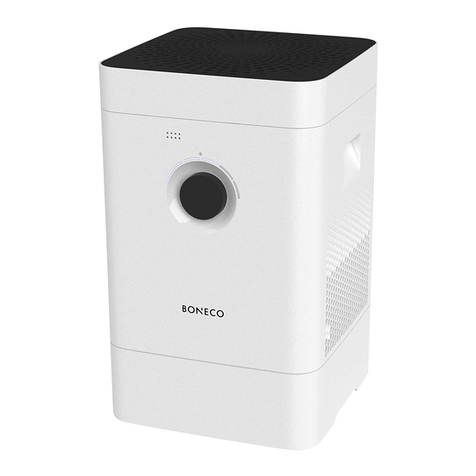
USE OF CENTRAL BUTTON
Below, some indications for the correct use of the central button.
Operation Status
Plug the power adapter Light LED turns to red, start atomization.
Short-press the button Switch the mode in the following order: Intelligent, Level 1, Level
2, Level 3, atomization
Short-press the button for 2 seconds Under working status, long-press the button to turn on/off the
water tank (water tank light default is on)
Light ring turns to red Atomization
Light ring turns to white
Working status
In intelligent mode, light ring is flickering
In Level 1, Level 2 and Level 3 light ring will be displayed in
different brightness; the brighter the light the higher the Level
Light ring is flickering in red
If it flickers for 2 times, which indicates water storage protection
is occurred or the water tank is picked up.
Make sure the water tank is correctly placed and then restart the
appliance.
If it flickers for 3 times, which indicates the dry-burning
protection. Unplug the power cord, fill the water tank with water
and then plug in the power cord again.
If it flickers for 4 times, it means that the product can humidify
the air but cannot control the humidification output. Please
contact a service center.
If it flickers for 5 times, there is a jumper cap fault. Please
contact a service center.
Light ring goes off Light ring goes off if there is no operation for 40 seconds. Any
kind of operation wake up.
The color of water tank light The water tank light will change the color according to the
ambient humidity. In case of low, medium and high humidity, the
water tank light will be respectively in orange, purple and blue.
Note: In Intelligent mode, the humidifier can automatically control the mist volume and stop/resume humidification.
The appliance will continue to humidify until the water in the tank runs out. When the water in the tank runs out, the red
LED flashes for 30 seconds, then remains steady, to indicate the need to fill the tank in order to continue operation.
Disconnect the power supply, take the tank with both hands, turn it and fill it with clean water. Then reposition it,
reconnect the power supply and long press the central button. Enter clean water and replace the water after each use to
ensure the best conservation and efficiency of the humidifier.
The appliance switches off automatically if the tank is removed or if there is no water.
WARNING!!
It is normal for water to collect on the bottom of the appliance: the water passes from the tank into the base of
the unit to trigger the ultrasonic humidification mechanism.
Be careful when removing the water tank for filling/emptying or cleaning operations, as the water accumulated
on the bottom may drip from the tank.
Dry the tank with a towel to avoid getting the floor or furniture wet.
WARNING!!
Always use the humidifier in a temperature between 5 °C and 40 °C.
The ideal room humidity is between 40 and 60. The respective humidity should be less than 80%.
Fill the water tank with tap water only, without adding any fragrances or essences.