logo
Brands
  1. Home
  2. •
  3. Brands
  4. •
  5. Ariston
  6. •
  7. Dryer
  8. •
  9. Ariston AQUALTIS AQCF 851 B U User manual

Ariston AQUALTIS AQCF 851 B U User manual

Other manuals for AQUALTIS AQCF 851 B U

2

Other Ariston Dryer manuals

Ariston A35V Quick reference guide

Ariston

Ariston A35V Quick reference guide

Ariston TVF 75 C User manual

Ariston

Ariston TVF 75 C User manual

Ariston ASL70C User manual

Ariston

Ariston ASL70C User manual

Ariston Washer User manual

Ariston

Ariston Washer User manual

Ariston ASL 65 VXS NA - 35140 Guide

Ariston

Ariston ASL 65 VXS NA - 35140 Guide

Ariston TVF 75C User manual

Ariston

Ariston TVF 75C User manual

Ariston ASL700CX User manual

Ariston

Ariston ASL700CX User manual

Ariston AS600VX User manual

Ariston

Ariston AS600VX User manual

Ariston TVM63 Guide

Ariston

Ariston TVM63 Guide

Ariston ASL60VX User manual

Ariston

Ariston ASL60VX User manual

Ariston TVM 70 User manual

Ariston

Ariston TVM 70 User manual

Ariston TCL73XNA Guide

Ariston

Ariston TCL73XNA Guide

Ariston ASD70C User manual

Ariston

Ariston ASD70C User manual

Ariston AS 65 VXS NA Guide

Ariston

Ariston AS 65 VXS NA Guide

Ariston AS600V User manual

Ariston

Ariston AS600V User manual

Ariston FTCF 97B User manual

Ariston

Ariston FTCF 97B User manual

Ariston A45V Installation guide

Ariston

Ariston A45V Installation guide

Ariston TCF 97B User manual

Ariston

Ariston TCF 97B User manual

Ariston TVM63X NA Operating and installation instructions

Ariston

Ariston TVM63X NA Operating and installation instructions

Ariston TCM80C User manual

Ariston

Ariston TCM80C User manual

Ariston ASL 65 VXS NA Technical specifications

Ariston

Ariston ASL 65 VXS NA Technical specifications

Ariston ASL70C User manual

Ariston

Ariston ASL70C User manual

Ariston A46C Installation guide

Ariston

Ariston A46C Installation guide

Ariston ASL 75 CXS NA Technical specifications

Ariston

Ariston ASL 75 CXS NA Technical specifications

Popular Dryer manuals by other brands

Bosch WTA79200GB Installation and operating instructions

Bosch

Bosch WTA79200GB Installation and operating instructions

Amana W10233410A Use and care guide

Amana

Amana W10233410A Use and care guide

Asko T760 user guide

Asko

Asko T760 user guide

Bosch Logixx 10 WTB76556GB Instruction manual and installation instructions

Bosch

Bosch Logixx 10 WTB76556GB Instruction manual and installation instructions

Electrolux EW2H328R2 user manual

Electrolux

Electrolux EW2H328R2 user manual

Beko DS8433RX1M user manual

Beko

Beko DS8433RX1M user manual

Dawlance Spinner DS 6000 C owner's manual

Dawlance

Dawlance Spinner DS 6000 C owner's manual

Electrolux TP5080TW user manual

Electrolux

Electrolux TP5080TW user manual

AEG TR838P4OB user manual

AEG

AEG TR838P4OB user manual

Indesit IDV 75 instruction manual

Indesit

Indesit IDV 75 instruction manual

Infiniton SD-DG85C manual

Infiniton

Infiniton SD-DG85C manual

BOMANN WT 5019 instruction manual

BOMANN

BOMANN WT 5019 instruction manual

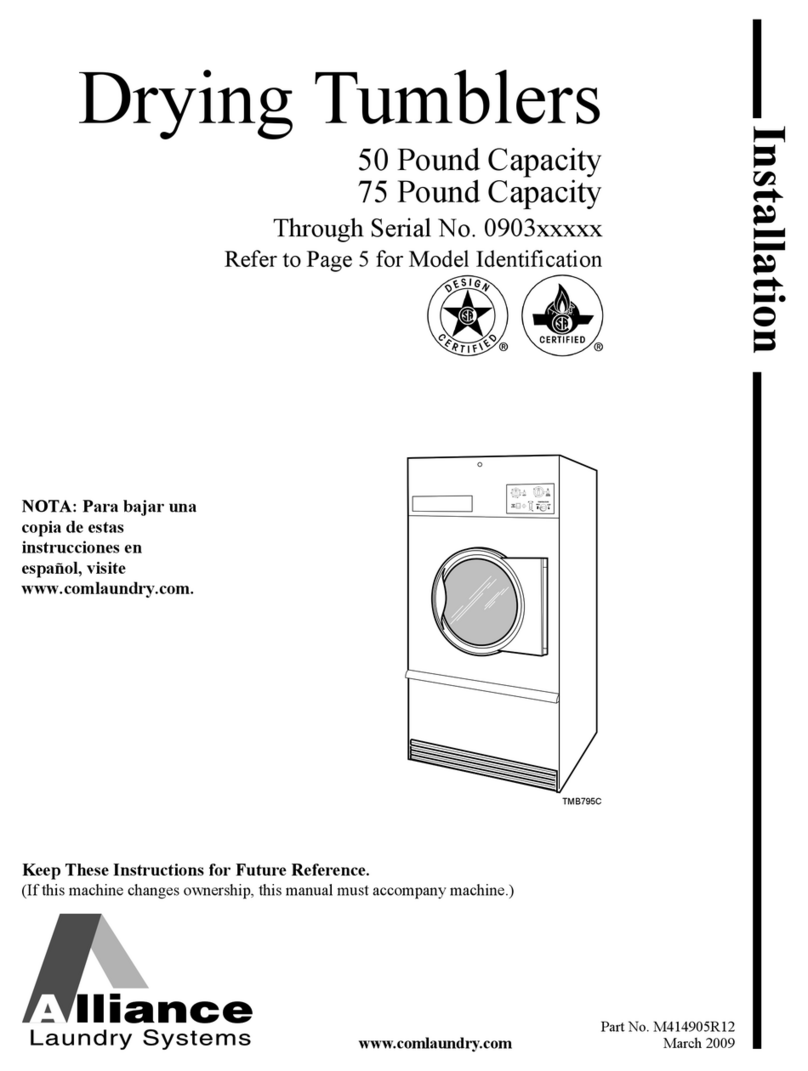
Alliance Laundry Systems TMB795C Installation

Alliance Laundry Systems

Alliance Laundry Systems TMB795C Installation

Asko T793C operating instructions

Asko

Asko T793C operating instructions

Kenmore 8041 - 5.8 cu. Ft. Capacity Electric Dryer installation instructions

Kenmore

Kenmore 8041 - 5.8 cu. Ft. Capacity Electric Dryer installation instructions

Frigidaire CAQE7077KW0 use & care

Frigidaire

Frigidaire CAQE7077KW0 use & care

Bosch WTX8HKM9SN User manual and installation instructions

Bosch

Bosch WTX8HKM9SN User manual and installation instructions

Sharp KD-NHH9S7GW2-PL user manual

Sharp

Sharp KD-NHH9S7GW2-PL user manual

https://manuals.online logo
https://manuals.online logoBrands
  • About & Mission
  • Contact us
  • Privacy Policy
  • Terms and Conditions

Copyright 2026 Manuals.Online. All Rights Reserved.

1
AUS
English,1
Contents
Important Information, 2-3
Installation, 4
Where to put your dryer
Ventilation
Electrical connection
Before you start using your dryer
Dryer Description, 5
Open the door
The Features
Control Panel
he Display, 6
Start and Programmes, 7-12
Choosing a Programme
Special Programmes
Table of Programmes
The Controls
Laundry, 13-14
Sorting your laundry
Wash care labels
Special clothing items
Drying times
Warnings and Suggestions, 15-16
eneral safety
Disposal
Save energy and respect the
Environment
Maintenance and Care, 17
Switching off the electricity
Clean the filter after each cycle
Check the drum after each cycle
Empty the Water Container after each cycle
Cleaning the Condenser
Cleaning the dryer
roubleshooting, 18
Service, 19
Spare parts
AUS
UMBLE DRYER
AQUAL IS
AQCF 851 B U
Instruction booklet
 This symbol reminds you to read this instruction manual.
 Keep this instruction booklet on hand in order to refer to it
when necessary. Take it with you when you move, and, should
you sell this appliance or pass it on to another party, make sure
that this booklet is supplied along with the dryer so that the new
owner may be informed about warnings and suggestions on how
the dryer works.
 Read these instructions carefully; the following pages contain
important information on installation and suggestions on how the
appliance works.
2
AUS
Important Information
For your Condenser dryer to operate efficiently,
you must follow the regular maintenance
schedule shown below:
Fluff Filter  You MUS Clean the fluff filter
after every drying cycle.
Step 1
Open the door of your dryer.
Step 2
Pull out the filter (using the two
finger grips).
Step 3
Open the filter by releasing the
clip.
Step 4
Clean any fluff deposits from the
inside surface of the filter mesh.
Step 5
Refit the filter  Never run the
dryer without a filter.
Failure to clean the filter after every drying
cycle will affect the drying performance of your
machine  It will take longer to dry and as a
result will use more electricity during drying.
Water Container  You must empty the water
container after every drying cycle.
Step 1
Pull the water container
towards you and remove it fully
from the dryer.
Step 2
Empty the Water from the
Container.
Step 3
Refit the Water Container
ensuring that it is pushed fully
back into position...
Failure to empty the Water Container will result in:
- he machine will stop heating (so the load
may be wet at the end of the cycle).
- he Empty Water light will flash to tell you
that the Container is full.
 he water bottle/clean
filter light comes on when
you select a programme to
remind you to make sure
that the water bottle is
empty and that the filter is
clean before starting a new
cycle
Priming the Water Collection System
When your dryer is new, the Water Container will
not collect Water until the system is primed, this
will take 1 or 2 drying cycles. Once primed it
will collect Water during every cycle.
2
3
AUS
Condenser unit - You must clean the fluff from
the condenser every month!
Step 1
Open the Condenser Cover
- hold the handle and pull
towards you.
Step 2
Remove the condenser by
rotating the 3 clips then pulling
the condenser towards you.
(There may be some water in the
tubes this is normal).
Step 3
Flush the condenser, from the
rear with water, to remove any
fluff deposits.
Step 4
Refit the condenser unit - ensure
that the unit is pushed in fully, all
3 clips are resecured and the
positioning arrows on the front of
the condenser are pointing
upwards.
Failure to clean the condenser could cause
premature failure of your dryer!
4
AUS
Installation
Where to put your dryer
 Place your dryer at a distance
from gas ranges, stoves,
heaters, or cooktops because
flames can damage the
appliance.
If you are going to install the
appliance under a work counter,
be sure to leave a 10 mm
space between the top and any
other objects on or above the
machine and a 15 mm space
between the sides and lateral
furnishings or walls. This is to ensure proper air circulation.
Ventilation
 When the dryer is in use, there has to be adequate
ventilation. Make sure you put your dryer in an environment
that is not damp and has proper air circulation throughout.
Airflow around the dryer is essential to condense the water
produced during the washing, the dryer will not operate
efficiently in an enclosed space or cupboard.
 If using the dryer in a small or cold room some
condensation will be experienced.
 We do not recommend installing the dryer in a cupboard
because dangereous levels of heat can buildup! The dryer
must not be installed behind a loackable door, a sliding
door or a door with the hinge on the opposite side to that
of the tumble dryer in such a way that the full opening of
the tumble dryer door is restricted.
Water Drain
If your dryer is installed next to a drain the water can be
plumbed into this drain. This does away with the need to
empty the water container. If the dryer is stacked onto or
installed next to a washing machine it can share the same
drain. The dryer is supplied with a length of hose and this
must be used to drain the condensed water under certain
conditions.
If you are using a washing machine with a spin speed below
1100 rpm and drying loads of 7 kg or more and for energy
label test to AUS/NZS 2442 you must plumb out the water
or the container may fill before the clothes are dried. Follow
the instruction below. The height of the drain must be less
than 3 (1 m) from the bottom of the dryer.
Remove existing hose from position shown in picture A
and fit the supplied length of hose to location shown in
picture B.
! Make sure that the hose is not squashed or kinked
when the dryer is in its final location. The length of the
hose can be reduced if necessary to avoid this.
10 mm
15 mm 15 mm
2
H<1m
2
Fig. A Fig. B
Electrical connections
Before plugging the appliance into the socket, check the
following:
 Make sure your hands are dry.
 The socket must have an earth connection.
 The socket must be able to withstand the machines
maximum power output as indicated on the data plate (see
Description of the tumble dryer).
 The power supply voltage must fall within the values
indicated on the data plate (see Description of the tumble
dryer).
 The socket must be compatible with the machines plug. If
not, either the socket or the plug must be replaced.
 Do not use extension cords.
 The tumble dryer must not be installed in outdoor spaces,
even if sheltered. It may be very dangerous to expose this
appliance to rain and thunderstorms.
 Once dryer installation is complete, the electric cord and
plug must be at hand.
 The electric cord must not be bent or crushed.
 If the plug is replaced is of the moulded type, it must be
disposed of in a safe way, DO NOT leave it where it can be
plugged into a scoket and cause electric shocks.
 The electric cord must be regularuily checked and replaced
with a cord specifically designed for this dryer: it must then be
installed by an authorised technician only (see Assistance).
New or longer electric cords are supplied by authorised
delaers at a supplementary cost.
The manufacturer declines all reposnsibility for filaure to
observe these instructions.
 CAUTION: If this appliance is supplied from an extension
cord or portable oulet device, the extension cord or portable
device must be positioned so that it is not subjected to
splashing or contact with moisture.
 If the supply cord is damaged, it must be replaced by the
manufacturer, its servive agent or simlarily qulified persons in
order to avoid a hazard.
 If in doubt about any of the above consult a qualified electrician.
Before you start using your dryer
Once youve installed your dryer and before you use it,
clean the inside of the drum to remove any dust that could
have accumulated during transportation.
5
AUS
o open door
O tion Buttons and Lights
On/Off Button & Light Dis lay Panel Child Lock
Button & Light
Start/Pause Button &
Light
Clean
Condenser
Light
Programme
Progress Light
Programme Knob Em ty Water
Clean Filter
Light
Dryer Description
Control Panel
Indicator
The On/Off button/ light , if the dryer is running and this
button is pressed the dryer is turned off. The light signals
that your dryer is in use or ready to select a programme.
The Programmes knob sets the programme: rotate until
the indicator is pointing to the programme you want to
select (see Start and Programmes).
The O tion buttons/ lights select available options for your
selected programme. The lights indicate that the option
has been selected (see Start and Programmes).
The Dis lay Panel has three sections: Sensor Dry = Drying
level, Timed dry = Drying time and Time to End / Delay start
each with a corresponding selection button (see The Display).
START/PAUSE button with indicator light : when the
green indicator light flashes slowly, press the button to
start the programme. When the cycle has started, the
indicator light is illuminated in a fixed manner. To pause the
programme, press the button again; the indicator light will
turn orange and begin to flash again.
To restart the programme from the point at which it was
interrupted, press the button again (see Start and
Programmes).
The Programme Progress Lights indicate each state of the
programme by turning on as appropriate.(see Start and
Programmes).
The Em ty Water indicator H2O signals that the water
container should be emptied. The light will take a few
seconds to go out after replacing the empty water
container; the dryer must be running for this to happen (see
The Controls).
Note: if the water bottle is full the display shows H2O
and the indicator flashes, the heat is turned off and your
clothes will not dry.
The Em ty Water Clean Filter Light gives a reminder
before every programme, that its essential to clean the
filter and empty the water container every time the dryer is
used (see Maintenance and Care).
The Clean Condenser Light gives a reminder, that its
essential to clean the condenser at regular intervals (see
Maintenance and Care).
The Child Lock button/light Press and hold this button
after selecting your programme and any options. This
prevents the programme settings from being changed.
When the light is lit the other buttons and programme knob
are disabled. Hold the button to cancel and the light will go
out.
ECO Light - this light is illuminated as you select options
that use less energy (see the controls).
he Features
Pull on handle
Condenser unit
(cover o en)
Water
container
Rating
Plate
Condenser
cover handle
(Pull to o en)
Filter
Air Intake
Grille
Model &
Serial
Numbers
ECO Light
6
AUS
he Display
he Display has three sections each with its corresponding button.
Sensor Dry
After selecting a programme that has a Sensor Dry Option, press and release the button until the required
dryness sensing level is displayed. If the sensing option is not available the display will flash and the buzzer
beeps three times.
 Some drying programmes are not compatible with all 5 sensor drying levels.
Dryness levels available
Dam : Retains maximum moisture in the garments, which is ideal for difficult to iron fabrics such as linen.
Iron: Retains moisture in your clothes to help make ironing easier.
Hanger: Dries you clothes ready to be hanged for final drying; Use for items that can simply be
hung up to finish drying.
Cu board: Dries your items to put away.
Ready to wear: Dries clothes so that they are immediately ready to wear.
imed Dry
After selecting a Programme that has a Timed Dry Option, press the Timed Button to insert a drying
time. The display will reduce the selected time each time you press and release this button (see Start
and Programmes). Each press decreases the set time 180, 160, 120, 90, 60, 30, 20 and then repeats.
If the Timed Dry option is not available the display will flash and the buzzer beeps three times.The
selected time remains displayed after the programme starts and cannot be changed after the Start/
Pause Button , is pressed.
You can either choose a sensor dry level or a drying time.
Delay Start
After selecting a Programme that has a Delay Start Option a delay start time can be selected.

Each press of the Delay start button advances the delay setting in 1 hour increments from 1h to
24h then OFF and then after five seconds cancels the delay.
For delays of 10 hours or more the display counts down the time in hours until 10 hours, then the display
shows 9:59 and then counts down in minutes. For delays of 9 hours or less the display shows hours and
minutes and then counts down in minutes for all of the delay.
After the Start/Pause Button is pressed the time cannot be changed.
When the delay period finished the symbol is off and the Time to End is displayed.
If you have chosen a timed drying the display during programming will show the drying time only in
the timed drying display in the middle. After having pressed start the machine will turn the time
display on and visualize the countdown of the programme time.
Time to End
If the delay icon is off the time displayed is the Time to End of the programme running.
When timed programmes are selected the time displayed throughout the cycle is the actual time remaining.
When an Automatic programme is selected the time displayed is an estimate of the time remaining.
When the programme is selected the display shows the time required to dry a full load, after around
10 minutes the controller calculates a better estimate of the cycle time.
The time to end is displayed in hours and minutes and counts down each minute.
The colon between the hours and minutes display flashes to show that the time is counting down.
The Display also shows if there is a problem with your dryer, if this occurs the display will show F
followed by a fault code number, the four option lights and the pause light will also flash Orange
(see Troubleshooting).
7
AUS
Start and Programmes
Choosing a Programme
1. Plug the dryer into the electrical socket.
2. Sort your laundry according to fabric type (see Laundry).
3. Open the door and make sure the filter is clean and in
place and the water container is empty and in place (see
Maintenance).
4. Load the machine and make sure that the items are not
in the way of the door seal. Close the door.
5. If the ON/Off light is not lit; press the On/Off Button .
6. Select the Programmes selection that corresponds with
fabric being dried by checking the Programmes table (see
Programmes) as well as the indications for each type of
fabric (see Laundry).
7. Where available, choose Sensor Dry or Timed Dry
option pressing and releasing the corresponding button until the
desired level or time is read.
 See programmes table, for more details.
8. Set a delay time and other options as necessary (see The
Display).
9. If you wish the buzzer to sound at the end of the
programme, press the ALARM button .
10. Press the START button to begin. The display will
show the estimated time to end.
Special Programmes
Easy Iron Programme
Easy Iron is a short 10 minute programme (8 minutes of heat followed by a 2 minutes cool tumble period) which fluffs the
fibres of clothing that has been left in the same position/location for an extended period of time. The cycle relaxes the fibres
and makes them easier to iron and fold.
 Easy Iron is not a drying programme and should not be used for wet articles of clothing.
For best results:
1. Do not load more than maximum capacity. These numbers refer to dry weight:
Fabric: Max
Cotton and Cotton mix 2.5 kg
Synthetics 2
Denim 2
2. Unload the dryer immediately after the end of the drying cycle, hang, fold or iron the articles and put them away in the
closet. Should this not be possible, repeat the cycle.
The Easy Iron effect varies from one fabric to the next. It works very well on traditional fabrics like Cotton or Cotton mix, and
less well on acrylic fibres and on materials such as Tencel.®
Wool Programme
 This is a programme for tumble dryer safe garments marked with the symbol .
 It can be used for load sizes up to 1 kg (approximately 3 sweaters).
 We recommend that garments are turned inside out before drying.
 This programme will take about 60 minutes, but may take longer depending on the size and density of the load and the
spin speed used in your washer.
 Loads dried using this programme are usually ready to wear, but on some heavier garments the edges may be slightly
damp. Allow these to dry naturally as over-drying could damage garments.
 Unlike other materials, the mechanism of wool shrinkage is irreversible; i.e. it will not stretch back to original size and shape.
 This program is not suitable for Acrylic garments.
Jeans
 This is a programme for Jeans made from Denim Cotton. Before drying your Jeans turn the front pockets inside out.
 It can be used for load sizes up to 3 kg (approximately 4 pairs).
 It can also be used on other garments made from same material such as jackets.
 This programme will take about 85 minutes, but may take longer depending on the size of the load and the spin speed
used in your washer.
 Loads dried using this programme are usually ready to wear; the edges or seams may be slightly damp. If this is found try
turning the jeans inside out and running the programme again for a short period.
 Use this cycle only for a 100% cotton load, do not mix dark and light coloured items. Do not use this cycle for garments
with embroidery and accessories (pins,...), turn the pockets insideout
 We do not recommend that you use this programme if your jeans have elastic waste bands or embroidery.
During the drying programme, you can check on your
laundry and take out the items that are dry while the others
continue drying. When you close the door again, press
START in order to resume drying.
11. During the last few minutes of Drying Programmes
before the programme is completed, the final COOL
TUMBLE phase is entered (fabrics are cooled), this
phase should always be allowed to complete.
12. The buzzer (if option selected) will warn you when the
programme is complete and the display shows END.
Open the door, take your laundry out, clean the filter and
replace it. Empty the water container and replace it (see
Maintenance).
If the Post care option has been selected and you do
not take the clothes out immediately the clothes will tumble
occasionally for 10 hours or until you open the door.
13. Switch dryer off using the On/Off button.
Standby mode
This tumble dryer, in compliance with new energy saving
regulations, is fitted with an automatic standby system
which is enabled after about 30 minutes if no activity is
detected. Press the On-Off button briefly and wait for the
machine to start up again.
8
AUS
Special Programmes
Shirts - High Heat
 This is a programme for Shirts made from Cotton.
 It can be used for load sizes up to 3 kg (approximately 10 shirts).
 This programme will take about 80 minutes, but may take longer depending on the size of the load and the spin speed
used in your washer.
 Loads dried using this programme are usually ready to wear; the edges or seams may be slightly damp. If this is found try
turning the shirts inside out and running the programme again for a short period.
Shirts - Low Heat
 This is a programme for Shirts made from synthetic materials or a mixture of natural and synthetics materials such as
Polyester and Cotton.
 It can be used for load sizes up to 3 kg (approximately 14 shirts).
 This programme will take about 65 minutes, but may take longer depending on the size of the load and the spin speed
used in your washer.
 Loads dried using this programme are usually ready to wear; the edges or seams may be slightly damp. If this is found try
turning the shirts inside out and running the programme again for a short period.
Silk
 This is a programme for drying your Delicate Silk.
 It can be used for load sizes up to 0.5 kg.
 This programme will take about 110 minutes, but may take longer depending on the size and density of the load and the
spin speed used in your washer.
 Loads dried using this programme are usually ready to use, but on some heavier garments the edges may be slightly
damp. If this is found try removing the load and open them out then run the programme again for a short period.
 Only for garments labelled suitable for tumble drying.
Duvet rogrammes
 Take care with these programme do not dry any items that are damaged which could result in the filling blocking the filter
and air path resulting in a fire hazard.
 Must only be used on Single size duvets not suitable for double or king size items.
 Loads dried using this programme are usually ready to use, but may be slightly damp in places. If this is found try removing
the load and open them out and shake then run the programme again for a short period.
 Also suitable for down filled jackets.
Duvet Cotton
 This is a programme for drying your Cotton Duvets. With Cotton outer cover and down filling.
 This programme will take about 120 minutes, but may take longer depending on the size and density of the load
and the spin speed used in your washer.
 Only for garments labelled suitable for tumble drying.
Duvet Synthetic
 This is a programme for drying your Synthetic Duvets, with synthetic filling.
 This programme will take about 115 minutes, but may take longer depending on the size and density of the load
and the spin speed used in your washer.
 Only for garments labelled suitable for tumble drying.
Baby
 This is a programme for drying your babys small delicate items of clothing and bedding.
 Use it for items made from Cotton and Chenille, do not dry items such as bibs and nappy pants with plastic coverings.
 It can be used for load sizes up to 2 kg.
 This programme will take about 120 minutes, but may take longer depending on the size and density of the load and the
spin speed used in your washer.
 Loads dried using this programme are usually ready to use, but on some heavier garments the edges may be slightly
damp. If this is found try turning them inside out and running the programme again for a short period.
Lingerie
 This is a programme for drying your very delicate lingerie including silk.
 It can be used for load sizes Max 1 kg, close bras hooks, buttons or zip before drying.
 This programme will take about 90 minutes, but may take longer depending on the size and density of the load and the
spin speed used in your washer.
 Loads dried using this programme are usually ready to wear, but on some heavier garments the edges may be slightly
damp. If this is found try turning them inside out and running the programme again for a short period.
9
Delicates
 This is a programme for drying your Delicate Clothes i.e. Acrylics.
 It can be used for load sizes up to 2.0 kg.
 This programme will take about 120 minutes, but may take longer depending on the size and density of the load and the
spin speed used in your washer.
 Loads dried using this programme are usually ready to use, but on some garments may be slightly damp. If this is found
try removing the load and open them out or turn inside out then run the programme again for a short period.
Bed & Bath
 This is a programme for Cotton Towels and sheets.
 It can be used for load sizes up to 8 kg.
 This programme will take about 150 minutes, but may take longer depending on the size of the load and the spin speed
used in your washer.
 Loads dried using this programme are usually ready to use; the edges or seams may be slightly damp especially on large
items. If this is found try opening them out and running the programme again for a short period.
Refresh
Airing is not a drying programme and should not be used for wet articles of clothing.
 If can be used on any load size up to 8 kg, but is more effective on smaller loads.
20-minute programme that airs your clothes with cool air. Use also to cool warm clothes.
10
GB
Program-
me What it does How to set it Notes / Options available
Easy Iron
Brief programme (approximately
10 minutes) that softens fibres of
clothing that is ready for ironing.
1. Position the PRO RAMME knob on .
2. Select Alarm Option if required.
3. Press the Start Button .
 This is not a drying programme (see
previous page).
O tions available
Alarm .
Refresh
20 min cool programme to air
your clothes
1. Position the PRO RAMME knob on .
2. Select Alarm Option if required.
3. Press the Start Button . Alarm .
Cottons
Cotton -
High Heat
Dries: your Cotton clothes on
High heat.
1. Position the PRO RAMME knob on .
2. Choose Sensor Dry or Timed Dry (see
ne t page).
3. Select any Options if required.
4. Press the Start Button .
Alarm . Delay Start .
Pre care . Post care .
Mini Load .
Sensor Dry o tion, automatic drying:
Damp dry , Iron dry , Hanger dry
Cupboard dry , Ready to Wear .
Cotton -
Low Heat
Dries: your Cotton clothes on
Low heat.
N.B: Max. load 6 kg
1. Position the PRO RAMME knob on .
2. Choose Sensor Dry or Timed Dry (see
ne t page).
3. Select any Options if required.
4. Press the Start Button .
Alarm . Delay Start .
Pre care . Post care .
Mini Load .
Sensor Dry o tion, automatic drying:
Damp dry , Iron dry , Hanger dry
Cupboard dry .
Shirts
Shirts -
High Heat
Dries your shirts on a high heat.
1. Position the PRO RAMME knob on .
2. Choose Sensor Dry or Timed Dry (see
ne t page).
3. Select any Options if required.
4. Press the Start Button .
Alarm . Delay Start .
Pre care . Post care .
Mini Load .
Sensor Dry o tion, automatic drying:
Damp dry , Iron dry , Hanger dry
Cupboard dry .
Shirts -
Low Heat
Dries your shirt on low heat.
1. Position the PRO RAMME knob on .
2. Choose Sensor Dry or Timed Dry (see
ne t page).
3. Select any Options if required.
4. Press the Start Button .
Alarm . Delay Start .
Pre care . Post care .
Mini Load .
Sensor Dry o tion, automatic drying:
Damp dry , Iron dry , Hanger dry
Cupboard dry .
Jeans
Dries denim clothes on a high
heat.
1. Position the PRO RAMME knob on .
2. Choose Sensor Dry (see ne t page).
3. Select any Options if required.
4. Press the Start Button .
Alarm . Delay Start .
Pre care . Post care .
Sensor Dry o tion, automatic drying:
Damp dry , Iron dry , Hanger dry
Cupboard dry , Ready to Wear .
(We suggest to use only Ready to Wear).
Synthetics
Dries: your synthetics clothes on
High heat.
1. Position the PRO RAMME knob on .
2. Choose Sensor Dry or Timed Dry (see
ne t page).
3. Select any Options if required.
4. Press the Start Button .
Alarm . Delay Start .
Pre care . Post care .
Mini Load .
Sensor Dry o tion, automatic drying:
Damp dry , Iron dry , Hanger dry
Cupboard dry .
Bed & Bath
Dries your Towels and bedding
on High heat.
1. Position the PRO RAMME knob on .
2. Choose Sensor Dry (see ne t page).
3. Select any Options if required.
4. Press the Start Button .
Alarm . Delay Start .
Pre care . Post care .
Sensor Dry o tion, automatic drying:
Damp dry , Iron dry , Hanger dry
Cupboard dry . (We suggest to use
only Cupboard dry).
Duvet
Cotton
Dries your Duvet on a Low heat.
1. Position the PRO RAMME knob on .
2. Choose Sensor Dry (see ne t page).
3. Select any Options if required.
4. Press the Start Button .
Alarm . Delay Start .
Pre care . Post care .
Sensor Dry o tion, automatic drying:
Damp dry , Iron dry , Hanger dry
Cupboard dry . (We suggest to use
only Cupboard dry).
Duvet
Synthetic
Dries you Duvet bedding on Low
Heat.
1. Position the PRO RAMME knob on .
2. Choose Sensor Dry (see ne t page).
3. Select any Options if required.
4. Press the Start Button .
Alarm . Delay Start .
Pre care . Post care .
Sensor Dry o tion, automatic drying:
Damp dry , Iron dry , Hanger dry
Cupboard dry . (We suggest to use
only Cupboard dry).
Programmes able
 If the On/Off light is not lit; Press the On/Off Button and then select programme.