Auto Mate 4204A User manual

OWNER'S GUIDE
MODEL
4204A
Since its inception, Directed has had one
purpose, to provide consumers with the
finest vehicle security and car stereo prod-
ucts and accessories available. The recipient
of nearly 100 patents and Innovations Awards
in the field of advanced electronic technol-
ogy.
Quality Directed products are sold and ser-
viced throughout North America and around
the world.
Call (800) 274-0200 for more information
about our products and services.
Vista, CA 92081
www.directed.com
Directed is committed to delivering world-
class quality products and services that excite
and delight our customers.
Vehicle Remote Start System
QRG4204A BL 2012-07
©2012 Directed. All rights reserved.
www.automatecarsecurity.com

Congratulations
Congratulations on the purchase of your state-of-the-art remote start
and keyless entry system. Reading this Owner’s Guide prior to using
your system will help maximize the use of your system and its many
features. For more information please visit the following website:
http://www.automatecarsecurity.com – For general and addi-
tional guide information.
For any additional questions please contact your authorized Directed
dealer or contact Directed at 1-800-753-0600. (U.S. only)
Additional support is also available at: http://support.directed.com
Additional Guide Information
Only basic commands, features and essential information are covered
in this compact guide. Your product has many advanced features
which are not discussed here, please consult the expanded online
version for information about these features at:
www.automatecarsecurity.com.
Most sections in this guide also contain additional information which
can be found in the expanded online version.
What you get
Welcome to the best generation of keyless entry with remote start.
Your system contains everything you need.
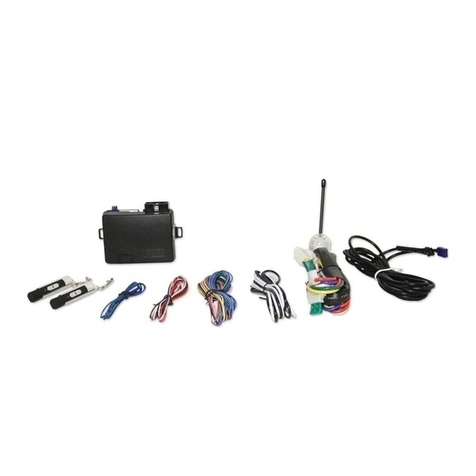
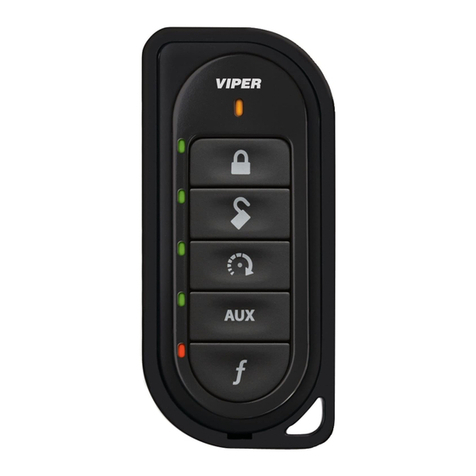
• Responder LE 2-way remote control and,
a 1-way Supercode remote control
• Owner’s guide
• Warranty card

Important information
Government Regulations and Safety Information
Read the “Government Regulations”and “Warning! Safety
First”sections of this manual prior to operating this system.
Warning! Failure to heed this information can result in
death, personal injury or property damage and may also
result in the illegal use of the system beyond its intended
purpose.
Your Warranty
Your system comes with a warranty. Please make sure you receive the
warranty registration card and proof of purchase from your dealer
indicating the product was installed by an authorized Directed dealer.
You can validate it online at www.prodregister.com/automate or
complete and return the warranty registration card.
Replacement remote controls
If additional remote controls 2-way (P/N 7242A) or 1-way
(P/N 7142A) are desired, please see your authorized dealer or visit
us at www.directedstore.com to order.

Contents
Remote Control ................................................................................................... 2
Control Center..................................................................................... 2
Using your System............................................................................................... 3
Commanding the system....................................................................... 3
Performing Commands ......................................................................... 3
Remote Control Command table ............................................................ 4
Basic Commands................................................................................................. 5
Lock ................................................................................................... 5
Unlock................................................................................................ 5
Remote Start........................................................................................ 5
AUX/Trunk.......................................................................................... 6
Advanced Commands: ....................................................................................... 6
Silent Lock........................................................................................... 6
Silent Unlock ....................................................................................... 6
Runtime Reset ...................................................................................... 6
Battery Information.............................................................................................. 7
Battery Replacement............................................................................. 7
Battery Disposal .................................................................................. 7
Government Regulations ...................................................................................... 9
Warning! Safety First......................................................................................... 10
Installation ........................................................................................ 10
Remote Start Capable ........................................................................ 10
Manual Transmission Vehicles ............................................................. 10
Interference....................................................................................... 12
Upgrades ......................................................................................... 12
Water/Heat Resistance ...................................................................... 12
Limited lifetime consumer warranty ..................................................................... 13

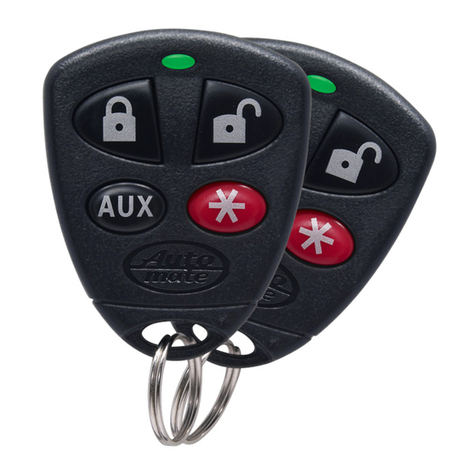
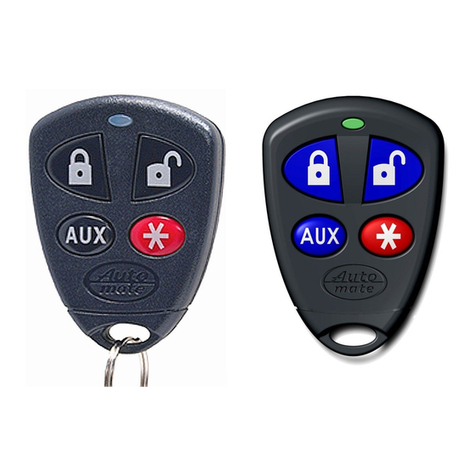
Remote Control
LED: Active during communication
Internal Antenna: transmits information
Lock: Locks vehicle
Unlock: Unlocks vehicle
AUX: Trunk Release: Opens trunk when held
Remote Start
LED: Active during communication
Lock: Locks vehicle
Unlock: Unlocks vehicle
AUX: Trunk Release: Opens trunk when held
Remote Start
Internal Antenna: transmits information
Command
Buttons
Confirmation LEDs
Feature Description
Internal Antenna Used for transmitting information
Transmit LED Active when transmitting information
Command buttons (4) Used to perform locking, unlocking, auxiliary channel and
remote start commands
Confirmation LEDs Each button has an associated LED on it that is active
during related operations. These LED’s are labeled respec-
tively as: Lock LED, Unlock LED, Aux LED, Remote Start LED
Control Center
Valet switch
LED
Control button
Status LED
Control Center
Control Center
Control Center Valet switch
LED
Control button
Status LED
Control Center
Antenna
Antenna
The Control Center, typically located on the upper part of the front
windshield. It consists of:

3
© 2012 Directed. All rights reserved.
• The In-vehicle system antenna.
• The Status LED, as a visual indicator of the system’s status. The
Control button, for placing the system into Valet Mode* and to
perform the Emergency Override operation.
* See “Remote and System Operations” section in the online guide for
details.
Using your System
Commanding the system
Commands, Basic or Advanced, are used to activate system features
and are performed by pressing one of the Command buttons. Basic
commands control the most often used keyless entry and remote start
features while Advanced commands control more specialized fea-
tures.
Confirmations for Basic or Advanced commands are indicated
by horn honks* and parking light flashes. A description of each fea-
ture confirmation is found in the following Basic command and Ad-
vanced command sections.
Performing Commands
Perform basic commands by pressing a command button.
Perform advanced commands by first pressing
AUX
and then by
pressing a command button.
Advanced command example: Silent Lock
1. Press and release the
AUX
button, then press the
AUX
AUX
button.
2. The transmit LED will illuminate to confirm when the silent lock-
message from the system is received.
3. The system will lock the doors and flash parking lights without
horn honks.
* The optional Horn Honk feature must be connected.

4© 2012 Directed. All rights reserved.
Remote Control Command table
Button
Press and Release Shift (Press/release
“AUX” first)
Press/Hold
for 2 secs.
AUX
AUX
Lock Silent Lock Lock, Panic and Car
Finder**
AUX
AUX
Unlock Silent Unlock No Function
AUX
AUX
Shift* No Function Trunk Release
A U X
Remote Starter Runtime Reset
*Advanced commands are performed by pressing and releasing the
AUX button before pressing the command button to perform the ac-
tion listed in the Shift column. ** Optional horn honk feature must be
connected.
If a feature cannot be activated when performing a command with the
2-way remote control, a fault tone plays as an alert.

5
© 2012 Directed. All rights reserved.
Basic Commands
Lock
Press and release
AUX
AUX
Doors lock, lights flash, the horn sounds once and the optional starter
kill becomes active. The status LED begins flashing, the 2-way (7242A)
remote control emits tones.
To Lock and Panic/Car Finder
Press and hold
AUX
AUX
To lock the system, then activate Panic/Car Finder. For Panic/
Car Finder to work,the optional horn honk feature must be con-
nected. The horn emits one long honk and the parking lights
flash for 10 seconds. The 2-way (7242A) remote control emits a
single tone. Press the
AUX
AUX
or
AUX
AUX
button to stop Panic output.
Unlock
Press and release
AUX
AUX
Doors unlock, lights flash, the horn sounds twice and the optional start-
er kill becomes inactive. The status LED turns off, the 2-way (7242A)
remote control emits tones.
Remote Start*
Press and release
A U X
.
Activates (or if On, deactivates) the remote starter. The engine turns
On, or the engine turns Off accordingly. If a Remote start configura-
tion issue prevents the engine from starting, the parking lights flash
a Remote Start fault report to identify the fault. The 2-way (7242A)
remote control emits tones.
Note: The default runtime is 12 minutes and can be shortened or
extended by the installer.

6© 2012 Directed. All rights reserved.
AUX/Trunk**
Press and hold
AUX
The Trunk opens (if connected) when this button is pressed for 2 sec-
onds. The 2-way (7242A) remote control emits tones.
*For Manual transmission vehicles see “Manual Transmission
Vehicles”in the “Remote Start Features” in the online guide.
**This is an optional feature. See your authorized Directed dealer
for details.
Advanced Commands:
Silent Lock
Press and release the
AUX
button first, then Press and release
AUX
AUX
The doors lock (if connected), without horn honks.*The 2-way (7242A)
remote confirms without tones.
Silent Unlock
Press and release the
AUX
button first, then Press and release
AUX
AUX
Doors unlock (if connected), without horn honks.* The 2-way (7242A)
remote confirms without tones.
Runtime Reset
Press and release the
AUX
button first, then Press and release
A U X
.
If more time is needed while remote start is active, runtime reset will
reset the runtime counter to the pre-programmed setting.
* The optional Horn Honk feature must be connected.

7
© 2012 Directed. All rights reserved.
Battery Information
The remote controls are powered by coin cell batteries (CR-2032)
that can be purchased at most retailers. When batteries begins to
weaken, the operating range will be reduced. The information and
precautions in this section can help maximize your battery’s life and
usage in providing you with many years of trouble free operation.
Battery Replacement
1. Unscrew the hardware on unit rear and remove from housing.
2. Hold the unit base with one hand and gently twist and pull the
main housing body with the other. This releases all parts of the
housing assembly.
3. Remove battery from clip and replace with a new one while
observing the correct polarity.
4. Reassemble unit and secure with hardware.
Battery Disposal
Directed cares about the environment. If you need to dis-
pose of the battery, please do so in accordance with your
municipal requirements for battery disposal or return to Di-
rected Electronics at: One Viper way, Vista, CA 92081
Table of contents
Languages:
Other Auto Mate Remote Starter manuals