manuals.online logo
Brands
  1. Home
  2. •
  3. Brands
  4. •
  5. Bosch
  6. •
  7. Speakers
  8. •
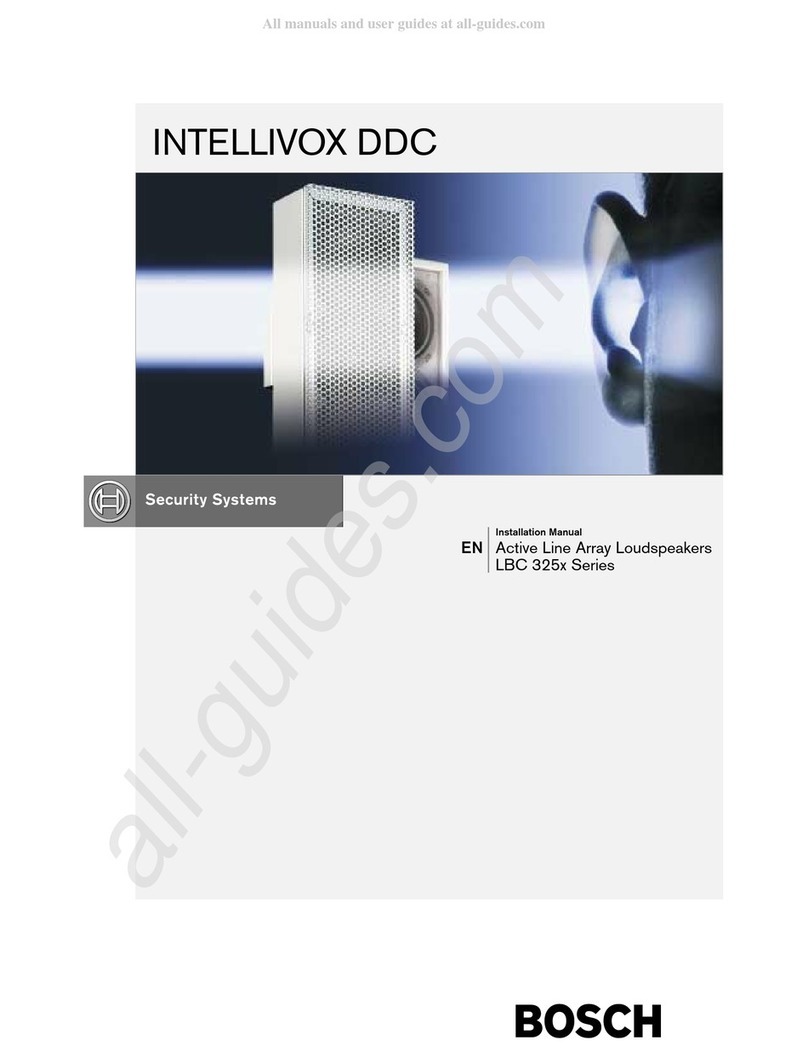
  9. Bosch INTELLIVOX DDC LBC 325X User manual

Bosch INTELLIVOX DDC LBC 325X User manual

This manual suits for next models

10

Other Bosch Speakers manuals

Bosch Prosound LC2-PC60G6-12 Guide

Bosch

Bosch Prosound LC2-PC60G6-12 Guide

Bosch LB1-UM06E-1 Installation and operation manual

Bosch

Bosch LB1-UM06E-1 Installation and operation manual

Bosch LC3-UC06E Installation and operation manual

Bosch

Bosch LC3-UC06E Installation and operation manual

Bosch LBC 3200/00 User manual

Bosch

Bosch LBC 3200/00 User manual

Bosch LC4-UC06E User manual

Bosch

Bosch LC4-UC06E User manual

Bosch LB1-UM20E-x User manual

Bosch

Bosch LB1-UM20E-x User manual

Bosch LC20-PC60G6-6E Installation and operation manual

Bosch

Bosch LC20-PC60G6-6E Installation and operation manual

Bosch LB3-PC250 Installation and operation manual

Bosch

Bosch LB3-PC250 Installation and operation manual

Bosch LC2-PC30G6-4 Guide

Bosch

Bosch LC2-PC30G6-4 Guide

Bosch LB6-100S-D User manual

Bosch

Bosch LB6-100S-D User manual

Bosch LB 1 -UW0 6-X User manual

Bosch

Bosch LB 1 -UW0 6-X User manual

Bosch LH2-UC06 Installation and operation manual

Bosch

Bosch LH2-UC06 Installation and operation manual

Bosch LP6-S-L User manual

Bosch

Bosch LP6-S-L User manual

Bosch Blaupunkt CL 217.1 User manual

Bosch

Bosch Blaupunkt CL 217.1 User manual

Bosch LB2-UC15-x User manual

Bosch

Bosch LB2-UC15-x User manual

Bosch LBC 3087/41 Installation and operation manual

Bosch

Bosch LBC 3087/41 Installation and operation manual

Bosch LS-OC100E-1 Quick start guide

Bosch

Bosch LS-OC100E-1 Quick start guide

Bosch LA3-VARI-B User manual

Bosch

Bosch LA3-VARI-B User manual

Bosch LBC 348300 Assembly Instructions

Bosch

Bosch LBC 348300 Assembly Instructions

Bosch LS1-OC100E Guide

Bosch

Bosch LS1-OC100E Guide

Bosch Blaupunkt XL 217.1 User manual

Bosch

Bosch Blaupunkt XL 217.1 User manual

Bosch LBC 3018/01 Installation and operation manual

Bosch

Bosch LBC 3018/01 Installation and operation manual

Bosch Plena PLE-1MA030-US User manual

Bosch

Bosch Plena PLE-1MA030-US User manual

Bosch LB20-PC30E-5D User manual

Bosch

Bosch LB20-PC30E-5D User manual

Popular Speakers manuals by other brands

Electro-Voice LR4S engineering data

Electro-Voice

Electro-Voice LR4S engineering data

Definitive Technology Sound Cylinder user guide

Definitive Technology

Definitive Technology Sound Cylinder user guide

AudioSource LS545 user manual

AudioSource

AudioSource LS545 user manual

Paso C402-T Instructions for use

Paso

Paso C402-T Instructions for use

Altec Lansing 416-8C LF SPEAKER manual

Altec Lansing

Altec Lansing 416-8C LF SPEAKER manual

Kenwood KFC-1072 Servise manual

Kenwood

Kenwood KFC-1072 Servise manual

Peavey ProSys 112 user guide

Peavey

Peavey ProSys 112 user guide

JBL Control Contractor 60 Series installation instructions

JBL

JBL Control Contractor 60 Series installation instructions

Aura STORM-8 owner's manual

Aura

Aura STORM-8 owner's manual

Oontz ANGLE 3 PLUS quick start guide

Oontz

Oontz ANGLE 3 PLUS quick start guide

Electro-Voice LR4A engineering data

Electro-Voice

Electro-Voice LR4A engineering data

Rave RK-650-ICA-B owner's manual

Rave

Rave RK-650-ICA-B owner's manual

Flux Reference Series installation manual

Flux

Flux Reference Series installation manual

Lanzar AQAWBS64BK installation manual

Lanzar

Lanzar AQAWBS64BK installation manual

DAPAudio DCS-6230 manual

DAPAudio

DAPAudio DCS-6230 manual

Aluratek ABS03F quick start guide

Aluratek

Aluratek ABS03F quick start guide

Kenwood KES-5A instruction manual

Kenwood

Kenwood KES-5A instruction manual

Sonance ORIGINAL SERIES instruction manual

Sonance

Sonance ORIGINAL SERIES instruction manual

manuals.online logo
manuals.online logoBrands
  • About & Mission
  • Contact us
  • Privacy Policy
  • Terms and Conditions

Copyright 2025 Manuals.Online. All Rights Reserved.

INTELLIVOX DDC
Installation Manual
EN Active Line Array Loudspeakers
LBC 325 Series
Disclaimer
1. The information in this manual has been carefully
checked for accuracy, but no guarantee is given as
to the correctness.
2. The information in this manual is subject to change
without notice, and does not represent a
commitment on the part of the vendor. Bosch
Security Systems shall not be liable for any loss or
damage whatsoever arising from the use of
information or any error contained in this manual.
. No part of this manual may be reproduced, stored
in a retrieval system, or transmitted, in any form or
by any means, electronic, electrical, mechanical,
optical, chemical, including photocopying and
recording, for any purpose other than the
purchaser's personal use without the express written
permission of Bosch Security Systems.
4. The unit is designed to operate from AC 50/60 Hz,
115V or 2 0 V - please, see the label on the unit.
Never connect to any other voltage or frequency.
5. Unplug the product before cleaning. Do not use
liquid cleaners or aerosol cleaners but a damp
cloth.
6. Protect the product from overheating. Do not block
ventilation slots. The product should not be built-in
unless proper ventilation is provided.
7. The purchaser should not attempt to service the
product, as he or she may be exposed to dangerous
voltages. All maintenance and service should be
carried out by Bosch Security Systems or its
authorized agents. Bosch Security Systems cannot
accept any liability for any loss or damage caused
by service, maintenance or repair by unauthorized
personnel.
Table of contents
1. INTRODUCTION. . . . . . . . . . . . . . . . . . . . .5
2. INSTALLATION GUIDE. . . . . . . . . . . . . . . .6
2.1 ITEMS IN THE BOX. . . . . . . . . . . . . . . . . . .6
2.2 GENERAL CONSIDERATIONS. . . . . . . . .6
2. WIRING AND CONNECTIONS. . . . . . . . .8
2. .1 Mains power. . . . . . . . . . . . . . . . . . . . . . . . . . .8
2.4 SIGNAL CONNECTIONS. . . . . . . . . . . . . . .8
2.5 METHODS FOR MOUNTING THE
INTELLIVOX. . . . . . . . . . . . . . . . . . . . . . . .10
2.5.1 General. . . . . . . . . . . . . . . . . . . . . . . . . . . . . .10
2.5.2 Measures and dimensions. . . . . . . . . . . . . . . .11
2.5. Mounting procedure. . . . . . . . . . . . . . . . . . . .12
. APPENDIX. . . . . . . . . . . . . . . . . . . . . . . . . .1
.1 REFERENCE PART LIST. . . . . . . . . . . . . . .1
.2 GROUNDING STRATEGY. . . . . . . . . . . . .1
. SOME NOTES ON THE RS-485
NETWORK INTERFACE. . . . . . . . . . . . . . .17
.4 AMBIENT SPL AND TEMPERATURE
SENSOR. . . . . . . . . . . . . . . . . . . . . . . . . . . .20
.5 INTELLIVOX DIMENSIONS OF THE
DIFFERENT MODELS. . . . . . . . . . . . . . . .22
Intellivox Active DDC | Nomenclature | Contents
Bosch Security Systems | July 2003
EN |3
Figure and Table lists.
Fig 1 LBC 25 /00 Intellivox-2c shown without front grill. . . . . . . . . . . . . . . . . . . . . . . . .5
Fig 2 WAGO massive to stranded wire clamp. . . . . . . . . . . . . . . . . . . . . . . . . . . . . . . . . . .8
Fig Intellivox connector block. . . . . . . . . . . . . . . . . . . . . . . . . . . . . . . . . . . . . . . . . . . . . .9
Fig 4 WAGO 2 1 cross-section. . . . . . . . . . . . . . . . . . . . . . . . . . . . . . . . . . . . . . . . . . . . . .10
Fig 5 Connecting a WAGO 2 1. . . . . . . . . . . . . . . . . . . . . . . . . . . . . . . . . . . . . . . . . . . . .10
Fig 6 Standard Intellivox wall bracket, all dimensions in mm. . . . . . . . . . . . . . . . . . . . . .10
Fig 7 LBC 25 /00 Intellivox-2c dimensions, all measures in mm. . . . . . . . . . . . . . . . . .11
Fig 8 Ground configuration of the Intellivox chassis. . . . . . . . . . . . . . . . . . . . . . . . . . . . .14
Fig 9 Standard grounding configuration. . . . . . . . . . . . . . . . . . . . . . . . . . . . . . . . . . . . . . .14
Fig 10 Grounding configuration with totally decoupled audio ground. . . . . . . . . . . . . . . . .15
Fig 11 Grounding configuration with low frequency decoupled audio ground. . . . . . . . . .15
Fig 12 Ground configuration with audio ground partly decoupled for low frequencies. . .16
Fig 1 Optional high frequency decoupling for 70 V / 100 V systems. . . . . . . . . . . . . . . .17
Fig 14 Structure of the RS-485 network. . . . . . . . . . . . . . . . . . . . . . . . . . . . . . . . . . . . . . . .17
Fig 15 Connection of twin twisted network cable to the unit. . . . . . . . . . . . . . . . . . . . . . . .18
Fig 16 Wiring configuration using asymmetrical cable type. . . . . . . . . . . . . . . . . . . . . . . . .20
Fig 17 Wiring configuration using RS-485 network cable type. . . . . . . . . . . . . . . . . . . . . .21
Fig 18 Wiring configuration at the sensor using asymmetrical cable type. . . . . . . . . . . . . .21
Fig 19 Wiring configuration at the sensor using RS-485 network cable type. . . . . . . . . . . .21
Fig 20 LBC 251/00 Intellivox-1b dimensions, all measures in mm. . . . . . . . . . . . . . . . . .22
Fig 21 LBC 252/00 Intellivox-2b dimensions, all measures in mm. . . . . . . . . . . . . . . . . .2
Fig 22 LBC 252/10 Intellivox-2b dimensions, all measures in mm. . . . . . . . . . . . . . . . . .24
Fig 2 LBC 25 /00 Intellivox-2c dimensions, all measures in mm. . . . . . . . . . . . . . . . . .25
Fig 24 LBC 25 /10 Intellivox-2c dimensions, all measures in mm. . . . . . . . . . . . . . . . . .26
Fig 25 LBC 254/00 Intellivox-4c dimensions, all measures in mm. . . . . . . . . . . . . . . . . .27
Fig 26 LBC 254/10 Intellivox-4c dimensions, all measures in mm. . . . . . . . . . . . . . . . . .28
Fig 27 LBC 256/00 Intellivox-6c dimensions, all measures in mm. . . . . . . . . . . . . . . . . .29
Fig 28 LBC 256/10 Intellivox-6c dimensions, all measures in mm. . . . . . . . . . . . . . . . . . 0
Intellivox DDC | Installation Manual | Contents
Bosch Security Systems | July 2003
EN |4
Intellivox DDC | Installation Manual | Introduction
Bosch Security Systems | July 2003
EN |5
1. Introduction.
This paper describes the factory recommended
installation procedure for the Bosch Security Systems’
Intellivox range of controlled loudspeaker-arrays.
This type of loudspeaker-array is equipped with an on-
board Digital Signal Processor (DSP) module. This
manual describes mechanical matters like mounting
hole positions and outlets for cable feed-through, as
well as information for wiring of the connectors.
A very important parameter is the mounting height.
This parameter can be very confusing, because during
the acoustical design process the height of the
acoustically active part of the column is optimized,
while during installation the issue of interest is the
physical mounting height of the column. Unfortunately
there is no fixed relation between these two, because
the exact position of the acoustical part of the array
inside the enclosure is depending on the location of the
electronics module. In the standard LBC 25x/00
versions of the Intellivox, the electronics module is
mounted in the lower end of the enclosure (as it is
shown in Fig 1). The LBC 25x/10 versions however,
have the electronics module mounted at the top end.
Because of the extreme tight vertical radiation pattern
of the Intellivox, a small deviation from the calculated
acoustical mounting height may cause severe
degradation of the expected performance.
For this reason the designer is advised to define two
mounting heights, a physical mounting height which
refers to the physical bottom side of the enclosure, and
an acoustical mounting height, referring to the on-axis
location of the loudspeaker at the lowest position.
Although the physical mounting positions are of
primary concern to the contractor, a quick check of the
acoustical height during installation will confirm the
integrity of the original acoustical design.
Fig 1 Intellivo -2c shown without front grill.
Connector
compartment
Electronics
module
Reference point for
acoustical mounting
height
Reference point for
physical mounting
height
. Installation guide
This chapter deals with the practical aspects of
installing the Intellivox loudspeaker column.
• SI units are used as a default, all mentioned
dimensions are stated in meters or millimeters.
• Unless stated otherwise, column dimensions refer to
the standard Intellivox-2c, which has the electronics
module mounted at the low end of the enclosure.
Dimensions of other Intellivox models can be taken
from the appropriate datasheet.
.1 Items in the box.
The following items are shipped with each Intellivox
column:
Table 1 List of shipped items.
• The mounting brackets as well as the connector set
are packed in one of the top end boxes of the main
packaging.
. General considerations.
As already mentioned, mounting height and position
are important parameters in relation to the acoustical
performance of the system. Unless specified otherwise
by the sound system designer, the Intellivox column
should be mounted in a position exactly perpendicular
to the listening plane. Contrary to a conventional ‘low
Q’ loudspeaker system, minor mechanical
misalignment may lead to a degraded coverage and
intelligibility.
Unless otherwise stated by the designer, the Intellivox
column with a-symmetrically placed transducers,
should be mounted with the ‘high frequency acoustical
center’ at the lowest position.
The Intellivox is mains powered, the mains ground
terminal should always be connected to a proper safety
ground. Other safety regulations may also require a
separate mains distribution network or an un-
interruptible mains power supply (UPS).
The Intellivox requires a signal source. For this
purpose preferably a symmetrical line level (0 dBV)
signal can be used. Alternatively the audio input can
be supplied by an existing 70V/100V network (if the
default transformer balanced input board is installed).
Refer to chapter .2 and chapter 2.4 for more
information.
The Intellivox is equipped with a RS-485 network
interface. This interface serves two basic purposes. The
first one is to adjust all relevant parameters (i.e. gain,
‘steering’ angle) during installation. Secondly it might
be used to integrate the Intellivox into a network for
continuous surveillance and ‘on line’ control. In cases
where these last mentioned network options are not
required, the RS-485 wiring can be omitted. One
should however realize that the existence of network
wiring greatly simplifies the transfer of the initial
parameters as well as any future DSP software
upgrades or functional check-ups, especially in
situations where a unit is located on a position which is
hardly accessible. Refer to chapter . for more
information about the RS-485 network.
If more then one unit has to be connected to the RS-
485 RS-485 network network, make sure that every
unit is set to a unique network address before
connecting to the RS-485 network. The network
address can be changed by connecting the individual
device via an RS-2 2 to RS-485 adapter to a host PC
running WinControl the appropriate software. More
information can be found in the help file of
WinControl.
Intellivox DDC | Installation Manual | Installation Guide
Bosch Security Systems | July 2003
EN |6
Description Pieces
Mounting brackets 2
IEC p female mains connector (cable
socket)
1
WAGO series 2 1 6p input signal connector
(cable socket with strain relief housing)
1
WAGO series 2 1 5p RS485 signal connector
(cable socket with strain relief housing)
1
PVC inserts for WAGO connectors (for
different wire sizes)
1 x 5
2 x 2 x 5
Wire insertion tool for WAGO cage
clamp connector
1

A simple surveillance function may be realized by
means of the ‘failure detect’ connection in case the RS-
485 network interface is not used. Three relay contacts,
‘normally open’ (NO), ‘normally closed’ (NC) and
‘common’ (COM) are available on this connector.
If the autogain function of the Intellivox is used, a
separate ambient SPL/temperature sensor has to be
installed and connected. This automatic volume
adaptation feature will only function properly if the
signal, which is detected by the microphone inside the
sensor, is representative for the diffuse ambient noise
level. For this reason the sensor should be kept away
from direct sound sources such as talking people,
outlets of the air conditioning system or other
loudspeakers. The implemented software protocol
freezes the volume setting when an audio signal is
present in order to prevent ‘hunting’ of the column’s
gain setting caused by its own acoustical output. All
relevant autogain parameters can be adjusted by means
of the RS-485 interface. In practice, the most favorable
sensor locations are walls or ceilings (height > m)
within a range of 25 m of the corresponding Intellivox
(see also chapter .4).
If the ambient temperature is expected to exceed 40°C
an external fan should be connected to ensure proper
operation of the Intellivox under all circumstances. For
this purpose an external 24 V relay should be
connected to the terminal block marked ‘Fan Relay’.
Because of the limited drive current an external relay
must always be used to switch the fan, do not connect
a fan directly to this terminal! The external relay (if
connected) will be engaged if the heatsink temperature
exceeds the threshold. The fan should be mounted on
a location ensuring sufficient airflow along the heatsink.
In case the Intellivox is installed outside or in another
environment with a high expected humidity, the
electronics should be treated with an insulation
substance to prevent defects due to condensing
moisture. If specially ordered, this can be done during
the manufacturing process.
To prevent damage to the loudspeakers due to frozen
moisture inside the voice-coil gap, each Intellivox is
equipped with a ‘frost protection’. If the ambient
temperature drops below a certain threshold the
internally generated pilot tone for the frost protection
will be activaded. The aforementioned ambient
SPL/temperature sensor should be installed for this
function to operate properly. The switching threshold
and hysteresis can be adjusted through the RS-485
interface.
Intellivox DDC | Installation Manual | Installation Guide
Bosch Security Systems | July 2003
EN |7
.3 Wiring and connections.
.3.1 Mains power.
• Be sure that the mains voltage stated on the unit
complies with the local standard before connecting
the Intellivox to the mains supply.
The maximum power consumption of the Intellivox-2c
model is 450 VA, this figure however is different from
other models (refer to the appropriate datasheet). The
Intellivox is equipped with a -pin IEC type mains
inlet / fuse holder. If the fuse needs to be replaced only
replace with the same value. The IEC cable socket
which is supplied with the unit is only suited for use
with stranded wires. The preferred (and most straight
forward) solution is to feed the Intellivox from a mains
power outlet situated nearby the unit using an ‘off the
shelf’ x 0.75 mm2(AWG 18) IEC mains cable. If the
mains outlet is located directly behind the Intellivox it
should be recessed to be able to mount the unit flat to
the wall.
In case it is necessary to make a connection from
massive to stranded wires, the use of an appropriate
clamp is advised. A cross-sectional view of such a
clamp construction is shown in Fig 2. Refer to chapter
.1 for ordering info.
Fig 2 WAGO massive to stranded wire clamp.
.4 Signal connections.
All signal connections are realized by using WAGO
series 2 1 cage clamp connectors. A major advantage

of these connectors is the fact that the connector can
be fitted without the need for soldering. The
connectors can be used with 0.08 mm2(AWG 28) to
2.5 mm2(AWG 12) wires, both stranded or massive.
The audio and RS-485 signal cable socket is supplied
with the Intellivox. Also three different sized PVC
inserts are supplied which can be inserted in the
connector if small wire sizes are used (usually for the
audio line input connection). The connector for the
SPL/temperature measurement is supplied with the
corresponding sensor. This sensor has to be ordered
separately. Refer to chapter .1 for ordering
information if the installation requires extra connectors.
The preferred cable types and the connector pin
configuration is extensively discussed in chapters .2
and . . All connectors are located in the Intellivox
connector compartment which is accessible from the
rear and front side of the column (except Intellivox-1b
which is only accessible from the rear). A drawing of
the connector block is shown in Fig . A figure similar
to Fig (right side) can be found at the rear side of the
panel that covers the connector compartment.
Intellivox DDC | Installation Manual | Installation Guide
Bosch Security Systems | July 2003
EN |8
Fig 3 Intellivo connector block.
• A removable panel on the front side of the
Intellivox (backside for the Intellivox-1b) allows all
connectors to be inserted when the unit is already
mounted.
Proceed as follows to fit a WAGO 2 1 connector:
1. Prepare the cable, about 8 - 9 mm (around 0. 5”) of
the individual wire insulation should be removed.
2. If required insert the appropriate PVC insert for
small wire sizes (refer to Table 2 on the next page).
In this way the wire is centered and the insert
prevents the insulation from entering the clamp
contact.
. A small screwdriver with blade width around
2.5 mm (0.1”) or a specific wire insertion tool as
shown in Fig 5 (right side) might be used to open
the clamp contact.
4. In case the screwdriver is used: insert it into the
square hole of the corresponding connector pin as
shown in the left side of Fig 5. The blade of the
screwdriver should be inserted far enough into the
connector. The metal spring of the cage clamp,
which is visible from the side of the connector,
should be completely covered by the blade of the
screwdriver (refer to Fig 4 which shows the internal
clamp construction).
5. Push the screwdriver to open the cage clamp, this
may require some force. If no PVC insert is placed,
the opening of the clamp is visible in the round
hole (cable insert) at the top of the connector.
6. Insert the stripped wire into the open cage clamp
located inside the round hole.
7. Remove the screwdriver from the connector, the
clamp closes and the force exerted on the wire
automatically adapts to the wire size.
8. Proceed with step 2 until all wires are connected.
Intellivox DDC | Installation Manual | Installation Guide
Bosch Security Systems | July 2003
EN |9
Fig 4 WAGO 231 cross-section
Fig 5 Connecting a WAGO 231
Table 2 PVC insert sizes.
.5 Methods for mounting the
Intellivox.
.5.1 General.
For mounting of the Intellivox column there are two or
three attachment points (depending on the model) each
consisting of four threaded inserts at the rear of the
enclosure. One point is located at the upper side, the
other near the bottom and the third, if existing, at the
center position. The column should be mounted using
both locations. All threaded inserts are M5 metric and
should only be used with the appropriate screws which
are supplied with the original mounting hardware.
Fig 6 Standard Intellivo wall bracket, all dimensions in mm.
There are three options for mounting the Intellivox
column.
1. The first (and most often used) mounting method of
the Intellivox is by means of two or three
(depending on the model) identical wall brackets.
The brackets are supplied with each Intellivox and
come in the same color as the enclosure. A
technical drawing of the bracket is shown in Fig 6.
The brackets allow mounting of the Intellivox on a
straight wall or on a curved surface (pillar) while
keeping a distance of 25 mm (1.0”) between the
rear of the enclosure and the wall. Refer to chapter
2.5. for the standard mounting procedure details.
2. A second method is to mount the Intellivox using
swivel brackets which allow the column to be
positioned in a certain horizontal angle with respect
to the wall. In this case two or three (depending on
the model) swivel brackets are needed, one on the
top side and one at the bottom and one in the
center position if applicable. The horizontal angle
of the swivel brackets can be secured by the
Intellivox DDC | Installation Manual | Installation Guide
Bosch Security Systems | July 2003
EN |10
Description Wire size
White PVC insert 0.08 - 0.2 mm2
Light gray PVC insert 0.25 - 0.5 mm2
Dark gray PVC insert 0.75 - 1.0 mm2
hexagonal nut. The swivel brackets are mounted to
the rear of the enclosure by four M5 pan head
screws (factory supplied). Refer to Table 4 in
chapter .1 for ordering information.
. The third method is to mount the column directly
to a wall or a dedicated mounting panel by means
of spacers and screws through the mounting
surface. In this case extra attention should be paid
to the following aspects:
• The threaded inserts are M5 metric and the depth
is 16 mm.
• It is advised to keep the rear side of the Intellivox
free from the wall in order to prevent unwanted
resonances.
.5. . Measures and dimensions.
As mentioned earlier all enclosure dimensions refer to
the Intellivox-2c. Other models or custom supplied
Intellivox DDC | Installation Manual | Installation Guide
Bosch Security Systems | July 2003
EN |11
Fig 7 LBC 3253/00 Intellivo -2c dimensions, all measures in mm