9
MonIToR
BATTERY INSTALLATION AND MONITOR CONNECTION
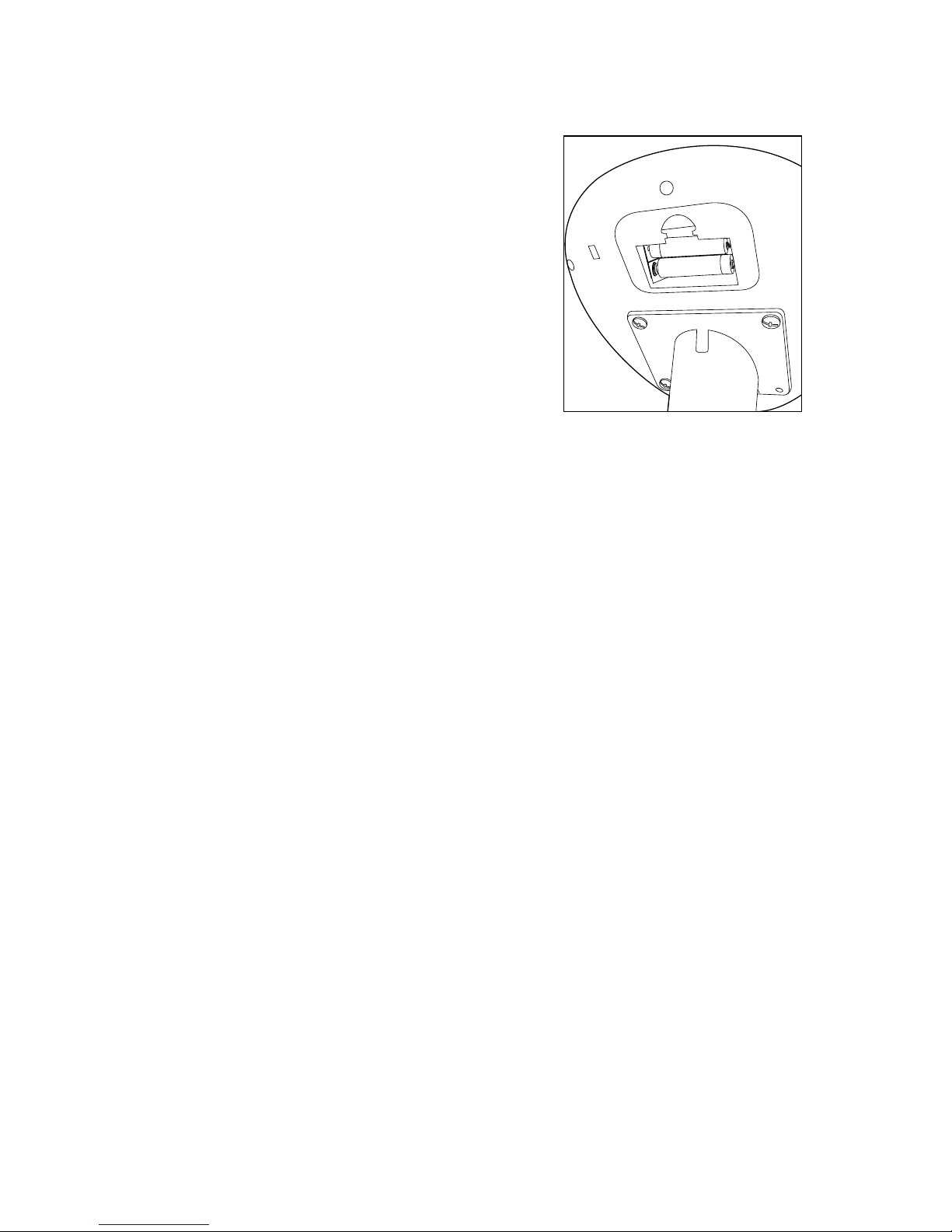
1. Press the tab on the BATTERY COMPARTMENT
with your thumb and remove (see at right).
2. Insert 2 AA batteries according to the polarity
indicators inside the compartment.
3. Close the BATTERY COMPARTMENT
securely, ensuring the tab on the cover
is seated correctly.
ENTERING YOUR PERSONAL DATA
From the Time mode, press the BODY FAT button
twice to enter your GENDER, AGE, HEIGHT and
WEIGHT. Use the UP and DOWN buttons to select
your data, pressing the ENTER button to save your
selections. The computer will save your data until the monitor is reset or the batteries are
removed. You will now be able to receive personalized information. While you are holding
your hands on the PULSE PADS, the monitor will show your BMI (Body Mass Index), Fat
Percentage and BMR (Basal Metabolic Rate) when you press the MEASURE button.
SETTING THE CLOCK AND ALARM
The monitor will automatically revert to the CLOCK in 4 minutes if no button is pressed
or the bike is inactive. To reach the CLOCK from any other mode, press and hold the UP
button and the ENTER/RESET button simultaneously.
1. To set the current time you must be in CLOCK mode.
2. Press and hold the ENTER/RESET button. The hour digits will blink.
3. Use the UP and DOWN buttons to select the hour – press ENTER/RESET.
4. The minute digits will blink. Use the UP and DOWN buttons to select the minutes –
press ENTER/RESET.
5. The alarm time will blink. The alarm is located along the bottom, second window
from the right.
Note: If 3 dashes are blinking, press the UP button to view alarm digits to set.
6. To choose an alarm time, press ENTER/RESET again and the alarm hour will blink.
7. Use the UP and DOWN buttons to select the hour – press ENTER/RESET.
8. The alarm minutes will blink. Use the UP and DOWN buttons to select the alarm
minutes – press ENTER/RESET to save the alarm time.
9. When the alarm time is showing, the alarm will sound for three minutes when that
time is reached. Press any button to silence the alarm.