manuals.online logo
Brands
  1. Home
  2. •
  3. Brands
  4. •
  5. Buffalo
  6. •
  7. Adapter
  8. •
  9. Buffalo AIRSTATION WLI2-USB2-G54 User manual

Buffalo AIRSTATION WLI2-USB2-G54 User manual

Other manuals for AIRSTATION WLI2-USB2-G54

2

This manual suits for next models

1

Other Buffalo Adapter manuals

Buffalo WLI-U2-KG54-AI User manual

Buffalo

Buffalo WLI-U2-KG54-AI User manual

Buffalo AirStation WLI-CB-B11 User manual

Buffalo

Buffalo AirStation WLI-CB-B11 User manual

Buffalo AirStation WLI-U2-SG54HG User manual

Buffalo

Buffalo AirStation WLI-U2-SG54HG User manual

Buffalo WLI-U2-AG108HP User manual

Buffalo

Buffalo WLI-U2-AG108HP User manual

Buffalo WLI-UC-GN User manual

Buffalo

Buffalo WLI-UC-GN User manual

Buffalo AirStation WLI-U2-KG54 User manual

Buffalo

Buffalo AirStation WLI-U2-KG54 User manual

Buffalo WLI-UC-G450 User manual

Buffalo

Buffalo WLI-UC-G450 User manual

Buffalo AirStation Nfiniti WLI-PCI-G300N User manual

Buffalo

Buffalo AirStation Nfiniti WLI-PCI-G300N User manual

Buffalo AIRSTATION WLI2-USB2-G54 User manual

Buffalo

Buffalo AIRSTATION WLI2-USB2-G54 User manual

Buffalo Buffalo AirStation WLI-CB-G54HP User manual

Buffalo

Buffalo Buffalo AirStation WLI-CB-G54HP User manual

Buffalo AirStation WLI-CB-G54L User manual

Buffalo

Buffalo AirStation WLI-CB-G54L User manual

Buffalo WLI-UC-GN User manual

Buffalo

Buffalo WLI-UC-GN User manual

Buffalo AirStation WLI-CB-G54S User manual

Buffalo

Buffalo AirStation WLI-CB-G54S User manual

Buffalo NFinity WLI-UC-G300HP User manual

Buffalo

Buffalo NFinity WLI-UC-G300HP User manual

Buffalo AirStation WLI-USB-KB11 User manual

Buffalo

Buffalo AirStation WLI-USB-KB11 User manual

Buffalo AirStation G54 Specification sheet

Buffalo

Buffalo AirStation G54 Specification sheet

Buffalo AirStation WI-U2-866D User manual

Buffalo

Buffalo AirStation WI-U2-866D User manual

Buffalo AirStation User manual

Buffalo

Buffalo AirStation User manual

Buffalo AirStation WLI-CB-G54S User manual

Buffalo

Buffalo AirStation WLI-CB-G54S User manual

Buffalo AirStation Mimo WLI-CB-G108 User manual

Buffalo

Buffalo AirStation Mimo WLI-CB-G108 User manual

Buffalo WLI-CB-G54A User manual

Buffalo

Buffalo WLI-CB-G54A User manual

Buffalo WLI-CB-G54 User manual

Buffalo

Buffalo WLI-CB-G54 User manual

Buffalo AirStation WLI2-CB-G54L User manual

Buffalo

Buffalo AirStation WLI2-CB-G54L User manual

Buffalo Buffalo AirStation WLI-CB-G54HP User manual

Buffalo

Buffalo Buffalo AirStation WLI-CB-G54HP User manual

Popular Adapter manuals by other brands

Mini Gadgets BB2Outlet user manual

Mini Gadgets

Mini Gadgets BB2Outlet user manual

LSI LSISAS3442E-R Quick installation guide

LSI

LSI LSISAS3442E-R Quick installation guide

Moeller BBA -16 Series installation instructions

Moeller

Moeller BBA -16 Series installation instructions

Acer MWA3 quick start guide

Acer

Acer MWA3 quick start guide

Connect Tech ADG095 user guide

Connect Tech

Connect Tech ADG095 user guide

cable matters 604002 user manual

cable matters

cable matters 604002 user manual

Solwise PL-85PEW Easy start

Solwise

Solwise PL-85PEW Easy start

HP Photosmart 7100 user guide

HP

HP Photosmart 7100 user guide

HP E2494A installation guide

HP

HP E2494A installation guide

StarTech.com USB150WN1X1 quick start guide

StarTech.com

StarTech.com USB150WN1X1 quick start guide

Lindy 43198 user manual

Lindy

Lindy 43198 user manual

A&D AD-8527 instruction manual

A&D

A&D AD-8527 instruction manual

Motorola WU830G user guide

Motorola

Motorola WU830G user guide

Hawking HUF2 Specifications

Hawking

Hawking HUF2 Specifications

Allen-Bradley E3 Plus installation instructions

Allen-Bradley

Allen-Bradley E3 Plus installation instructions

Trust BT-2210Tp manual

Trust

Trust BT-2210Tp manual

HP NC7170 overview

HP

HP NC7170 overview

Uconnect BLE-485C user manual

Uconnect

Uconnect BLE-485C user manual

manuals.online logo
manuals.online logoBrands
  • About & Mission
  • Contact us
  • Privacy Policy
  • Terms and Conditions

Copyright 2025 Manuals.Online. All Rights Reserved.

www.buffalotech.com
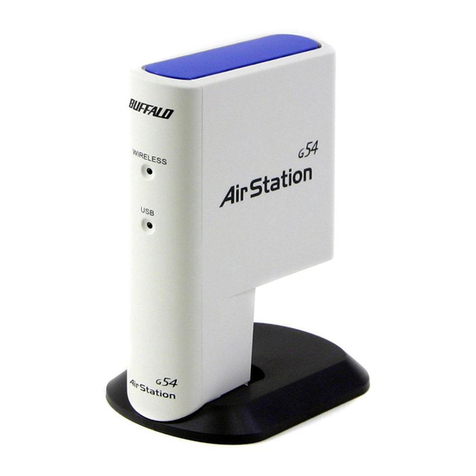
54Mbps Wireless USB Adapter – WLI2-USB2-G54
The AirStation 54Mbps Wireless USB Adapter offers instant
wireless connectivity using AOSS™ (AirStation One-Touch
Secure System) Technology to most Windows-based computer
with an available USB port. Support for USB 2.0 provides the fastest
USB data transfer speed; it is also compatible with USB 1.1 systems.
The 54Mbps USB Adapter incorporates WPA (TKIP, AES) and standard
WEP for security. Optional external 2.4GHz antenna can be added to
boost range and increase performance.
● AirStation One-Touch Secure System (AOSS Client software required)
● 54Mbps High-Speed Wireless Data Rate
● Supports USB 2.0 and USB 1.1
● No power supply required
● Small and Compact Design
● External 2.4GHz antenna support
● WPA (TKIP, AES) and WEP Support
● Compatible with 802.11b
● 24/7 Toll-Free Tech Support
● 2-Year Warranty
WLI2-USB2-G54
™
◗ Press the AOSS™ button ➊ on the router to initiate the AOSS
session.
◗ Click on the AOSS™ icon ➋ in the Buffalo Client Manager
Software.
◗ DONE - A secure connection is automatically established
between the Router, and USB client system.
Buffalo AirStation One-Touch Secure System allows you to
create secure wireless connections with the push of a
button and a click of the mouse!
Communication Range
Speed Indoor Outdoor
54Mbps 65 ft. (20m) 165 ft. (50m)
18Mbps 195 ft. (60m) 490 ft. (150m)
11Mbps 245 ft. (75m) 590 ft. (180m)
1Mbps 410 ft. (125m) 1870 ft. (570m)
Technical Specifications
54Mbps Wireless USB Adapter – WLI2-USB2-G54
Wireless LAN
Standards Compliance 802.11g (IEEE Wireless LAN Standard)
802.11b (IEEE Wireless LAN Standard)
Frequency Range 2.412 - 2.462GHz
Transmission Rate 802.11g: 6, 9, 12, 18, 24, 36, 48, 54Mbps
802.11b: 1, 2, 5.5, 11Mbps
Security WPA (TKIP, AES), 64/128-Bit WEP
Access Mode Infrastructure Mode, AdHoc Mode
External Antenna Connector MC
Output Power 15dBm (32mW)
Interface USB 2.0
Communication Protocol Direct Sequence Spread Spectrum (DSSS), Half Duplex
OFDM, CCK, DQPSK, DBPSK
Dimensions W4.8 x H3.7 x D2.2in (120 x 92 x 56mm)
Weight 3.1oz (88g)
Operating Environment 0-40˚ C, 20-80% humidity (non-condensing)
Power Supply DC 5V (Powered via PC)
Power Consumption 2.45W (Max)
Electric Current Consumption 490mA (Max), 450mA (Normal)
All distances are estimated. Wireless connections may be affected as physical conditions and circumstances vary.
© 2004 Buffalo Technology (USA), Inc. Buffalo Technology and the Buffalo Technology logo are registered trademarks belonging to Buffalo
Technology (USA), Inc. All other trademarks mentioned belong to their respective owners. Buffalo Technology is not responsible for typographical
errors or omissions. Product specifications and prices are subject to change without notice. OSG040904
Support Available for: Windows 98SE, ME, 2000 and XP
Package Contents: AirStation 54Mbps USB Adapter, CD driver disk,
Mounting Bracket, USB Cable, Quick Setup Guide and
Warranty Statement
Related Products: AirStation 54Mbps Wireless Cable/DSL Routers and Access
Points, External 2.4GHz Antennas
Front View
Rear View
LEDs
Antenna
Connector
USB 2.0
port
WLI2-USB2-G54
4030 W. Braker Lane #120
Austin, TX 78759
800-456-9799
www.buffalotech.com
™
Buffalo Technology (USA), Inc. is a leading
global provider of affordable, easy-to-use,
next-generation wired and wireless network
solutions for the consumer, SOHO and SMB
markets. With its expansion into the U.S.
retail market, Buffalo offers home users a full
suite of wireless home networking solutions
such as its award winning line of AirStation
54g products; its high speed 125Mbps
802.11g Plus products; and its versatile line
of 802.11a/b/g combo products. Buffalo
completes its offerings with additional
world-class networking solutions that
include memory, storage and multimedia
products - perfectly suited for any wireless
environment. With its new AirStation
OneTouch Secure System (AOSS™), Buffalo
offers the ultimate in ease-of-use and
security. The company’s commitment to its
customers and technological innovation has
put Buffalo at the forefront of networking
technology and is the foundation for its
leading position among the top WLAN
vendors worldwide.
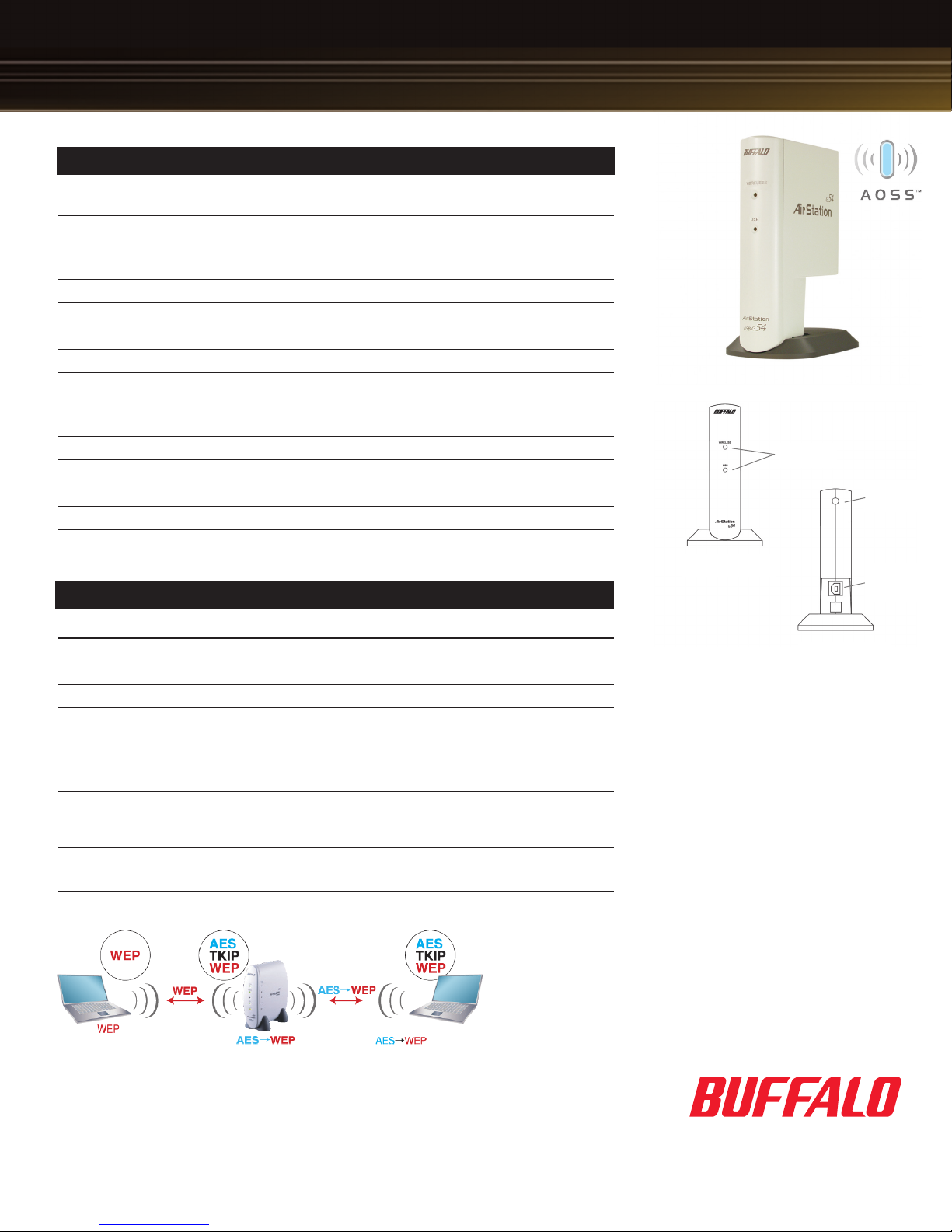
How AOSS Handles Security:
When two or more AOSS clients attach to the AOSS network, the client and router automatically
negotiate the highest level of security that the clients and router can support. In the above example,

one of the AOSS clients supports both WEP and WPA level encryption (TKIP and AES), while the
other supports only WEP. AOSS automatically adjusts the security to a level that both clients support.