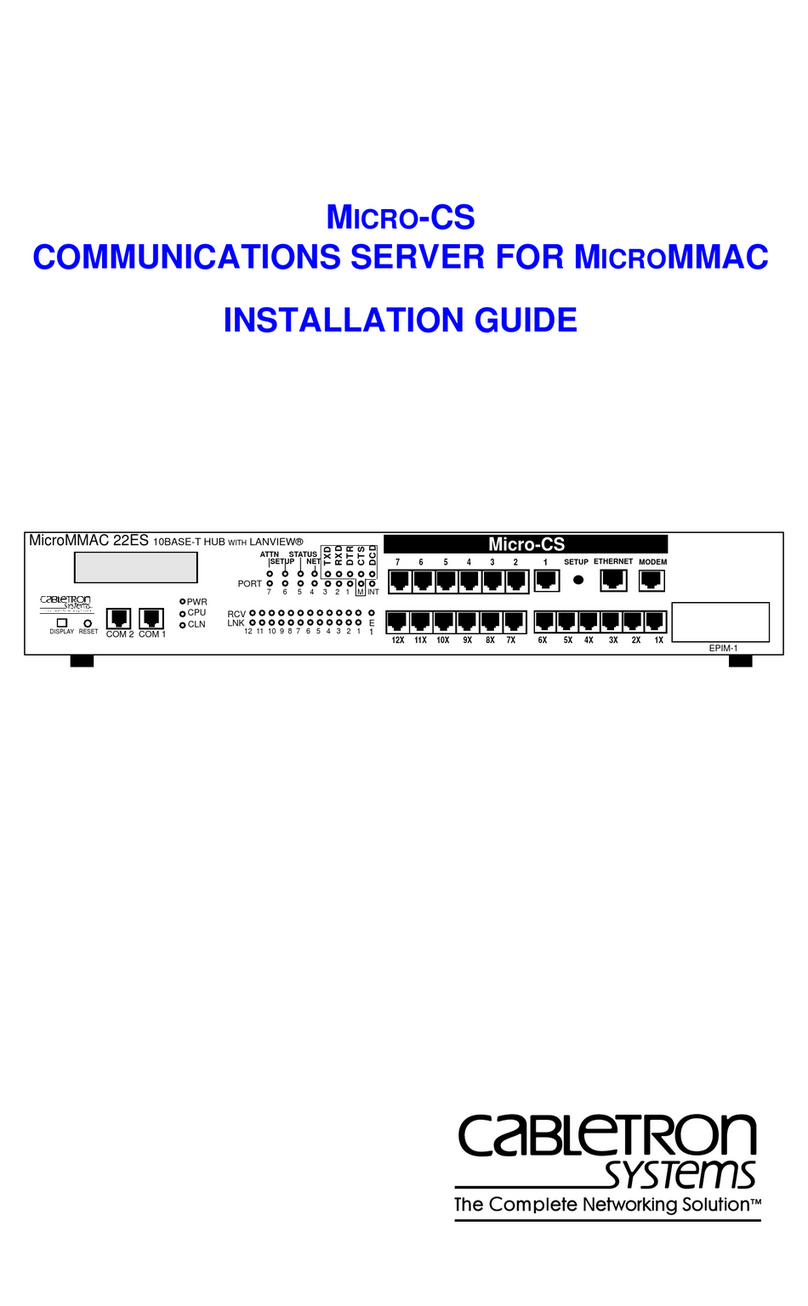
Cabletron Systems CSMIM2-16 User manual

Title Page
CSMIM2 COMMUNICATIONS
SERVER MODULE
INSTALLATION GUIDE


NOTICE
Cabletron Systems reserves the right to make changes in specifications and other
information contained in this document without prior notice. The reader should in all cases
consult Cabletron Systems to determine whether any such changes have been made.
The hardware, firmware, or software described in this manual is subject to change without
notice.
IN NO EVENT SHALL CABLETRON SYSTEMS BE LIABLE FOR ANY
INCIDENTAL, INDIRECT, SPECIAL, OR CONSEQUENTIAL DAMAGES
WHATSOEVER (INCLUDING BUT NOT LIMITED TO LOST PROFITS) ARISING
OUT OF OR RELATED TO THIS MANUAL OR THE INFORMATION CONTAINED
IN IT, EVEN IF CABLETRON SYSTEMS HAS BEENADVISED OF, KNOWN, OR
SHOULD HAVE KNOWN, THE POSSIBILITY OF SUCH DAMAGES.
© Copyright April 1997 by:
Cabletron Systems, Inc.
P.O. Box 5005
Rochester, NH 03866-5005
All Rights Reserved
Printed in the United States of America
Order number: 9032221 April 1995
MicroMMAC
,
CSMIM2
,
MODMIM
, and
Micro-CS
are trademarks of
Cabletron Systems, Inc.
Annex
,
Annex Three
,
Annex3,
and
RemoteAnnex 2000
are trademarks
of Xylogics, Inc.
HST
is a registered trademark of U.S. Robotics, Inc.
Courier HST Dual
Standard Fax
,
Courier V.32 terbo Fax
,
Total Control
, and
Adaptive
Speed Leveling (ASL)
are trademarks of US Robotics, Inc.
Ethernet
is a trademark of Xerox Corporation.
LAT
and
ULTRIX
are trademarks of Digital Equipment Corporation.
UNIX
is a registered trademark of UNIX System Laboratories, Inc.
XENIX
is a trademark of Microsoft Corporation.

Insert BookTitle ii
FCC NOTICE
This device complies with Part 15 of the FCC rules. Operation is subject to the following
two conditions: (1) this device may not cause harmful interference, and (2) this device
must accept any interference received, including interference that may cause undesired
operation.
NOTE
: This equipment has been tested and found to comply with the limits for a ClassA
digital device, pursuant to Part 15 of the FCC rules. These limits are designed to provide
reasonable protection against harmful interference when the equipment is operated in a
commercial environment. This equipment uses, generates, and can radiate radio frequency
energy and if not installed in accordance with the operator’s manual, may cause harmful
interference to radio communications. Operation of this equipment in a residential area is
likely to cause interference in which case the user will be required to correct the
interference at his own expense.
WARNING
: Changes or modifications made to this device which are not expressly
approved by the party responsible for compliance could void the user’s authority to
operate the equipment.
This equipment complies with FCC Rules Part 68. The FCC Registration Number and
Ringer Equivalence Number (REN) are also located on the MicroMMACchassis rear
panel .You must provide this information to the telephone company if requested.
FCC Registration Number
3N9USA-21775-MM-E
Ringer Equivalence Number (REN)
0.4B

Insert BookTitle iii
SPECIAL REQUIREMENTS FOR CANADA
The Industry Canada Department’s label identifies certified equipment. This certification
means that the equipment meets certain telecommunications network protective,
operational and safety requirements. The Department does not guarantee the equipment
will operate to the user’s satisfaction.
Before installing this equipment, users should ensure that it is permissible to be connected
to the facilities of the local telecommunications company. The equipment must also be
installed using an acceptable method of connection. In some cases, the company’s inside
wiring associated with a single line individual service may be extended by means of a
certified connector assembly (telephone extension cord). The customer should be aware
that compliance with the above conditions may not prevent degradation of service in some
situations.
Repairs to certified equipment should be made by an authorized Canadian maintenance
facility designated by the supplier. Any repairs or alterations made by the user to this
equipment, or equipment malfunctions, may give the telecommunications company cause
to request the user to disconnect the equipment. For their own protection users should
ensure that the electrical ground connections of the power utility, telephone lines and
internal metallic water pipe system, if present, are connected together. This precaution
may be particularly important in rural areas.
CAUTION
: Users should not make installation connections themselves, but should
contact the appropriate electric inspection authority or electrician.
Load Number
The Load Number (LN) assigned to each terminal device denotes the percentage of the
total load to be connected to a telephone loop which is used by the device, to prevent
overloading. The termination on a loop can consist of any combination of devices subject
only to the requirement that the total of the LNs of all the devices does not exceed 100.
Industry Canada Certification Number
2179 6467A
LN =
4

Chapter x chaptitle
iv Insert BookTitle
IC NOTICE
This digital apparatus does not exceed the ClassA limits for radio noise emissions from
digital apparatus set out in the Radio Interference Regulations of the Industry Canada.
Le présent appareil numérique n’émet pas de bruits radioélectriques dépassant les limites
applicables aux appareils numériques de la class A prescrites dans le Règlement sur le
brouillage radioélectrique édicté par le ministère des Communications du Canada.
EXCLUSION OFWARRANTY
AND DISCLAIMER OF LIABILITY
1. EXCLUSION OF WARRANTY. Except as may be specifically provided by
Cabletron in writing, Cabletron makes no warranty, expressed or implied, concerning
the Program (including Its documentation and media).
CABLETRON DISCLAIMS ALL WARRANTIES, OTHER THAN THOSE
SUPPLIED TOYOU BY CABLETRON IN WRITING, EITHER EXPRESS OR
IMPLIED, INCLUDING BUT NOT LIMITED TO IMPLIED WARRANTIES OF
MERCHANTABLITY AND FITNESS FOR A PARTICULAR PURPOSE, WITH
RESPECT TO THE PROGRAM, THE ACCOMPANYING WRITTEN
MATERIALS, AND ANY ACCOMPANYING HARDWARE.
2. NO LIABILITY FOR CONSEQUENTIAL DAMAGES. IN NO EVENT SHALL
CABLETRON OR ITS SUPPLIERS BE LIABLE FOR ANY DAMAGES
WHATSOEVER (INCLUDING, WITHOUT LIMITATION, DAMAGES FOR
LOSS OF BUSINESS, PROFITS, BUSINESS INTERRUPTION, LOSS OF
BUSINESS INFORMATION, SPECIAL, INCIDENTAL, CONSEQUENTIAL, OR
RELIANCE DAMAGES, OR OTHER LOSS) ARISING OUT OF THE USE OR
INABILITY TO USE THIS CABLETRON PRODUCT, EVEN IF CABLETRON
HAS BEENADVISED OF THE POSSIBILITY OF SUCH DAMAGES. BECAUSE
SOME STATES DO NOT ALLOW THE EXCLUSION OR LIMITATION OF
LIABILITY FOR CONSEQUENTIAL OR INCIDENTAL DAMAGES, OR ON
THE DURATION OR LIMITATION OF IMPLIED WARRANTEES IN SOME
INSTANCES THEABOVE LIMITATIONS AND EXCLUSIONS MAY NOT
APPLY TOYOU.

Insert BookTitle v
SPECIAL INSTALLATION INSTRUCTIONS
MODEM ONLY
CAUTION
: THIS MODEM CARD IS INTENDED TO BE INSTALLED IN CSA
CERTIFIED/UL LISTED EQUIPMENT BY QUALIFIED SERVICE PERSONNEL.
CHECK THE EQUIPMENT OPERATING/INSTALLATION INSTRUCTIONS
AND/OR EQUIPMENT MANUFACTURER TO VERIFY/CONFIRMYOUR
EQUIPMENT IS SUITABLE FOR INSTALLED APPLICATION CARDS.
CAUTION
: ALWAYS DISCONNECT MODEM BOARD (THE ONE WITH THE
TELEPHONE PLUG/JACK) FROM THE TELEPHONE SYSTEM WHEN
INSTALLING UPGRADE OPTIONS OR WHEN THE COVERS ARE REMOVED
FROM THE HOST PRODUCT.
CAUTION
: APPLY THE ENCLOSED ADHESIVE WARNING LABEL TO THE
OUTSIDE OR THE INSIDE OF THE EQUIPMENT ENCLOSURE ADJACENT TO
THE MODEM CARD.

Chapter x chaptitle
vi Insert BookTitle

CSMIM2 Installation Guide i
CONTENTS
CHAPTER 1 INTRODUCTION
1.1 General........................................................................................1-1
1.2 Organization of this Document....................................................1-1
1.3 Document Conventions...............................................................1-2
1.4 Getting Help.................................................................................1-2
1.5 CSMIM2 Overview.......................................................................1-3
1.5.1 Remote Network Access ................................................1-3
1.5.2 Dial-Up Routing ..............................................................1-3
1.5.3 Terminal and Communications Access ..........................1-4
1.5.4 Backplane Connectivity and Mangement .......................1-4
1.5.5 System Description.........................................................1-4
1.5.6 CSMIM2 Front Panel ......................................................1-5
1.5.7 SETUP Switch ................................................................1-6
1.5.8 Port Activity Indicators ....................................................1-7
1.5.9 Console Port...................................................................1-7
1.5.10 Network Connection .......................................................1-7
1.5.11 Modem Connections.......................................................1-7
1.6 CSMIM2 Physical Characteristics ...............................................1-8
1.7 Environmental requirements........................................................1-8
1.8 Approvals.....................................................................................1-8
1.9 CSMIM2 Front Panel...................................................................1-9
1.9.1 Set Up Switch .................................................................1-9
1.9.2 Port Activity Indicators ....................................................1-9
1.9.3 Console Port...................................................................1-9
1.10 MODMIM Front Panel..................................................................1-9
1.10.1 Reset Switch.................................................................1-10
CHAPTER 2 INSTALLING THE CSMIM2
2.1 General........................................................................................2-1
2.2 Unpacking the CSMIM2...............................................................2-1

Contents
ii CSMIM2 Installation Guide
2.3 Pre-Installation.............................................................................2-2
2.3.1 Locating the Ethernet Jumpers .......................................2-2
2.3.2 Setting the Ethernet Jumpers..........................................2-3
2.3.3 Setting the Unmanaged Module Jumper.........................2-4
2.4 Installing the CSMIM....................................................................2-5
2.5 Console Port Terminal .................................................................2-7
2.6 Serial Devices..............................................................................2-7
2.7 Power-up and Test.......................................................................2-8
2.8 Auto-initializing the ROMs..........................................................2-10
2.9 Software Installation Procedures ...............................................2-12
CHAPTER 3 ROM MONITOR COMMANDS
3.1 General ........................................................................................3-1
3.2 Commands...................................................................................3-3
3.2.1 addr.................................................................................3-3
3.2.2 boot .................................................................................3-6
3.2.3 config.............................................................................3-11
3.2.4 console-baud.................................................................3-11
3.2.5 erase .............................................................................3-13
3.2.6 help................................................................................3-14
3.2.7 image.............................................................................3-14
3.2.8 ipx..................................................................................3-15
3.2.9 lat_key...........................................................................3-16
3.2.10 mop ...............................................................................3-17
3.2.11 net .................................................................................3-17
3.2.12 option_key.....................................................................3-18
3.2.13 ping................................................................................3-18
3.2.14 ports ..............................................................................3-19
3.2.15 sequence.......................................................................3-21
3.2.16 slip.................................................................................3-23
3.2.17 stats...............................................................................3-25
CHAPTER 4 TROUBLESHOOTING PROCEDURES
4.1 General ........................................................................................4-1
4.2 Power-up and Boot Procedures...................................................4-1
This manual suits for next models
1
Table of contents
Other Cabletron Systems Server manuals