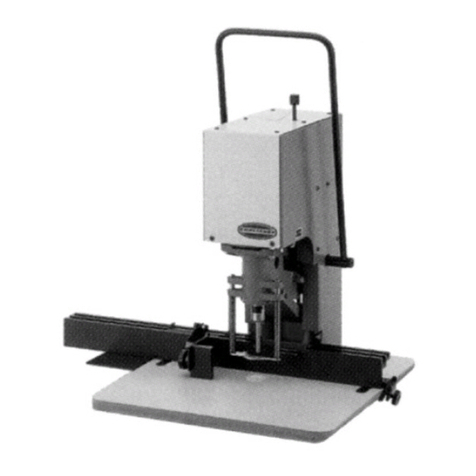
9 - Moving working area: the drilling of the model is done by lowering the working surface with both hands.
10-Regulating Nut: the perforation depth can be regulated by rotating the nut clearly located on the front of the machine.
3.2 - Performance and Use
• Turn ON the machine by using the general switch 3.
• Lay the model or the Plexiglass or the PVC base on the working surface next to the pointer delivery side.
• Push and let the surface 9 go all the way down and check the depth of the milling hole: regulate such depth by
rotating the regulating nut 10. By rotating it to the right you’ll increase the depth; by rotating it to the left you’ll
decrease it. Once you have performed this regulation, let the surface free and it will go back to its initial and high
position.
• Turn On the motor by using the START/STOP 5 Switch.
• Turn On the Laser pointer by using the Switch 4 .
• Move the model on the surface until the Laser pointer identifies exactly the position of the perforation.
• By holding firmly the model with both hands, push the surface and let it go all the way down: the perforation is
obtained in this way.
• Release the pressure on the surface and let it go back to its initial and high position. Proceed then with another
perforation.
3.3 - USEFUL RECOMMENDATIONS
AWARE: When the motor is ON, absolutely avoid putting your hands and pushing with them on the working
surface: it could cause injuries to your hands!!!
Absolutely avoid regulating the perforation depth when the motor is moving.
When you want to substitute the mill, do as follows: take out the holding-model tray 8, keep in place the spindle with a
curved n.10 key, loosen the bush with a n.14 key, take out the old mill and replace it with a new one.
To get rid of chips and dust due to the working process do as follows: take out the holding-model tray 8, suck in with a
vaccum cleaner the chips and dust from the inner chamber.
4 - MAINTENANCE INFORMATION
4.1 - Ordinary maintenance
It is advisable to keep the machine free from chips and dust: this easy maintenance operation allows better results and a
better machine performance.
Never use any solvents for the cleaning of the machine, it is enough to vacuum the dust.
In order to better clean and suck the dust from the inside of the machine, please do as follows: take the moving working
surface 9 apart. To do this (Pic.3) you need to: take the holding-model tray out, loosen of 3 complete turns the screws A,
shown in the picture using the supplied key, lift the surface and let it come off its slides, move the surface letting it rotate
around the neck of the machine. To put it back in place follow the same instructions backwards.
4.2 - Extraordinary maintenance
To repair the machine or replace some of its parts, the user should consult directly the manufacturer or only specialized
technicians.
Absolutely avoid opening any of the fixed guards without proper precautions.
Disconnect the power supply plug from the outlet before any extraordinary maintenance operations.
4.3 - Precautions
Inside the machine there are components subjects to 220V network voltage.
Before performing any operation inside the machine make sure you have turned off the general switch 3 and unplugged
the power supply 2 (same precautions must be taken when replacing the fuses).
It is our most concern to point out what has been said in 3.3: the possibility of injuries to the hands exists due
to the fact that the engine is always functioning during the working drilling phase. It is fundamental, therefore
from the user’s end, the maximum attention and the complete observations of the safety regulations.
If the user doesn’t strictly follow the rules contained in this manual the manufacturer is lifted from any guarantee and
responsability.
9