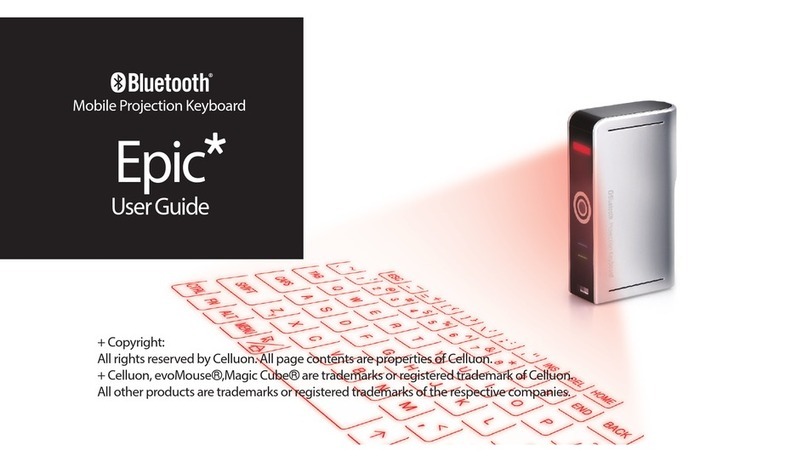
Celluon LASERKEY CL800BT User manual

#

CL800BT MANUAL
Safety Precautions
Avoid long time expose to the direct light or heat.
Faults may occur if kept in extreme of temperatures.
May become damaged if dropped or knocked.
Problems may occur if exposed to humid and/or dusty conditions.
Do not use if power cable or plug are damaged.
Use only dedicated cable/adapter.
Do not disassemble.
Do not look directly at the light source, as this can cause
damage to the eye.
2

CL800BT MANUAL
Regulatory Information
FCC compliance Information
This device complies with part 15 of FCC Rules.
Operation is subject to the following two conditions:
1. This device may not cause harmful interference.
2. This device must accept any interference received, including
interference that may cause undesired operation.
Information to User
This equipment has been tested and found to comply with the
limits for a Class B digital device, Pursuant to part 15 of the FCC
Rules. These limits are designed to provide reasonable protection
against harmful interference in a residential installation.
This equipment generates, uses and can radiate radio Frequency
energy and, if not installed and used in accordance with the
instructions, may cause harmful interference to radio
communications. However, there is no guarantee that
interference will not occur in a particular installation. If this
equipment does cause harmful interference to radio or television
reception, which can be determined by turning the equipment off
and on, the user is encouraged to try to correct the interference
by one or more of the following measures:
3

CL800BT MANUAL
- Redirect or reposition the receiving antenna
- Increase the separation between the equipment and receiver
- Connect the equipment to a socket on a circuit different from
that to which the receiver is connected.
- Consult the dealer or an experienced radio/TV technician for
help.
FCC WARNING: This equipment may generate or use radio-
frequency energy. Changes or modifications to this equipment may
cause harmful interference, unless such modifications are
expressly approved in the instruction manual. The user’s license to
operate this equipment may be revoked if an unauthorized change
or modification is made.
RF Exposure Information: The antenna used for this transmitter
must be installed at a distance of at least 20 cm from all persons
and must not be co-located or operated in conjunction with any
other antenna or transmitter.
CE :
EN300328
EN301489
EN60950
4

CL800BT MANUAL
Laser Safety:
Environmental Notice
This product does not any materials specified harmful to the
human body. At the end of this product’s service life, please
separate with the life waste and discharge or go to the Celluon
service center for environmental protection.
5

CL800BT MANUAL
Battery Information
Battery service life: 220 minutes continuous use (max)
Capacity: 830mAh (max) @ 3.7V
Charging the Battery
Use the adapter supplied for connection to the power
supply. The battery will now start charging.
Charging time: 150 min
Caution
- Use of any other adapter may cause the battery to
explode.
- After purchasing the product, charge the battery before
use.
- Charging time is dependent on ambient temperature i.e.
it may be longer or shorter in extreme heat or cold.
- It is possible that the battery is not fully charged even
when the charging indicator is illuminated.
- Since battery belongs to expendable supplies, service
life gradually shortens after several uses.
6

FO;33EW#PDQXDO# #
Table Contents
1. FEATURES...................................................................................9
2. COMPONENTS..........................................................................10
3. PARTS AND THEIR FUNCTIONS .............................................11
3.1 FRONT..................................................................................11
3.2 REAR....................................................................................12
3.3 TOP......................................................................................13
4. HOW TO OPERATE...................................................................14
4.1 INSTALLATION..........................................................................14
4.2 IN BLUETOOTH MODE............................................................15
5. HOW TO INSTALL, REMOVE AND USE SOFTWARE.............15
5.1 POCKET PC............................................................................15
5.1.1 System Requirements .................................................15
5.1.2 Installation/Upgrading/Uninstalling the Driver..............15
5.1.3 Connection Method......................................................18
5.1.4 Disabling the Projection Keyboard Sound...................22
5.1.5 PK Settings Application................................................23
5.1.6 Tutorial.........................................................................33
5.1.7 Shortcut Icon Keys.......................................................34
5.1.8 Function Key and Ctrl Key...........................................35
7

CL800BT MANUAL
5.2 PALM OS............................................................................36
5.2.1 System Requirements .................................................36
5.2.2 Installation/Upgrading/Uninstalling...............................36
5.2.4 PK Settings..................................................................44
5.2.5 PK Tutorial ...................................................................49
5.2.6 Shortcut Icon Keys.......................................................52
5.2.7 Shortcut Keys ..............................................................53
6. KEYBOARD LAYOUT................................................................55
7. TYPING LATIN LETTERS AND ADDITIONAL CHARACTERS.55
8. ADJUSTING KEY SENSITIVITY................................................58
9. SAFETY PRECAUTIONS ..........................................................60
10. TROUBLESHOOTING.............................................................62
11. SPECIFICATIONS AND DEMENSIONS..................................64
8

CL800BT MANUAL
1. Features
Uses normal QWERTY keyboard layout.
Compact size (convenient to carry).
Includes function and shortcut icon keys.
Robust and durable, uses optical technologies
Bluetooth and serial port interface connections.
Rapid entry keys.
Economical, uses an integrated, rechargeable lithium
battery.
Compatible with Pocket PC, Palm OS and Windows.
9

CL800BT MANUAL
2. Components
Case
Installation CD
Adapter
Laserkey Quick Install Guide
Serial cable is optional. (refer to http://www.celluon.com.)
CDs:
- CL800BT Manual
- Palm Driver Installation File
- Pocket PC 2003 Driver (Widcomm Bluetooth Stack) Installation File)
- Pocket PC 2003 Driver (Microsoft Bluetooth Stack) Installation File)
10
Table of contents
Other Celluon Keyboard manuals