Format: Used to format memory or TF card.
Date & Time: Set Year/Month/Date, use "Last'or "Next" to adjust it. Press "Power/Photo" to
confim and move to next setting option.
TV out: Selecithe NTSC system or PAL system according to the TV system.
HDMI: HDMI type supported by the television to select the default automatically: 1080P-50H2,
1080P-60H2 & 720P-50H2.
Sounds: Turn on / tum off microphone or warning tone; adjust the system volume.
Auto LCD Off: Set default time for turning off LCD screen automaticallyi press any key to wake
up LCD screen.
Power Save: Set default auto power-off when was left no operation.
Metering: Set metering mode, use this feature to select an app.opriate metering mode combing
with exposure data to improve image quality.
Sharpness: Set photo / video sharpness.
White Balance: Use this feature to improve the photo quality by choosing proper using scenes.
Exposure; ln different lighting conditions, images will have different color performance, use this
feature to select an appropriate exposure value to improve image quality.
Light Frequency: Used to select the frequency ofthe power line, ifwrong light frequencies were
chosen, image will have horizontal stripe interference.
System: Used to set default system parameter and view system version and card information.
I Can't take photo or shoot
Check if TF card is full or being locked
I Stop recording automatically while recording videos.
Because of huge HD flles, please use high-speed TF cards compatible with SDHC to improve
transmission. High-speed TF cards comes with C4, C6 or C'10 mark
I "File error" pops up during playback
This is because there was error when the file was saved. Please just format the TF card.
(Recorded files will disappear).
I No image displays on HD TV
Check if the AV and HDMI cable are connected properly, or whether the TV is set to proper AV
and HDMI status.
I lmages and videos are blurred.
It's probably be€use there might be dust, finger print on the lens, clean the lens with lens paper
before using the @mera.
I When shooting sky, water scenes, the images are very dark
This is be@use of strong scene contrast which will severely affect the camera's auto exposure
effects. Under these scenes, sensitivity needs to be adjusted to correct the camera's exposure
figures.
10
I ln cloudy, indoor lighting scenes, poor color performance.
Please adjust "white balance" depending on specific scenes.
I There are horizontal stripes in images.
This is because light frequencies were wrongly set. Please just set it to be "50H2" or "60H2"
according to your local power frequency.
Press and hold Mode button (for 2 or 3 sec.) to enter into Recording Setting Menu List and then
press Record button to change to System Setting Menu List, choose System and enter into it to
choose whether conduct Factory Reset or not.
WiFi Built-in WiFi, AP {unction can be realized
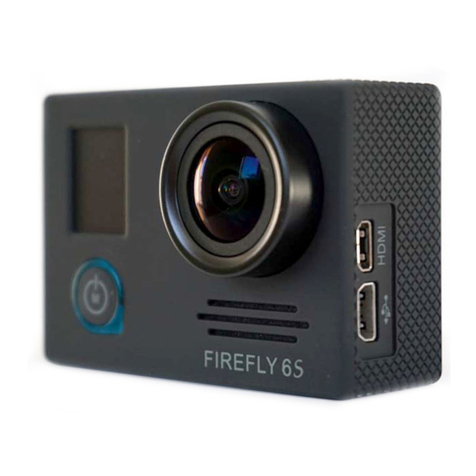
Sensor 3NrP CL4OS Sensor, 1/3" liqht-sensinq surface area
Lens 5 fixed prime Lens. aoerture 2.3i5%, focal ienqth 2.5mm
LCD d{.8 inches TFT LCD 240'32oPixel
Video outpul HDMI output.
Picture .IPG
Video H.264 compressed format,
1 080P(1 920x'l 080)3ofps
720P(1280x720) 60fps
720P(1280x720) 30fos
Audio Built-in Microphone and speaker (PCM)
Memory SPI:8M
External card: SDHC (suppo( 32GB max, MicrosD card)
Shutter Electronic shutter
White balance Auto/DavliqhUCloudv/Tunqsten/Low fl uorescence
lndi@tor Recordinq indicators
Batterv Removable 1050mAh 3.7V Li-ion battery
Workino time 1.2 houre with WiFi on, '1.5 hours with WiFi off
Size 63.3x42.6x33mm
N€t 78.2q
Product Weiqht 164.49 (bare camera + waterproof case)
anole 1400
Waterproof To 40m (with the wateroroof case)