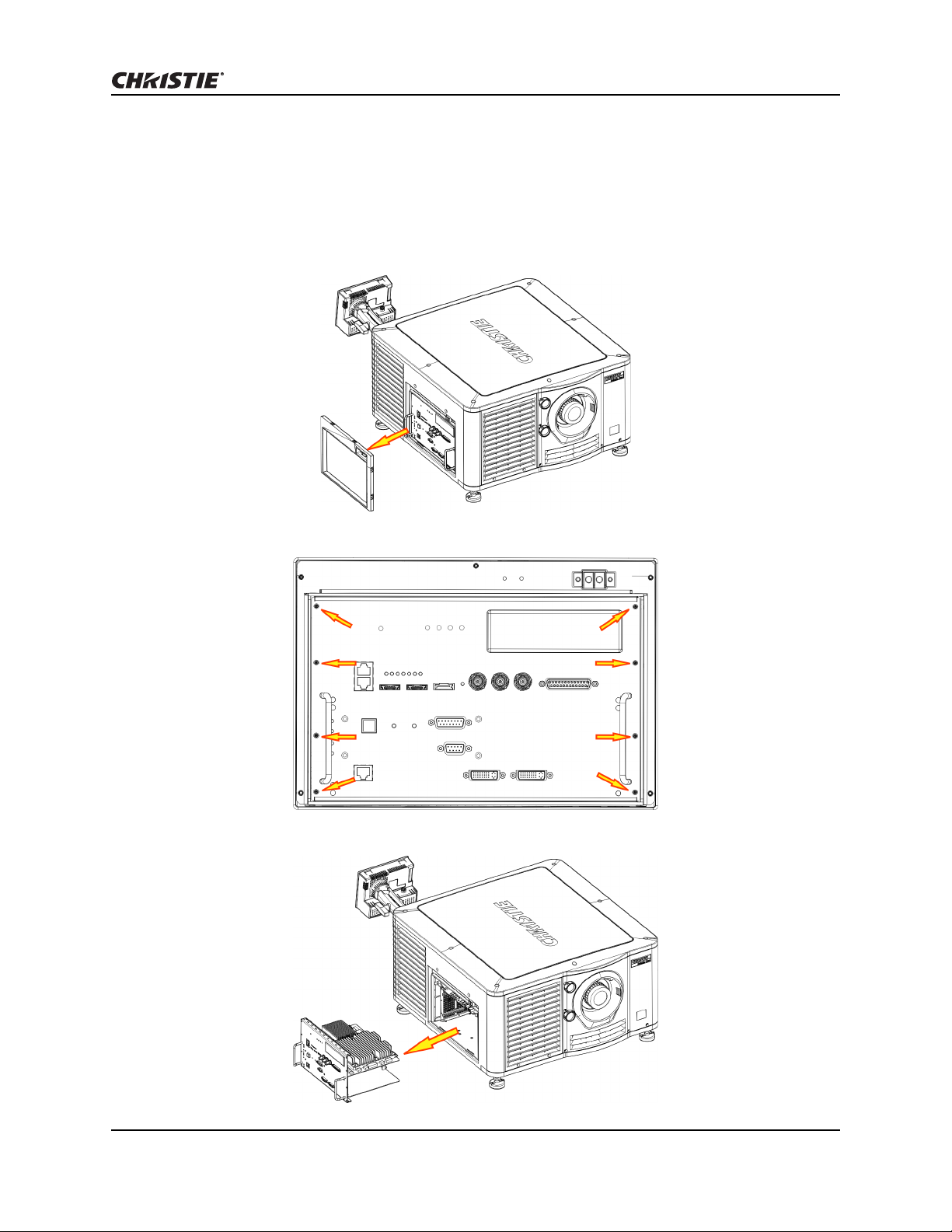
Replace the Christie IMB-S2 Instruction Sheet
Replace the Christie IMB-S2 Instruction Sheet 5
020-101329-02 Rev. 1 (06-2015)
Restore Settings from a Backup File
If a back up file is not available, you must manually re-configure these settings:
• Network and storage settings
• Speaker and
• audio channel mapping
• Automation macro definitions
• Multi-projector configuration
• Scheduled entries
To manually re-configure settings, see the Christie IMB User Manual on the Christie web site.
1. Tap Menu > Christie IMB > System.
2. Tap General > Backup/Restore.
3. Tap Browse and browse to the location of the file.
- or -
Move to step 8 if the backup file is already uploaded.
4. Select a drive in the Drive list.
5. Select a file in the Files area.
6. Tap Accept.
7. Tap Upload.
8. Select the backup file in the Restore Files on Server list.
9. Tap Restore.
10. Select components to restore:
11. Tap Restore.
12. Tap OK.
Component Description
Configuration All configuration files:
• audio settings (including Dolby Atmos)
• DiskManager (content storage information for the NAS
or DAS devices, including IP addresses, user profiles,
and passwords)
• multi-projector settings
• remote ingest settings
Network All network settings.
Automation All automation settings.
Scheduler All scheduler information.