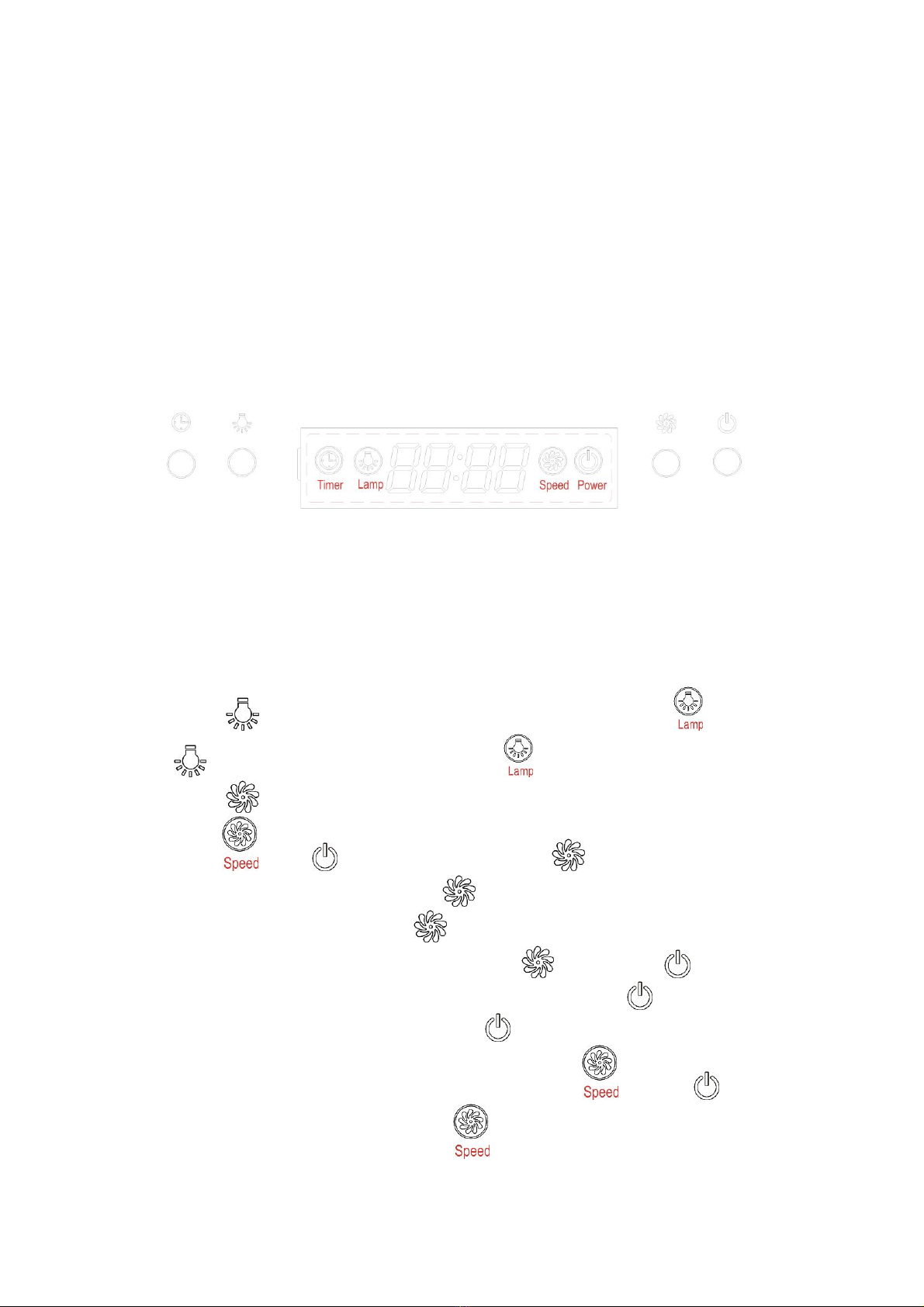
5. When both “ ” button and “ ” button don’t work; “ ” button is used
for time-setting. Press “ ” button for 2 to 3 seconds; will be
shown on LCD and flashes; which represents hour. Press “ ” button
once the number adds by 01. Continue pressing “ ” button; it will
display from 13;14… until 23. When LCD shows 23; it doesn’t work by
pressing “ ” button. Press “ ” button once; the number reduces by
01. When LCD shows 00; it doesn’t work by pressing “ ” button. After
setting hour; you can start setting minute by pressing “ ” button again.
on LCD flashes; which represents minutes. Press “ ” button once
the number adds by 01. Continue pressing “ ” button; it will display from
01;02… until 59. When LCD shows 59; it doesn’t work by pressing “ ”
button. Press “ ” button once; the number reduces by 01. When LCD
shows 00; it doesn’t work by pressing “ ” button. After setting hour and
minute; press “ ” to confirm.
When “ ” button doesn’t work; “ ” button is used for delay timer
function. Delay timer function allows you to set the hoods automatically
power off according to the delay timer you set from 1 minute to 60
minutes. Press “ ” button once; it enters for delay timer setting and LCD
shows . Press “ ” button once the number adds by 01.
Continue pressing “ ” button; it will display from ;
; … until Press “ ” button once; the
number reduces by 01. After setting delay timer you want; press “ ”
button to confirm. If you set delay timer as 05:00; the LCD display will
show from 05:00; 04:59… until 00:01 00:00. When LCD shows 00:00; the
hood will automatically power off and LCD display will only show 24-hour
system with blue backlight. After 30 seconds without operation; blue
backlight will disappear. But please note the Lamp is not under control of
delay timer. Next time; if you want to use delay timer function and you