User Manual
Page 9
Adjusting the sound
A loudspeaker is only as good as your listening room allows it to be. First of all is the room acoustics which is inuenced by dimensions and
build materials. Secondly is the amount freedom it oers for the best possible placement of your speakers inside the room.
To accommodate some of the above compromises and to make installation and sound tuning of your new FM speaker easier and with a
better result, we have designed sound adjustments on the back of the speaker. The FM-9 oers three levels of each setting options;“Focus”
and “Detail”. Make sure that both options are set to“neutral” before you start adjusting the positioning of the speakers in your listening
room.
• Step 1: Initial setup:
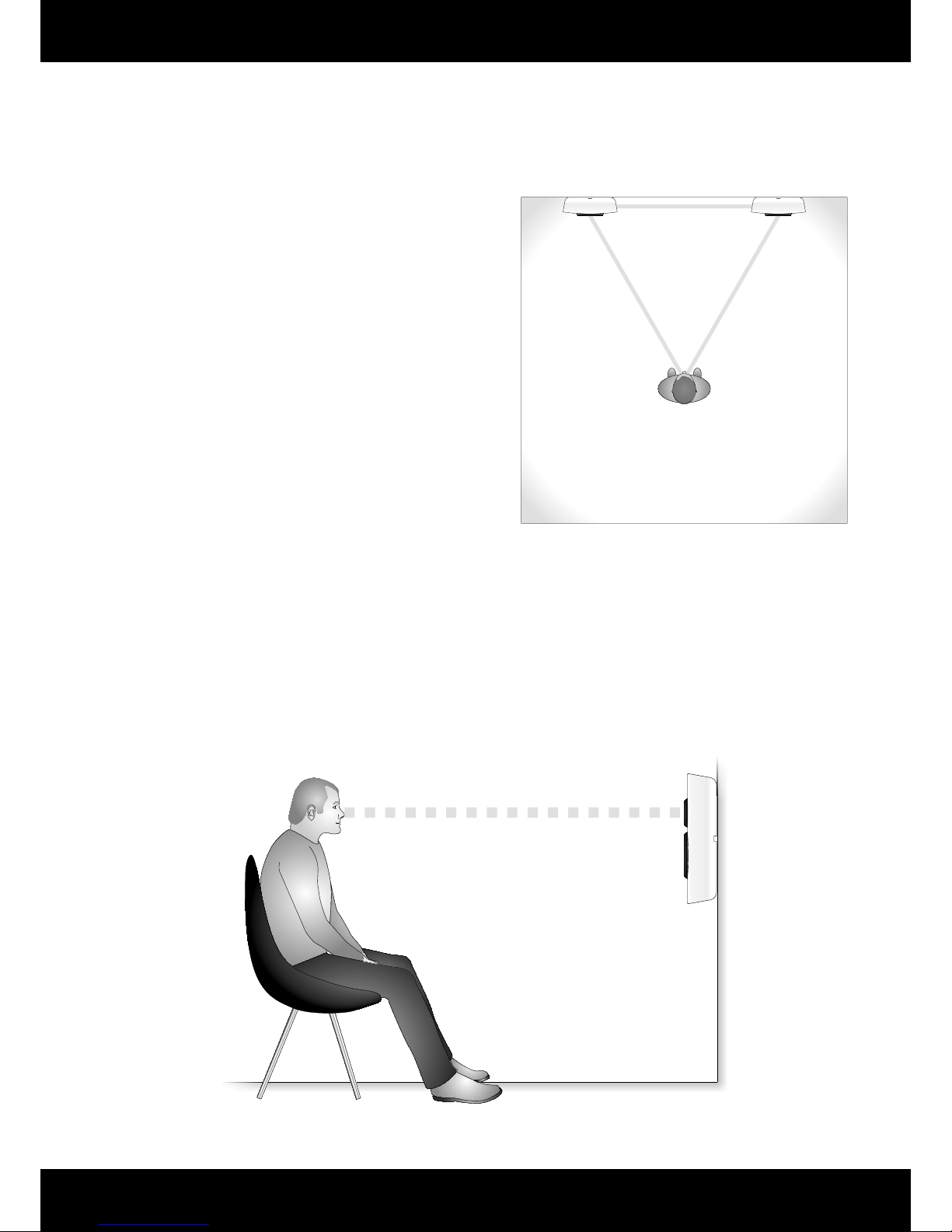
Set up the speakers according to your wanted listening position, following the basic rules of the previous chapter “Placing the
speakers”.
• Step 2: Adjusting the setup:
The basic setup might not give you the best possible sound quality.
Select a few but well known pieces of your favourite music that can
help you determine when it sounds just right. Depending on how the
speaker interacts with your room the sound will be dierent. Here is a
basic guide to better positioning and sound tuning:
Bass: Moving the speaker away from a side wall and/or a corner will
clear out the bass and make the sound leaner and less involving. If you
are experiencing to have not enough bass, moving your speaker closer
to a side wall and/or corner might help.
Soundstage: If your soundstage is unclear, the singer might be a bit
vague, woolly and too far behind the rest of the instruments in the
band – try to decrease the distance between your speakers which will
give a more direct sound from the speaker to you listening position. If
the soundstage and instruments are a bit compressed in the middle of
the speakers, try to increase the distance between the speakers and let
them play straighter into you listening room. Please note that even a
small adjustment of a few centimetres may make a huge dierence.
• Step 3: Adjusting the speaker:
When the optimum speaker position has been found, you still have
a way to adjusting the speaker a bit more. The three setting of each
“Focus” and “Detail” on the backside of the speaker may be applied to
get the last bit of performance from the setup.
“Focus” settings: If you lack a bit of “Focus”in the soundstage set this
to “High”. If voices and high pitched instruments are too much and
creates listening fatigue over longer periods set it to “Low”.
“Detail” setting: This adjusts the level of high frequencies and
overtones of any instrument. A natural level of overtones will enhance
the listening experience, pleasantly and relaxed. Too much detail will
draw the minds focus from the main part of the music, to some high
frequency details. Test each option to nd the most suitable setting for
your specic setup.
• Step 4: Wall mounting:
When the best possible sonic performance has been achived, drill
holes in your wall according the drawing of page 6 and the supplied
drilling templates.
High
Neutral
High
Neutral
High
Neutral
Detail
Detail
Detail
Focus
Focus
Focus
Both Focus and Detail is set to High
Both Focus and Detail is set to Low
Both Focus and Detail is set to Neutral