5
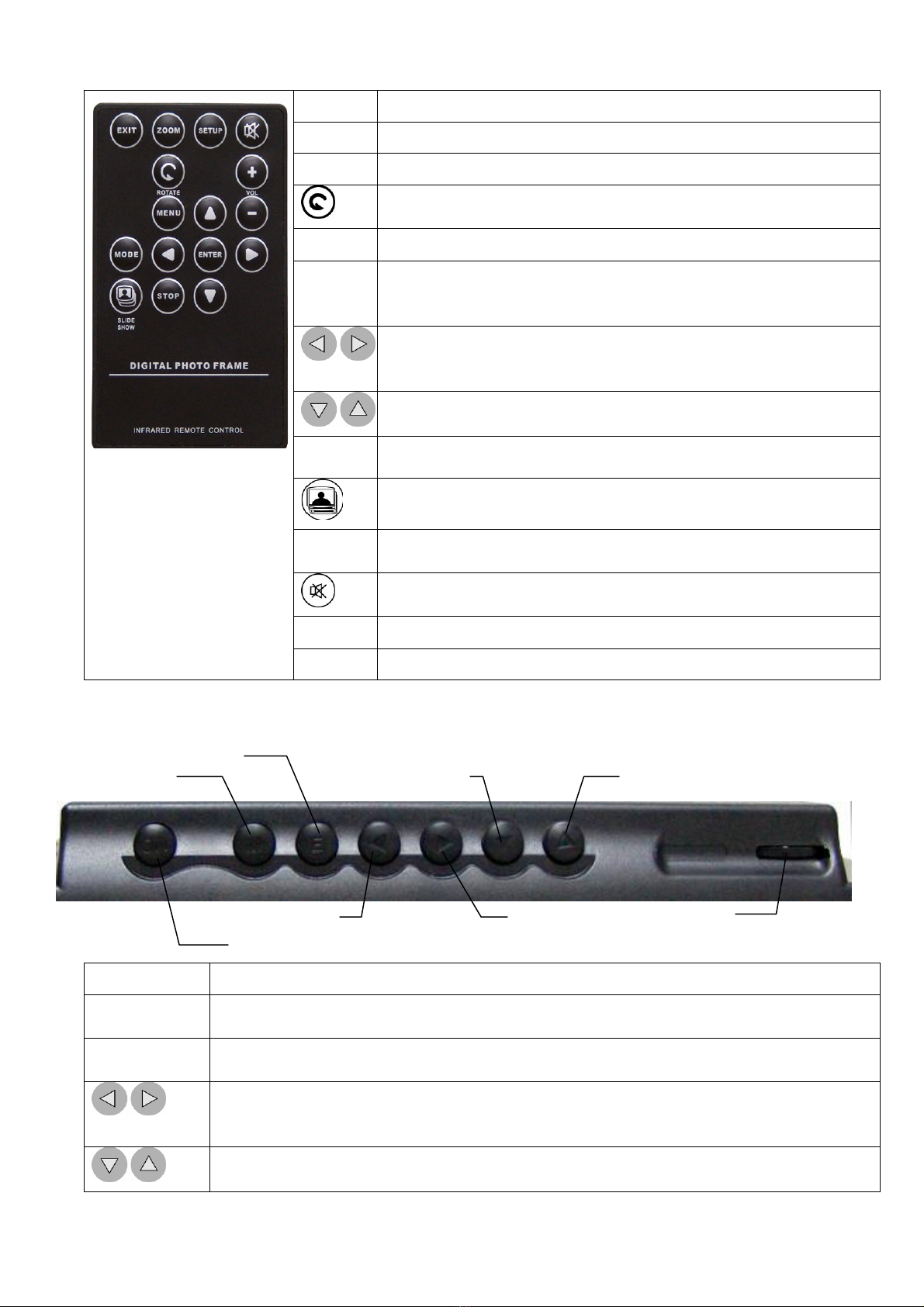
Remote Control
EXIT Press to go back to the previous screen.
ZOOM Press to zoom in.
SETUP Press to open the “Setting” menu.
Press to rotate the photo counter-clockwise 90 degrees
MENU Press to open the operation mode menu.
ENTER Press to select an option, to save a changed setting in the
setup screen, or to open the control menu of a photo or
movie. Press this button to turn off the alarm.
Press to navigate left and right or pan to a photo’s right or
left after a photo has been zoomed in. Press to change the
photo displayed on the upper-left of the calendar.
Press to navigate up and down or pan to a photo’s up or
down after a photo has been zoomed in.
MODE Press to switch between different modes of operation.
Press to immediately switch to slide show mode when
another mode is running.
STOP Press to stop playing music or movie and turn back to the
previous screen while music or movie is being played.
Press to mute the sound.
+ Press to increase the volume.
- Press to decrease the volume.
Built-in Control
ON/OFF Press to turn on or turn off your Digital Photo Frame.
MENU Press to open the operation mode menu to select the desired operation for
your photo frame.
ENTER Press to select an option, to save a changed setting in the setup screen, or to
open the control menu of a photo or movie. Press to turn off alarm.
Press to navigate left and right or pan to a photo’s right or left after a photo has
been zoomed in. Press to change the photo displayed on the upper-left of the
calendar.
Press to navigate up and down or pan to a photo’s up or down after a photo
has been zoomed in.
ON/OFF SWITCH
MENU
Volume
Control
LEFT RIGHT
DOWN
ENTER
UP