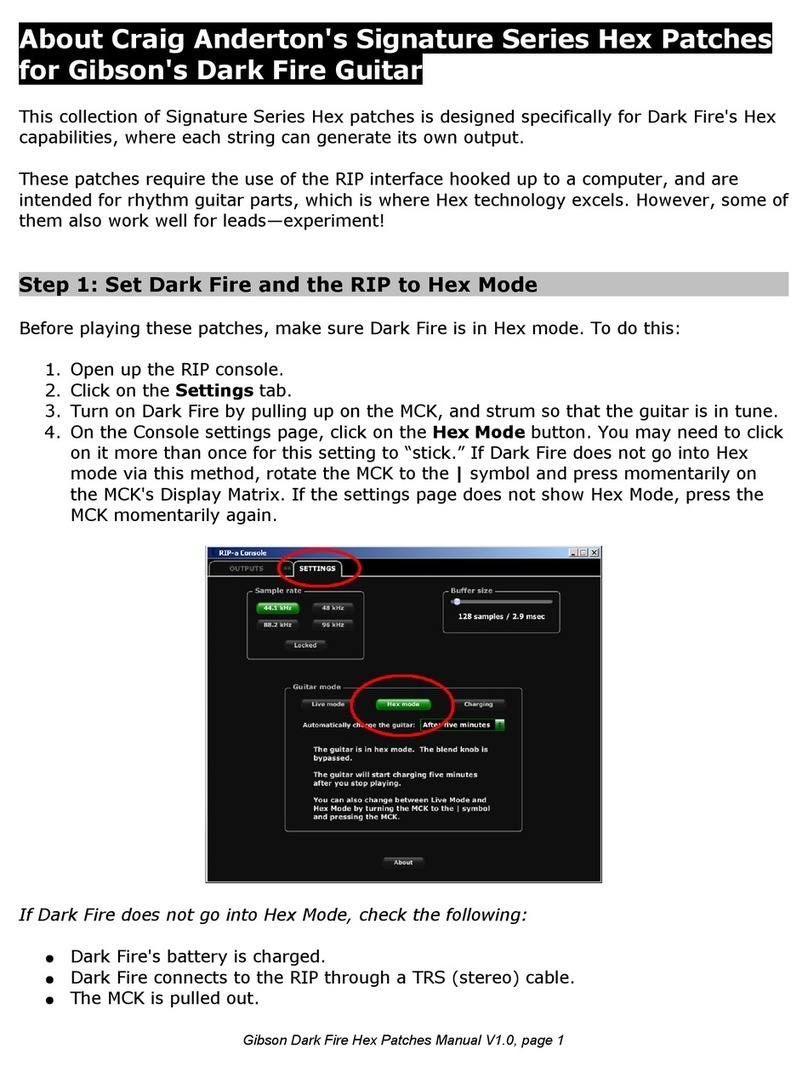
Gibson Dark Fire System Instruction manual

Gibson Dark Fire
Gibson Dark Fire
System Quick Start
System Quick Start
Installation and Authorization – Macintosh OS X
RIP Console
Native Instruments Guitar Rig 3
A leton Live 7 Lite Gi son Studio Edition
Owner’s Manual Version 1.1.1

Important Safety Instructions
We value you as a customer—and want our products to give you an inspiring, and
gratifying, experience. So, to insure your safety and protect your investment in the
Gi son RIP, please read and follow all safety warnings and operating instructions efore
using this product, and keep all documentation for future reference.
Environmental Factors
Heat and moisture can harm your Gi son RIP. Please do not install or operate this
product near sources of moisture, such as sinks, damp asements, leaky roofs, etc. and
never store it near heat sources, such as heaters or radiators. Both you and your RIP
will e much happier if you store and operate this product under safe conditions.
Power Sources
Use only the power sources recommended in this manual. Make sure any power supply
cords are not located where they are likely to e safety hazards, such as on the floor
where people might walk, or in locations where they may receive pressure from items
placed upon or against them. Also, e very careful with any power source connections,
such as where the AC adapter connects to the wall outlet and where it plugs into RIP. If
these are jostled loose, RIP may experience extreme power differentials, which can
potentially harm you and the product.
Service
Please do not attempt to service RIP yourself. Opening the case may expose you to
high voltages ( esides, there are no user-servicea le parts), so let our expert
technicians handle any repairs for you.
Speaking of experts, always send the RIP to an authorized service technician if any of
the following occurs (contact num ers for service centers are at the end of this section):
Any foreign o ject (especially liquid) has gotten into the case
RIP has een exposed to water, dropped, or otherwise damaged
A marked changed in RIP’s performance
You hear anything rattling around inside if you shake the RIP gently

Warranty Protection
It is very important to us that you are satisfied with your Gi son product. Register it and
activate your warranty protection y mailing the warranty card included with Dark Fire to
Gi son USA, Department W, P.O. Box 100087, Nashville, TN 37210-0087. If you
encounter any kind of pro lem, contact us as soon as possi le so we can make things
right.
Once you your warranty protection is active, RIP’s electronic components are warranted
to e free from defects in materials and workmanship for a period of one (1) year from
the date of original purchase. Your warranty covers the cost of oth la or and materials
on any repair deemed necessary y our Customer Service Representative for the
warranty period, su ject to the limitations elow. Please note that our warranty elongs
to the original retail purchaser only, and may not e transferred or assigned to
su sequent owners.
If RIP malfunctions as a result of faulty materials or workmanship, Gi son will determine
whether repair or replacement is more appropriate. In case the original materials are no
longer availa le for repair, Gi son reserves the right to use materials regularly utilized at
the time of repair.
If we determine that replacing RIP est serves your interests, or in the unlikely event
that it is destroyed, lost, or damaged eyond repair while in our possession for repairs,
we will replace the product. If it is no longer availa le, it will e replaced with the most
similar product whose value does not exceed your original product’s purchase price.
Remember—as a necessary condition to the warranty coverage described in this
section, you must activate your warranty by mailing the warranty card included
with Dark Fire to Gibson USA, Department , P.O. Box 100087, Nashville, TN
37210-0087.
Warranty Limitations
Unfortunately, it is not possi le for your product warranty to cover any of the following:
Any product that has een altered or modified in any way, or upon which any
serial or registration num er has een tampered with or altered in any way.
Any product whose warranty card has een altered or contains false information.
Any product that has een damaged due to misuse, negligence, accident or
improper operation or storage.
Any product damaged during shipment. Inspect the package immediately upon
receipt, and notify the carrier immediately if there is damage.
Any product damaged as a result of extreme temperature, humidity, or the use of
an improper power source.

Any product not purchased through an authorized dealer, or any product that has
had repairs, modifications or alterations made y an unauthorized service
technician.
Wear and tear ased on normal usage.
Factory installed electronics after more than one year following the original date
of purchase.
Gibson makes no other express warranty of any kind. All implied warranties,
including warranties of merchantability and fitness for a particular purpose that
exceed the specific provisions of the warranty, are expressly and specifically
disclaimed and excluded from the warranty. Note, however, that some states and/or
countries do not allow the exclusion or limitation of implied warranties, so this paragraph
may not apply to you. In particular, if you purchased your product outside of the United
States, contact your local distri utor for the handling and resolution of all warranty
issues, as the warranty descri ed here is not always applica le.
And of course, Gi son shall not e lia le for any special, indirect, consequential,
incidental or other similar damages to you or to any third party, including, without
limitation, damages for loss of profits or usiness, or damages resulting from use or
performance of the product, whether in contract or tort, even if Gi son or its authorized
representative has een advised of the possi ility of such damages, and Gi son shall
not e lia le for any expenses, claims or suits arising from or relating to any of the
foregoing.
To o tain warranty service, contact the service center nearest you:
US (Toll Free) 1-800-4GIBSON
US (Local) 1-615-871-4500
Email - service@gi son.com
Europe 00800-4GIBSON1
Email - service.europe@gi son.com
Japan 03-3434-5670
Email - service.japan@gi son.com
China 800-820-8841 (in China only)
Email - service.china@gi son.com
Please do not send a unit in for repair before contacting your customer service
center. They will advise you of the proper procedure for a quick and efficient repair, as
well as provide information on where and how to send the product.
Gibson®
is a trademarkof t .he Gibson Guitar Corp
FireWire®
, .is a trademarkof Apple Computer Inc
Windows®
and Windows XP®
, .are registered trademarks of Microsoft Inc

uick Start Install (Mac)
This Quick Start manual is intended to get most users up and running as quickly as
possi le. However, if you encounter pro lems, please look at the documentation for
each element included in the Dark Fire System: Dark Fire guitar, Gi son RIP (Ro ot
Interface Pack), Native Instruments Guitar Rig, and A leton Live.
If you encounter pro lems during installation, your Mac may need to have its
permissions repaired or its software updated. After making sure there isn't an o vious
pro lem (e.g., ad FireWire ca le, RIP AC adapter not plugged in, etc.), follow the steps
in Appendix A to ring your computer up-to-date, then re-do the installation process.
The latest documentation is availa le for download from www.gi son.com/darkfire.
Step 1: Install RIP Console
For complete information on the RIP console, refer to the online manual.
1. Insert the installation DVD into your Intel- ased or PPC Mac (note: this is a
hy rid DVD that works with oth Windows and Mac).
2. Dou le-click on the DVD's icon. The installer window appears.
3. Click on the Gi son RIP icon in the installer window, and drag it into the
Applications icon.

Step 2: Install Native Instruments Guitar Rig 3
Please note: To authorize Guitar Rig 3, your computer must be connected to the
internet.
1. From the main installation window, dou le-click on the Install Guitar Rig 3 icon.
2. Enter your computer's password.
3. The license agreement appears. Read it, and if you agree, click on Continue. You
may also save or print the agreement for reference. If you do not agree with the
terms of the license, do not install Guitar Rig 3.

4. If you click on Continue, click on Agree to indicate your acceptance of the license
terms.
5. Select Guitar Rig's destination. The default is the Applications folder; we strongly
recommend you leave this as the destination. Click on Continue.

6. Click on Install.
7. The installation process egins, with a ar showing the progress. If any error
messages appear, quit the installation and repeat the steps under “Step 1:
Prepare Your Computer.”
8. After installation is complete, you need to authorize Guitar Rig 3 via Native
Instruments' Service Center program. When the Service Center installation
window appears, click on Start Installation.

9. As in step 5, you can specify a destination for the Service Center program. The
default is the Applications folder; we strongly recommend you leave this as the
destination. Click on Continue.
10.When a screen shows that the software was successfully installed, click on Quit.
There may also e another window that indicates Guitar Rig 3 was successfully
installed. Click on its Quit utton as well.
11.As part of the installation process, a window will have een created with the
Service Center icon. Dou le-click on this icon to launch the Service Center.
Because it's an application, you will need to enter your computer's password.
12.The Service Center will log on to the internet and connect with Native
Instrument's server. This may take some time, especially if it self-updates; e
patient.
13.If you already have an account with Native Instruments, enter your e-mail
address and password, then click on Log In and skip step 15. If you do not have
an account, you need to create one. Click on Create New User Account.

14.Follow the on-screen instructions to create a new user account. After creating the
account, you will e sent a password to your email address. Use this password to
log in to the Service Center.
15.Follow the on-screen instructions; you will e prompted to enter your serial
num er for Guitar Rig 3. Enter this num er.
16.Once entered, click on “Activate.” If you need to enter your computer's password
again, do so.
17.The window will show that Guitar Rig 3 Dark Fire is activated. Click on Exit, and
installation is complete.
Other manuals for Dark Fire System
5
Table of contents
Other Gibson Software manuals