manuals.online logo
Brands
  1. Home
  2. •
  3. Brands
  4. •
  5. Haier
  6. •
  7. Laptop
  8. •
  9. Haier Y11B User manual

Haier Y11B User manual

Other manuals for Y11B

1

Other Haier Laptop manuals

Haier HRC116GR User manual

Haier

Haier HRC116GR User manual

Haier HV102 User manual

Haier

Haier HV102 User manual

Haier X220P User manual

Haier

Haier X220P User manual

Haier Y11B User manual

Haier

Haier Y11B User manual

Haier X3 PRO User manual

Haier

Haier X3 PRO User manual

Popular Laptop manuals by other brands

EUROCOM ARMADILLO 2 W840AU Service manual

EUROCOM

EUROCOM ARMADILLO 2 W840AU Service manual

HP EliteBook 8570p Maintenance and service guide

HP

HP EliteBook 8570p Maintenance and service guide

Toshiba L300-EZ1522 Specifications

Toshiba

Toshiba L300-EZ1522 Specifications

HP Compaq 6520s Maintenance and service guide

HP

HP Compaq 6520s Maintenance and service guide

Lenovo ThinkPad T530 null

Lenovo

Lenovo ThinkPad T530 null

IBM THINKPAD T41 - Warranty user manual

IBM

IBM THINKPAD T41 - Warranty user manual

Lenovo ThinkPad X1 Carbon user guide

Lenovo

Lenovo ThinkPad X1 Carbon user guide

Lenovo ThinkPad T400s Ghid de service şi depanare

Lenovo

Lenovo ThinkPad T400s Ghid de service şi depanare

Toshiba TE2000 user manual

Toshiba

Toshiba TE2000 user manual

Acer SP514-51N user manual

Acer

Acer SP514-51N user manual

Fujitsu P1620 - LifeBook - Core 2 Duo 1.2 GHz Getting started

Fujitsu

Fujitsu P1620 - LifeBook - Core 2 Duo 1.2 GHz Getting started

IBM ThinkPad 240 Quick reference guide

IBM

IBM ThinkPad 240 Quick reference guide

Dell G3 15 Setup and specifications

Dell

Dell G3 15 Setup and specifications

Clevo D400P Service manual

Clevo

Clevo D400P Service manual

HP EliteBook 840r G4 Maintenance and service guide

HP

HP EliteBook 840r G4 Maintenance and service guide

Clevo NL51CU Service manual

Clevo

Clevo NL51CU Service manual

Dell Inspiron 3700 Get started

Dell

Dell Inspiron 3700 Get started

Toshiba R700-S1320 Specifications

Toshiba

Toshiba R700-S1320 Specifications

manuals.online logo
manuals.online logoBrands
  • About & Mission
  • Contact us
  • Privacy Policy
  • Terms and Conditions

Copyright 2025 Manuals.Online. All Rights Reserved.

Introduction
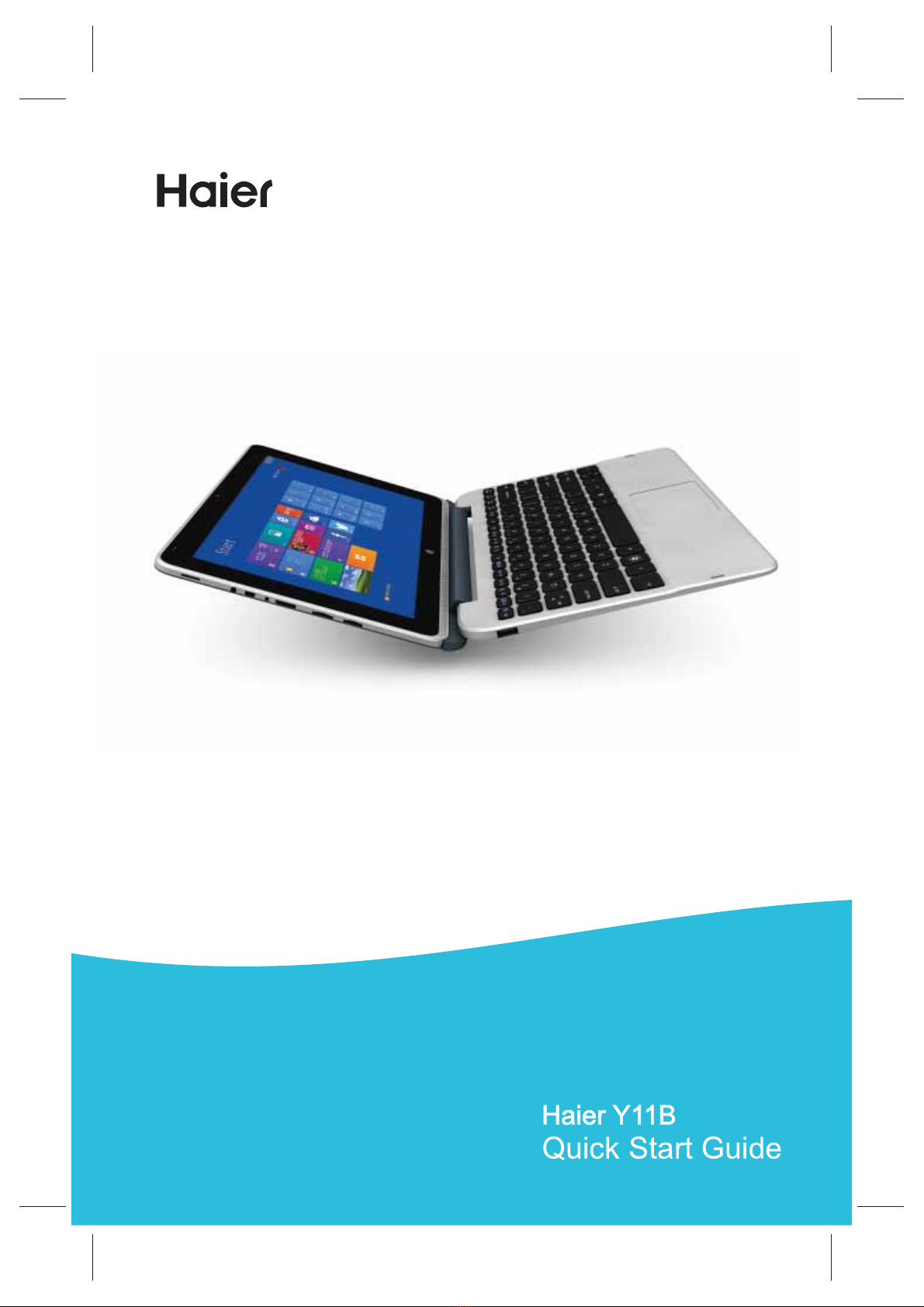
Thank you for your choosing the new tablet pc.
This guide serves to enable users to get to know and
familiar with our product as soon as possible. Here we
have made a brief introduction to the key layout and
definitions in figures and words.
Accessories List......................................................01
.........................................01
Precautions before Use......................................03
Key Layout and Definitions.................................04
Key Descriptions and Applications.....................06
Introduction to Desktop......................................08
1. Windows8.1 Start Screen............................08
2. Image Slide Application...............................09
3. Introduction to app Interface.......................10
4. Charm Menu Column...................................12
5. Double Screen Application...........................13
Basic Operations................................................14
1. Dormancy, Restart, and Power off................14
2. Security Management ..................................15
................................................16
.........................................17
Technical Specifications
Troubleshooting
Important Statements
Contents
Y11B haier(Intel? Core? M-5Y10c)English specification
Technical Specifications
Intel® Core™ M-5Y10c
4GB
32GB
500G
Windows 8.1
Supports 802.11 b/g/n
Bluetooth 4.0
Built-in
Built-in
Micro USB
3.5mm earphone jack
Description
Project
DDR-RAM
SSD
HDD
Operating system
Wi-Fi
Bluetooth
G-sensor
Microphone
USB port
Audio port
CPU
Accessories List
Tablet pc (1)
User Manual (1)
Power Adapter (1)
Driver Disk (1)
Keyboard (1)
Warranty Card (1)
Note: specific accessory in accordance with actual.
●
●
●
●
●
●
Front Camera, 2 Mega Pixel
Rear Camera, 2 Mega Pixel
Camera
1
Y11B haier(Intel? Core? M-5Y10c)English specification
Disclaimer: These specifications are for reference
only and shall not constitute any commitment in any
way. Concerning the product improvement, we shall
reserve the right to change the product specifications
without further notice.
Input: 100-240VAC, 50-60 Hz
Output: DC 12V 2.5A
64G max.
11.6 inches high resolution
1366×768 widescreen
tablet: 301×186×10.4mm
keyboard: 301×201.7×14.8mm
Power adapter
Micro SD card
Lithium-ion polymer
battery 9200mAh
Standard battery
Description
Project
2
Main screen
Product size
Y11B haier(Intel? Core? M-5Y10c)English specification
Precautions before Use
1.This production is suitable for use in non-tropic areas
below 2,000 meters, and the mark in the nameplate
indicates the product is suitable for use in non-tropic
areas.
2. Prevent the tablet pc from falling to the ground or
being strongly impacted otherwise.
3. Do not use it in the long term in any environment
where the air is too cold, too hot (<35℃), too humid or with
too much dust. Do not expose the tablet pc to sunlight.
4. Avoid using it in the strong magnetic and strong static
environment as much as possible.
5. Once any water or other liquid splashes onto the
tablet pc, close it immediately and do not use it until it
dries out.
6. Do not clean the tablet pc with any detergent
containing chemical element or other liquid to avoid
causing damage due to corrosion and becoming damp. If
cleaning is really necessary, clean it with dry soft cloth
tissue paper.
7. Our company shall not bear any and all
responsibilities for loss or deletion of material inside the
machine caused due to abnormal software and hardware
operation, maintenance or any other accident.
8. Please back up your important material at any time to
avoid loss.
9. Please do not disassemble the tablet pc by yourself;
otherwise you will lose the right to warranty.
10. Replacement with incorrect type batteries may
cause explosion. Make sure to use original batteries.
3
Y11B haier(Intel? Core? M-5Y10c)English specification

1 2 3
4
5
12
10
14
8
9
11
13
15
767
8
16
4
Key Layout and Definitions
Y11B haier(Intel? Core? M-5Y10c)English specification
Power button: Press it down to start or close the
touch screen panel. You can also let the computer to
enter dormancy through this button or wake from the
dormancy mode.
/ Sound-/sound+: Lower/raise volume
Front CCD camera: take photos, and record pictures
Windows key: Press this button to return to the Start
screen.
Pogpin interface: Detachable dock linking the table
pc and the keyboard.
Keyboard and tablet interface: keyboard and tablet
to link.
Loudspeaker: The built-in loudspeaker enables you
to hear the sound without having to linking additional
device.
Socket for earphone and microphone: This socket
can transmit the audio signals of tablet pc to
loudspeaker or earphone.
Power DC Interface: Recharge your tablet pc
through DC interface.
Micro USB Interface: You can read the data through
USB.
MicroSD& MicroSDHC Format Micro SD card slot:
The built-in storage card reader slot supports MicroSD
and MicroSDHC format.
Microphone connector outlet
1
2 3
4
5
6
7
8
9
10
11
12
12
3
13
5
Y11B haier(Intel? Core? M-5Y10c)English specification

Back CCD camera: take photos, and record pictures
DC indicator:during charge is in red, full charge is in
blue.
Key Descriptions and Applications
Attention: Keyboard is optional, and configure the
product according to the specific type of the tablet pc
you have bought.
14
5
1 1
2
3
4
4
5
6
6
Y11B haier(Intel? Core? M-5Y10c)English specification
Keyboard Booth: Detachable dock linking the table
pc and the keyboard.
Keyboard group: The keyboard group provides full
size QWERTY key and best typewriting comfortability.
Keyboard Touch: Used to control the cursor on the
tablet pc, with the same function as a mouse.
Keyboard left key and right key.
Full Size USB
Detachable Disk 500GB
Use of tablet and keyboard.
1
2
3
4
5
6
Attach the tablet to the keyboard to function as a laptop.
7
Y11B haier(Intel? Core? M-5Y10c)English specification
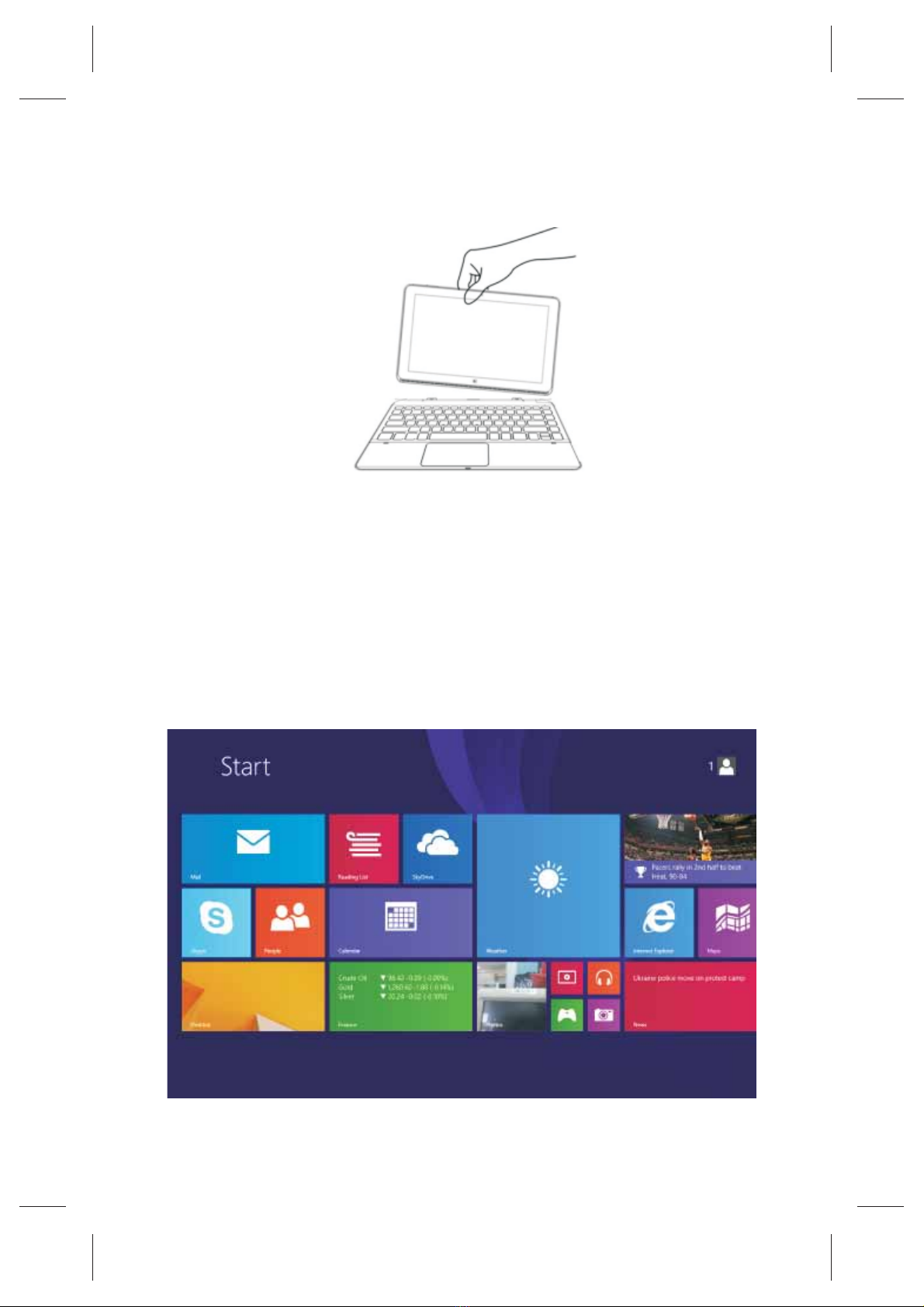
Detach the tablet by lifting one corner to release it from
the keyboard to function as a tablet.
Introduction to Desktop
1. Windows 8.1 start image: On the start screen, you
can see many programs fixed in the image. These
application programs are displayed in the form of

“magnet”. As long as you click them, you can easily visit
them.
You need to log on your Microsoft account before the
application program completely runs.

8
Y11B haier(Intel? Core? M-5Y10c)English specification