Contents 3
Contents
Introduction............................................................................................................................................ 5
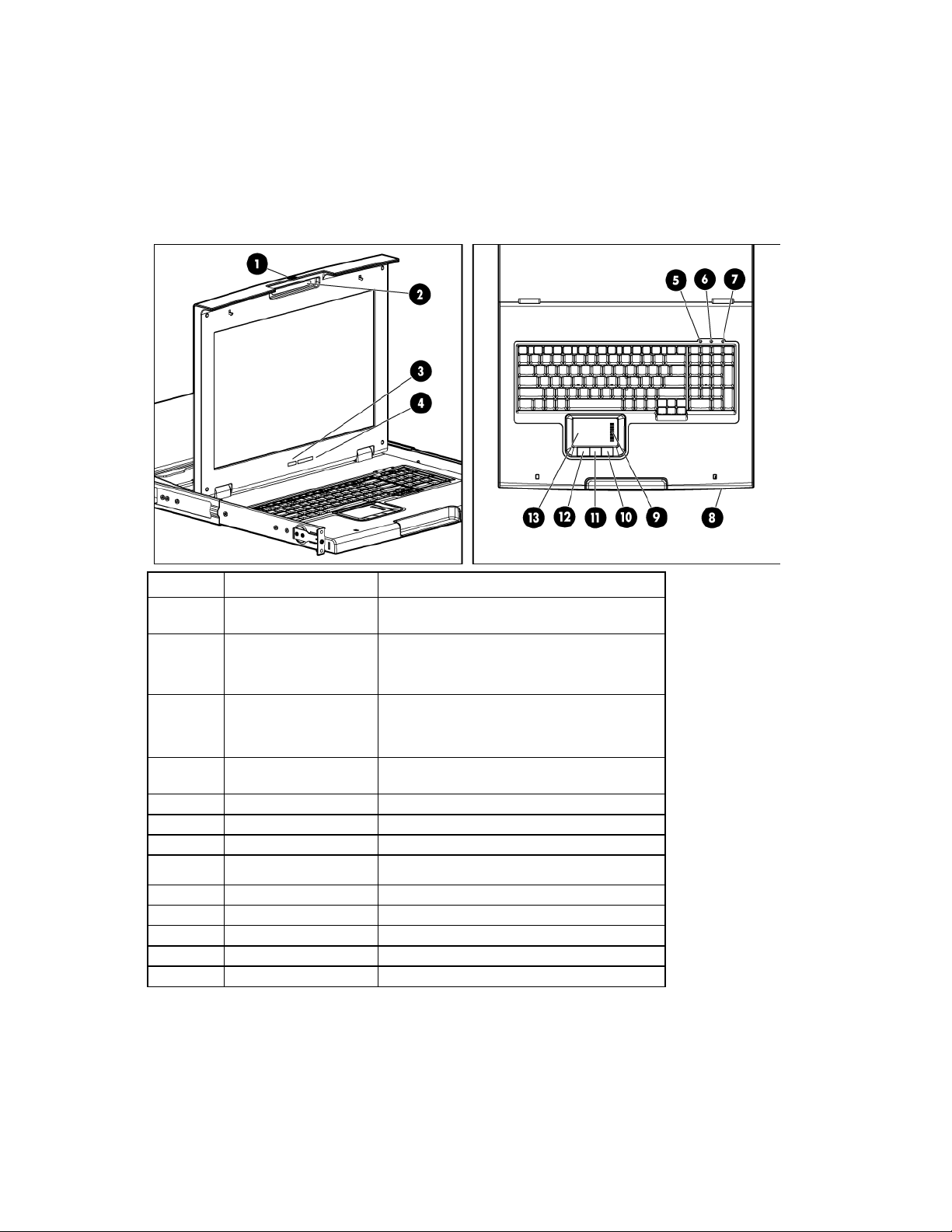
Main components .....................................................................................................................................................5
Rear components .....................................................................................................................................................6
ENERGY STAR compliant ............................................................................................................................6
Installation ............................................................................................................................................. 7
Kit contents...............................................................................................................................................................7
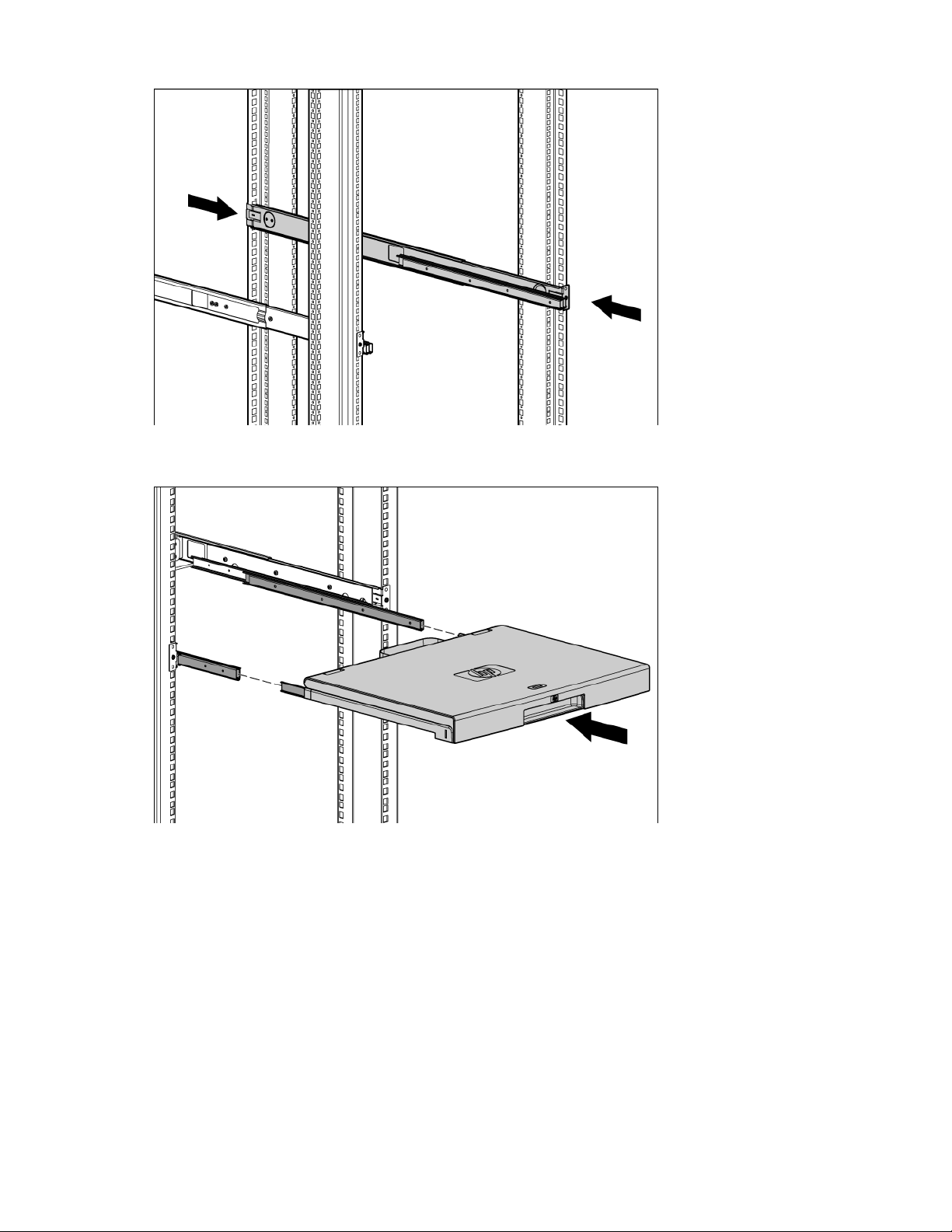
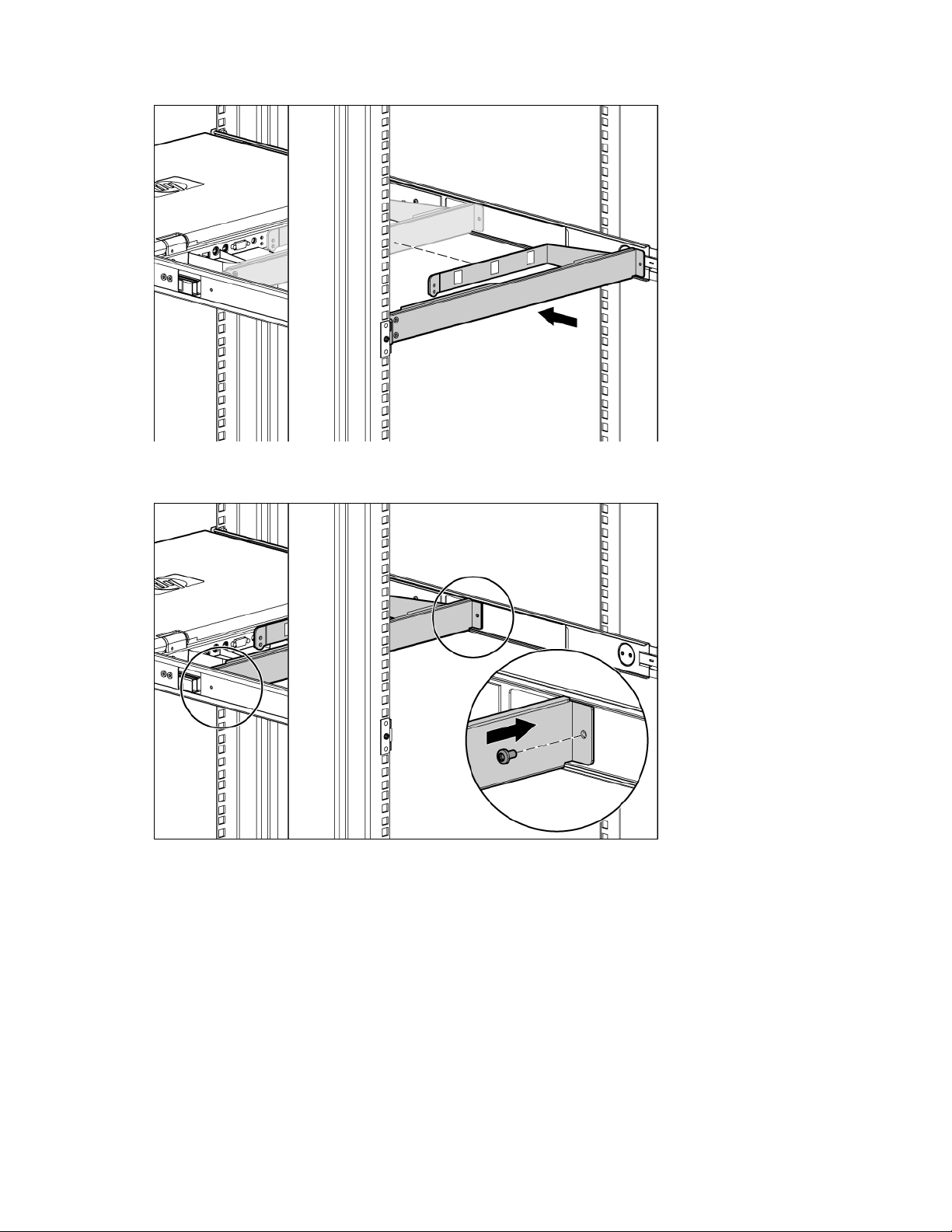
Installing the HPE TFT7600 G2 Rackmount Keyboard Monitor KVM ......................................................................7
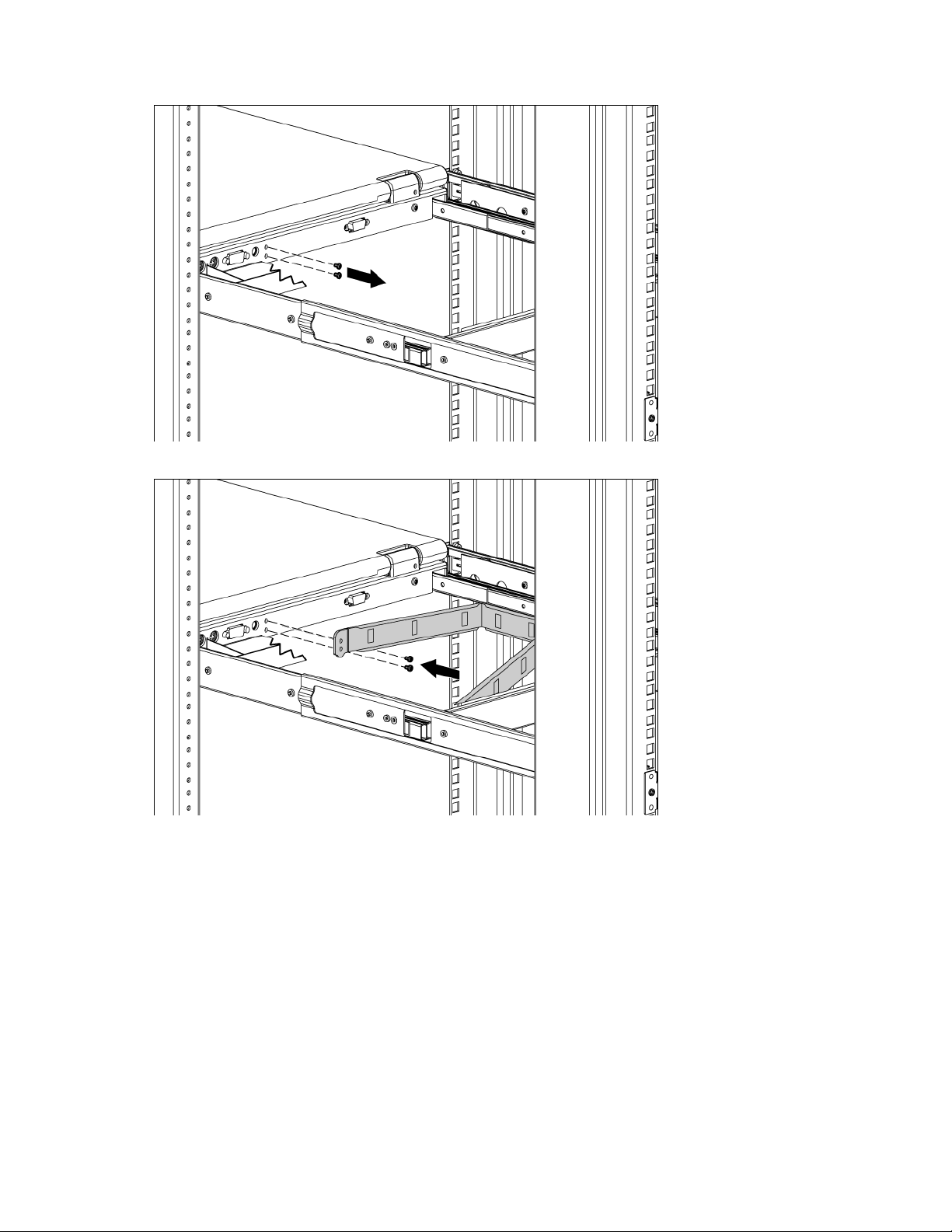
Connecting and routing cables...............................................................................................................................11
Accessing the HPE TFT7600 KVM Console ..........................................................................................................12
Removing the HPE 1U Adjustable Toolless Rails ..................................................................................................12
Removing PS2 cables with cable-locking mechanism ...........................................................................................13
Enabling the native display resolution of 1440x900 in HP-UX ...............................................................................14
Operational overview ........................................................................................................................... 15
On-screen display ..................................................................................................................................................15
Launching OSD menu ............................................................................................................................................15
Navigating OSD......................................................................................................................................................15
OSD menu..............................................................................................................................................................16
Brightness/Contrast.....................................................................................................................................16
Image control...............................................................................................................................................16
Advanced.....................................................................................................................................................17
Auto Configuration.......................................................................................................................................17
Factory settings ...........................................................................................................................................18
Language.....................................................................................................................................................18
Information...................................................................................................................................................18
Maintenance ........................................................................................................................................ 19
Maintenance guidelines..........................................................................................................................................19
Cleaning the monitor ...................................................................................................................................19
Shipping instructions ..............................................................................................................................................19
Moving a rack with the HPE TFT7600 KVM Console installed ..............................................................................20
Warranty and regulatory information .................................................................................................... 21
Warranty information ..............................................................................................................................................21
Regulatory information ...........................................................................................................................................21
Safety and regulatory compliance ...............................................................................................................21
Belarus Kazakhstan Russia marking...........................................................................................................21
Turkey RoHS material content declaration..................................................................................................22
Ukraine RoHS material content declaration ................................................................................................22
Electrostatic discharge......................................................................................................................... 23
Preventing electrostatic discharge .........................................................................................................................23
Grounding methods to prevent electrostatic discharge ..........................................................................................23
Support and other resources................................................................................................................ 24
Accessing Hewlett Packard Enterprise Support.....................................................................................................24
Information to collect ...................................................................................................................................24
Accessing updates .................................................................................................................................................24
Websites.................................................................................................................................................................24
Customer Self Repair .............................................................................................................................................25
Remote support......................................................................................................................................................33
Acronyms and abbreviations................................................................................................................ 34
Documentation feedback ..................................................................................................................... 35