Motorised Valves, Pump, Boiler & Stat Connections
HW Cylinder Thermostat (Optional): If connecting the cylinder thermostat directly to the timer then
a link needs to be fitted between IN and OUT on the HW cylinder thermostat connection.
HW Motorised Valve (Optional): Used if timed hot water is required.
Overheat Thermostat (Optional): Used for connecting a pipe thermostat to prevent over
temperature water damaging sensitive floors. Remove the link and connect the pipe thermostat so it
is Normally Closed. The pipe stat will open if overheating occurs and the UFH pump will stop running.
Boiler Enable (Optional): This Volt Free connection must come from the boiler thermostat
connection. When any zone calls for heat the boiler enable will close causing the boiler to run. If work
is being carried out on the boiler then power to and from the switch will cease. (Do not connect to
the boiler IN terminal by linking a 230v feed from the wiring centre).
UFH Motorised Valve (Optional): If a UFH motorised valve is fitted then remove the link between
OR and GR.
Heat/Cool Changeover (Optional): This connection allows heat/cool changeover of all
thermostats using a single external switch (installer supplied).
Switch: Open-Heating, Closed-Cooling.
Thermostat Connections
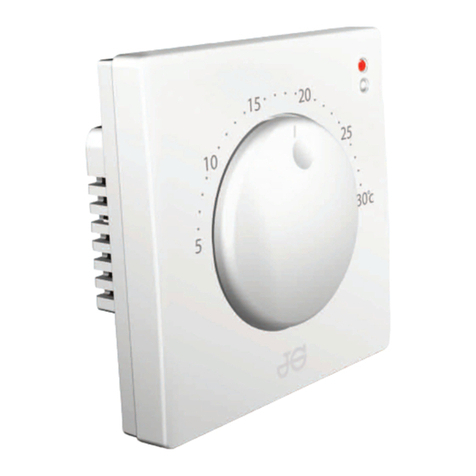
Thermostat connections are to power the thermostats only. There is no switched live needed
as this is done with a wireless signal. Power can therefore be supplied to the thermostat
locally from any suitable power source if connecting to the wiring centre from the thermostat
is difficult. Battery powered wireless thermostats can also be used. These can be mixed with
230v Wireless Thermostats as an alternative.
Actuator Connections
Actuator connections corresponding to the thermostat connections. Up to 2 cables can be
used in each connection (4 actuators per Zone). If more than that number needs to be
connected, then an external junction box will be needed. A maximum of 6 actuators can be
connected to a zone in this manner.
Wireless - Information Display
After setting up, the Coordinator will assign the Wiring Centre a number. This is because more than
1 Wiring Centre may be used on a project. Pressing the network button will illuminate the relevant
number. The example shown is for Wiring Centre 1. If 1 & 2 are lit it would be Wiring Centre 2.
Dip Switch Set Up
In order for the wiring centre to be able to control UFH and
radiators, there is a need to turn off the UFH pump for a
zone when that zone is to be used for radiators.
Example: When fitting a zone for radiators or towel rail
then the Dip Switch that zone should be switched to OFF.
The Dip Switches for this are located under the front lid.
When the zone switch is in the ON position the UFH pump
will run when that zone is calling for heat along with the
boiler. When it is in the OFF position then the UFH pump
will not run but the boiler will fire.
Note: Zone valves controlled by the actuator connections
require only the live, neutral and earth wires to be
connected to the corresponding zone.
There are three other function switches as well.
Pump & Boiler delay: This gives a three minute delay to
allow actuators to open before the boiler fires.
Pump Only Delay:
Delays only the UFH pump from firing
for three minutes.
Actuator NO or NC: This refers to Normally Open or
Normally Closed. JG actuators supplied in NC configuration.
Ribbon Connection
This must be carefully removed or replaced when removing or replacing the wiring centre
cover, being careful to ensure the correct orientation.
Coordinator
A Coordinator is required by all wireless systems and must remain powered.
Fuses
Aerial Connection
Sensor Terminals
Can be used for external AIR floor sensor when configured as a thermostat.
Can also be used for cylinder thermostat when conected for hot water.
Thermostat Zones
Network Button
Groups 1 and 2
T1.6AH 250VP
T12AH 250VP
Hot Water Connections
Option 1 -
Connect cylinder thermostat
to Wiring Centre.