I
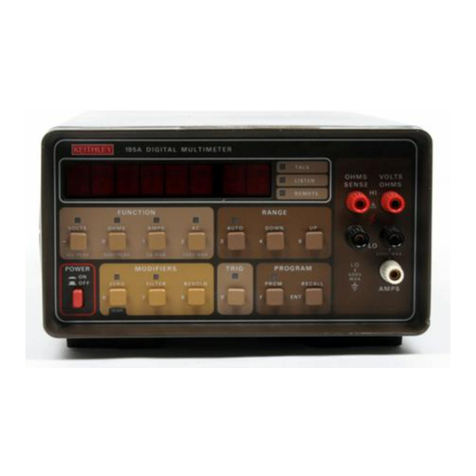
MODEL 169
SECTION 2. OPERATION
OPERATION
2-1. INTRODUCTION,
2-2. This section provides information needed for
incoming inspection, preparation for use and opera-
tion of the Model 169 and its accessories.
2-3. UNPACKING AN0 INSPECTION.
2-4. The Model 169 was carefully inspected, both
mechanically and electrically before shipment. Upon
receiving the Model 169, unpack all items from the
shipping container and check for any obvious damage
which (may have occured during transit. neport any
damages to the shipping agent. Retain and use the
original packaging materials if reshipment is re-
quired. The following items are shipped with all
Model 169 orders:
a. Model 169 DMM
b. six carbon zinc "C' cells (may be shipped
installed in the DMM in some units).
c.
d.
2-5.
2-6.
A copy of this Manual.
Separate optional accessories, as ordered.
PREPARATION FOK USE.
Installation of Batteries, if required.
3
WARNING
To prevent a shock hazard, all test leads
should be removed from the INPUT terminals
before removing the instrument top cover.
a. Turn the DMM bottom side-up and loosen the
four screws in the bottom cover until the threads
are not engaged. NOTE: The scrws are not retained
and they will fall out when the instrument is re-
turned to its normal position.
b. Hold the top and bottom ‘over together to
prevent their separation and turn the DMM cover to
normal position. Lift off the top cover.
NOTE
Carbon-zinc batteries are supplied. These
batteries will operate your DMM for ap-
proximately 1000 hours. If it is desired
to change batteries only once a year when
calibration is required, alkaline cells
may be substituted. These cells will pro-
vide approximately 2000 hours of opera-
tion. In either case, the low battery
indicator will automatically come on with
approximately 5% of battery life remaining
(20 hours for carbon-zinc and 40 hours for
alkaline cells).
t. Install the batteries in the holder ds shown
in Figure 2-1.
d. Press the battery clip onto the terminals of
the battery holder; then position battery holder on
the two spacers as illustrated.
e. Reinstall the top cover.
f. After the batteries are installed. you should
become familiar with the Model I69 by reading the
section titled Controls, Indicators and Connectors
(Paragraph Z-7); then perform the Initial Functional
Check (Paragraph Z-16).
2-7. CONTROLS, INDICATORS AND CONNECTORS.
2-B. Display.
2-9. The operating status of the Model 169 is con-
tinuously provided by the 3-l/2 digit (2000 count)
liquid crystal display located on the front panel.
In addition to the digitized input signal, with
appropriate decimal point and polarity, the display
provides indications of the selected function and
range, battery condition and overrange. All indica-
tors on the display are shown in Figure 2-2 and
described as follows.
2-1