EXECUTIONER 4:4:2 DJ MIXER Rack Extension for Propellerhead Reason v1.0.1
Page 10
The Input Section
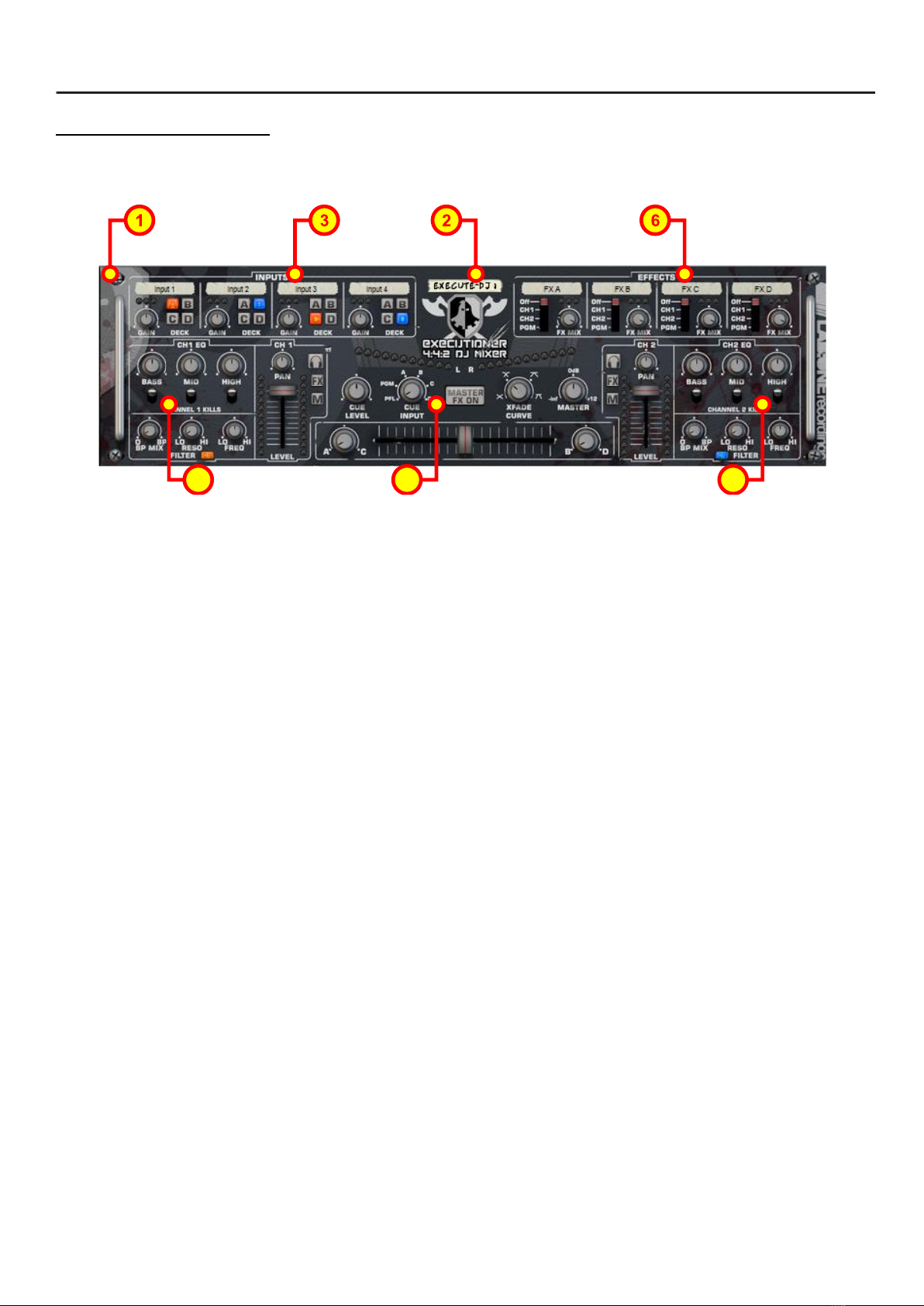
Executioner has a dedicated re-routable input section, which allows up to 4 inputs and routes to 4 possible ‘Decks’.
Each Input has an Input Gain control, an Input to Deck assignable button, Input level metering and an editable
label.
The metering system shows how loud the input is. A single green LED indicates any level between -12dB and –
96dB (CD standard dynamic range). A yellow LED when lit indicates that the level is between -3dB and -12dB
(generally a great position for audio, not too quiet and not too loud). A red LED is your pre-warning : the level is
pretty loud, between -3dB and 0dB, and you could potentially start to clip if you’re not careful. 3 red LEDs is your
big warning –you’ve gone over what would be deemed as ‘digital headroom’, and if left as it is the audio can
suffer from hardclipping. When you see this, back down off the input for a better sound. This metering system
works in the same manner throughout Executioner.
The Channel Section
Executioner has two main channels that allow further control of your sounds. Each channel has a dedicated level
control, pan control, Deck balance control, Bass/Mid/High EQ gain controls and kill switches, Channel Cue, Channel
FX toggle, mute toggle, multi-mode filter and metering.
The level control aids you in setting the overall volume of the channel.
The pan control aids you to set the panoramic placement of the channel, using +6dB pan law (0dB gain at centre
point).
The Deck balance control is a means to level the assigned inputs before the level control –Deck A+C are for
Channel 1, Deck B + D are for Channel 2.
The Bass, Mid and High EQ controls allow you to lower or raise the bass, midrange, or high end signal of the
channel (+12dB to -48dB range). The kill switches completely remove that section of the audio (to –inf dB), for
those classic dj ‘bass-‘, ‘mid-‘ and ‘high-cut’ effects.
The Channel Cue toggle allows the listener to hear the channel through the CUE outputs. This button is used
specifically in PFL (pre-fader-listen) mode (see the Master Section), and has no effect in other CUE modes.
The Channel FX toggle allows you to activate the send-and-return configuration of Executioner so you can patch in
additional effects and signals to the corresponding channel (see the Send Effects Section).
The Channel Mute toggle allows muting of the channel –works well with reverb effect tails (see the Send Effects
Section).
The multi-mode filter is a specially designed filter made for Executioner. It allows you to Low pass to HighPass filter
the channel, and also allows you to Bandpass the channel too, and is determined by the Filter Mix control.
The Filter Mix control determines the balance between LowPass<>Highpass and BandPass modes.