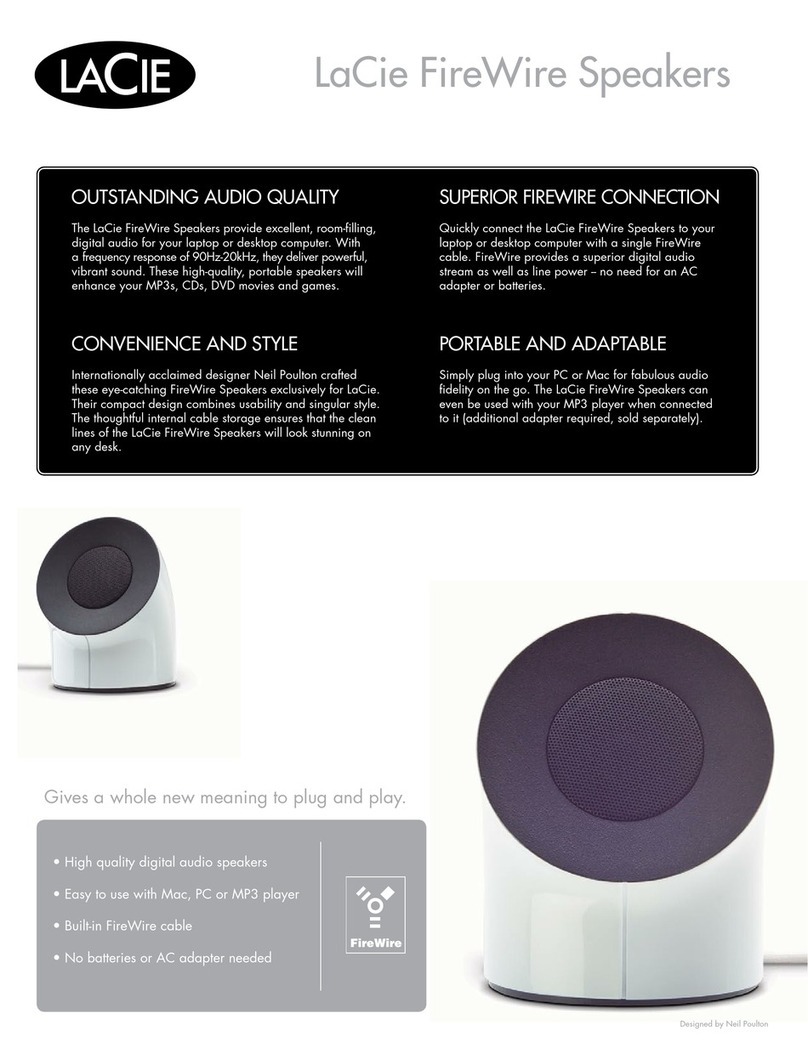
LaCie 130811 - USB Speakers PC Multimedia User manual

Quick Install Guide
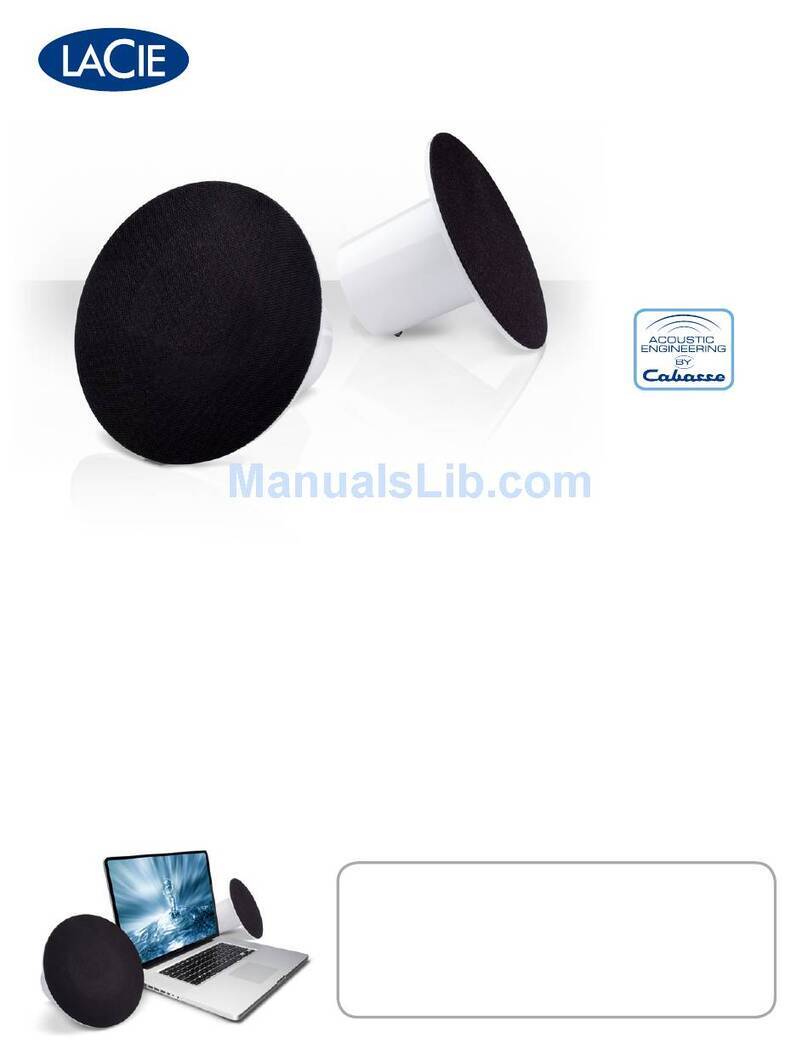
LaCie Bobourg USB Speakers
Design by Neil Poulton


Protect your investment - register for free technical support: www.lacie.com/register
Box Content
• LaCie USB Speakers
• Quick Install Guide

Bottom View
1. Secondary Speaker Port
2. Power Light
3. Built-in USB Cable
4. Secondary Speaker Cable
4
2
1
3
To Computer
Main Speaker Secondary Speaker

Setup Steps
Windows and Mac Users:
1. Plug the secondary speaker cable into the main speaker.
2. Connect the speakers to your computer with the USB cable.
Note: If you do not hear sound after connecting the LaCie Bobourg USB Speakers, you
may need to select the speakers manually as your audio output device.
Windows Users: Control Panel>Sound>Playback>USB Audio Device
Mac Users: System Preferences>Sound>Output>USB Audio Device
Volume Control
Your LaCie Bobourg USB Speakers feature convenient volume control buttons
on the main speaker. Lightly touch the left button to lower the volume or the
right button to raise the volume.

Manufacturer’s Declaration for CE Certification
We, LaCie, solemnly declare that this product conforms to the follow-
ing European standards: Class B EN60950, EN55022, EN55024
With reference to the following conditions: 73/23/EEC Low Voltage
Directive; 89/336/EEC EMC Directive
LaCie Bobourg USB Speakers
Tested to comply with FCC
standards for home or office use
This device complies with Part 15 of the FCC Rules. Operation is subject to the following
two conditions: (1) This device may not cause harmful interference, and (2) This
device must accept any interference received, including interference that may cause
undesired operation.
Warning: Changes or modications to this unit not expressly approved by the party
responsible for compliance could void the user’s authority to operate the equipment.
NOTE: This equipment has been tested and found to comply with the limits for a Class B
digital device, pursuant to Part 15 of the FCC Rules. These limits are designed to provide
reasonable protection against harmful interference in a residential installation. This
equipment generates, uses and can radiate radio frequency energy and, if not
installed and used in accordance with the instructions, may cause harmful interference to
radio communications. However, there is no guarantee that interference will not
occur in a particular installation. If this equipment does cause harmful interference to
radio or television reception, which can be determined by turning the equipment off
and on, the user is encouraged to try to correct the interference by one or more of the
following measures:
• Reorient or relocate the receiving antenna.
• Increase the separation between the equipment and receiver.
• Connect the equipment into an outlet on a circuit different from that to which
the receiver is connected.
• Consult the dealer or an experienced radio/TV technician for help.

FR Procédure d’installation
Utilisateurs Windows et Mac :
1. Branchez le câble du haut-parleur secondaire sur le haut-parleur principal.
2. Branchez les haut-parleurs sur votre ordinateur à l’aide du câble USB.
Remarque : si vous n'entendez aucun son après avoir branché les haut-parleurs LaCie
Bobourg USB, vous pouvez être amené à sélectionner manuellement les haut-parleurs
comme périphérique de sortie audio.
Utilisateurs Windows : Panneau de configuration>Son>Lecture>Périphérique audio USB
Utilisateurs Mac : Préférences système>Son>Sortie>Périphérique audio USB
Réglage du volume
Vos haut-parleurs LaCie Bobourg USB sont équipés de boutons de réglage du volume
pratiques au niveau du haut-parleur principal. Il vous suffit d'effleurer le bouton de gauche
pour réduire le volume ou le bouton de droite pour l'augmenter.

IT Procedure di installazione
Utenti Windows e Mac:
1. Inserire il cavo dell’altoparlante secondario nell’altoparlante principale.
2. Collegare gli altoparlanti al computer mediante il cavo USB.
Nota: se dopo il collegamento degli altoparlanti LaCie Bobourg USB non si sente alcun
suono, potrebbe essere necessario selezionare gli altoparlanti manualmente come
dispositivo di output per l’audio.
Utenti Windows: Pannello di controllo>Suoni>Audio>Riproduzione>Dispositivo audio USB
Utenti Mac: Preferenze di sistema>Suono>Uscita>USB Audio Device
Controllo del volume
Gli altoparlanti LaCie Bobourg USB dispongono di comodi pulsanti di controllo del volume
sull'altoparlante principale. Toccare leggermente il pulsante sinistro per abbassare il
volume o il pulsante destro per alzare il volume.

IT Procedure di installazione
Utenti Windows e Mac:
1. Inserire il cavo dell’altoparlante secondario nell’altoparlante principale.
2. Collegare gli altoparlanti al computer mediante il cavo USB.
Nota: se dopo il collegamento degli altoparlanti LaCie Bobourg USB non si sente alcun
suono, potrebbe essere necessario selezionare gli altoparlanti manualmente come
dispositivo di output per l’audio.
Utenti Windows: Pannello di controllo>Suoni>Audio>Riproduzione>Dispositivo audio USB
Utenti Mac: Preferenze di sistema>Suono>Uscita>USB Audio Device
Controllo del volume
Gli altoparlanti LaCie Bobourg USB dispongono di comodi pulsanti di controllo del volume
sull'altoparlante principale. Toccare leggermente il pulsante sinistro per abbassare il
volume o il pulsante destro per alzare il volume.
DE Einrichtung Schritt für Schritt
Windows und Mac:
1. Schließen Sie das zweite Lautsprecherkabel an den Hauptlautsprecher an.
2. Schließen Sie die Lautsprecher mit dem USB-Kabel an den Computer an.
Hinweis: Wenn Sie nach dem Abschließen der LaCie Bobourg USB-Lautsprecher keinen
Ton hören, müssen Sie die Lautsprecher gegebenenfalls manuell als Audio-Ausgabegerät
auswählen.
Windows-Benutzer: Systemsteuerung > Sounds und Audiogeräte > Soundwiedergabe >
USB-Audiogerät
Mac-Benutzer: System Preferences (Systemvoreinstellungen) > Sound (Audio) >
Output (Ausgabe) > USB Audio Device (USB-Audiogerät)
Lautstärkeregler
Ihre LaCie Bobourg USB-Lautsprecher verfügen über bequeme Tasten zur Lautstärkerege-
lung am Hauptlautsprecher. Berühren Sie die linke Taste leicht, um die Lautstärke zu
erhöhen, bzw. die rechte Taste, um die Lautstärke zu senken.

ES Pasos de configuración
Usuarios de Windows y Mac:
1. Enchufe el cable del altavoz secundario al altavoz principal.
2. Conecte los altavoces al ordenador con el cable USB.
Nota: si no oye ningún sonido tras conectar los LaCie Bobourg USB Speakers, puede que
necesite seleccionar los altavoces manualmente como el dispositivo de salida de audio.
Usuarios de Windows: Panel de control>Sonidos>Reproducción>Dispositivo de audio USB
Usuarios de Mac: Preferencias del sistema>Sonido>Salida>Dispositivo de audio USB
Control de volumen
Sus LaCie Bobourg USB Speakers incluyen unos cómodos botones de control de volumen
en el altavoz principal. Toque ligeramente el botón izquierdo para bajar el volumen o el
botón derecho para subir el volumen.
This manual suits for next models
1
Table of contents
Languages:
Other LaCie Speakers manuals