LevelOne 10/100M 32bit Fast Ethernet PC card User manual

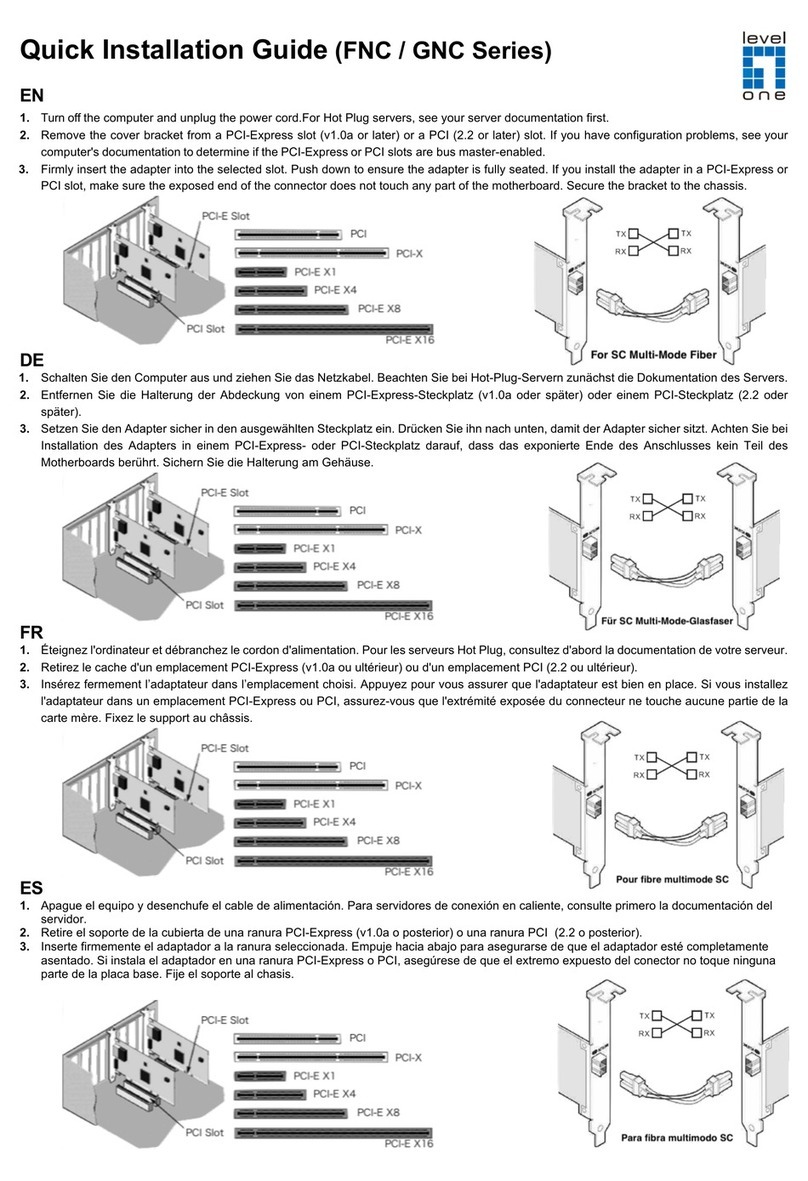
LevelOne
10/100M 32bit Fast Ethernet
PC card
user’s manual
Version 1.2


Regulatory compliance
This equipment has been tested and found to comply with the limits for a
Class B digital device pursuant to Part 15 of the FCC Rules. This
equipment also complies with CE EN55022 Class B and VCCI V3 Class B
specifications. These limits are designed to provide reasonable
protection against harmful interference when the equipment is operated in
a commercial environment.
This equipment generates, uses, and can radiate radio frequency energy
and, if not installed and used in accordance with the instruction manual,
may cause harmful interference to radio communications. Operation of
this equipment in a residential area is likely to cause harmful interference
in which case the user will be required to correct the interference at his
own expense.
Changes or modifications not expressly approved by the parties
responsible for compliance could void the user’s authority to operate the
equipment.
About this manual
This user’s manual describes how to install and operate your LevelOne
10/100Mbps 32bit Fast Ethernet PC Card. Please read this manual before
you install the product.
This manual includes the following topics:
ØProduct description, features and specifications.
ØHardware installation procedure.
ØSoftware installation procedure.
ØTrouble shooting procedures

LevelOne Fast Ethernet PC Card user’s manual
ii
Table of contents
Regulatory compliance......................................................................................i
About this manual...............................................................................................i
Table of contents................................................................................................ii
CHAPTER 1 4
Introduction 4
Features ..............................................................................................................4
CHAPTER 2 5
Hardware installation 5
What’s in the package.........................................................................................5
Hardware description.........................................................................................5
Inserting the LevelOne 10/100Mbps 32bit Fast Ethernet PC Card...................6
Connecting to a LAN..........................................................................................7
Status LEDs........................................................................................................7
Ejecting the LevelOne 10/100Mbps 32bit Fast Ethernet PC Card....................9
CHAPTER 3 11
Driver installation for Win 95/98/2000/ME/NT 11
Driver installation for Windows 95..............................................................12
Driver installation for Windows 98..............................................................14
Driver installation for Windows 2000.........................................................17
Driver installation for Windows ME............................................................21
Driver installation for Windows NT 4.0.......................................................24
CHAPTER 4 28
Driver installation for DOS environments 28
System Requirements.......................................................................................28
Driver installation...........................................................................................28
Driver installation program...............................................................................28
Quick installation..............................................................................................29
The Install program.........................................................................................30
Using the Install program.................................................................................30
Auto configuration............................................................................................32
Custom configuration.......................................................................................34
Manual installation........................................................................................36
Enablers............................................................................................................36
Driver installation...........................................................................................38

Preface
iii
Microsoft Windows for Workgroups 3.11.......................................................38
Netware 3.X/4.X client.....................................................................................39
Microsoft LAN Manager.................................................................................39
Artisoft LANtastic version 6.0........................................................................40
CHAPTER 5 41
Installation for Linux 41
Before Installation............................................................................................41
Install Driver.....................................................................................................42
APPENDIX A 45
Troubleshooting 45
Q&A for Windows environments...................................................................45
Windows 95/98.................................................................................................45
Windows NT 4.0..............................................................................................46
Windows 2000..................................................................................................46

4
Chapter 1
Introduction
Thank you for purchasing the LevelOne 10/100Mbps 32bit Fast
Ethernet PC Card. This high-speed LevelOne 10/100Mbps 32bit
Fast Ethernet PC Card complies with the CardBus standard and
uses a female RJ-45 adapter to connect to the network.
The LevelOne 10/100Mbps 32bit Fast Ethernet PC Card is
switchless and software configurable. For convenience and ease of
operation, LAN (RJ-45) connector is built onto the card.
Features
•Extended PC Card design that integrates RJ-45 connector
onto the PC card
•No moving parts to break and no media coupler to lose
•Complies with IEEE 802.3u 100Base-TX and IEEE 802.3
10Base-T
•Complies to PCMCIA 1995 PC Card standard
•PC Card standard 68-pin 32-bit PCMCIA interface
•Support all popular Network Operating Systems
•Supports hot swap card insertion and removal
•10/100Mbps auto-sensing
•Full/half-duplex auto-negotiation for both 10Base-T and
100Base-TX
•Switchless configuration setting

Hardware installation
5
Chapter 2
Hardware installation
This chapter covers inserting your LevelOne 10/100Mbps 32bit
Fast Ethernet PC Card in the notebook’s CardBus slot, and
connecting the card to a network.
What’s in the package
Please ensure that the following items are included in your package.
If any items are missing, contact your dealer.
•LevelOne 10/100Mbps 32bit Fast Ethernet PC Card
•CD-ROM diskettes (includes device drivers and this user’s
manual)
•Quick Installation Guide
Hardware description
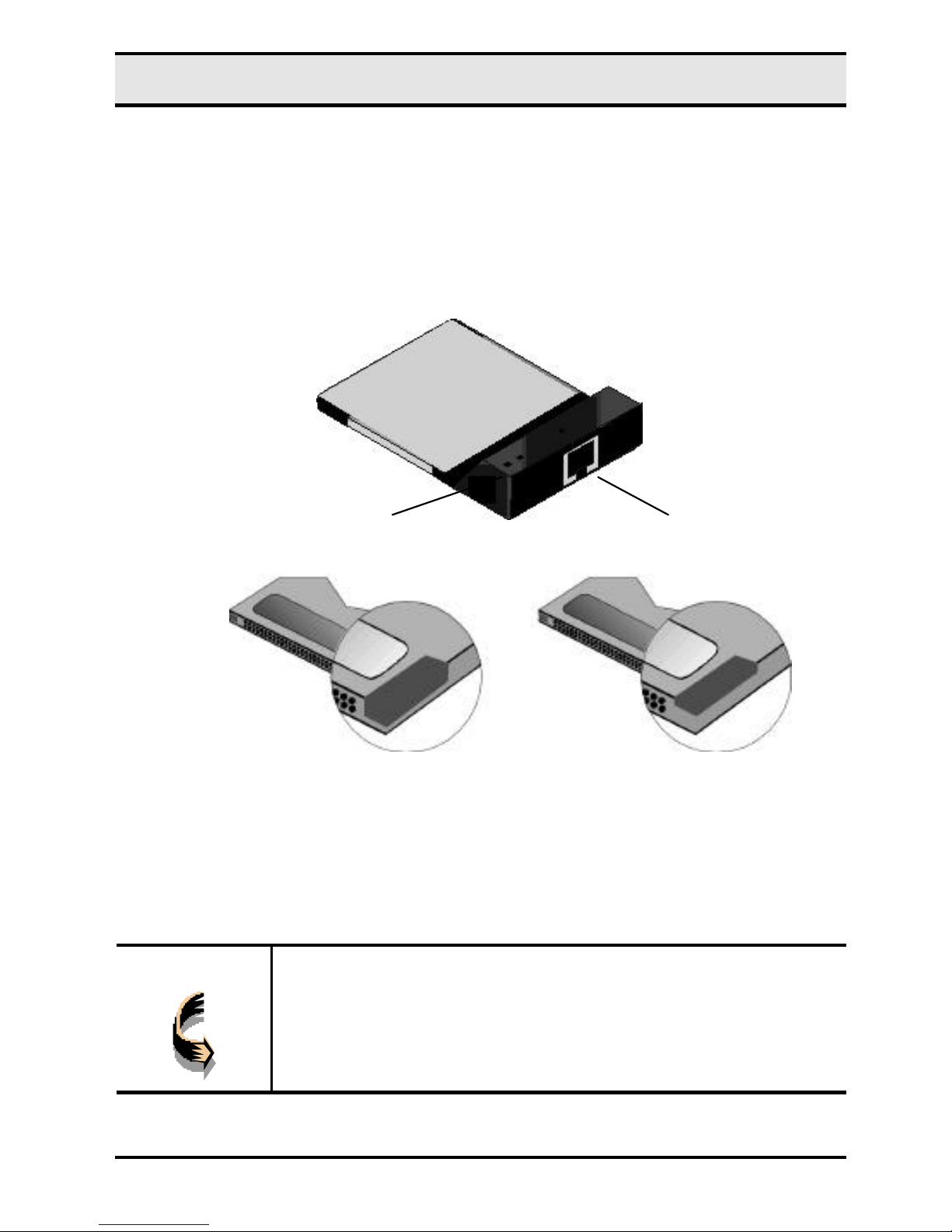
The LevelOne 10/100Mbps 32bit Fast Ethernet PC Card is
encased in a stainless compact frame and has a 68-pin connector
for attaching to the notebook’s CardBus slot, and an RJ-45
connector for use with 10BaseT Ethernet or 100BaseTx Fast
Ethernet networks.
LevelOne Fast Ethernet PC Card user’s manual
6
Please take note that the hardkey of a CardBus card is different
from that of the traditional 16-bit PCMCIA card. This mechanism
can protect the 3.3V CardBus card from mis-insertion to 5V 16-bit
PCMCIA slot.
Hardkey of 5/3.3V Traditional PCMCIA Card (left) and 3.3V CardBus
Card (right)
Inserting the LevelOne 10/100Mbps 32bit Fast
Ethernet PC Card
Note!
These instructions apply to most notebook computers.
For detailed information on inserting PC cards into your
notebook, consult the notebook user’s manual.
RJ
-
45
Status LEDs

Hardware installation
7
Follow the procedure below to install the LevelOne 10/100Mbps
32bit Fast Ethernet PC Card.
1. With the card’s 68-pin connector facing the notebook’s
CardBus slots, slide the card all the way into an empty slot.
Do not force the connection!
2. Connect to a network. (See Connecting to a LAN that
follow.)
Connecting to a LAN
To use the LevelOne 10/100Mbps 32bit Fast Ethernet PC Card’s
Ethernet capability, you can connect to a port on a hub or to an RJ-
45 phone jack with another male-to-male RJ-45 line or connector.
Connecting to an RJ-45 phone jack
Connecting to a hub

LevelOne Fast Ethernet PC Card user’s manual
8
Status LEDs
The following illustration shows the LevelOne 10/100Mbps 32bit
Fast Ethernet PC Card LEDs:
The following table describes the meaning of the LEDs:
LED MEANING
10/100M Indicates the connection speed. When off, the
connection speed is 10 Mbps. When on, the connection
speed is 100 Mbps.
LINK/ACT Indicates link status and transmit/receive activity. It is
normally off. When off, indicates that the link is inactive.
When lit, indicates that the link is active. When there is
packet transmit or receive activity, this LED is blinking.
RJ
-
45
LINK/ACT LED
10/100M LED
Table of contents
Other LevelOne Network Card manuals