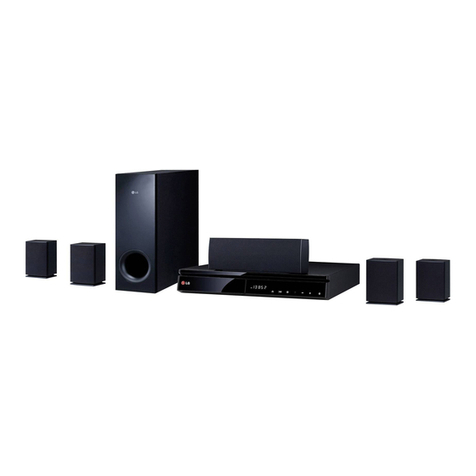
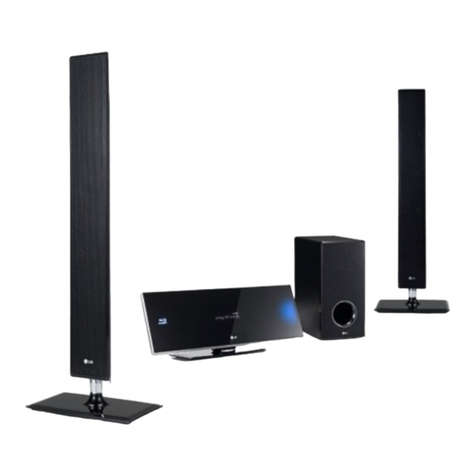
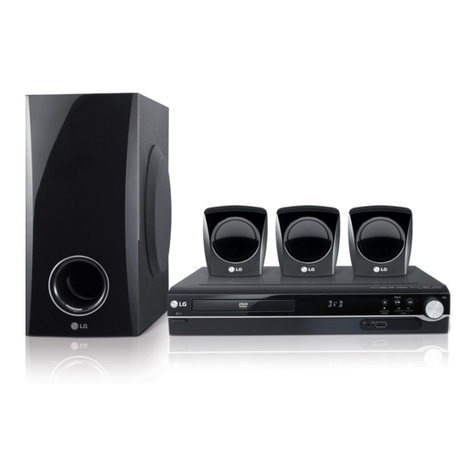
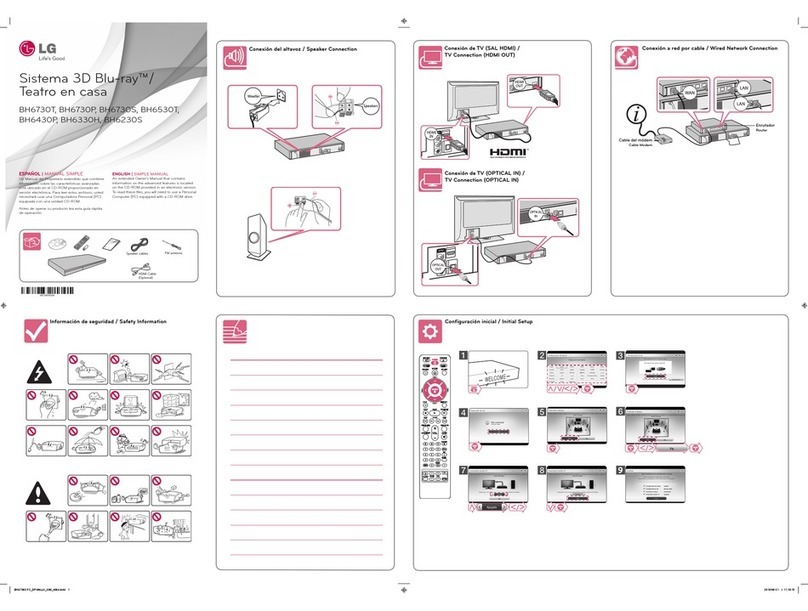
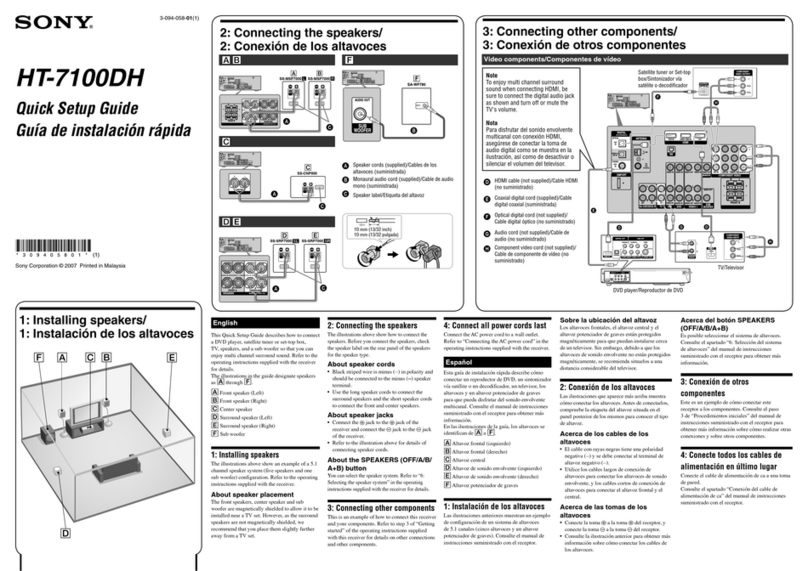
Specification / Spécifications
Using HOME menu / Utilisant le menu ACCUEIL
[My Apps] - Displays the [My Apps] screen.
[Mes Applications] - Ache l’écran [Mes Applications].
[Premium] - Displays the Premium Home screen.
[Premium] - Permet d’acher l’écran d’accueil Premium.
[Settings] - Adjusts the system settings.
[Paramètres] - Règle les paramètres du système.
[Smart Share] - Displays Smart Share menu.
[Smart Share] - Ache le menu de partage intelligent.
[LG Smart World] - Displays LG Apps titles provided to the unit.
[LG Smart World] - Ache les titres des LG Apps oertes à l’appareil.
[Input] - Changes input mode.
[Entrée] - permet de modier la source d’entrée.
ENGLISH
Power requirements Refer to main label
Power consumption Refer to main label
Dimensions (W x H x D)
Approx. 360 mm X 60.5 mm
X 304 mm
Net Weight (Approx.) 2.5 kg
Bus Power Supply (USB) 5 V 0500 mA
Design and specications are subject to change
without notice.
FRANÇAIS
Alimentation Référez-vous à l’étiquette
principale.
Consommation
électrique
Référez-vous à l’étiquette
principale.
Dimensions (L x H x P)
Approximativement
360
mm
X 60,5
mm
X 304
mm
Poids net (approx.) 2,5 kg
Bus Power Supply (USB) 5 V 0500 mA
La conception et les spécications sont sujettes à
modication sans préavis.
DATA
DONNEES
USB Storage Device
Appareil de stockage de données
Disc Playback / Lecteur de disque Data Playback / Lecteur de données
To Use Network Playback /
Pour utiliser la lecture en réseau
Smart Share Network Playback / Lecture réseau par partage intelligent
Some of the content in this manual may dier from your player depending on the software of the player or your service
provider. /
Certain du contenu dans ce manuel est susceptible d’être diérent de votre lecteur selon le logiciel du lecteur ou votre
fournisseur de service.
P. 32
Check the network connection and settings. /
Vérifier la connexion et les paramètres réseau.
Preparation / Préparation
Run the program, and set the share folder you want. /
Exécutez le programme et définissez le dossier partagé de
votre choix.
P. 36
Router
Routeur
Download and install the Nero MediaHome 4 Essentials software. /
Télécharger et installer le logiciel Nero MediaHome 4 Essentials.
Windows : http://www.nero.com/download.php?id=nmhlgewin
Mac OS : http://www.nero.com/download.php?id=nmhlgemac
CAUTION
RISK OF ELECTRIC SHOCK
DO NOT OPEN
CAUTION: TO REDUCE THE RISK OF ELECTRIC SHOCK DO NOT
REMOVE COVER (OR BACK) NO USER-SERVICEABLE PARTS INSIDE
REFER SERVICING TO QUALIFIED SERVICE PERSONNEL.
This lightning ash with arrowhead symbol
within an equilateral triangle is intended to
alert the user to the presence of uninsulated
dangerous voltage within the product’s
enclosure that may be of sucient magnitude
to constitute a risk of electric shock to persons.
The exclamation point within an equilateral
triangle is intended to alert the user to
the presence of important operating and
maintenance (servicing) instructions in the
literature accompanying the product.
WARNING: TO PREVENT FIRE OR ELECTRIC SHOCK HAZARD, DO
NOT EXPOSE THIS PRODUCT TO RAIN OR MOISTURE.
WARNING: Do not install this equipment in a conned space
such as a book case or similar unit.
CAUTION: Do not block any ventilation openings. Install in
accordance with the manufacturer’s instructions.
Slots and openings in the cabinet are provided for ventilation
and to ensure reliable operation of the product and to protect
it from over heating. The openings shall be never be blocked by
placing the product on a bed, sofa, rug or other similar surface.
This product shall not be placed in a built-in installation such as
a bookcase or rack unless proper ventilation is provided or the
manufacturer’s instruction has been adhered to.
Use of controls, adjustments or the performance of procedures
other than those specied herein may result in hazardous
radiation exposure.
CAUTION concerning the Power Cord
To disconnect power from the mains, pull out the mains cord
plug. When installing the product, ensure that the plug is easily
accessible.
CAUTION: The apparatus shall not be exposed to water (dripping
or splashing) and no objects lled with liquids, such as vases, shall
be placed on the apparatus.
This device is equipped with a portable battery or accumulator.
Safety way to remove the battery or the battery from the
equipment: Remove the old battery or battery pack, follow
the steps in reverse order than the assembly.To prevent
contamination of the environment and bring on possible threat
to human and animal health, the old battery or the battery put it
in the appropriate container at designated collection points. Do
not dispose of batteries or battery together with other waste. It
is recommended that you use local, free reimbursement systems
batteries and accumulators. The battery shall not be exposed to
excessive heat such as sunshine, re or the like.
Disposal of your old appliance
1. All electrical and electronic products shall be
disposed of separately from the municipal
waste stream via designated collection facilities
appointed by the government or the local
authorities.
2. The correct disposal of your old appliance will help
prevent potential negative consequences for the
environment and human health.
3. For more detailed information about disposal of
your old appliance, please contact your city office,
waste disposal service or the shop where you
purchased the product.
Disposal of waste batteries/accumulators
1. This symbol may be combined with chemical
symbols for mercury(Hg), cadmium(Cd) or lead(Pb)
if the battery Contains more that 0.0005% of
mercury, 0.002% of cadmium or 0.004% of lead.
2. All batteries/accumulators should be disposed
separately from the municipal waste stream via
designated collection facilities appointed by the
government or the local authorities.
3. The correct disposal of Your old batteries/
accumulators will help to prevent potential
negative consequences for the environment,
animal and human health.
4. For more detailed information about disposal of
Your old batteries/ accumulators, please contact
Your city offi ce, waste disposal service or the shop
where You purchased the product.
LG Electronics hereby declares that this/these product(s) is/are in
compliance with the essential requirements and other relevant
provisions of Directive 2004/108/EC, 2006/95/EC, 2009/125/EC
and 2011/65/EU.
Contact oce for compliance of this product :
LG ELECTRONICS LEVANT-JORDAN.
Abdoun, Princess Basmah St.
Issam Al - Khatib complex, 3rd Floor
yPlease note that this is NOT a Customer Service contact point.
For Customer Service Information, see Warranty Card or
contact the dealer that you purchased this product.
ATTENTION
RISQUE D’ÉLECTROCUTION. NE
PAS OUVRIR.
ATTENTION: AFIN DE RÉDUIRE LE RISQUE DE CHOC ÉLECTRIQUE,
NE RETIREZ PAS LE BOÎTIER (NI L’ARRIÈRE). AUCUNE PIÈCE DE CET
APPAREIL N’EST SUSCEPTIBLE D’ÊTRE RÉPARÉE PAR L’UTILISATEUR.
CONFIEZ L’ENTRETIEN DE L’APPAREIL À DES PERSONNES
QUALIFIÉES.
Le symbole d’un éclair à l’intérieur d’un triangle
sert à avertir l’utilisateur de la présence d’une
tension dangereuse non isolée dans le corps
de l’appareil, qui peut être susamment élevée
pour provoquer un risque d’électrocution.
Le symbole d’un point d’exclamation à
l’intérieur d’un triangle sert à avertir l’utilisateur
de la présence d’instructions d’utilisation et de
maintenance (entretien) importantes dans la
documentation qui accompagne l’appareil.
AVERTISSEMENT: POUR PRÉVENIR TOUT RISQUE D’INCENDIE
OU D’ÉLECTROCUTION, N’EXPOSEZ PAS CET APPAREIL À LA PLUIE
OU À L’HUMIDITÉ.
AVERTISSEMENT: n’installez pas cet appareil dans un espace
conné tel qu’une bibliothèque ou tout autre meuble similaire.
ATTENTION: n’obstruez pas les ouvertures d’aération. Installez
l’appareil conformément aux instructions du fabricant.
Les fentes et les ouvertures du boîtier servent à assurer la
ventilation et le bon fonctionnement de l’appareil, ainsi qu’à le
protéger contre la surchaue. Les ouvertures ne doivent jamais
être bloquées en installant l’appareil sur un lit, un canapé, un
tapis ou toute autre surface similaire. Cet appareil ne doit pas être
placé dans un emplacement fermé tel qu’une bibliothèque ou
une étagère, à moins d’assurer une ventilation adéquate ou que
les instructions du fabricant l’autorisent.
Le non-respect des procédures d’utilisation ou de réglage
présente un risque d’exposition à des rayonnements dangereux.
PRÉCAUTION concernant le cordon d’alimentation
Pour déconnecter l’appareil du réseau électrique, retirez le
cordon d’alimentation de la prise électrique. Lors de l’installation
de l’appareil, assurez-vous que la prise soit facilement accessible.
ATTENTION: l’appareil ne doit pas être exposé à des projections
d’eau ou à des éclaboussures, et aucun objet rempli de liquide tel
qu’un vase ne doit être posé sur l’appareil.
Cet appareil est équipé d’une batterie transportable ou de piles
rechargeables.
Retrait sans danger de la batterie ou des piles de l’appareil:
pour retirer la batterie ou les piles usagées, procédez dans l’ordre
inverse de leur insertion. Pour empêcher toute contamination de
l’environnement et tout danger pour la santé des êtres humains
et des animaux, la batterie ou les piles usagées doivent être mises
au rebut dans le conteneur approprié à un point de collecte
prévu pour leur recyclage. Ne jetez pas la batterie ou les piles
usagées avec les autres déchets. Recyclez toujours les batteries et
piles rechargeables usagées. La batterie ne doit pas être exposée
à une chaleur excessive, telle que la lumière directe du soleil, les
ammes, etc.
Mise au rebut des produits
1. Tous les déchets électriques et électroniques
doivent être collectés séparément et transportés
par les services de voirie municipaux vers des
installations spéciques de collecte des déchets,
identiées en conséquence par le gouvernement
ou par les autorités locales.
2. Le traitement correct de votre vieil appareil
contribue à protéger l’environnement et la santé
des personnes.
3. Pour plus d’informations sur le traitement de votre
appareil en n de vie, merci de bien vouloir vous
adresser à votre mairie, au service de la voirie ou au
magasin où vous avez acheté le produit.
Mise au rebut des piles ou batteries usagées
1.
Ce symbole peut être associé aux symboles
chimiques du mercure (Hg), du cadmium (Cd) ou du
plomb (Pb) si la batterie contient plus de 0,0005 %
de mercure, 0,002 % de cadmium ou 0,004 % de
plomb.
2. Toutes les piles et batteries doivent être collectées
séparément et transportées par les services
de voirie municipaux vers des installations
spéciques de collecte des déchets, identiées
en conséquence par le gouvernement ou par les
autorités locales.
3. Le traitement correct de vos piles ou batteries
usagées contribue protéger l’environnement et la
santé des personnes et des animaux.
4. Pour plus d’infomations sur le traitement de vos
piles ou batteries usagées, merci de bien vouloir
vous adresser votre mairie, au service de la voirie
ou au magasin où vous avez acheté le produit.
LG Electronics déclare par la présente que ce ou ces produits
sont conformes aux exigences essentielles et aux dispositions
applicables des directives 2004/108/EC, 2006/95/EC, 2009/125/
EC et 2011/65/EU.
Contactez le bureau pour la conformité de ce produit :
LG ELECTRONICS LEVANT-JORDAN.
Abdoun, Princess Basmah St.
Issam Al - Khatib complex, 3rd Floor
yVeuillez noter que ce Centre n’est PAS un Service Client. Pour
les Informations Service Client, veuillez consulter la Carte de
Garantie ou contacter le revendeur chez qui vous avez acheté
le produit.
BH4030S-F0_DJORMLM _SIM1_9819.indd 2 2013-12-24 �� 10:07:25