manuals.online logo
Brands
  1. Home
  2. •
  3. Brands
  4. •
  5. LG
  6. •
  7. Projection TV
  8. •
  9. LG DU-52SX40D User manual

LG DU-52SX40D User manual

This manual suits for next models

3

Other LG Projection TV manuals

LG 52SZ8D User manual

LG

LG 52SZ8D User manual

LG RT-44SZ80LB User manual

LG

LG RT-44SZ80LB User manual

LG RT-62NA31RB User manual

LG

LG RT-62NA31RB User manual

LG RU-48SZ40 User manual

LG

LG RU-48SZ40 User manual

LG 52SX4D-UB User manual

LG

LG 52SX4D-UB User manual

LG RE-44SZ20RD User manual

LG

LG RE-44SZ20RD User manual

LG 62SX4D-UB User manual

LG

LG 62SX4D-UB User manual

LG 52SX4D User manual

LG

LG 52SX4D User manual

LG RT-44SZ60DB User manual

LG

LG RT-44SZ60DB User manual

LG RU-44SZ61D -  - 44" Rear Projection TV User manual

LG

LG RU-44SZ61D - - 44" Rear Projection TV User manual

LG RU-52SZ53D User manual

LG

LG RU-52SZ53D User manual

LG 62SX4D -  - 62" Rear Projection TV Use and maintenance manual

LG

LG 62SX4D - - 62" Rear Projection TV Use and maintenance manual

LG RU-48SZ40 User manual

LG

LG RU-48SZ40 User manual

LG MW-60SZ12 User manual

LG

LG MW-60SZ12 User manual

LG RT-44A85 Series User manual

LG

LG RT-44A85 Series User manual

LG 52DC2D User manual

LG

LG 52DC2D User manual

LG RT-39NZ40RB User manual

LG

LG RT-39NZ40RB User manual

LG RL-44SZ21RD User manual

LG

LG RL-44SZ21RD User manual

LG 56DC1D User manual

LG

LG 56DC1D User manual

LG RU-44SZ61D -  - 44" Rear Projection TV User manual

LG

LG RU-44SZ61D - - 44" Rear Projection TV User manual

LG RU-52SZ30 User manual

LG

LG RU-52SZ30 User manual

LG 62DC1D User manual

LG

LG 62DC1D User manual

LG RU-44SZ63D User manual

LG

LG RU-44SZ63D User manual

LG RT-52SZ30RB User manual

LG

LG RT-52SZ30RB User manual

Popular Projection TV manuals by other brands

Sony KDF-46E3000 - Bravia 3lcd Micro Display High Definition... operating instructions

Sony

Sony KDF-46E3000 - Bravia 3lcd Micro Display High Definition... operating instructions

Samsung ST-43T6P Owner's instructions

Samsung

Samsung ST-43T6P Owner's instructions

Toshiba ColorStream TP50G60 owner's manual

Toshiba

Toshiba ColorStream TP50G60 owner's manual

Mitsubishi Electric WD-65734 Specification sheet

Mitsubishi Electric

Mitsubishi Electric WD-65734 Specification sheet

Optoma EP652A user manual

Optoma

Optoma EP652A user manual

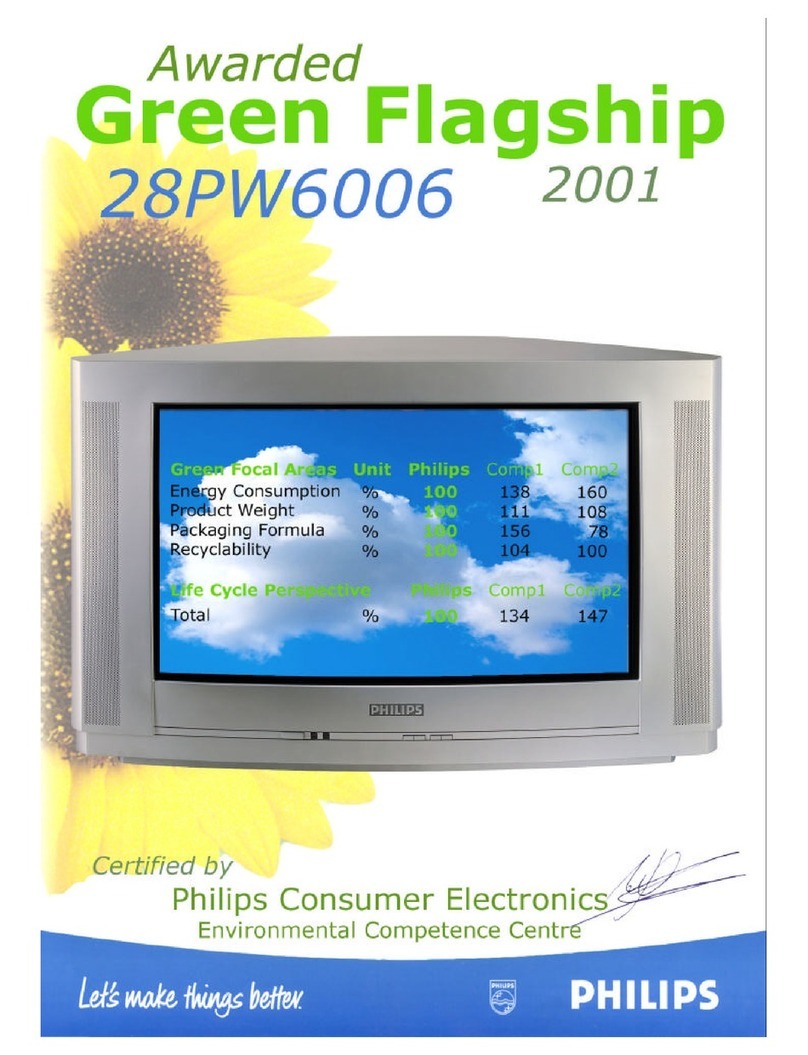
Philips 28PW6006 - annexe 1 Eco profile

Philips

Philips 28PW6006 - annexe 1 Eco profile

Philips 43PP8421 user manual

Philips

Philips 43PP8421 user manual

Hitachi 51F510 operating guide

Hitachi

Hitachi 51F510 operating guide

RCA P52950 user guide

RCA

RCA P52950 user guide

Philips 43PP8421 Directions for use

Philips

Philips 43PP8421 Directions for use

JVC I'Art Pro AV-48P776 Brochure & specs

JVC

JVC I'Art Pro AV-48P776 Brochure & specs

Samsung SP43T8HPX/XEC Service manual

Samsung

Samsung SP43T8HPX/XEC Service manual

Sony GRAND WEGA KDF-55XS955 operating instructions

Sony

Sony GRAND WEGA KDF-55XS955 operating instructions

Magnavox 51MP392H - 51" Widescreen Hd Ready Tv owner's manual

Magnavox

Magnavox 51MP392H - 51" Widescreen Hd Ready Tv owner's manual

Sony KP-46WT520 - Wide Screen Projection Tv Service manual

Sony

Sony KP-46WT520 - Wide Screen Projection Tv Service manual

Toshiba 42HM66 - 42" Rear Projection TV owner's manual

Toshiba

Toshiba 42HM66 - 42" Rear Projection TV owner's manual

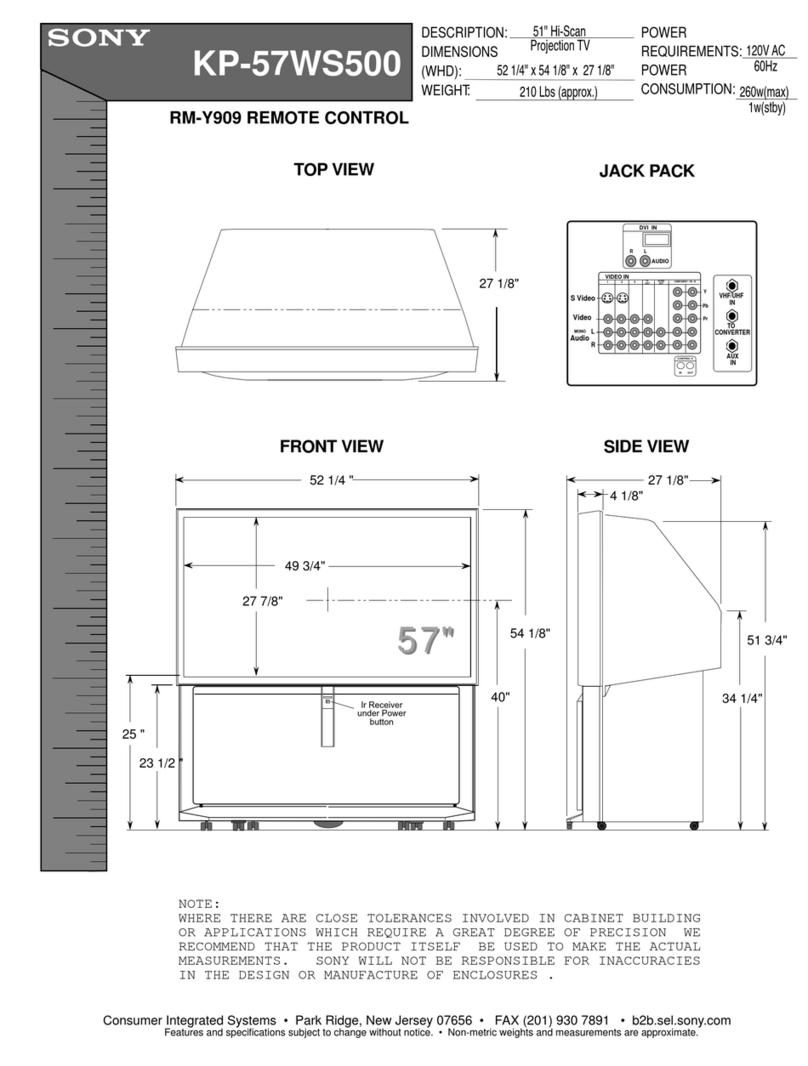
Sony KP-57WS500 - 57" Hi-scan 1080i™ 16:9 Projection... Dimensions

Sony

Sony KP-57WS500 - 57" Hi-scan 1080i™ 16:9 Projection... Dimensions

Philips 50PL9200D user manual

Philips

Philips 50PL9200D user manual

manuals.online logo
manuals.online logoBrands
  • About & Mission
  • Contact us
  • Privacy Policy
  • Terms and Conditions

Copyright 2025 Manuals.Online. All Rights Reserved.

EUT Type: 62” DLP Projection TV
FCC ID: BEJDU62SX40D
Test Report No.: GETEC-E3-05-023
FCC Class B Certification
APPENDIX H
: USER’S MANUAL
DLP Projection TV
OWNER’S MANUAL
MODEL: DU-52SX40D/52SX4D-UB
DU-62SX40D/62SX4D-UB
LG Electronics U.S.A., Inc.
TM
R
TruSurround XT
Please read this manual carefully and completely before
operating your TV.
Retain this manual for future reference.
Record model number and serial number of the TV in the
spaces provided below.
See the label attached on the back cover and relate this
information to your dealer if you require service.
Model Number :
Serial Number :
DLP Projection TV
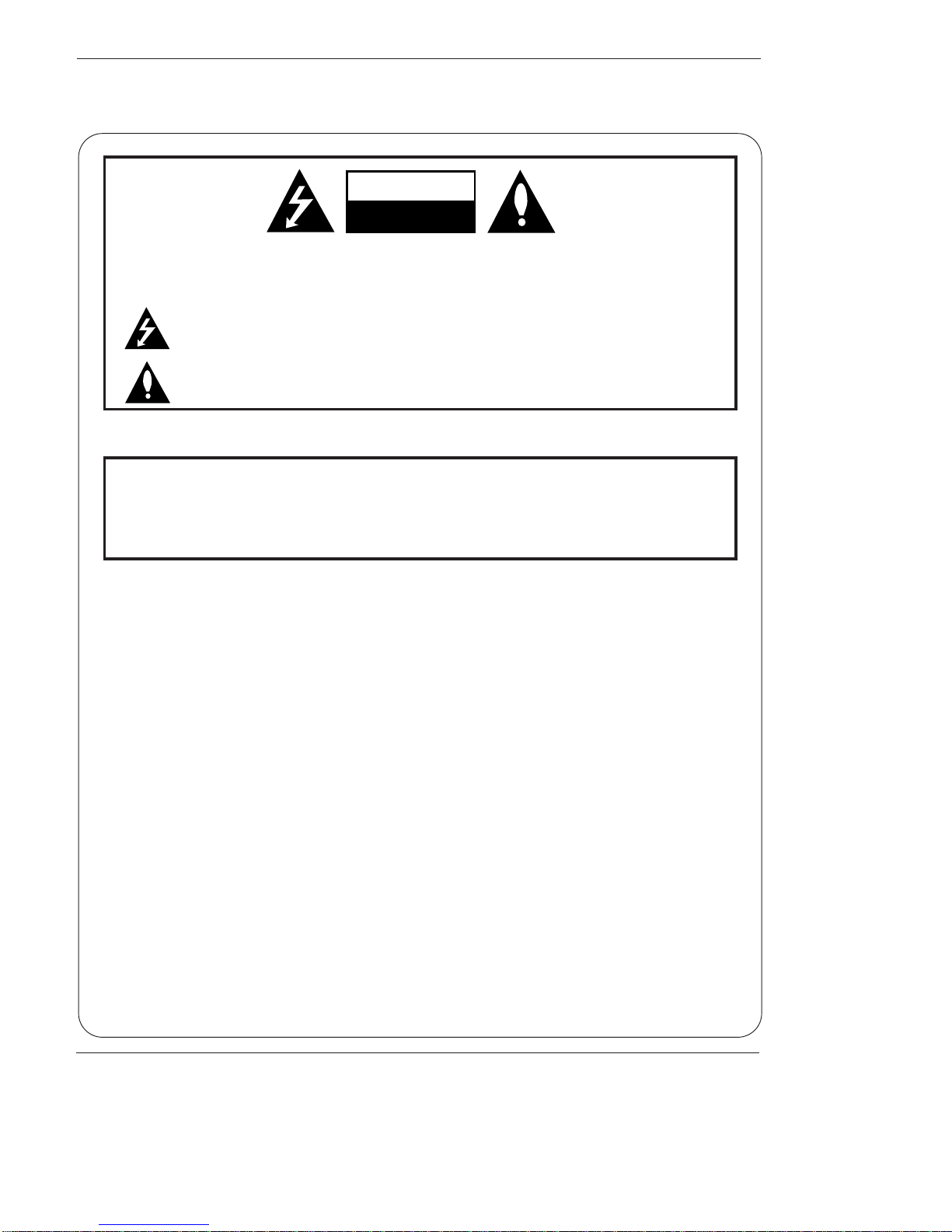
WARNING/CAUTION:
TO REDUCE THE RISK OF ELECTRIC SHOCK DO NOT REMOVE COVER (OR BACK). NO USER
SERVICEABLE PARTS INSIDE. REFER TO QUALIFIED SERVICE PERSONNEL.
The lightning flash with arrowhead symbol, within an equilateral triangle, is intended to alert the user to
the presence of uninsulated “dangerous voltage” within the product’s enclosure that may be of suffi-
cient magnitude to constitute a risk of electric shock to persons.
The exclamation point within an equilateral triangle is intended to alert the user to the presence of
important operating and maintenance (servicing) instructions in the literature accompanying the appli-
ance.
WARNING/CAUTION:
TO PREVENT FIRE OR SHOCK HAZARDS, DO NOT EXPOSE THIS PRODUCT TO RAIN OR MOISTURE.
POWER CORD POLARIZATION:
CAUTION: TO PREVENT ELECTRIC SHOCK, MATCH WIDE BLADE OF PLUG TO WIDE SLOT, FULLY
INSERT.
ATTENTION: POUR ÉVITER LES CHOCS ÉLECTRIQUES, INTRODUIRE LA LAME LA PLUS LARGE
DE LA FICHE DANS LA BORNE CORRESPONDANTE DE LA PRISE ET POUSSER JUSQU’AU FOND.
NOTE TO CABLE/TV INSTALLER:
This reminder is provided to call the CATV system installer’s attention to Article 820-40 of the National
Electric Code (U.S.A.). The code provides guidelines for proper grounding and, in particular, specifies that
the cable ground shall be connected to the grounding system of the building, as close to the point of the
cable entry as practical.
REGULATORY INFORMATION:
This equipment has been tested and found to comply with the limits for a Class B digital device, pursuant to Part
15 of the FCC Rules. These limits are designed to provide reasonable protection against harmful interference in
a residential installation. This equipment generates, uses and can radiate radio frequency energy and, if not
installed and used in accordance with the instructions, may cause harmful interference to radio communications.
However, there is no guarantee that interference will not occur in a particular installation. If this equipment does
cause harmful interference to radio or television reception, which can be determined by turning the equipment off
and on, the user is encouraged to try to correct the interference by one or more of the following measures:
- Reorient or relocate the receiving antenna.
- Increase the separation between the equipment and receiver.
- Connect the equipment into an outlet on a circuit different from that to which the receiver is connected.
- Consult the dealer or an experienced radio/TV technician for help.
Any changes or modifications not expressly approved by the party responsible for compliance could void the
user’s authority to operate the equipment.
CAUTION:
Do not attempt to modify this product in any way without written authorization from LG Electronics. Unauthorized mod-
ification could void the user’s authority to operate this product.
COMPLIANCE:
The responsible party for this product’s compliance is:
LG Electronics U.S.A., Inc
1000 Sylvan Avenue, Englewood Cliffs, NJ 07632
1-201-816-2000
http://www.lgusa.com

WARNING
RISK OF ELECTRIC SHOCK
DO NOT OPEN
/CAUTION
W
Warning/Caution
arning/Caution
Warning/Caution
Owner’s Manual
Warning
TV Guide On Screen Notices for U.S.A.
In the United States, the TV GUIDE and other related marks are registered marks of Gemstar-TV Guide International, Inc.
and/or one of its affiliates. In Canada, TV GUIDE is a registered mark of Transcontinental Inc., and is used under license by
Gemstar-TV Guide International, Inc.
The TV Guide On Screen system is protected by one or more of the following issued United States patents 6,498,895,
6,418,556, 6,331,877; 6,239,794; 6,154,203; 5,940,073; 4,908,713; 4,751,578; 4,706,121.
The TV Guide On Screen system is manufactured under license from Gemstar-TV Guide International, Inc. and/or one of its
affiliates.
Digital Cable Compatibility
This digital television is capable of receiving basic analog, digital basic and digital premium cable television programming by
direct connection to a cable system providing such programming. A security card provided by your cable operator is required
to view encrypted digital programming. Certain advanced interactive digital cable services such as video-on-demand, cable
operator enhanced program guide, and data enhanced television service may require the use of a set top box. For more
information contact your local cable operator.
Use of the CableCARDTM TradeMark.
“CableCARDTM is a trademark of Cable Television Laboratories, Inc.”
DLP Projection TV
Safety Instructions
IMPORTANT SAFETY INSTRUCTIONS
Important safety instructions shall be provided with each apparatus. This information shall be given in a separate booklet or
sheet, or be located before any operating instructions in an instruction for installation for use and supplied with the appara-
tus. This information shall be given in a language acceptable to the country where the apparatus is intended to be used. The
important safety instructions shall be entitled “Important Safety Instructions”. The following safety instructions shall be includ-
ed where applicable, and, when used, shall be verbatim as follows. Additional safety information may be included by adding
statements after the end of the following safety instruction list. At the manufacturer’s option, a picture or drawing that illus-
trates the intent of a specific safety instruction may be placed immediately adjacent to that safety instruction :
1. Read these instructions.
2. Keep these instructions.
3. Heed all warnings.
4. Follow all instructions.
5. Do not use this apparatus near water.
6. Clean only with dry cloth.
7. Do not block any ventilation openings. Install in accordance with the manufacturer’s instructions.
8. Do not install near any heat sources such as radiators, heat registers, stoves, or other apparatus (including ampli-
fiers)that produce heat.
9. Do not defeat the safety purpose of the polarized or grounding-type plug. A polarized plug has two blades with
one wider than the other. A grounding type plug has two blades and a third grounding prong, The wide blade or the
third prong are provided for your safety. If the provided plug does not fit into your outlet, consult an electrician for
replacement of the obsolete outlet.
10. Protect the power cord from being walked on or pinched particularly at plugs, convenience receptacles, and the
point where they exit from the apparatus.
11. Only use attachments/accessories specified by the manufacturer.
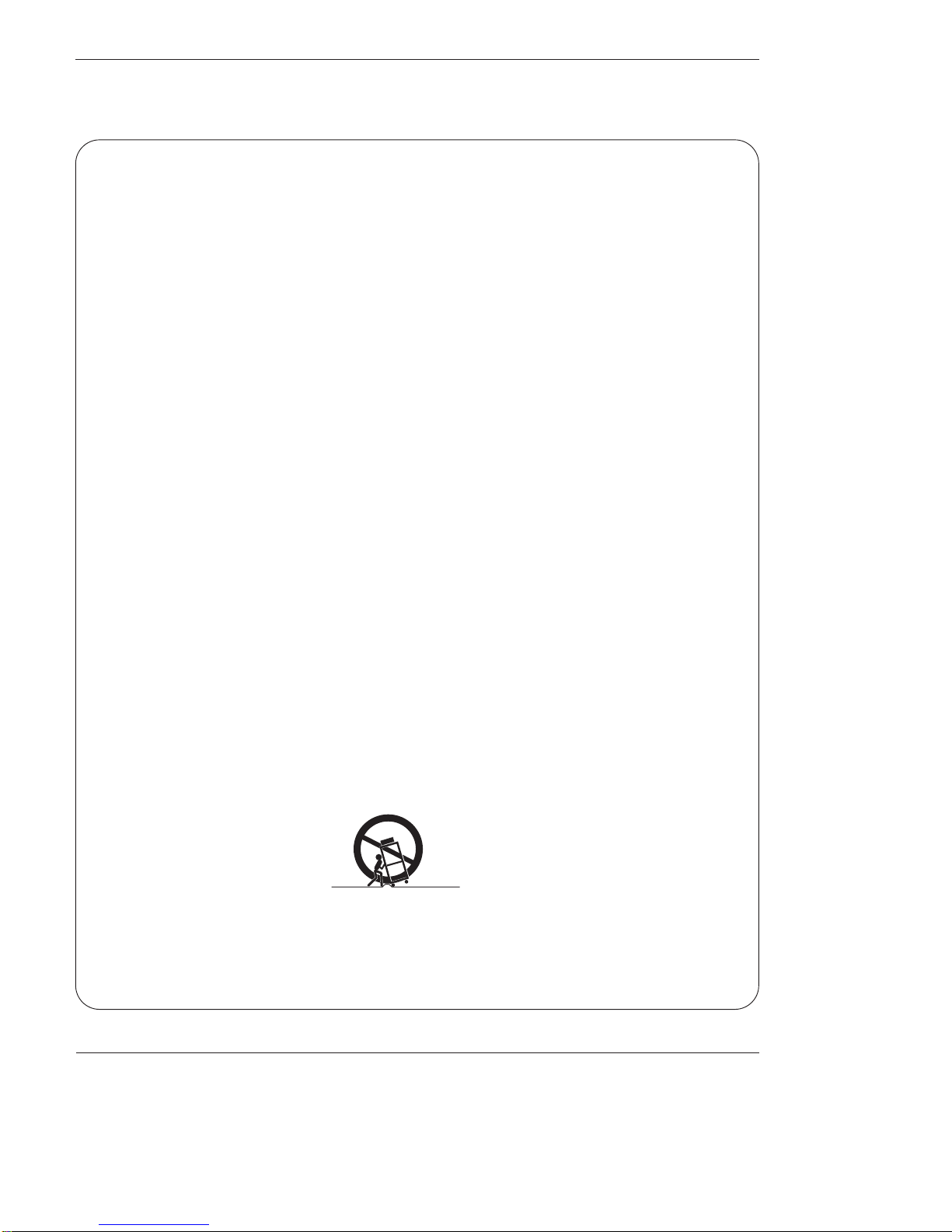
12. Use only with the cart, stand, tripod, bracket, or table specified by the manufacturer, or sold with the apparatus.
When a cart is used, use caution when moving the cart/apparatus combination to avoid injury from tip-over.
Safety Instructions
Safety Instructions
PORTABLE CART WARNING
Owner’s Manual
Safety Instructions
13. Unplug this apparatus during lightning storms or when unused for long periods of time.
14. Refer all servicing to qualified service personnel. Servicing is required when the apparatus has been damaged
in any way, such as power-supply cord or plug is damaged, liquid has been spilled or objects have fallen into
the apparatus, the apparatus has exposed to rain or moisture, does not operate normally, or has been dropped.
15. CAUTION concerning the Power Cord :
Most appliances recommend they be placed upon a dedicated circuit; that
is, a single outlet circuit which powers only that appliance and has no
additional outlets or branch circuits. Check the specification page of
this owner's manual to be certain.
Do not overload wall outlets. Overloaded wall outlets, loose or damaged
wall outlets, extension cords, frayed power cords, or damaged or
cracked wire insulation are dangerous. Any of these conditions could
result in electric shock or fire. Periodically examine the cord of your
appliance, and if its appearance indicates damage or deterioration,
unplug it, discontinue use of the appliance, and have the cord replaced
with an exact replacement part by an authorized servicer.
Protect the power cord from physical or mechanical abuse, such as being
twisted, kinked, pinched, closed in a door, or walked upon. Pay
particular attention to plugs, wall outlets, and the point where the
cord exits the appliance.
16. Outdoor Use Marking :
WARNING - To Reduce The Risk Of Fire Or Electric Shock, Do Not Expose This Appliance To Rain Or Moisture.
17. Wet Location Marking :
Apparatus shall not be exposed to dripping or splashing and no objects filled with liquids, such as vases, shall
be placed on the apparatus.
Safety Instructions continued
Owner’s Manual
Introduction
Introduction
Introduction
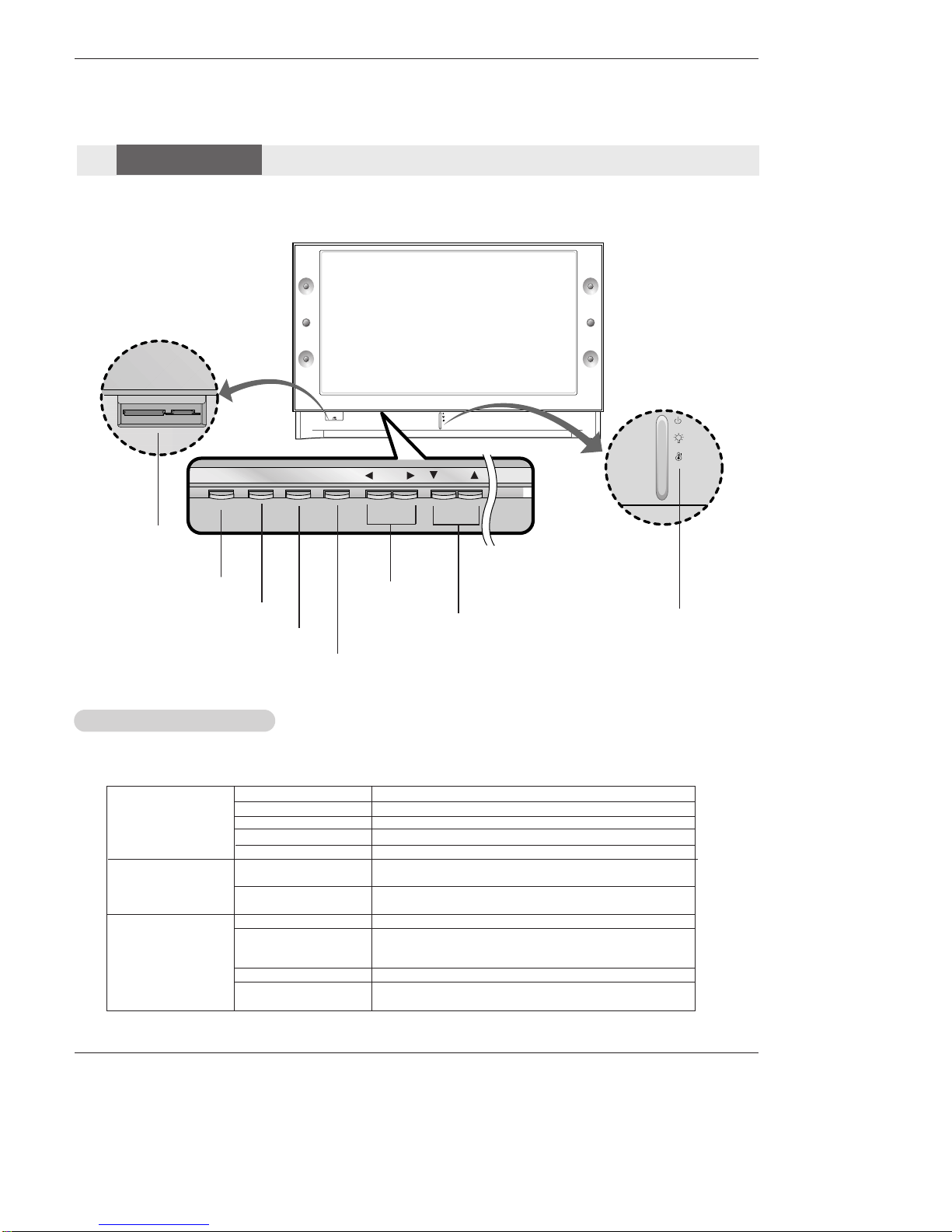
POWER TV GUIDE VOL CH
ENTER
MENU
POWER Button VOLUME (F,G)
Buttons
CHANNEL (E, D) Buttons Operation Indicator/
Lamp Indicator/
Temperature Indicator
ENTER Button
TV GUIDE Button
Off Power Cord is not connected.
Red Power Cord is connected, TV is in standby mode.
Green TV turns on.
Red (flashing) Power Cord is connected, TV is in booting sequence.
Orange (flashing) Preparing operation in standby mode.
Orange Projection lamp is reaching the end of its life and needs to
be replaced with a new lamp. Contact your service center.
Red (flashing) There is a problem with the lamp or around it. Contact an
authorized service center.
Green (flashing) The lamp cover is not closed.
Orange The projection TV is overheating. Check the blocked vents
of the Projection TV and the accumulated dust in the dust
filter.
Red The projection TV shuts down due to overheating.
Red (flashing) The projection TV shuts down, check the cooling fan.
Contact your service center.
Operation Indicator
Lamp Indicator
Temperature Indicator
- Lamp indicator, operation indicator, and temperature indicator located below the front panel controls, reveal the
operating status of the DLP projection TV.
Function Status Indicators
Memory Card
Slots
MENU Button
Controls
Controls
Front Panel Controls
DLP Projection TV
Introduction
PC/DTV
(XGA/
480p/
720p
1080i)
DVI
RGB/DVI
UPGRADEPORT
/
P
R
P
B
Y
DTV/DVD
RGB
PC/DTV
(XGA/
480p/
720p
1080i)
PC/DTV
(XGA
/480p
/720p
/1080i)
S-VIDEO
PR
PB
Y
MONO
CABLE
RGB INPUT
COMPONENT
INPUT2 INPUT1
DTV/DVD INPUT
RGB/DVI INPUT
(L)
(R)
AUDIO
(L)
(R)
AUDIO
VIDEO
(L)
(R)
AUDIO
(L)
(R)
AUDIO
AUDIO
CENTER
MODE IN
MONITOR
OUTPUT
VIDEO
INPUT2
VIDEO
INPUT1
DIGITAL AUDIO
OPTICAL INPUT1
(COMPONENT2)
DIGITAL AUDIO
OPTICAL INPUT2
(DVI)
IEEE1394
DIGITAL AUDIO
OPTICAL OUTPUT
ANTENNA
C
A
B
L
E
C
A
R
D
HDMI1/DVI
VARIABLE
AUDIO OUT
G-LINK
HDMI2
UPGRADE
PORT
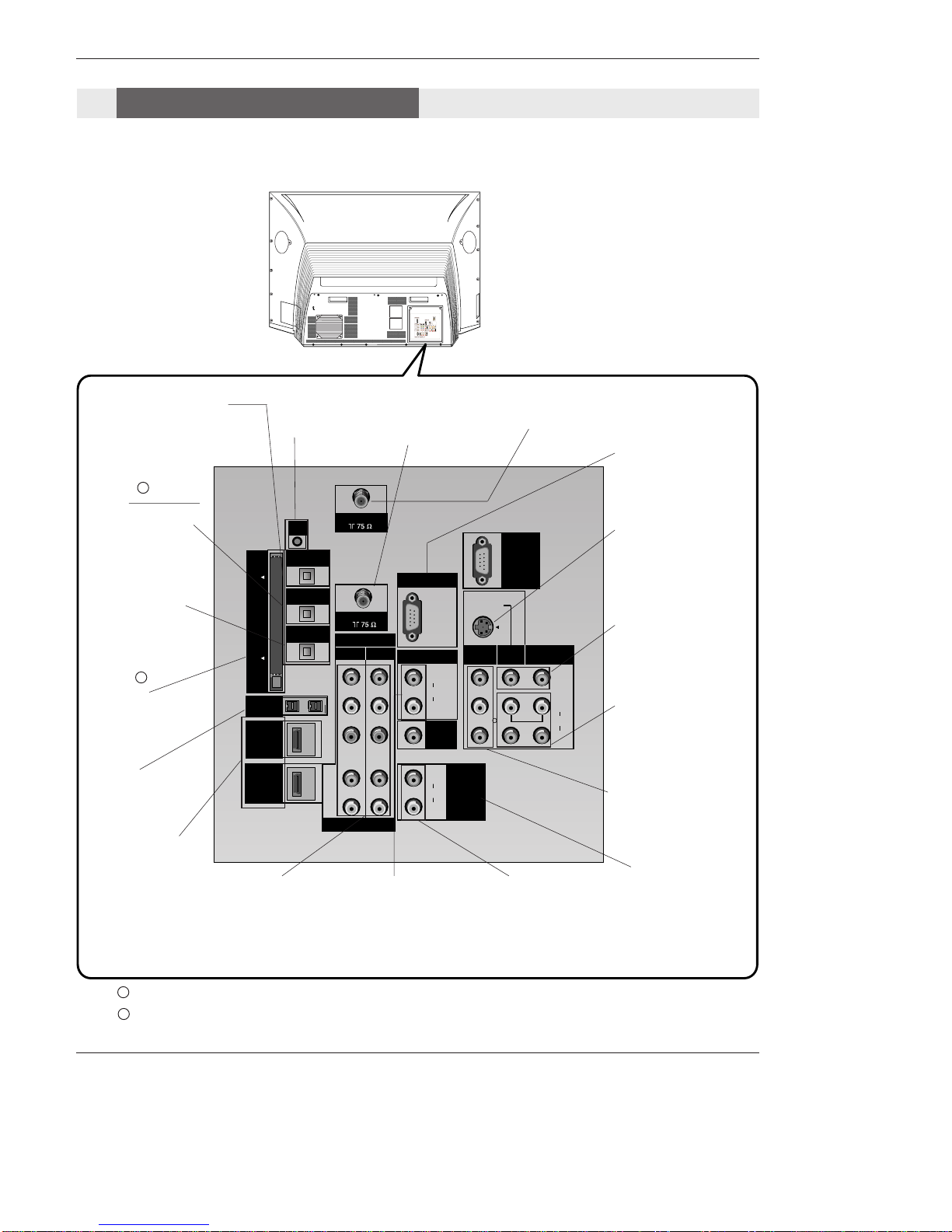
ANTENNA Inputs
Connect antenna sig-
nals to the TV directly.
DIGITAL AUDIO OPTICAL
OUTPUT
Used to connect either an exter-
nal amplifier, or add a sub-
woofer to your surround sound
system if it has a digital
audio optical input.
(Refer to )
MONITOR OUTPUT
Connect a second TV or
Monitor.
S-VIDEO In
A connection available
with some high-end
equipment that provides
even better picture qual-
ity for Video 2.
RGB/DVI INPUT
Connect the monitor
output connector from
a PC to the appropri-
ate input port.
RGB Input
Connect the TV output
connector from a PC/DTV
to the appropriate input
port.
AUDIO CENTER
MODE IN
Connect to external
Dolby Digital Center
“preamp output.”
VARIABLE AUDIO OUT
Used to connect either
an external amplifier,
or add a sub-woofer to
your surround sound
system.
COMPONENT INPUT 1-2
Connect a component
video/audio device to
these jacks. Refer to your
DVD manual for further
information.
VIDEO 1 or 2
Connects the video sig-
nals from various types
of equipment.
Left/Right AUDIO
Used for stereo sound
from various types of
equipment.
IEEE1394
Connect DVHS or
MicroMV to IEEE1394
Connector.
CableCARD™
Used for CableCARD™
received Cable Service
Provider.
CABLE Inputs
Connect cable signals to
the TV, either directly or
through your cable box.
G-LINK
Connect a G-
LINK Cable to
this jack.
DIGITAL AUDIO OPTI-
CAL INPUT1(COMPO-
NENT2)
Connect digital audio
from the equipment
whose video is connect-
ed to COMPONENT 2.
DIGITAL AUDIO OPTI-
CAL INPUT2(DVI)
Connect digital audio
from the equipment
whose video is connect-
ed to
HDMI/DVI(VIDEO).
(Refer to )
Notes: In standby mode, these port will not work.
If the video is connected through HDMI-TO-HDMI cable, you don’t need to connect digital audio. This port
is used only when the video connected through DVI-TO-HDMI cable.
1
2
1
2
HDMI1/DVI, HDMI 2
Connect a HDMI signal
to HDMI1/DVI or
HDMI2. Or connect a
DVI(Video) signal to
HDMI1/DVI.
Back Connection Panel
Connection Options
Connection Options
Owner’s Manual
Introduction
LEFT/RIGHT
AUDIO
Used for stereo
sound from vari-
ous types of
equipment.
S-VIDEO
A connection
available on some
very high-end
equipment that
provides better
picture quality
than video input.
VIDEO
Connects the
video signals
from any piece of
equipment.
Front A/V Panel
S-VIDEO
VIDEO
FRONT A/V
AUDIO
(R)
(L)/
MONO
There are four jacks on the left side on your projection TV
that make connecting Audio/Video devices like video games
and camcorders very simple.
The jacks are like those found on the back jack connection
panel. This means that most equipment that connects to
those types of jacks on the rear jackpack, may be connect-
ed to the front connection panel.
To use the side jacks as the signal source, select them
using Main Input menu as described on page 58. They will
be named “Front Video”in the Main Input menu.
If you input both Front Video and
S-Video, only the S-Video will
work.
If you’re connecting a video game
device, make sure to change the
picture settings with the EZ
Picture option in the Video menu
(see page 59).
Mini glossary
A/V CABLESAudio/Video cables. Three cable connector—Right audio (red), Left audio (white), and Video (yellow). A/V cables are
used for stereo playback of videocassettes and for higher quality picture and sound from other A/V devices.
A/V DEVICE Any device that produces video or sound (VCR, DVD, cable box, or television).
Front Connection Panel
DLP Projection TV
Installation
- Wall Antenna Socket or Outdoor Antenna without a Cable Box Connections
- For optimum picture quality, adjust antenna direction if needed.
Antenna or Cable Connection
1. Analog and Digital TV signals provided on antenna
2. Analog and Digital TV signals provided on cable
ANTENNA
Multi-family Dwellings/Apartments
(Connect to wall antenna socket)
Single-family Dwellings /Houses
(Connect to wall jack for outdoor antenna)
Outdoor
Antenna
Wall Antenna
Socket
VHF Antenna
UHF Antenna
RF Coaxial Wire (75 ohm)
Bronze Wire
Turn clockwise to tighten.
Bronze Wire
Be careful not to bend the bronze wire when
connecting the antenna.
Bronze Wire
Cable TV Wall
Jack RF Coaxial Wire (75 ohm)
CABLE
Installation
Installation
External Equipment Connections
Turn clockwise to tighten.