
Liebert OpenComms Instruction Manual

1.
LIEBERT MONITORING GROUP
INSTALLATION &
USER MANUAL
Network Interface Card
O
p
enComms


Note To Our Valued Customer
To help us better serve you, please contact us
with any comments you have about this manual
or product in general.
We encourage you to comment and would
appreciate your assistance in improving Liebert
products.
Liebert Monitoring Group Applications
Engineering (U.S.)
Steven Ziejewski – Product Manager

Table of Contents
Section 1: INTRODUCTION ...............................................................6
Specifications.....................................................................................7
Section 2: INSTALLATION ................................................................8
Retrofit Installation ............................................................................8
Environmental Installation.............................................................8
NPower Installation .....................................................................15
User Connections for Opencomms NIC ..........................................17
Section 3: SYSTEM CONFIGURATION ..........................................18
DIP Switch Settings .........................................................................18
Service Terminal..............................................................................18
1. System Information Menu ......................................................20
2. Network Interface Menu .........................................................20
3. SNMP Communications Menu ...............................................21
4. Web Server .............................................................................21
5. Firmware Update Menu ..........................................................22
6. Factory Settings Menu ............................................................22
7. Auxiliary Communications ......................................................22
Section 4: OPERATION.....................................................................23
SNMP ..............................................................................................23
Liebert Global Products MIB.......................................................23
RFC 1628 UPS MIB ....................................................................24
MIB..............................................................................................24
HTTP ...............................................................................................25
Modbus RTU ...................................................................................26
System Reset....................................................................................26
Diagnostics.......................................................................................26
Section 5: MODBUS COMMUNICATIONS & CONNECTIVITY..28
Implementation Basics.....................................................................28
Constraints .......................................................................................28
Transmission Format .......................................................................29
Physical Connection.........................................................................29
Modbus Slave Functions..................................................................31
Data Type...................................................................................31
Function Code Support.............................................................32

Read/Write Holding Registers (0x03, 0x06, 0x10)..............32
Read Input Registers (0x04)....................................................32
Read, Set Coil Status (0x01, 0x05, 0x0F) .............................33
Read Input Status (0x02)..........................................................33
Error Handling...........................................................................33
Modbus Packet Formats...............................................................34
Read registers (Function Code 0x03 & 0x04)..................................36
Write single holding register (Function Code 0x06)........................36
Section 6: NIC Setup and Testing.......................................................37
Jumper Placements...........................................................................37
Testing the Network.........................................................................37
Service Terminal Troubleshooting...................................................38
SNMP Troubleshooting ...................................................................38
Web Troubleshooting.......................................................................39
Modbus Troubleshooting .................................................................39

Ethernet
Internet Web
Browser
OpenComms
NIC
Network Management
System
Building Management
System
Modbus EIA-485
Figure 1. Typical Installation

6 Installation
Section 1: INTRODUCTION
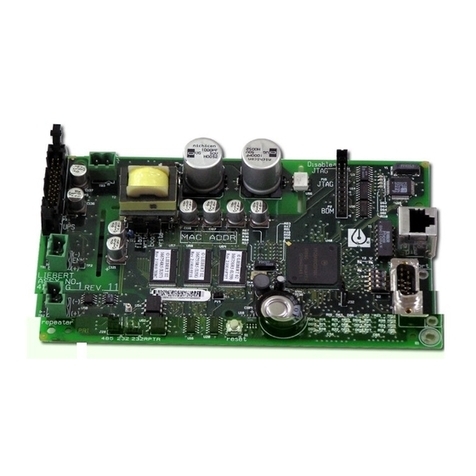
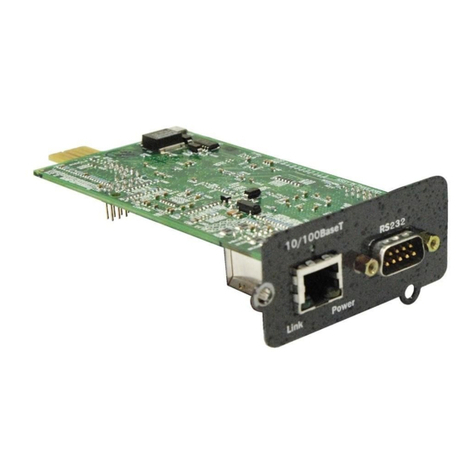
The Liebert OpenComms Network Interface Card provides
multiple connectivity options for your Liebert equipment.
The OpenComms Network card transforms Liebert units to
intelligent managed nodes on your network, enabling in-band
communications with network management systems (NMS). For
the first time, the system that monitors the well-being of your
computing/communication infrastructure can comprehensively
monitor your Liebert equipment as well.
The OpenComms Network card can also easily integrate to your
existing Building Management or out-of-band monitoring system
using a standard, well-defined multi-drop protocol.
The OpenComms family of interface cards communicates with
external systems via the following industry-standard open
protocols:
• Modbus RTU over EIA-485
• SNMP v1
• HTTP v1.1
The OpenComms Network card is designed to provide redundant
paths for communications. This implies that it is possible to
connect to your existing BMS system using Modbus while
simultaneously communicating to your NMS through SNMP and
HTTP.
Additionally, these protocols allow simple integration into the
network and building management systems, thus leveraging prior
investment and established procedures. Even without an
installed monitoring system, Liebert units may be monitored
“on-demand” via a web browser, from anywhere network access
is permitted.

Installation 7
SPECIFICATIONS
Electrical Requirements:
Voltage: 18VAC to 24VAC
50/60 Hz, Single Phase
12VDC to 36VDC
Power: 6VA maximum
Environmental Conditions:
Operating Ambient Temperature: 5°C to 40°C
41°F to 104°F
Storage Ambient Temperature: -20°C to 60°C
-4°F to 140°F
Relative Humidity: 10% to 90% RH
(Non-condensing)
Dimensions:
Net: 178mm x 102mm x 38mm 0.2kg
7.0” x 4.0” x 1.5” 0.4lbs
As shipped: 248mm x
178mm x 64mm 0.6kg
9.75” x 7.0” x 2.5" 1.3lbs
Environmental Compatibility:
Advanced Microprocessor / Graphics
Standard Microprocessor
MiniMate2 (1.5 – 5 ton & 8 ton)
Level 10
Level 00 / 05
3-Phase UPS Compatibility:
NPower
7200 Series

8 Installation
Section 2: INSTALLATION
The OpenComms NIC card may be ordered as a factory installed
option, or in a kit for field retrofit to existing Liebert units or as a
self-contained unit in its own enclosure.
If ordered as a factory-installed option, proceed directly to
subsection on User Connections.
As a retrofit kit, the circuit board is secured to a metal mounting
plate. The mounting plate then is attached to a flat metal surface
in a low-voltage section of the Liebert unit.
The self-contained model packages the interface card inside a
steel enclosure, for mounting external to the Liebert unit. A low-
voltage transformer is also provided.
RETROFIT INSTALLATION
Environmental Installation
Deluxe System/3:
Position the OpenComms card in the low voltage/control cavity
of the Liebert Deluxe System/3 unit. Refer to Figures 2, 3 and 4
for typical positioning. Use three #8 x ½” sheet metal screws to
affix mounting plate to the Environmental unit.

Installation 9
Figure 2. Deluxe System/3 Control Cavity
Figure 3. Deluxe System/3 Chilled Water Control Cavity
Table of contents
Other Liebert Network Card manuals

Popular Network Card manuals by other brands













Buffalo
Buffalo AirStation WLI-PCM-L11GP user manual

National Instruments
National Instruments NI 9234 operating instructions

Hama
Hama 49276 Operating instruction

Linksys
Linksys WCF54G - Wireless-G Compact Flash Card Product data

Compaq
Compaq Wireless LAN 100 specification

Bose
Bose PowerMatch Dante quick start guide