5
The «mode» button is active in 10 seconds after the battery and the mains have
been connected and charging has started. After this, it is possible to change
program by pressing the button for 3 seconds: when Mode LED is blinking it is
possible to change program. If the charger is disconnected from the mains, the
last program selected will be memorized.
R
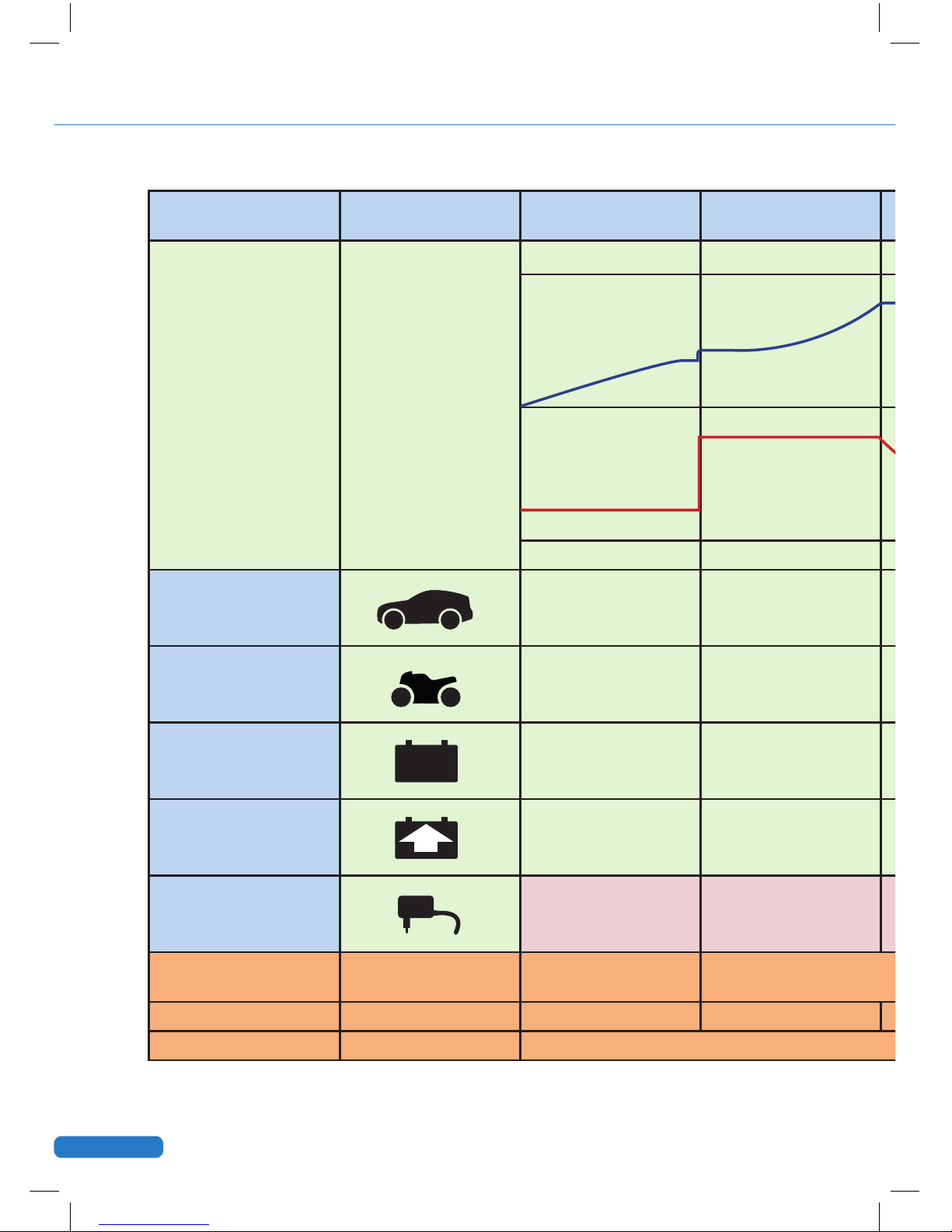
GEL
Small batteries
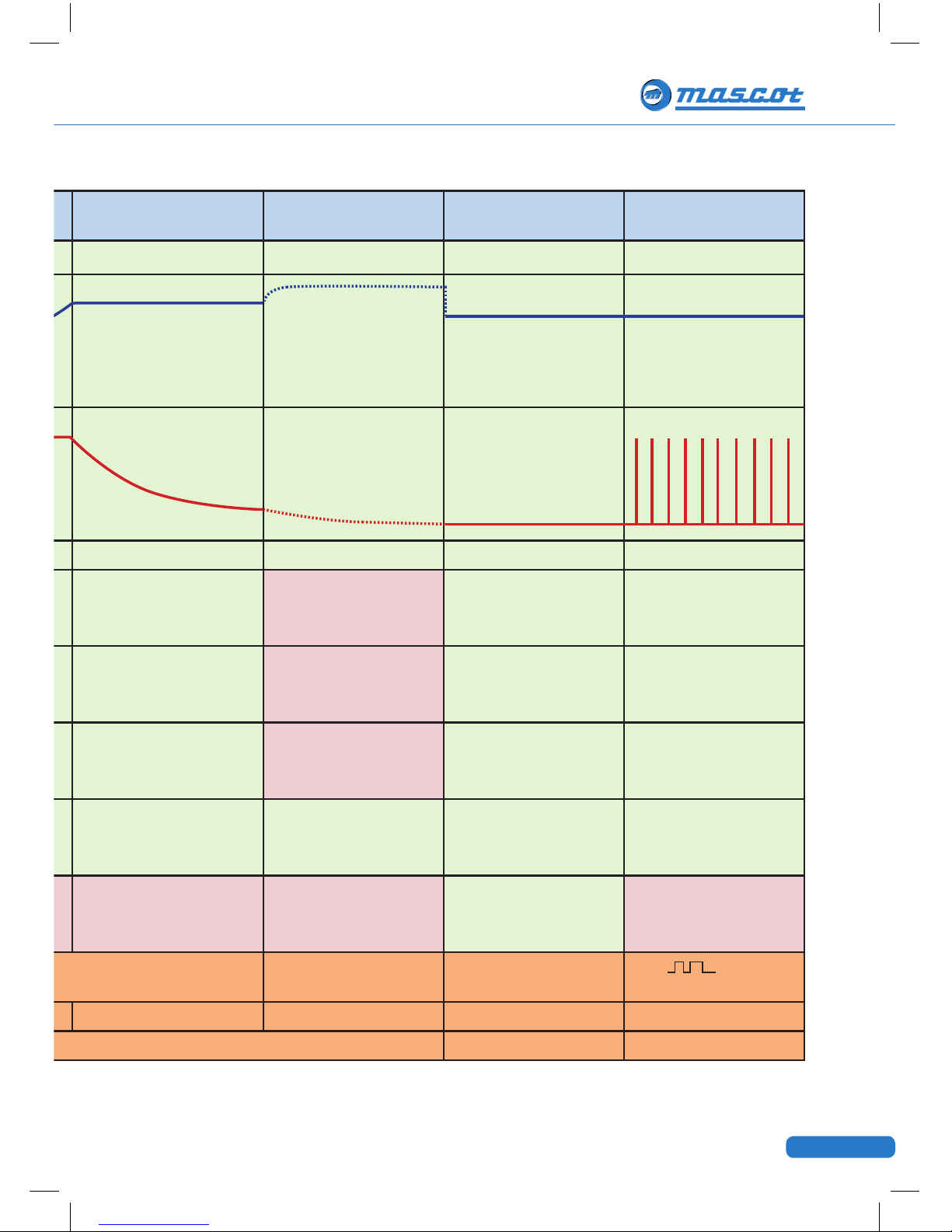
14.7VDC max 1.5A, recommended battery capacity (3)5-30Ah
Recond (recovery) improves deeply discharged and severely
sulfatised batteries. For large batteries only. Indicator returns
to large battery mode when cycle is completed. Use once a
year or when your battery has been fully discharged.
15.7VDC max 1.5A, recommended battery capacity 30-120Ah
Gel batteries
14.4VDC max 7A, recommended battery capacity 30-120Ah
Power supply or fl oat charger
13.7VDC max 6.5A
Large batteries
14.7VDC max 7A, recommended battery capacity 30-120Ah
Quick start
Check that the battery and charger specifications match. Take the charger out
from the case and connect the charger to the battery. To charge a vehicle bat-
tery, connect first the positive clip (marked “+”) to the positive battery pole then
connect the other clip (marked “-“) to the car’s chassis away from the battery and
fuel system (fuel hoses, fuel pump etc.). Place the temperature sensor on top of or
close to the battery or inside the negative clip. Connect the charger to the mains.
The charger will show that the power is on and that the mains cable is connected
to the wall socket. The charger will start charging battery automatically. If your
12V battery is not standard or AGM, press the mode button to select correct pro-
gram for your type of battery.
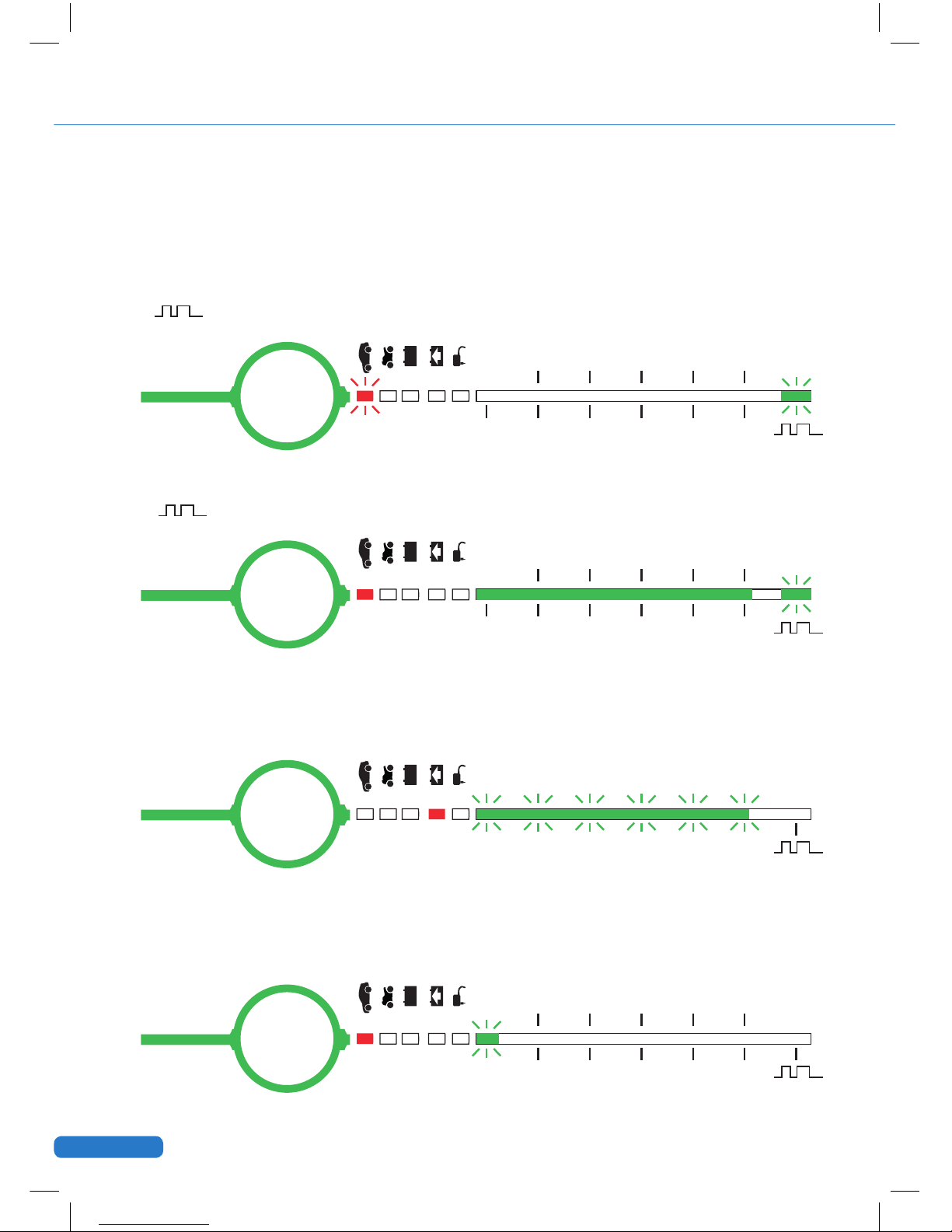
If pulse LED flashes in 1 sec. Intervals, check wether the battery clips are properly
connected. Cancel charge by disconnecting the charger from the wall socket then
remove the chassis connection and then the battery connection.
Programs
The following 5 charge programs are available by pressing the “mode” button: