manuals.online logo
Brands
  1. Home
  2. •
  3. Brands
  4. •
  5. Maytag
  6. •
  7. Laundry Appliance
  8. •
  9. Maytag PD Instruction Manual

Maytag PD Instruction Manual

Other manuals for PD

1

This manual suits for next models

1

Other Maytag Laundry Appliance manuals

Maytag W10101295A User manual

Maytag

Maytag W10101295A User manual

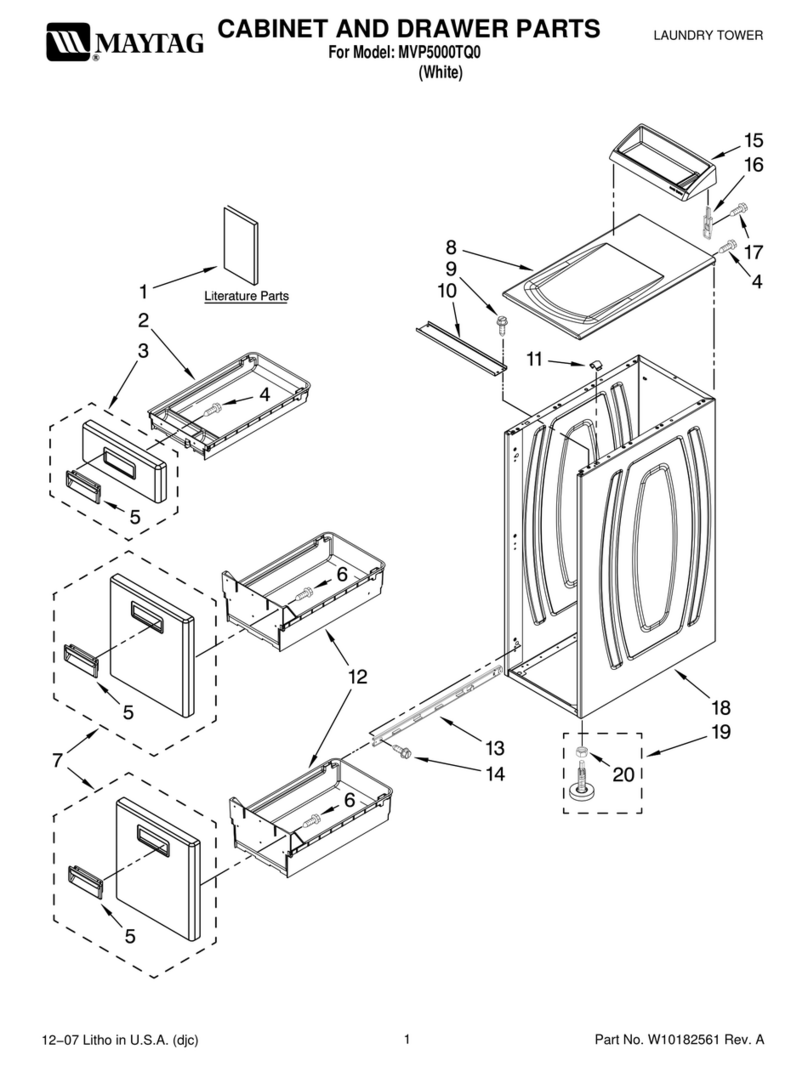
Maytag MVP5000TQ0 User manual

Maytag

Maytag MVP5000TQ0 User manual

Maytag LSE7806ACQ User manual

Maytag

Maytag LSE7806ACQ User manual

Maytag HAV2460AWW Service manual

Maytag

Maytag HAV2460AWW Service manual

Popular Laundry Appliance manuals by other brands

LAUNDRY JET Plus installation guide

LAUNDRY JET

LAUNDRY JET Plus installation guide

Kenmore Kenmore 27" Wide LAUNDRY CENTER Washer -... Use and care guide

Kenmore

Kenmore Kenmore 27" Wide LAUNDRY CENTER Washer -... Use and care guide

LG WKGX301H A Series owner's manual

LG

LG WKGX301H A Series owner's manual

Frigidaire GLEH164DS1 Schematic diagrams

Frigidaire

Frigidaire GLEH164DS1 Schematic diagrams

Frigidaire GLEH1642DS0 Schematic diagrams

Frigidaire

Frigidaire GLEH1642DS0 Schematic diagrams

AEG LAVATHERM 65280AC user manual

AEG

AEG LAVATHERM 65280AC user manual

Milnor 64058TG1L Installation and service

Milnor

Milnor 64058TG1L Installation and service

Electrolux LAUNDRY Service manual

Electrolux

Electrolux LAUNDRY Service manual

Frigidaire FEX831F Factory parts catalog

Frigidaire

Frigidaire FEX831F Factory parts catalog

LG WK2116BST owner's manual

LG

LG WK2116BST owner's manual

Beyond LAUNDRY PRO 2.0 manual

Beyond

Beyond LAUNDRY PRO 2.0 manual

LG WKHC252HWA owner's manual

LG

LG WKHC252HWA owner's manual

GE FPDW installation instructions

GE

GE FPDW installation instructions

UNITY LAUNDRY SYSTEMS UTS40 user manual

UNITY LAUNDRY SYSTEMS

UNITY LAUNDRY SYSTEMS UTS40 user manual

Frigidaire GLET1142CS0 operating instructions

Frigidaire

Frigidaire GLET1142CS0 operating instructions

GE Spacemaker WSM2000H Use and care

GE

GE Spacemaker WSM2000H Use and care

Samsung WF0502NUV quick guide

Samsung

Samsung WF0502NUV quick guide

Mustee Utilatub Combo 14C installation instructions

Mustee

Mustee Utilatub Combo 14C installation instructions

manuals.online logo
manuals.online logoBrands
  • About & Mission
  • Contact us
  • Privacy Policy
  • Terms and Conditions

Copyright 2025 Manuals.Online. All Rights Reserved.

Frequently Asked Questions:
Maytag (PD) washers,
dryers & Stack Units
Last Revision: November 2005
Page 2
How to change the price of a wash cycle (PD)?
This brief manual will answer the most commonly asked questions we receive for the Maytag product
range. If this does not answer your question, please phone our National After Sales Department on
1300 RICHARD (742 427).
Q: My Maytag Washer is a ‘PD’ model with an electronic screen –
How do I change the price of my wash cycles?
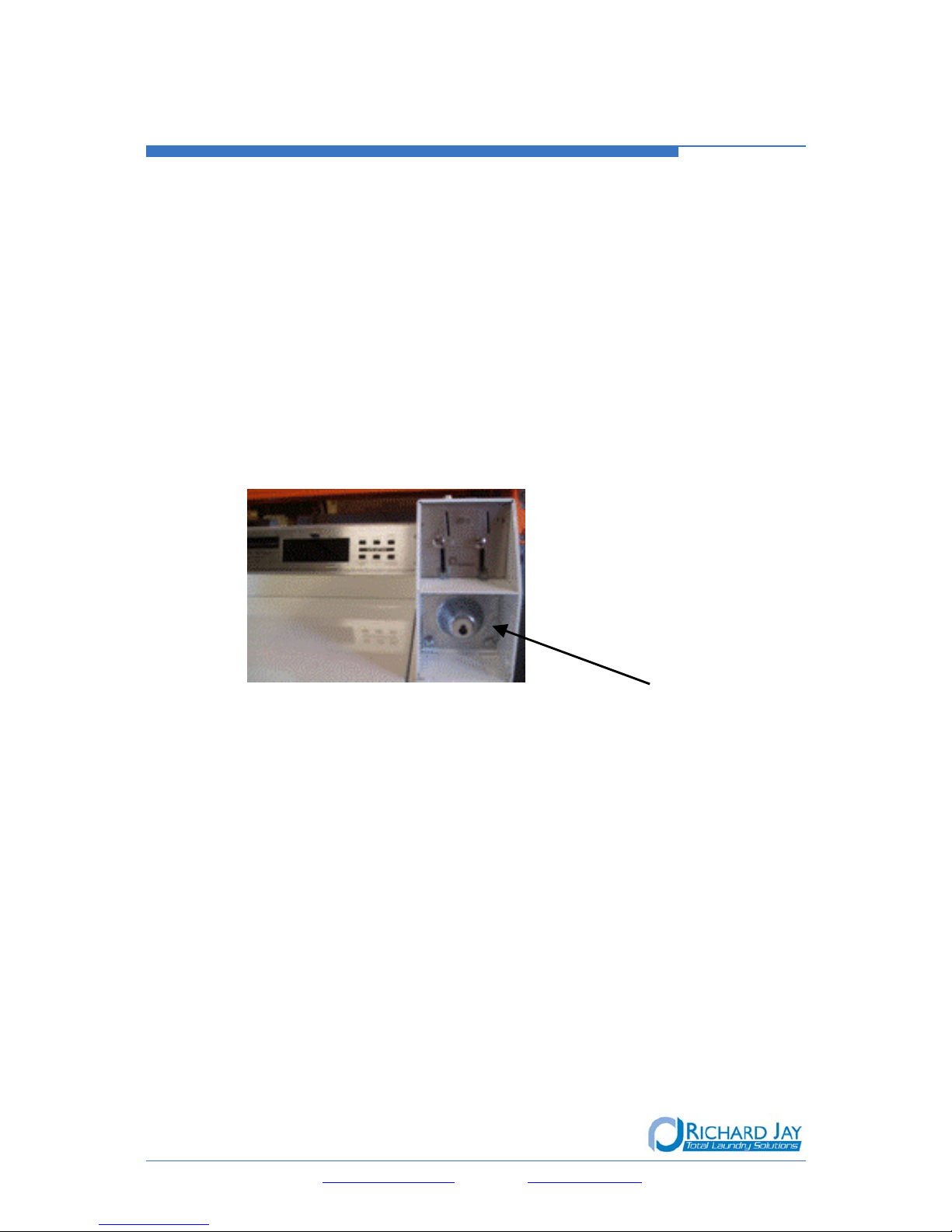
a. Unlock the service Hatch on the top of the
machine and remove as shown
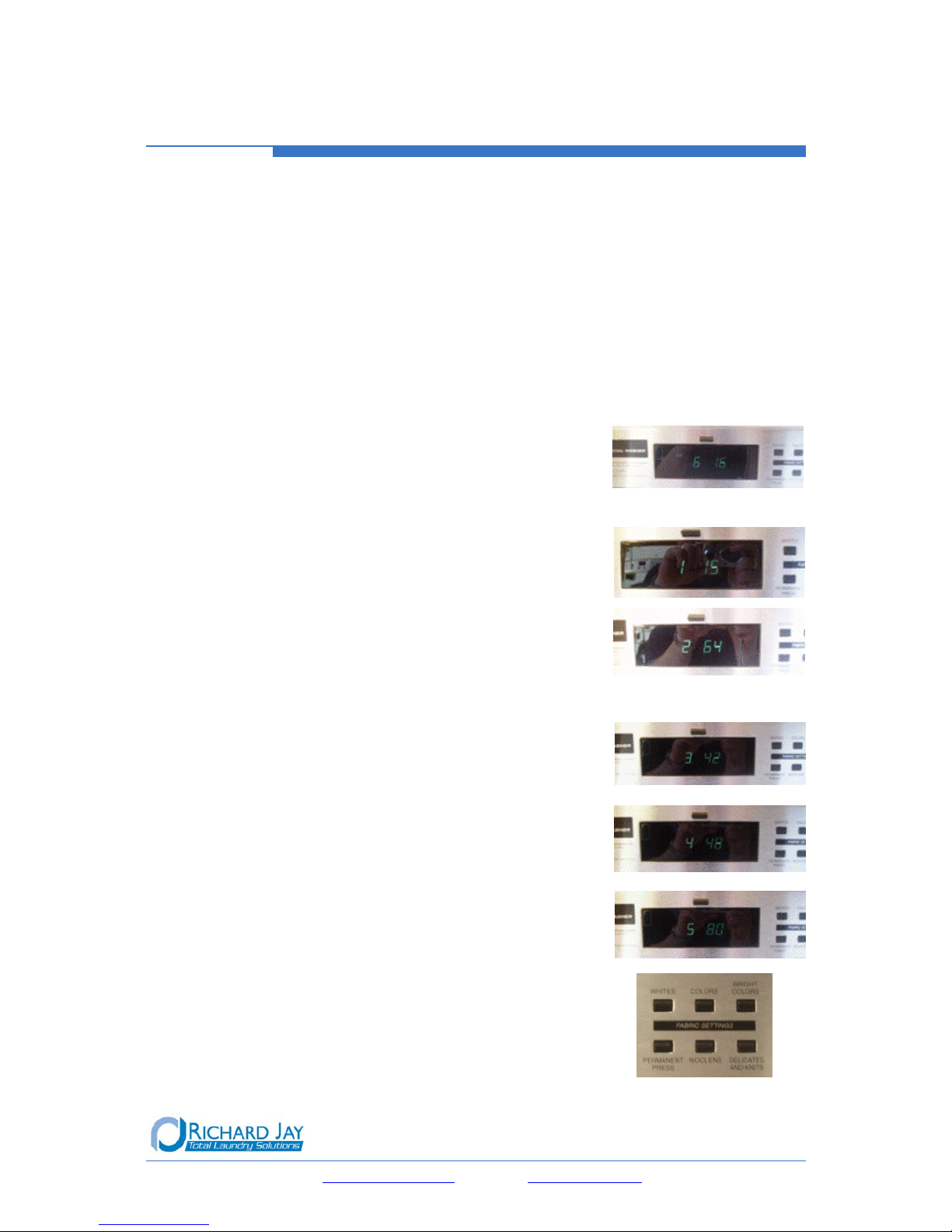
b. On the control panel (as shown) press the ‘Woollens’ button: the
display will change to show the ‘6’ series as seen in the picture.
c. The ‘6’ is a program number. The second number shown
represents the number of coins which make up the cycle
price. In Australia, the value of the coin is 20 cent pieces (for
Dual $1 and 20cent mechanisms)
i.e.: 20cent X 16 pieces (as seen)= cycle price of $3.20
d. To increase the price of your cycle, press the ‘permanent press’ button the appropriate number
of times.
i.e.: Your current wash is $3.20, and you want to increase
to $4.00. Press ‘permanent press’ button 4 times to
increase the number on screen to 20 (as shown), making
your price 20cent X 20 pieces = cycle price of $4.00
e. Once price is set, replace and lock the service hatch
f. Most washers are factory set for only 1 standard price for every cycle type (Whites: Hot wash,
Colours: Warm wash, Bright Colours: Cold Wash). If you have requested a ‘3 cycle’ price
structure from the factory, you can adjust each individual cycle price.
At step b. above, by pressing the ‘Woollens’ button multiple times, your on screen display will show
the words, Hot or Warm or Cold, depending on how many times you press ‘woollens’. Then follow
the rest of the steps for each different cycle if required.
*Please Note: if you make a mistake, you cannot cancel this change you just made. Follow the same steps above
and change the settings to be as you prefer. The counter range is between 0 – 49. 49 is the max and will then
revert back to 0 to begin counting again. The counter will only increase, so if you currently have it set at 20 and
want to change to 18, you must keep pressing the ‘permanent press’ button until the counter has reached the
max and then reverted back past 0 and reaches 18
Email: [email protected] Web: www.richardjay.com.au
Page 3
How to change the price or time for dryer cycles?
This brief manual will answer the most commonly asked questions we receive for the Maytag
product range. If this does not answer your question, please phone our National After Sales
Department on 1300 RICHARD (742 427).
Q: How do I change the price or the length of time for cycles on my Dryer?
Be careful when adjusting this
: if you make a change to the price it will affect the
drying time. These 2 features are directly linked
1. Open the service hatch, and press the ‘Permanent Press’
button to scroll through on screen display. The screen will
show the ‘6’ series which controls the number of coins
required (cycle price) and the ‘7’ series which changes the
length of time for each dry cycle
2. ‘6’ series: the second number in this display is the number
of 20 cent coins required for a cycle.
i.e.: If the screen shows 6 10 - this means 10 X
20cent coins = $2.00 per dry cycle
3. ‘7’ series: the second number in this display controls the length of the cycle COMBINED
together with the number of coins from the ‘6’ series.
i.e.: If the screen shows 7 03 - this means that 10 (from above) X 3= 30 minute cycle
@ $2.00 /cycle.
If you adjust your price to read 6 12 ($2.40/cycle), it will then adjust the time as well: 12
X 3, cycle now = 36 minutes @ $2.40
If you adjust your price to read 6 15 ($3.00/cycle), you could adjust your time back to 2
to stay at a 30 minute cycle: 15 X 2, cycle now = 30 minutes @ $3.00
Email: [email protected] Web: www.richardjay.com.au
Page 4
How to begin a wash cycle without coins?
This brief manual will answer the most commonly asked questions we receive for the Maytag product
range. If this does not answer your question, please phone our National After Sales Department on
1300 RICHARD (742 427).
Q: I want to do my own washing without paying for it:
How can I start a wash cycle without using any coins?
a. Unlock the service hatch on the top of the
machine and remove as shown
b. On the control panel (as shown) press the ‘Delicates & Knits’ button
for approx 3 seconds and then press ‘Permanent Press’ once: the
display will change to show ‘CC’ as seen in below
c. Now replace the service hatch and the display will change to
display ‘0’ minutes left as seen in this picture
d. Now open the machine lid or front door, select your cycle and fill as normal. This method gives
you a complete cycle for free
Q: I want to run a quick service check to make sure my washer is functioning
properly?
a. Unlock the service hatch on the top of the
machine and remove as shown
b. On the control panel (as shown) press the ‘Delicates & Knits’ button for
approx 3 seconds and then press ‘Woollens’ once: this will run through a
quick diagnostic service check. If any errors are present they will display
on screen, and please refer to your original Instructions manual
Email: [email protected] Web: www.richardjay.com.au
Page 5
When the service hatch is open, what do the
numbers on the display mean?
This brief manual will answer the most commonly asked questions we receive for the Maytag
product range. If this does not answer your question, please phone our National After Sales
Department on 1300 RICHARD (742 427).
Q: What do the numbers on the screen mean when the service hatch is open and
the display is in programming mode?
There are several options available here, but your display will depend on what settings you have
requested from the factory. Available options are a Cycle Count option, and a Money Count option.
If neither of these options have been requested, your machine will display the default factory preset
1. If you have NOT requested either extra option to be preset,
when you open your service hatch, the screen will default
to the ‘6’ series. For further information, see FAQ document
Change Wash Cycle Pricing
2. If you have the Cycle Count option activated, your display
will change between the ‘1’ series and ‘2’ series display.
These two combined, show you how many cycles your
washer has completed. From these two displays, take the
second number from each and combine to show the cycle
count.
I.e.: from ‘1’ take the 15 and from ‘2’ take the 64 and
combine. This washer has completed 1564 Wash cycles.
3. If you have the Money Counter activated, your display will
change between the ‘3’, ‘4’, and ‘5’ series display’s. These
three combined will display how much income has been
generated by this machine. From these three displays, take the
second number from each and combine to show the Money
count.
I.e.: from ‘3’ take the 42 and from ‘4’ take the 48 and
from ‘5’ take the 80 and combine. This washer has
collected $4248.80 in revenue.
Please be aware that once either of these counters have
been activated, they cannot be de-activated
5. To move through any of these display options (when activated),
press the ‘Woollens’ button
Email: [email protected] Web: www.richardjay.com.au
Page 6
What does it mean if the rinse cycle does not
complete properly?
This brief manual will answer the most commonly asked questions we receive for the Maytag product
range. If this does not answer your question, please phone our National After Sales Department on
1300 RICHARD (742 427).
Q: My Maytag Washer will run through the wash part of the cycle but the rinse part
of the cycle does not complete properly?
Water temperature description for all wash cycles:
Whites: Hot wash, cold rinse
Colours: Warm wash, cold rinse
Bright Colours: Cold wash, cold rinse
a. Cold water is used for every rinse cycle, regardless of the wash cycle chosen.
b. Check your cold water tap to make sure you it is turned on and is flowing to the
washer. If the water supply is working properly, it is likely that the water valve has an
internal problem.
**Please phone us for a service appointment immediately on 1300 742 427
Email: [email protected] Web: www.richardjay.com.au
Page 7
How to reset the machine when the display shows
0 minutes and will not reset?
This brief manual will answer the most commonly asked questions we receive for the Maytag
product range. If this does not answer your question, please phone our National After Sales
Department on 1300 RICHARD (742 427).
Q: What does it mean when after the cycle has finished, I have opened the door,
but the display shows 0 minutes and does not reset?
1. This means that the lid switch or door switch (depending on model) is stuck. On washing
machines, it can get stuck if there is a build up of soap. To release the switch, simply clean
away the excess soap, or spray some CRC into that spot to release the button
Top Load Washer Front Load Washer Front Load Dryer
Switch Placement
The lid switch (or door switch) acts as a reset for the digital display. At the end of a cycle, this
button is normally released when the door is opened to remove clothing, and then depressed when
the door is closed. If that sequence does not happen, the digital display will not reset and will stay
showing 0 minutes left
Email: [email protected] Web: www.richardjay.com.au
Page 8
What does it mean if the display panel is flashing?
This brief manual will answer the most commonly asked questions we receive for the Maytag product
range. If this does not answer your question, please phone our National After Sales Department on
1300 RICHARD (742 427).
Q: What does it mean if the display panel is flashing?
1. This means that the money box is not completely secure. There is a switch inside the rear of the
coin housing which must be pressed by the back of the coin box. When the money box was last
emptied, it has not been put back into place properly and has not pushed in the switch. Remove
the box and re-insert, making sure it is securely replaced. Upon doing this, the screen will revert
back to the normal display
Email: [email protected] Web: www.richardjay.com.au
Page 9
How long is the warranty on my machine?
This brief manual will answer the most commonly asked questions we receive for the Maytag product range. If this
does not answer your question, please phone our National After Sales Department on 1300 RICHARD (742 427).
Q: How long is the Warranty on my machine?
Primus Washer and Dryer 12 Months Labour* 36 Months Parts*
Primus Ironer 6 Months Labour* 12 Months Parts*
Maytag Commercial 12 Months Labour* 60 Months Parts*
Ghidini Finishing Equipment 6 Months Labour* 12 Months Parts*
Reconditioned Equipment 1 Months Parts and Labour*
* All warranty is subject to the following conditions:
1. All warranty claims are at the discretion of Richard Jay Laundry Equipment Pty Ltd.
2. The customer is not authorized to arrange repair work. All warranty claims must be directed to Richard Jay Laundry
Equipment Pty Ltd.
3. Where repair work is required for items located outside the metropolitan area the customer is responsible for all travel
and freight costs incurred to repair the items.
4. The company’s liability ceases if the equipment is repaired or interfered with by any person other than those authorized
by Richard Jay Laundry Equipment Pty Ltd. All warranty work is to be carried out by authorized persons only.
5. Warranty will not be covered for faults caused by the incorrect installation of machinery. All machinery must be installed
in accordance with the manufacturers recommendations.
6. Warranty will only be provided for faults caused by normal wear and tear for the specified period of time from date of
purchase.
7. Warranty will not be provided for any faults caused by damage (other than normal wear and tear) including vandalism,
acts of malicious damage, misuse and lack of maintenance.
8. Warranty will not be honoured unless full payment for equipment has been received.
9. All warranty repair work will be carried out during normal working hours. Any work outside of normal hours will result in
the associated costs being born by the customer.
10. Coin jams are not covered by warranty.
11. Pump blockages are not covered by warranty.
12. Failure to carry out preventative maintenance in accordance with manufacturer’s specifications could result in warranty
being void.
13. Consumable items including (but not limited to) the following are not covered by warranty:
Lint screens Ironer Covers Roller ribbons Steam inlet valves
Gasket and washers Drain valve seals Water heating elements Water inlet valves
Rubber Parts (eg. door seals, belts etc)
14. Warranty will not be provided for any faults to machinery caused by chemical damage due to spillage, incorrect
installation or misuse.
15. Reprogramming, change of price or any variations to the microprocessor is excluded from the warranty.
16. Faults caused by power, water or gas interruptions are not covered by warranty.
For all your warranty, service and spare parts please contact the Richard Jay After Sales Department
Phone 1300 RICHARD (742 427) Fax 1300 664 717
Email[email protected] or [email protected]m.au
Web www.richardjay.com.au
Email: [email protected] Web: www.richardjay.com.au
Page 10
What does the error code mean on my front load
washer?
This brief manual will answer the most commonly asked questions we receive for the Maytag product
range. If this does not answer your question, please phone our National After Sales Department on
1300 RICHARD (742 427).
Q: My Front Load Washer display is showing an error code when I open the service
hatch – what does it mean?
After opening the service Hatch on the top of the machine, the control panel shows an error
code. These are all listed below:
d4 Washer door sensor error on control board (cycles and customer display disabled
until error code is manually cleared)
d5 Blocked coin 1 or coin drop control circuit failure (coin recognition and price display
disabled while blockage persists)
- If you know how, you can try to unblock the coin or phone for a service call.
d7 Slow fill detected during previous cycle (cycle paused but can be restarted)
- Check the water taps to make sure they are turned on properly
d8 Last drain was slow
- Check for a blockage in your drain
d9 Low voltage detected for more than 8 seconds
d10 Door lock sensor error (spins inhibited until corrected)
d11 Motor speed error detected (cycle paused but can be restarted)
d13 Blocked coin 2 or coin drop control circuit failure (coin recognition and price display
disabled while blockage persists)
- If you know how, you can try to unblock the coin or phone for a service call.
d17 Door not locked (cycle paused but can be restarted
*If you see any of these error codes, unless otherwise mentioned, press and hold ‘Delicates & Knits’
button for approx 3 seconds. This will reset the machine. If the error appears again after the reset,
please call our After Sales Department on 1300 RICHARD (742 427)
Email: [email protected] Web: www.richardjay.com.au