Contents...................................................................1
Important Safety Instructions................................2
Precautions..............................................................5
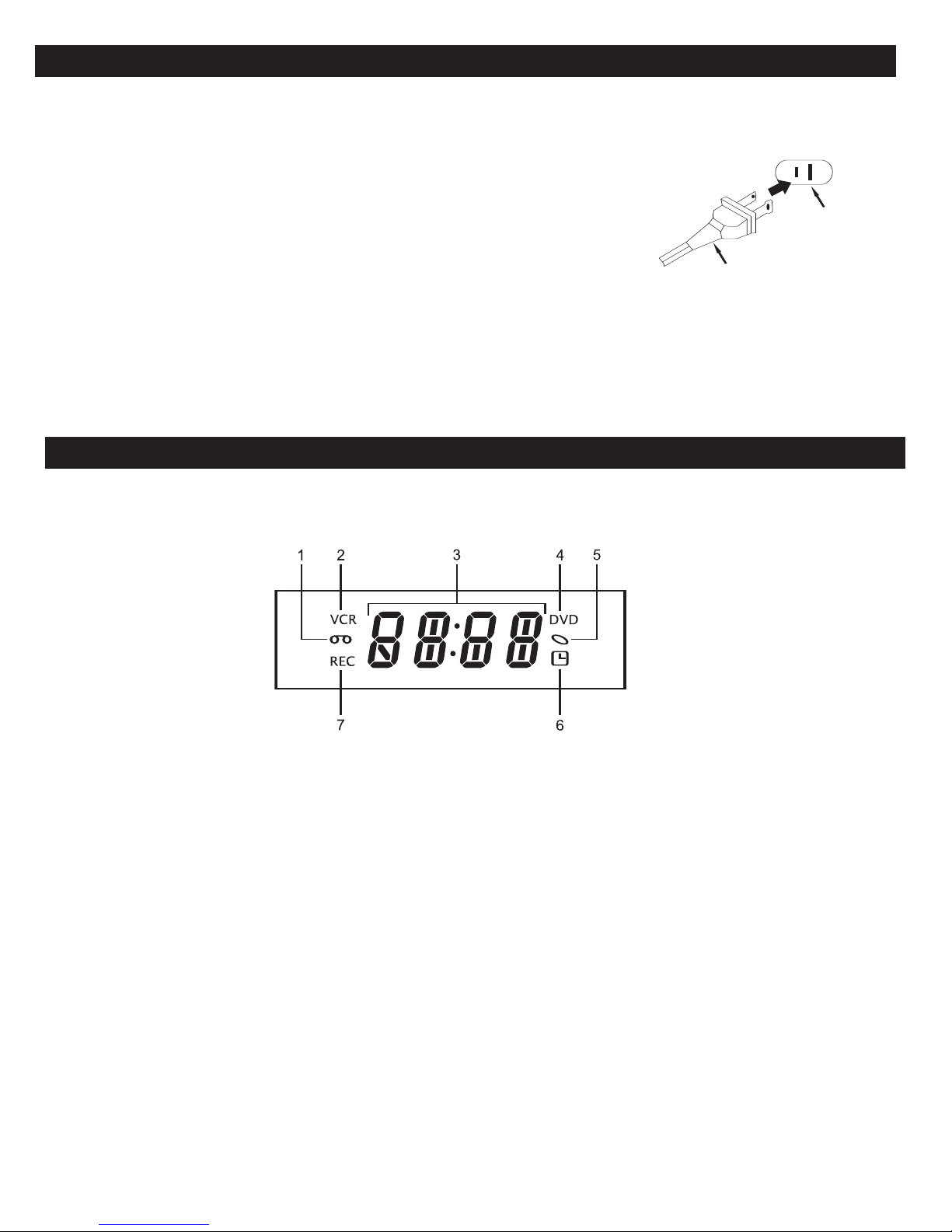
Power Source..........................................................6
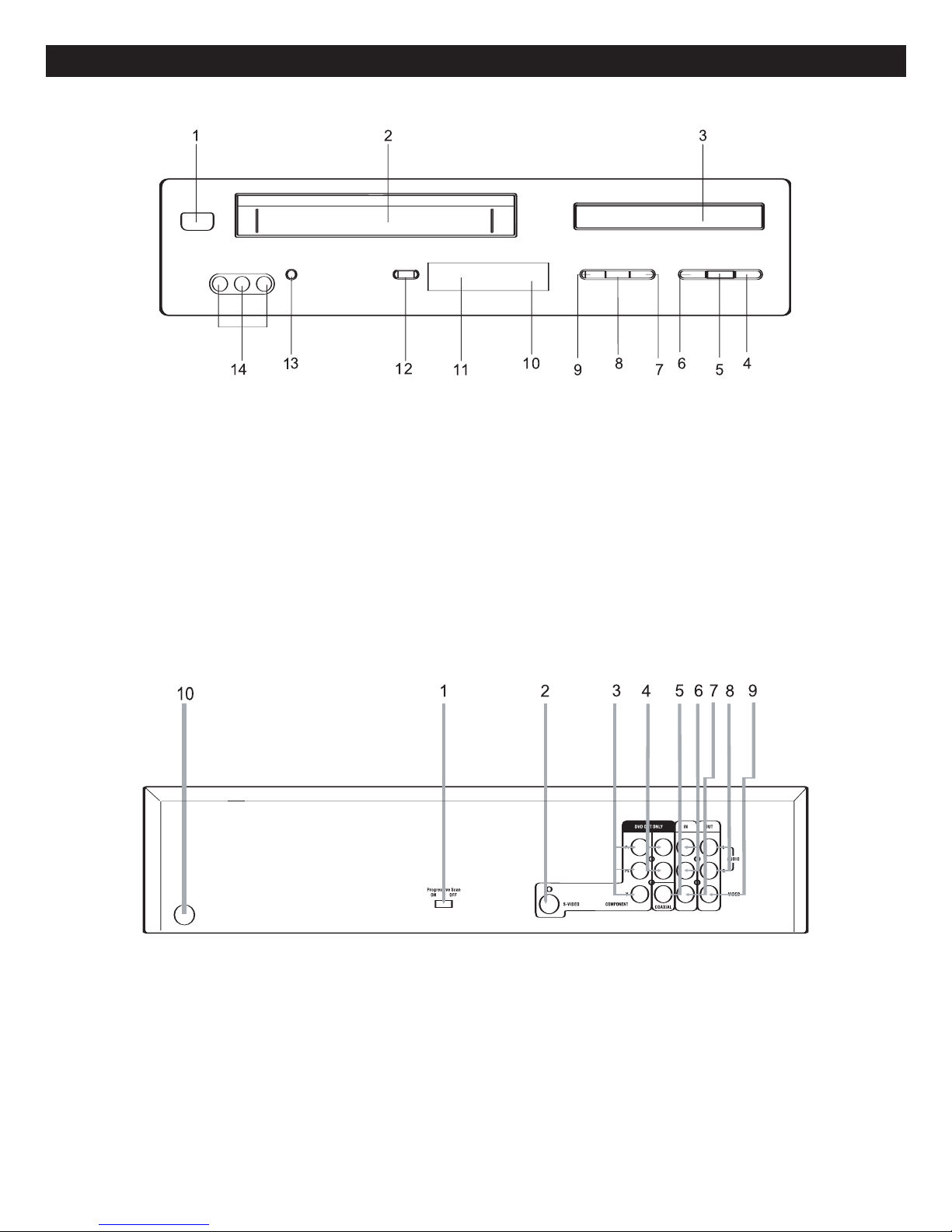
Location of Controls...............................................6
•Display.................................................................6
• Front ....................................................................7
• Rear.....................................................................7
• Remote ................................................................8
Remote Control.......................................................9
•Battery Installation...............................................9
• Effective Distance of the Remote
Control Transmitter..............................................9
Connection to Output DVD ..................................10
•Connecting the Unit to a TV Using the
Audio/Video Output Jacks .................................10
• Connecting the Unit to a TV Using the
S-Video Output Jack..........................................10
• Connecting the Unit to a TV Using the
Y, Pb/Cb, Pr/Cr Jacks ........................................11
• Progressive (Y, PB, PR)Video OUT...................11
• 525 Line Digital Progressive-Scan Component
Video Output......................................................11
• Connecting the Unit to a Home
Theater System .................................................12
Connections ..........................................................13
•Connecting the Unit to a TV Using the
Audio/Video Output Jacks .................................13
Connecting an External Unit to this Player
(Using the Rear A/V Jacks)..................................14
Connecting an External Unit to this Player
(Using the Front A/V Jacks).................................14
About Discs...........................................................15
DVD Setup Menu...................................................17
•General Setup Menu .........................................18
• Speaker Setup Menu.........................................19
• Dolby Digital Setup Menu..................................19
• Preference Menu...............................................20
• TVG (TV Guardian®) Password ........................20
• TV Guardian®Feature.......................................21
VCR Setup Menu...................................................23
•Date and Time ...................................................23
• Language...........................................................24
• Go To Zero Search ............................................25
•Counter Search .................................................25
• Index Search +/-................................................26
• Index Number Search........................................27
• VCR Options......................................................28
VCR Operation ......................................................29
•Loading/Unloading.............................................29
• To Prevent Accidental Erasure ..........................29
• Tape Speed and Max. Recording Time.............29
• Start/Stop Playback...........................................30
• To Select the External Input ..............................30
• Counter Reset ...................................................30
• Rewind/Fast Forward in Stop/Play Modes ........31
• Pause/Step ........................................................31
• Display...............................................................32
• Audio..................................................................32
• Tracking .............................................................32
•Recording from the External A/V Input..............33
• To Stop Recording Temporarily .........................34
To Stop Recording.............................................34
• One-Touch Recording (OTR).............................34
• Recording From DVD to a Cassette..................35
Basic Operation ....................................................36
•Audio..................................................................36
• Display...............................................................36
DVD Basic Operation............................................37
•Playback of a DVD ............................................37
• Skip....................................................................38
• Search ...............................................................38
• Slow/F................................................................38
• Pause/Step ........................................................38
• Title/Chapter Search..........................................39
• Title/Chapter/Time Search.................................39
• Repeat Playback ...............................................39
• A-B Repeat Playback ........................................39
• DVD Menu.........................................................40
• Title Menu..........................................................40
•Subtitle Menu.....................................................40
• Zoom..................................................................40
• Angle..................................................................40
MP3 Basic Operation............................................41
•Playback of a MP3 Disc ....................................41
• Selecting Folders/Tracks using the
NEXT/PREVIOUS Buttons ................................42
• Selecting Folders/Tracks using the
Number Buttons.................................................42
• Forward/Reverse Search...................................42
• Repeat Play.......................................................42
• MP3 FAQs .........................................................42
CD/VCD Basic Operation......................................43
•Playback of a CD/VCD......................................43
• Selecting Tracks/Files Using the
Number Buttons.................................................43
• Selecting Tracks/Files using the
NEXT/PREVIOUS Buttons ................................43
• Forward/Reverse Search...................................44
• Repeat One/All Play ..........................................44
• Repeat A-B Play (VCD Only) ...........................44
• PBC (VCD Only)................................................45
PICTURE CD Basic Operation .............................46
Troubleshooting Guide (DVD)..............................47
Troubleshooting Guide (VCR)..............................49
Care and Maintenance..........................................50
Video Head Clogging/Cleaning............................51
Specifications........................................................52
1
CONTENTS