2. Getting Started
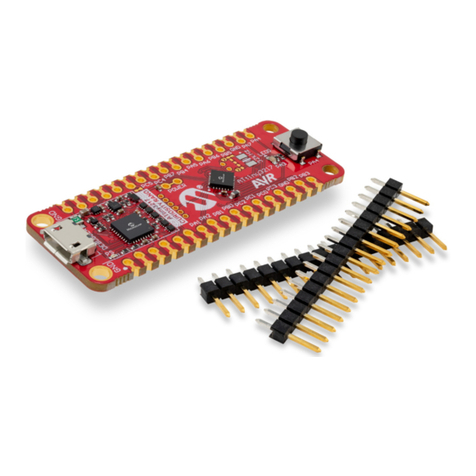
2.1 Xplained Nano Quick Start
Steps to start exploring the Microchip Xplained Nano platform:
1. Download Atmel Studio/Microchip MPLAB® X IDE.
2. Launch Atmel Studio/Microchip MPLAB® X IDE.
3. Optional: Use Atmel START to generate drivers and examples.
4. Write your application code.
5. Connect a USB cable (Standard-A to Micro-B or Micro-AB) between the PC and the debug USB port on the
kit.
When the Xplained Nano kit is connected to your computer for the first time, the operating system will perform a
driver software installation. The driver file supports both 32- and 64-bit versions of Microsoft® Windows® XP,
Windows Vista®, Windows 7, Windows 8, and Windows 10. The drivers for the kit are included with Atmel Studio/
Microchip MPLAB® X IDE.
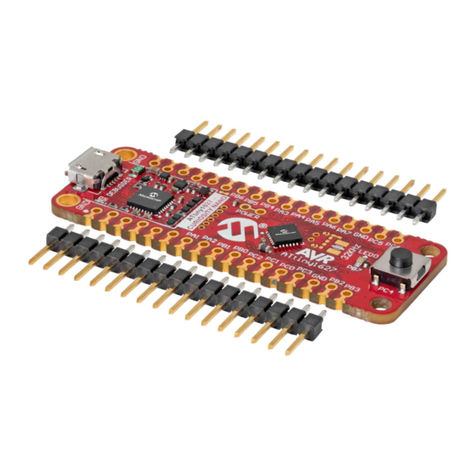
Once the Xplained Nano board is powered, the green status LED will blink and Atmel Studio/Microchip MPLAB® X
IDE will auto-detect which Xplained Nano board is connected. Atmel Studio/Microchip MPLAB® X IDE will present
relevant information like data sheets and kit documentation. The ATtiny104 device is programmed by the on-board
Mini Embedded Debugger and therefore, no external programmer tool is required.
2.2 Design Documentation and Relevant Links
The following list contains links to the most relevant documents and software for the ATtiny104 Xplained Nano.
•Xplained Products - Xplained Evaluation Kits are a series of easy-to-use evaluation kits for Microchip
microcontrollers and other Microchip products.
– Xplained Nano - used for low pin count devices and provides a minimalistic solution with access to all I/O
pins of the target microcontroller.
– Xplained Mini - used for medium pin count devices and adds Arduino Uno compatible header footprint and
a prototyping area.
– Xplained Pro - used for medium-to-high pin count devices that features advanced debugging and
standardized extensions for peripheral functions.
Note: All the above kits have on-board programmers/debuggers, which creates a set of low-cost boards for
evaluation and demonstration of features and capabilities of different Microchip products.
•Atmel Studio - Free IDE for the development of C/C++ and assembler code for microcontrollers.
•MPLAB® X IDE - MPLAB® X IDE is a software program that runs on a PC (Windows®, Mac OS®, Linux®) to
develop applications for Microchip microcontrollers and digital signal controllers. It is called an Integrated
Development Environment (IDE) because it provides a single integrated “environment” to develop code for
embedded microcontrollers.
•MPLAB® Code Configurator - MPLAB® Code Configurator (MCC) is a free software plug-in that provides a
graphical interface to configure peripherals and functions specific to your application.
•IAR Embedded Workbench® for AVR® - This is a commercial C/C++ compiler that is available for 8-bit AVR.
There is a 30-day evaluation version as well as a 4 KB code-size-limited kick-start version available from their
website.
•Atmel START - Atmel START is an online tool that helps the user to select and configure software components
and tailor your embedded application in a usable and optimized manner.
•Microchip Sample Store - Microchip sample store where you can order samples of devices.
•Data Visualizer - Data Visualizer is a program used for processing and visualizing data. The Data Visualizer
can receive data from various sources such as the EDBG Data Gateway Interface found on Curiosity Nano and
Xplained Pro boards and COM Ports.
ATtiny104 Xplained Nano
Getting Started
© 2019 Microchip Technology Inc. User Guide DS40002160A-page 4