4MRX-900 Operating Manual: Initial Setup and Configuration
Caution: Using any other power
supply which does not provide the
proper voltage or current could
damage the MRX-900 and void
your warranty. Doing so is at your
own risk.
2.2 Connectors and Indicators
Locate the rear panel of the MRX-900. The interface connectors and
indicator lights are summarized below. This manual will refer to these items
in the sections that follow.
9 VDC Input - It is recommended that the provided power adapter be used to
supply power to the MRX-900 via this connector, although any
compatible DC power source which has an output of 9 volts and at least 1
amp may be used.
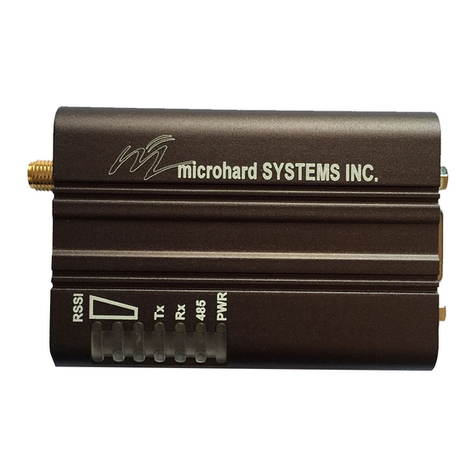
Receive Signal Strength Indicator (RSSI) LEDs - These LEDs show the
quality/strength of the received signal. As the signal strength increases,
the LEDs will illuminate incrementally from bottom to top.
RS-232 Data Port (DCE) - The socketed (female) D-sub connector is used to
interface the MRX-900 to a DTE device and operates at 2400 to 115,200
bps. The same port is used to configure the modem by interfacing to a
terminal (at 9600 bps). See Appendix C for details on the RS-232
interface and line signals.
Configuration Button - This button is used to configure the modem. When
depressed for about 2-3 seconds, the configuration menu will be initiated
and displayed on the connected terminal (DTE) screen. Subsequent
interaction with the modem is performed using the terminal keyboard.
Receive LED - Lights up when the modem receives data over the wireless link,
as well as during internal carrier search and synchronization operations.
Transmit LED - Lights to indicate that the modem is transmitting data wire-
lessly. This light flashes during initial startup and carrier synchronization.
Antenna Connector - Reverse-polarity TNC connector for connecting any
compatible antenna, including the provided rubber-ducky antenna.
2.3 Hardware Setup
Prior to setting up and configuring the MRX-900, please observe the
requirements outlined in Section 2.1. When you are ready for the initial
setup:
1. Connect the modem to a terminal or personal computer (DTE) using a
standard serial cable. Depending on the connector on your DTE device, you
will typically need a DB9-to-DB9 or DB9-to-DB25 cable (see Appendix C
for additional information). Connect the male DB9 end of the cable to the
MRX-900 data port.
2. Apply power to the MRX-900 by plugging the provided adapter into the
power input socket, and the other end into an active 120 VAC outlet. (You
will see the Receive LED illuminate to indicate that it is operating normally.)
3. On your terminal or in your terminal program (e.g. HyperTerminal in
Microsoft Windows or Procomm Plus from Datastorm Technologies), ensure
that the correct port is selected and that it has been configured for a speed of
9600 baud and a data format of 8N1 (8 bits, No parity, 1 stop bit). Although
no terminal emulation is necessary, TTY can be selected if desired.
4. You are now ready to configure the modem for operation. The following
sections will walk you through the procedure.