1.3. LOADING PATCHES CHAPTER 1. GETTING STARTED . . .
5. PARAMETER: To adapt a few sound parameters that have no dedicated knob on
the front panel
6. SYSTEM SETTINGS: To set some global system parameters
7. TONESCALE: Change the tuning of a patch with quarter tones up or down
8. FRMFRQ: Set the formant frequencies of the formant filter
9. MIDI DUMP: Dump a single patch or the complete patch memory using Midi
Sysex messages
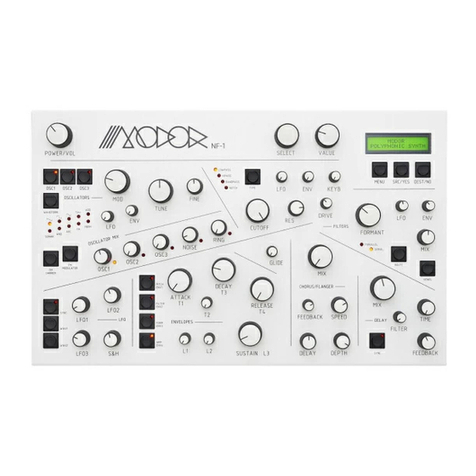
Next, after entering a certain menu, data can be selected and altered using the SE-
LECT encoder and VALUE control. Sometimes you need to validate your choice by
pressing the MENU button again, or you might need to approve or cancel your choice
by using SRC/YES or DEST/NO. While in the menu, on any moment you can press
DEST/NO to cancel and leave the menu.
1.3 Loading patches
Hit the MENU button 1 time and wait 2 seconds to enter the LOAD menu. You should
see the following screen: On the first line you see ”LOAD” to indicate you are in
the LOAD menu, on the second line you see the active patchbank and -number and
patchname (of course, possibly with another patchnumber and patchname as in the
example below).
You can now scan through all the available patches in the Modor’s memory using
the SELECT and VALUE controls and YES/SRC-button. Press MENU again to select
and load a chosen patch, and confirm your choice with SRC/YES.
You can push DEST/NO at any time to cancel the load operation and return to the
patch you were using before. This way you can listen to the patches in the memory
without loosing your actual work, and compare your active patch to any patch in the
Modor NF-1’s memory.
1.4 Saving patches
Saving patches goes identically to loading: press the MENU button twice within one
second to enter the SAVE menu. Select a slot in the memory using the SELECT and
VALUE controls and YES/SRC-button. This slot will be overwritten with the actual
patch and patchname if you now hit MENU again and confirm with SRC/YES.
When you play the keyboard during the save operation, you can hear the patch in
the Modor NF-1’s memory that’s about to be overwritten. This way you can check
which memory position can be overwritten before actually doing it.
Hitting DEST/NO at any time cancels the save operation and exits the menu of the
Modor NF-1.
3