Floor sensor NTC type 6.8, 10, 12, 15, 22, 33, 47 or 100kΩ.
Default 10kΩ.
External sensor NTC type 6.8, 10, 12, 15, 22, 33, 47 or 100kΩ.
Default 10kΩ.
NPower connection (Neutral) 230VAC.
Heating N Heating cable N connection.
LPower connection (Live) 230VAC.
Heating L Heating cable L connection.
Next, position the thermostat and mount it into the junction
box using 2 screws. Position the thermostat front over the part
mounted in the junction box, then carefully press the front
until it clicks into place. In order to get power metering values,
the load needs to be connected to both heating L + N.
5. FACTORY RESET
Enter the menu by holding the Center button for about 5
seconds, navigate in the menu with the ”+” button til you
see “FACT”. Press the Center button until you see “-- --” blinking
in the display, then hold for about 5 seconds to perform a
reset. You may also initiate a reset by holding the Right and
Center buttons for 60 seconds.
When either of these procedures has been performed, the
thermostat will perform a complete factory reset. The device
will display “RES” for 5 seconds while performing a factory
reset. When “RES” is no longer displayed, the thermostat has
been reset.
6. STARTUP
After powering up the device for the first time, all parameters
will have default settings and the thermostat will start by asking
which sensor mode should be used.
7. PRINCIPLES OF REGULATION
The thermostat uses temperature readings retrieved from the
internal sensor and/or from external wired sensors to regulate
the temperature. The thermostat will regulate the temperature
using hysteresis or PWM, based on the setpoint temperature.
7.1 Hysteresis
Hysteresis will turn on and o the load based on the hysteresis
value in comparison to the setpoint. You can make changes
to the thermostat hysteresis. It may be changed by entering
the local settings menu and holding the Center button for 2
seconds when “REG” is displayed. Here you can choose values
between 0.3 and 3.0. The default setting is 0.5°C. When using
waterbased heating we recommend a hysteresis of 1.0°C.
7.2 Pulse-width modulation PWM
With PWM regulation enabled, the thermostat will regulate
based on duty cycles. The thermostat is turned on and o in
percentage intervals of the cycle. The amount of time the relay
will be on is based on how far the measured temperature is
from the setpoint.
8. LOCAL SETTINGS MENU
To enter the settings menu, hold the Center button for 5
seconds. The display will display “OFF”. You are now in the
settings menu. While in the settings menu, “SET” will be
displayed in the bottom right of the display. You can now scroll
up and down using the Left and Right buttons. Some options
have submenus. To navigate the submenus, press the Center
button once to enter or exit the submenu. Press the Left and
Right buttons to find your desired value and hold the Center
button for 2 seconds to confirm your selection. “STOR” will
appear to indicate settings are stored.
9. DISPLAY MENU STRUCTURE
See flowchart at the end of this manual.
10.TEMPERATURE SHOWN IN DISPLAY
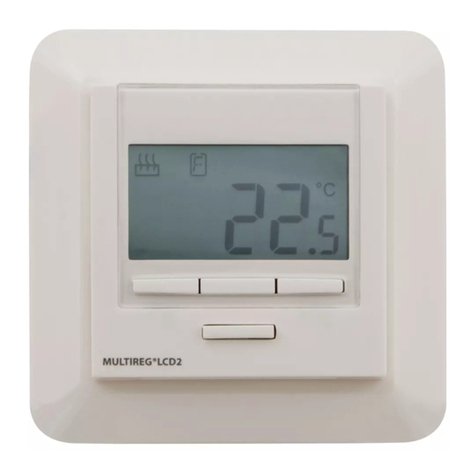
By default, the temperature shown in the display while in
standby state is the setpoint. This may be changed by entering
the local settings menu and holding the Center button for 2
seconds when “MODE” is displayed. You can choose between
“SETT” and “RELT”. “SETT” is the Setpoint temperature and
“RELT” is the real-time temperature.
11. STANDBY AND MAIN SCREEN
When the thermostat remains untouched for a while, it will
automatically go to the standby screen. The standby will by
default show the setpoint temperature. By pressing any button
once, you will see the measured temperature. By pressing
the Left or Right button multiple times, you will change the
setpoint.
12. KWH VALUE IN MENU
The device supports power metering to give insight into the
power consumption of the heating. The total consumption of
the device can be seen in the system from the “kWh” menu
option. The total consumption data can be reset by holding
the Center button while in the kWh menu.
13. SIZE OF LOAD
In the “load” menu, the load value can be set manually if the
load is not directly connected to the thermostat. The load size
can be adjusted in 100W increments up to 9900W.
14.CHOICE OF SENSOR
The thermostat has multiple sensors and sensor modes. This
lets you configure the thermostat to work correctly in most
installations. The sensors and modes may be selected from
the local settings menu (“OPER”).
Available temperature sensors:
FFloor sensor
AInternal room sensor
AF Internal room sensor + Floor sensor
A2 External room sensor
A2F External room sensor + Floor sensor
PWER Power regulator mode (no sensor used)