Charge me - 2 to 4 hours
QUICK START GUIDE
Plug in the USB cable to the back of the case and
connect the USB cable to a USB adaptor or USB
port (computer/powerboard).
The Green light will blink when the Hub is
charging, Red light indicates power on.
Remove hub from the tray and
select attachment
Connect 1 or more attachments to the Hub, see
page 6.
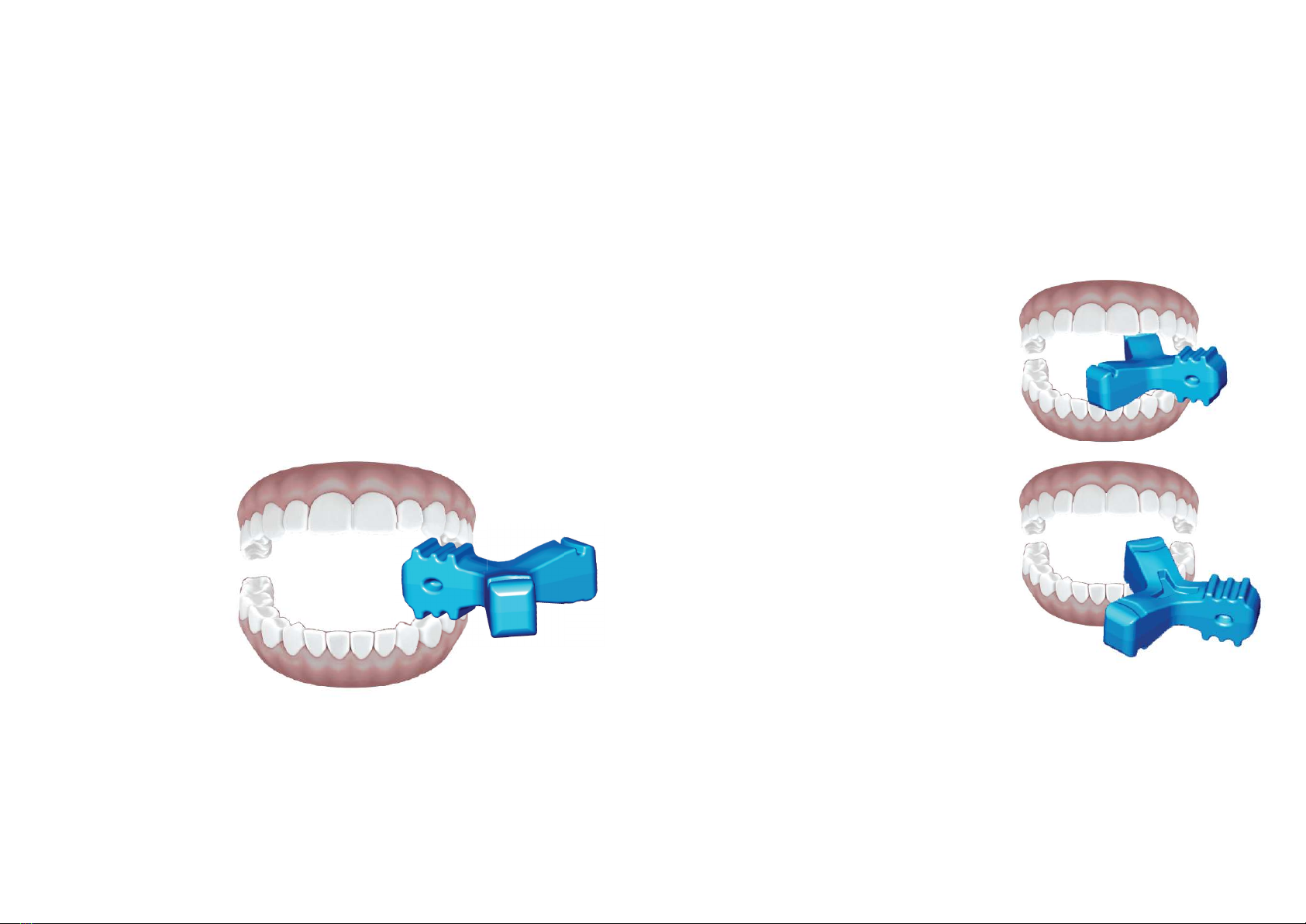
Insert your aligners and seat with
Munchies® EPS
Gently bite down on the Munchies EPS device
and work the aligner into place, see page 8.
To start the Vibration, press in the center
of the Hub
Lights indicate the speed the VIBE is on (choose 1, 2, or 3)
Select the Anterior Nodular Attachment to begin
Gently engage your front top/bottom teeth in the center
of the nodular attachment and hold there for 2 mins.
Repeat. See page 7 for further instructions.
Note: VIBE is on an automatic 2min timer.
Select the Posterior Nodular Attachment
On one side of your mouth, gently engage your back
top/bottom teeth on the nodular attachment and
hold there for 2 mins, swap to the other side of your
mouth for 2 mins. Then repeat on both sides again.
See page 7 for further instructions.
Page 3
To turn off the Vibration, wait 5 seconds, then
press in the center of the Hub.