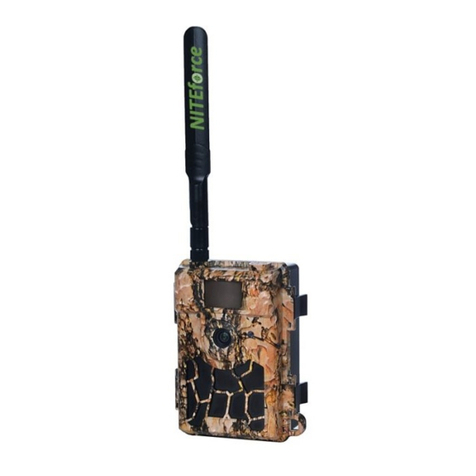
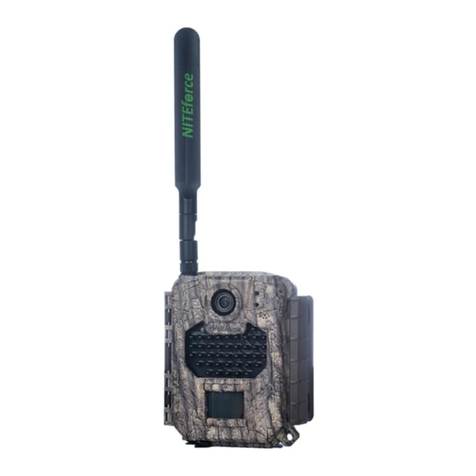
NITEforce Mini User manual

Mini
TRAIL CAMERA
INSTRUCTION MANUAL
Invisible Black Flash
PLEASE READ CAREFULLY BEFORE USING CAMERA
Thank you for Purchasing your NITEforce Trail Camera
The NITEforce trail camera is digital surveillance camera. It has been precisely engineered and
tuned to provide you with optimal and consistent performance. This camera will provide digital
pictures and video for applications such as home, cabin, and business surveillance and animal
monitoring for hunting and research. It features a highly sensitive Passive Infra-Red (PIR) motion
sensor and numerous setting options to tailor the camera to your particular needs.
Item Check List
Camera
Mounting Strap
User Manual

Page | 1
Needed for
Operation
6 AA 1.5V Alkaline Batteries
SD or SDHC Card (2GB - 32GB)
SPECIAL HANDLING PRECAUTIONS
CAMERA:
o The camera has been finely tuned. Avoid dropping and physical shock.
o The camera is designed for typical weather conditions (IP66). It is not waterproof for
use underwater.
o Recommended Operating Temperature: -15°C …. +40°C
o Carefully clean debris from camera lens, PIR, and LED platform. Avoid use of
cleaning solvents.
o The camera contains precise electronic equipment. Do not attempt to open camera
case yourself.
o Condensation may form on lens and electrical components when bringing into warm
room from cold. To avoid this, first place camera inside a sealed plastic bag before
bringing into warm room temperature. If condensation forms, remove SD card and
batteries until camera is dry.
o Remove batteries when storing camera. Removing batteries from the camera during
storage reduces the risk of battery acid leakage and battery drain.
o Do not mix old and new batteries together in the camera.
MOUNTING OF THE CAMERA:
This camera is designed to use the Mounting strap (included) to obtain maximal mounting
versatility. Camera can be securely locked with cable lock (sold separately). It is recommended
to mount the camera 1m height pointing to desired area and 7m away from target area for
maximum sensitivity in most situations. Adjustments may be required depending on animal size
and environment. PIR motion detection distance changes based on ambient temperature and
setup. Higher ambient temperatures will reduce PIR motion detection range thereby requiring
camera to be closer to desired location. Mounting camera too high or tilting camera may result in
animal or humans going under or above the PIR motion detection range. Angle the camera
perpendicular to the ground to maximize the IR lighting potential.

Page | 2
GETTING STARTED
SD MEMORY CARD
The camera supports both SD and SDHC memory cards up to 32 GB. The camera does not
have any internal memory and will not Activate ON without SD card inserted; “no SD” alert.
Note! Do not use the “micro SD card” with adapter. It may cause saving errors.
Note! Make sure camera is OFF when adding or removing SD memory card.
Note! Ensure SD card is not locked.
Note! Avoid using too fast Read/Write classification type of SD cards. Use less than 80MB/sec
speed SD cards.

Page | 3
AA BATTERIES – POWER SOURCE
This camera is designed for Alkaline 1.5V AA batteries. Insert 6pcs AA alkaline batteries while
ensuring polarity (+ -) is correctly orientated.
Note! Remove the AA batteries out of battery compartment, when the camera is not used for
example during storage. Warranty is not covering battery related or battery acid leakage related
technical failures.
Note! Cold weather will reduce battery output power life. Avoid poor quality alkaline batteries.
Avoid mixing different brands or types and ages of batteries. Use 1.5V AA Alkaline.

Page | 4
POWER ON / OFF

Page | 5
CAMERA SETTINGS MENU

Page | 6

Page | 7

Page | 8
TROUBLESHOOTING
Camera will not take pictures or stops video recording even with full batteries?
i. SD card is not formatted correctly; format SD card with Computer (FAT32)
ii. Ensure SD card is not locked
iii. SD card is faulty or incompatible; try different SD card and/or brand. Faulty or
incompatible SD cards may cause system conflict, system crash, and battery drain.
Always format SD card in camera and try different SD cards if problem persists.
iv. Batteries do not have enough power to activate picture/video sequence
Batteries run down quickly?
i. Avoid poor quality alkaline batteries. Avoid mixing different brands and ages of batteries
as battery life will be adversely affected. Different brands of batteries will perform
differently than others; try other battery brands to find what works best for your
environment
ii. Reduce number of picture or reduce video taken per day
iii. Ensure batteries are fully charged; test batteries with tester if possible
iv. In cold temperatures, the battery life becomes shorter
v. SD card may have jammed causing battery to drain; use different SD card and/or brand

Page | 9
Video time is cut shorter than what I programmed?
i. Ensure batteries are fully charged
ii. Cold temperatures may decrease battery output resulting in reduction in video length
SD card is not recognized in camera?
i. If the SD card is formatted on a computer or other camera, it may not be recognized by
this unit. Use this camera to format the SD card
ii. Ensure that SD card is not greater than 32 GB in size
iii. Ensure SD card is not locked
iv. Try different brand of SD card for compatibility
v. Do not use “Micro SD card” with adapter
vi. Use SD cards with slower write/read speed (less than 80MB/sec)
SD card is inserted into another device (i.e. camera) and is not recognized?
SD card may be formatted differently than the other device (i.e. camera) can recognize. The
camera file system is generally compatible with other digital cameras; however, it is
recommended not to use the same SD card in different cameras to avoid possible file system
conflicts
Camera fails to detect motion?
i. Ensure batteries test full; replace batteries if necessary
ii. Ensure SD card is NOT locked and compatible with camera
iii. Ensure ‘PIR Delay’ is set correctly
iv. Ensure camera is mounted correctly
Note: hot weather, humidity, and rain will reduce PIR sensing distance;
move camera closer if required
v. Typically mounting the camera at a height of 1m will maximize detection distance, this
will depend slightly on the size of game you are trying to observe
vi. Camera may be angled up too high or too low thereby allowing subjects to walk under or
over the PIR motion detection window; adjust camera position and try again
Table of contents
Other NITEforce Digital Camera manuals