manuals.online logo
Brands
  1. Home
  2. •
  3. Brands
  4. •
  5. Nordmende
  6. •
  7. TV
  8. •
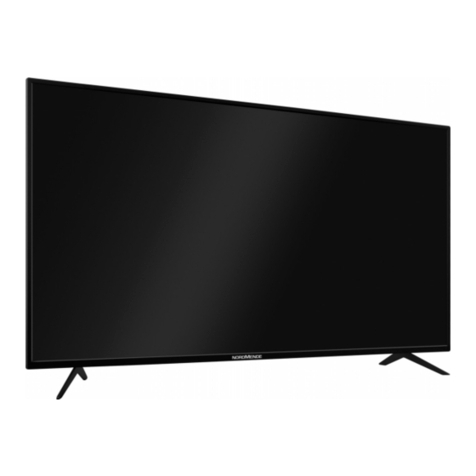
  9. Nordmende SL70D User manual

Nordmende SL70D User manual

This manual suits for next models

2

Other Nordmende TV manuals

Nordmende Wegavision UHD55B1 User manual

Nordmende

Nordmende Wegavision UHD55B1 User manual

Nordmende Wegavision UHD 43B User manual

Nordmende

Nordmende Wegavision UHD 43B User manual

Nordmende Prestige 72 User manual

Nordmende

Nordmende Prestige 72 User manual

Nordmende FHD 4302 User manual

Nordmende

Nordmende FHD 4302 User manual

Nordmende FHD24A User manual

Nordmende

Nordmende FHD24A User manual

Nordmende UHD 43A User manual

Nordmende

Nordmende UHD 43A User manual

Popular TV manuals by other brands

IKEA UPPLEVA user manual

IKEA

IKEA UPPLEVA user manual

Toshiba 19A20 Service manual

Toshiba

Toshiba 19A20 Service manual

Sony XBR-100Z9D reference guide

Sony

Sony XBR-100Z9D reference guide

Sony Trinitron KV-HR36M90 Service manual

Sony

Sony Trinitron KV-HR36M90 Service manual

JVC AV-14AG16 instructions

JVC

JVC AV-14AG16 instructions

Loewe Table Stand Reference 55 user guide

Loewe

Loewe Table Stand Reference 55 user guide

Panasonic Genus TX-G10 operating instructions

Panasonic

Panasonic Genus TX-G10 operating instructions

Samsung LN26C350D1D Service manual

Samsung

Samsung LN26C350D1D Service manual

BBK LT1516D Service manual

BBK

BBK LT1516D Service manual

Samsung 55S9 B Series Quick setup guide

Samsung

Samsung 55S9 B Series Quick setup guide

Sharp LC-40FI5012E user manual

Sharp

Sharp LC-40FI5012E user manual

Evervue BN185 Operation manual

Evervue

Evervue BN185 Operation manual

North State TV2GO user guide

North State

North State TV2GO user guide

Toshiba CX35F70 owner's manual

Toshiba

Toshiba CX35F70 owner's manual

Magnavox PS1980 owner's manual

Magnavox

Magnavox PS1980 owner's manual

Philips 20HF5335D manual

Philips

Philips 20HF5335D manual

Panasonic QuintrixF TX-29AS1D operating instructions

Panasonic

Panasonic QuintrixF TX-29AS1D operating instructions

Samsung 4 Series Quick setup guide

Samsung

Samsung 4 Series Quick setup guide

manuals.online logo
manuals.online logoBrands
  • About & Mission
  • Contact us
  • Privacy Policy
  • Terms and Conditions

Copyright 2025 Manuals.Online. All Rights Reserved.

THOMSON TECHNOLOGY
Bedienungs-
anleitung
Manualedi
utilizzazione
Manuel
d’utilisation
User
manual
Gebruiks-
aanwijzing
SPACE SYSTEM SL 70 D
SPACE SYSTEM SC 81 D
Recto 30/06/96 17 27 Page 1
P.
Pr +
Pr -
- ZOOM +
-+
12
4
6
8
0
3
5
7
9
A-Z Z-A
AV
-/--
VT
TV
P.
Pr +
-+
Pr -
12
4
6
8
0
VCRSATTV
3
5
7
9
- ZOOM +
A-Z Z-A
AV
-/--
VT
TV
ART DIRECTION BY
IMC 702
THOMSON TECHNOLOGY
LR 03 - AAA
LR 03 - AAA
2 x LR 03 AAA
TELECOMMANDE 30/06/96 18 08 Page 1
GB
television set
safety precautions
3
SAFE USE OF THE EQUIPMENT
10 cm
5 cm 10 cm
10 cm 10 cm
1. TO TURN ON
LEAVE ROOM FOR VENTILATION
AVOID HEAT, WATER, DIRECT
SUNLIGHT.
Do not place audio loudspeakers
near to television. The magnets
in the speakers could cause
patches of colour to appear on
the screen.
To ensure your personal safety and the efficient operation of your
equipment, please follow the advice given below :
Television sets need ventilation to avoid overheating which can
cause damage to the components. The ventilation slots at the
back of the set should not be covered up by curtains, small covers,
newspapers, etc… There must be enough room in built-in cabinets
to allow for the cooling air to circulate. The set should not be
placed directly next to heating.
This appliance is designed for use in dry areas. If occasionally you
should wish to operate it outdoors (for example, on the balcony
or veranda), you must insure that it is protected against all forms
of moisture (dew, rain, splashed water).
A cold set may be switched on in a warm room only after any
condensation which may happen to be on the screen has
evaporated. Never remove the cabinet back. Have your aerial
installed by an authorised dealer or service technician.
In the evenings, after the TV programmes, or in case of a
prolonged absence, it is recommended that the appliance be
switched off using the main power switch. Remove the power
plug from the wall outlet under the following conditions :
1. During a thunderstorm. It is also recommended that you
disconnect the aerial plug.
2. If you find a burning smell or smoke emerging from the set.
Additional information :
Your TV set is adequately shielded to prevent emission of X-rays.
The acceleration voltage does not exceed the maximum value of
33 kV.
Work by non-qualified technicians, modification of the high
voltage setting or the replacement of the tube with a model that
does not comply with the manufacturer’s specifications may lead
to a considerable increase in X-ray radiation.
A set changed in any of the above ways no longer satisfies the
initial specifications and should not be put back into service.
2. CARE OF THE EQUIPMENT
3. DEMAGNETISATION
The screen should be cleaned with liquid glass cleaner.
• Never use abrasive cleaners.
• To clean the front and the cabinet of your equipment use a soft cloth dipped in mild detergent. The use of
strong solvents such as white spirits or alcohol based products could damage your equipment.
• Clean the vents on the rear panel of your set regularly.
The earth’s magnetic field may have an effect on your television by causing patches of colour to appear on the
screen. If this happens :
• Switch off the television with the on-off button ;
• Wait a few minutes and then press again to switch on.
This allows the screen to be demagnetised automatically. If patches of colour are still visible repeat the procedure.
The pages of this publication are printed on recycled paper.

PROGRAMME
Set-up - Preferences -
Browse - Clock - Lock -
Tuning - Sound adjustments - AV1 - AV2 - AV3.
SOUND
Loudspeakers - Headphone - AV (Audiovisual).
PICTURE
Picture - PIP - Format.
TELETEXT / TOPTEXT / FASTEXT
PERSONAL ADJUSTMENTS
and scrolling back through the menus.
TO REMOVE THE MENU DISPLAY
or to display programme information, the type of sound
transmission (MONO, STEREO or DUAL),
the programme name and number, the time.
PICTURE FREEZE
ZOOM FUNCTION
TO CALL UP PREVIOUSLY VIEWED PROGRAMME
TO CALL UP ALL PROGRAMMES IN TURN
VOLUME
- Horizontal movement in the menus
- -/+ adjustments of other functions.
Keys 1 to 0 are used to :
- Select the programmes (from 1 to 99)
- Enter the channels numbers
- The 0 key is used to call AV inputs 1, 2 and 3.
MUTE
STAND-BY
To operate your television set by remote control, the
selector switch TV/SAT/VCR must be on TV position.
The remote control is held as shown in the diagram
opposite (directed toward the TV set)
.
When a red, green or yellow button is pressed for the first
time, the contents of the menu are displayed at the top of
the screen and the menu of the function selected is dis-
played at the bottom of the screen.
Moving horizontally along in the menus
selects the required function on the contents
line if it has not been already selected.
- The selected function is displayed in the same colour as
the button pressed (red, green, yellow).
- The line selected in the menus is displayed in characters
twice as high and in the same colour.
Press the coloured button repeatedly to move down
through the menus selecting different lines.
Make any adjustments.
Changes are saved when you quit the menus, except in
the PROGRAM menu.
CONNECTIONS AND COMMANDS 5/6
AUTO-PROGRAMMING 7/9
Switching on - Automatic stations search
Programme organiser - New region
INSTALLATION 9/10
Volume limitation - Menu language -
Programme number display - Time reference -
Prefered settings
PICTURE ADJUSTMENTS 11/14
PIP - Format
SOUND ADJUSTMENTS 14/16
Loudspeakers - Headphone - AV
DAY TO DAY OPERATION 17/18
Switching on/Selecting programmes - Browse
OTHER FUNCTIONS - EXTRAS 19/22
Clock - Child lock - Lock
CONNECTIONS 23/25
Units connected - Calling up audiovisual programmes -
TELETEXT 26/28
Calling up Teletext - Options - Alarm - How to select -
Subtitles - New flash
MANUAL PROGRAMMING 29/30
Norm - Decoder - Channel/Cable - Programme -
Fine Tuning - Station name - Store/Erase -
Access to the organiser.
BATTERIES : Refer to page 25 for the fitting of the batteries.
contents
remote control
functions
remote control
using
-+
-+
P.
Pr +
Pr -
- ZOOM +
-+
12
4
6
8
0
3
5
7
9
A-Z Z-A
AV
-/--
VT
TV
television set
connections
and commands
5
Volume adjustments
Installation-menu 
access button
On/Off Switch
Display
PR +
PR -
+
-
-
-
-
INSTAL
Programme Selection
PR +
PR -
+
-
-
-
-
INSTAL
On/Standby light :
Green : On
Red : Standby
HiFi Amplifier
Video and 
audio sockets
S-Video 
and 
audio 
sockets
AV3
AV3
AV 2
AV 1
Ψ75
(OUT L)
(OUT R)
Camcorder
S-Video Video Audio
(IN)
(OUT)
Aerial*
Main loudspeakers
Video recorder
Video recorder
Decoder
Video games console
CDV player
Camcorder
Camcorder
Surround loudspeakers
or
Satellite receiver
VIDEO
L
AUDIO
R
S
Headphone
spcket 
Ø 6,35 mm
S-VHS
Hi-8 mm
VHS
8 mm
ON THE FRONT
AT THE BACK
For further details,
see page 23.
GB
* We recommend that you use an aerial cable with double isolation.
AV1
AV2
SPACE SYSTEM SL 70 D
television set
connections
and commands
6
PR +PR - +
-
On/Standby light :
Green : on
Red : Stand-By
Volume adjustments
Programme
Selection
On / Off 
switch
PR +PR - +
-
Video and 
audio sockets
Installation-
menu

Display
S-Video 
and 
audio 
sockets
AV3
AV3
AV 2
AV 1
Ψ75
Camcorder
S-Video Video Audio
(IN)
(OUT)
Aerial*
Main loudspeakers
Video recorder
Video recorder
Decoder
Video games console
CDV player
Camcorder
Camcorder
Surround loudspeakers
S-VHS
Hi-8 mm
VHS
8 mm
or
Satellite receiver
VIDEO
INSTAL
L
AUDIO
R
S
Headphone
spcket 
Ø 6,35 mm

HiFi Amplifier
(OUT L)
(OUT R)
ON THE FRONT
AT THE BACK
GB
* We recommend that you use an aerial cable with double isolation.
AV1
AV2
For further details,
see page 23.
SPACE SYSTEM SC 81 D

NETHERLANDS : [ 1 ] 
BELGIUM : [ 2 ]
LUXEMBOURG : [ 3 ]
SWEDEN : [ 4 ]
DANMARK : [ 5 ]
FINLAND : [ 6 ]
NORWAY : [ 7 ]
OTHERS : [ 8 ]
Previous page : [ 9 ]
CHOOSE YOUR COUNTRY :
UK : [ 1 ]
FRANCE : [ 2 ]
GERMANY : [ 3 ]
ITALY : [ 4 ]
SPAIN : [ 5 ]
PORTUGAL : [ 6 ]
SWISS : [ 7 ]
AUTRIA : [ 8 ]
Next page : [ 9 ]
Turn on the television set main power.
The WELCOME menu is displayed.
If it is not,
Press the INSTAL button on the television control panel.
Briefly press the remote control button corresponding to the
number of the language you require for the menus.
A list of countries appears (on two pages).
To go to the next or previous page, press
Briefly press the remote control button corresponding to the
country in which you are located,
for example: for England
The menu which then appears permits the user to:
• start an automatic search,
• search for new channels,
• access channel organisation.
You can leave the menus at any time by pressing
the button.
For the first time or after a change of region :
start automatic channel search by pressing the key
Searching for stations and storing them in the memory depends
on the language chosen from the WELCOME menu.
The previously memorised stations are erased.
AUTO-PROGRAMMING is completed when the cursor is at the
extreme right.
To interrupt the search, press briefly on the key. This
displays the channel management menu.
WELCOME
television set
auto-programming
7
This set is equiped with an automatic station search system which is used for :
• Searching for all the stations received in your region and storing them in memory
• Automatically searching for the name of the station
• Automatically allocating a programme number.
WELCOME
BIENVENUE
WILLKOMMEN
BIENVENIDO
BENVENUTO
VÄLKOMMEN
WELKOM
ENGLISH
FRANÇAIS
DEUTSCH
ESPAÑOL
ITALIANO
SVENSKA
NEDERLANDS
Press
Appuyer
Drücken
Pulse
Premere
Tryck
Druk op
key number
sur la touche
Sie die Taste
tecla numero
il tasto
knapp nummer
knop nummer
[1]
[2]
[3]
[4]
[5]
[6]
[7]
AUTO - PROGRAMMING
Searching for stations
10 stations found
To help you, follow the instructions
at the bottom of the menu (grey background).
AUTO - PROGRAMMING
INSTAL
1A-Z
1A-Z
1A-Z
2
Z-A
3
9

TV
1A-Z
TV
AERIAL INSTALLATION
Make sure that the aerial cable
and decoder (if any)
are connected to this TV set.
[ 1 ] Launch terrestrial installation
[ 2 ] Update the terrest. installation
[ 3 ] Access to the organiser
GB
09
PR+, PR- Select a station
+, -, 0..9 Move this programme
Blue Change the name
Yellow Erase this station
To exit, press the (TV) key
09
+, - Next/Previous position
PR+, PR- Select a character
Green Confirm new name
Red Cancel new name
CHILD

C N N S-
+, - Next/Previous position
PR+, PR- Select a character
Green Confirm new name
Red Cancel new name
- - - - - - -
C N N
PR+, PR- Select a station
+, -, 0..9 Move this programme
Blue Change the name
Yellow Erase this station
To exit, press the (TV) key
06 O S
07
08
09
04
05
06
07
08
09
Moving PR 06 CANAL+ to PR 04
+, -, 0..9 Give it another number
Green Confirm change
Red Cancel change
television set
auto-programming
8
TV
Pr +
Pr -
When the automatic search is completed, the
Programme Organiser menu appears.
Scan through to check that the stations found are correctly
numbered and named as you want than:
• IF YES ➡press briefly
the menu disappears and is replaced by the picture of the pro-
gramme selected.
• IF NO ➡you make changes as follows
Select the programme number to be changed.
Bring the cursor to the new programme number.
You may also use the number buttons 0 to 9.
Confirm the change (green button).
Press the blue button briefly.
A list of station names per country appears
United Kingdom Nederlands
France Belgique
Deutschland Luxembourg
Italia Sverige
España Danmark
Portugal Finland
Schweiz Norge
Österreich
Select the country you require.
If the name appears in the list displayed,
select the name
Confirm the selection (green button).
If the name does not appear in the list displayed,
select the "- - - - - -"line
You have 6 characters to enter a station name
To enter a station name,
Press the green button briefly and
the first character flashes.
Select the first character of the new name.
Enter the next character
and repeat the process up to the last character.
Confirm your choice (green button). The new name is
stored in the memory and the list disappears.
Programme Organiser
-+
Pr +
Pr -
-+
- The programme number
- The station name
Programme Organiser
PR+, PR- Select the station
+, -, 0..9 Move this programme
Blue Change the name
Yellow Erase this station
To exit, press the (TV) key
01 
02 
03
04 
05
06
07
08
09
Programme Organiser
01 
02 
03
04
05
06
07
08
09
+, - Next/Previous name page
PR+, PR- Select a new name
Green Confirm new name
Red Cancel new name
United Kingdom
SKYONE
DISCOV
UKGOLD
SKYSPO
BRAVO
ESPORT
S-NEWS
M T V
EUNEWS
- - - - - - -
BBC 1
BBC 2
I T V
CHAN 4
CHAN 5
SKY +
M-GOLD
M-CHAN
CHILD
C N N
Pr +
Pr -
Pr +
Pr -
-+
This menu is used to :
• change the programme number,
• change the station number,
• delete a programme.
Pr +
Pr -
VT
television set
auto-programming
9
GB
installation
Maximum Volume Limitation
With this menu you may:
• Limit the maximum volume.
• Change the menu language (German, Spanish, French, English, Italian, Swedish, Dutch),
• Permanently display the number of the programme being watched,
• Store the time reference programme number,
• Compensate for variations due to the earth's magnetic field.
Max. Volume
Language GB F D E I S NL

Programme Display Off On
Time reference PR 01
IR download (-) No Yes (+) PR--
Picture rotation
Max. Volume
Language GB F D E I S NL

Programme Display Off On
Time reference PR 01
IR download (-) No Yes (+) PR--
Picture rotation
PREFERENCES SET-UP
P.
P.
-+
Select the programme to be deleted.
Press the yellow button.
Confirm your choice (green button).
The programme is deleted
the following programme is selected.
You may cancel any unconfIrmed command (change of
programme number or channel name, programme erasure)
by pressind the red button.
To search only for new channels.
Press the television set INSTAL button.
Select the country and press the button
When search is finished, the Programme Organiser menu appears.
Reorganise the programmes.
To do this, follow the instructions given on the previous page.
To make the menu disappear, press
Press the yellow button then the (-) button.
The SET-UP menu is displayed
Select the Max. Volume line (yellow button).
Set the maximum volume with the cursor.
The volume cannot be set to zero when using this function.
01 BBC 1
02 BBC 2
03
04
05
06
07
08
09 CANAL+
Erase PR 04 CANAL+
Green Confirm erase
R ed Cancel erase
SET-UP
Max. Volume
Language GB F D E I S NL

Programme Display Off On
Time reference PR 01
IR download (-) No Yes (+) PR--
Picture rotation
PREFERENCES SET-UP
To delete a programme
INSTAL
TV
2
Z-A
New channels Turn on the television set by pressing
one of the buttons from 1 to 9.
Pr +
Pr -
P.
-
television set
installation
10
Select the Language line (yellow key).
Select
All the menus will be displayed in the language selected.
Select the Programme Display line (yellow key).
Select : Off : no permanent display.
On : the programme number
is permanently displayed
Select the Time reference (yellow key).
The television set internal clock must be set.
This synchronises automatically when the television set is
turned on to a programme broadcasting Teletext, you can
opt to select any one of the 4 channels - BBC1, BBC2, ITV, CH4.
Select the corresponding programme number.
The IR download line has no effect on your TV set.
This adjustment compensates for disturbances due to the Earth’s
magnetic field.
Select the Picture rotation line.
Adjust so that the selected menu is horizontal if it
was not before.
This menu enables you to save your preferred settings.
Press the yellow or pink key repeatedly to return to the
Menu contents line.
Press to display the PREFERENCES menu.
Select the line required with the yellow key.
Set with the key.
Erase the menu.
To return to your preferred settings at any time,
press the pink key.
Menu language
Programme number display
Time reference
Magnetic field correction
Max. Volume
Language GB F D E I S NL

Programme Display Off On
Time reference PR 01
IR download (-) No Yes (+) PR--
Picture rotation
PREFERENCES SET-UP
Max. Volume
Language GB F D E I S NL

Programme Display Off On
Time reference PR 01
IR download (-) No Yes (+) PR--
Picture rotation
PREFERENCES SET-UP
Volume
Brightness
Colour
Contrast
Resets to these preferences
PREFERENCES SET-UP
PREFERENCES
GB : English
F : French
D : German
E : Spanish
I : Italian
S : Swedish
NL : Dutch
Max. Volume
Language GB F D E I S NL

Programme Display Off On
Time reference PR 01
IR download (-) No Yes (+) PR--
Picture rotation
PREFERENCES SET-UP
Max. Volume
Language GB F D E I S NL

Programme Display Off On
Time reference PR 01
IR download (-) No Yes (+) PR--
Picture rotation
PREFERENCES SET-UP
Max. Volume
Language GB F D E I S NL

Programme Display Off On
Time reference PR 01
E.F. Correction
PREFERENCES SET-UP
P.
-+
P.
P.
-+
-+
-+
P.
P.
P.
TV
-
-+
or