10
Operating instructions
1.Upload custom program or set to another machine
Set all the fixtures which receive custom programs from the source fixture as 【LOAD 】
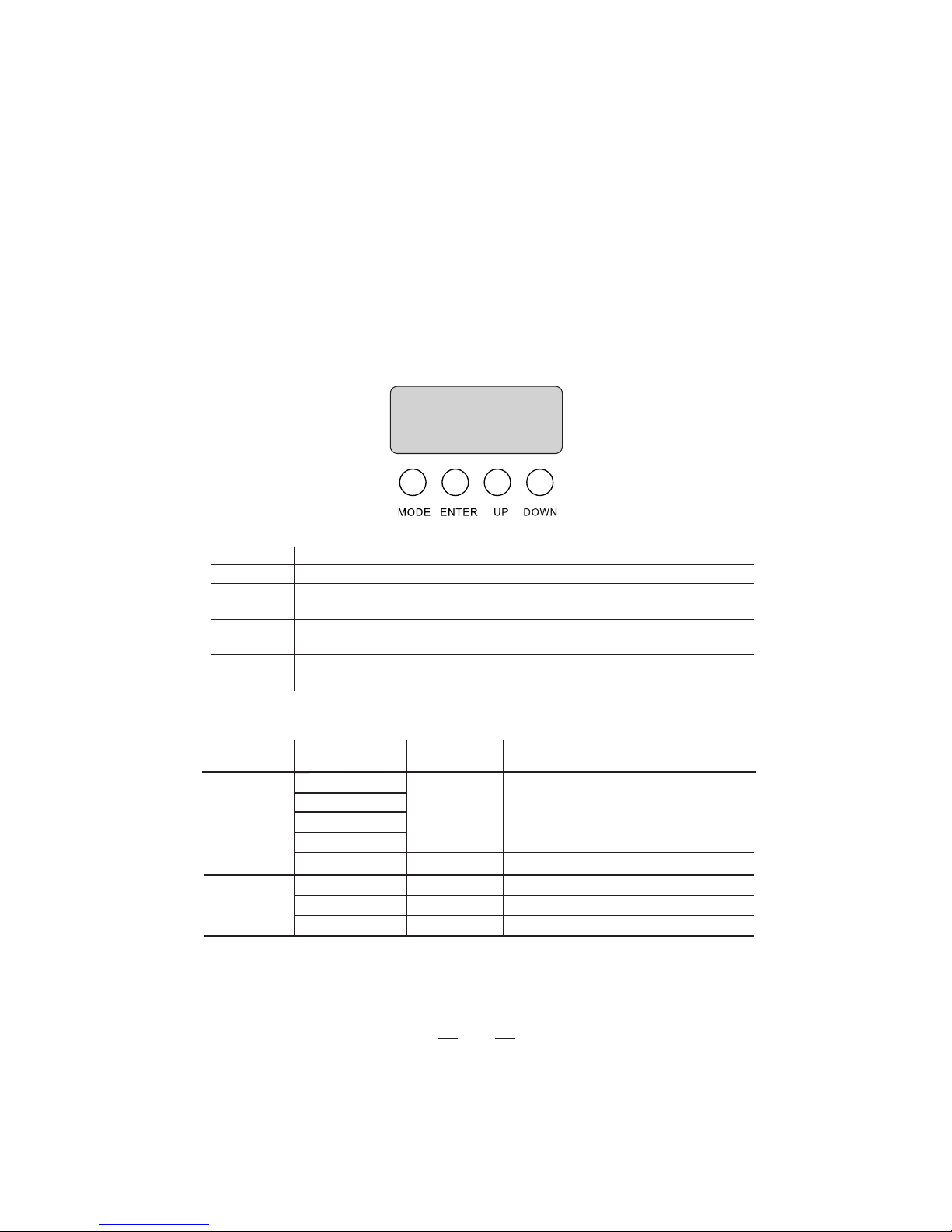
1.1、Press MODE button until 【RUN】is displayed.
1.2、Then press ENTER button, use UP/DOWN buttons until【LOAD】 is
displayed. Press MODE return to MENU
1.3、On the Master unit, Press MODE button until【SET】 is displayed on source fixture.
1.4、Then press ENTER button, use UP/DOWN buttons until【UPLD】is displayed.
1.5、Then press ENTER button, Input password UP, UP, DOWN, DOWN, press
ENTER. All the lights display yellow color when uploading. Lights will turn to
green if upload is successful. If there are errors, it will turn to red.
1.6、Press <MODE> on the source unit to exit the upload mode.
2 Enable password lock
【SET】—【LOCK】—【ON】/【OFF】—{ENTER}
【ON】enable lock, 【OFF】disable lock
Enable the password lock, control panel in the boot or go into standby automatically
take effect, this time to operate lamps need to enter your password.
{ MODE、UP、MODE、DOWN、MODE、UP、MODE、DOWN }—{ENTER}
3 Factory reset
【SET】—【REST】—{UP、UP、DOWN、DOWN}—{ENTER}
Note: The password is permanently set as {UP、UP、DOWN、DOWN}
Then press ENTER button
4 Custom program
【EDIT】—【PR01】—【PSC01】
4.1、Press MODE button until【EDIT】is displayed, press ENTER access program mode.
4.2、Select the program you'll edit by pressing UP/DOWN buttons. The available
range is o1-10.
4.3、Select the step you'll edit by pressing UP/DOWN buttons, and then press
ENTER button access program.