manuals.online logo
Brands
  1. Home
  2. •
  3. Brands
  4. •
  5. ON Semiconductor
  6. •
  7. Motherboard
  8. •
  9. ON Semiconductor EVBUM2251/D User manual

ON Semiconductor EVBUM2251/D User manual

Other ON Semiconductor Motherboard manuals

ON Semiconductor AP0101AT User manual

ON Semiconductor

ON Semiconductor AP0101AT User manual

ON Semiconductor PYTHON EVBUM2258/D User manual

ON Semiconductor

ON Semiconductor PYTHON EVBUM2258/D User manual

ON Semiconductor NCP1060 User manual

ON Semiconductor

ON Semiconductor NCP1060 User manual

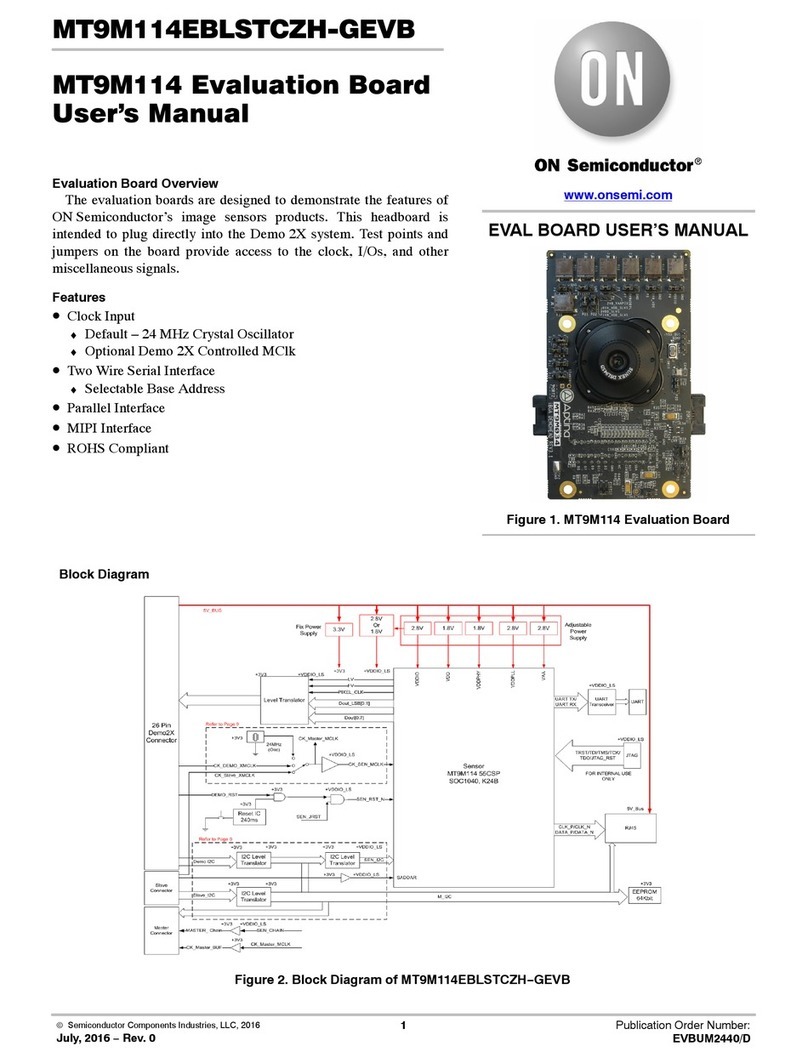
ON Semiconductor MT9M114 User manual

ON Semiconductor

ON Semiconductor MT9M114 User manual

ON Semiconductor AP0100AT User manual

ON Semiconductor

ON Semiconductor AP0100AT User manual

ON Semiconductor FAN3852 User manual

ON Semiconductor

ON Semiconductor FAN3852 User manual

ON Semiconductor AR0132AT6R00XPEAH3-GEVB User manual

ON Semiconductor

ON Semiconductor AR0132AT6R00XPEAH3-GEVB User manual

ON Semiconductor NCD57252 User manual

ON Semiconductor

ON Semiconductor NCD57252 User manual

ON Semiconductor NCP4305 User manual

ON Semiconductor

ON Semiconductor NCP4305 User manual

ON Semiconductor NCN9252MUGEVB User manual

ON Semiconductor

ON Semiconductor NCN9252MUGEVB User manual

ON Semiconductor MT9V117PACSTCH-GEVB User manual

ON Semiconductor

ON Semiconductor MT9V117PACSTCH-GEVB User manual

ON Semiconductor MT9M034 User manual

ON Semiconductor

ON Semiconductor MT9M034 User manual

ON Semiconductor NCD57253GEVB User manual

ON Semiconductor

ON Semiconductor NCD57253GEVB User manual

ON Semiconductor NCP1095GEVB User manual

ON Semiconductor

ON Semiconductor NCP1095GEVB User manual

ON Semiconductor AR0140CS2C00SUEAH3-GEVB User manual

ON Semiconductor

ON Semiconductor AR0140CS2C00SUEAH3-GEVB User manual

ON Semiconductor MT9P401 User manual

ON Semiconductor

ON Semiconductor MT9P401 User manual

ON Semiconductor NCV97310 User manual

ON Semiconductor

ON Semiconductor NCV97310 User manual

ON Semiconductor LC87F1M16A User manual

ON Semiconductor

ON Semiconductor LC87F1M16A User manual

ON Semiconductor AR1337-84LBGA User manual

ON Semiconductor

ON Semiconductor AR1337-84LBGA User manual

ON Semiconductor MT9V022 User manual

ON Semiconductor

ON Semiconductor MT9V022 User manual

ON Semiconductor MT9M034I12STCH-GEVB User manual

ON Semiconductor

ON Semiconductor MT9M034I12STCH-GEVB User manual

ON Semiconductor AP0101AT User manual

ON Semiconductor

ON Semiconductor AP0101AT User manual

ON Semiconductor ECLSOIC8EVB User manual

ON Semiconductor

ON Semiconductor ECLSOIC8EVB User manual

ON Semiconductor MT9M031I12STMH-GEVB User manual

ON Semiconductor

ON Semiconductor MT9M031I12STMH-GEVB User manual

Popular Motherboard manuals by other brands

Gigabyte MNJ190I-FH user manual

Gigabyte

Gigabyte MNJ190I-FH user manual

Biostar HI-FI-Z87X-3D Setup manual

Biostar

Biostar HI-FI-Z87X-3D Setup manual

Atmel SAM9753PIA-DK user guide

Atmel

Atmel SAM9753PIA-DK user guide

Coapt GEN2 Handbook

Coapt

Coapt GEN2 Handbook

Supero SUPER P4DL6 user manual

Supero

Supero SUPER P4DL6 user manual

Cypress CY3210-PSoCEVAL1 quick start guide

Cypress

Cypress CY3210-PSoCEVAL1 quick start guide

ASROCK B660M-HDV manual

ASROCK

ASROCK B660M-HDV manual

Fujitsu D2831 Short description

Fujitsu

Fujitsu D2831 Short description

Industrial Computers ADE-6050 user manual

Industrial Computers

Industrial Computers ADE-6050 user manual

Asus TUF Z270 MARK 2 manual

Asus

Asus TUF Z270 MARK 2 manual

DFI NB71-BC user manual

DFI

DFI NB71-BC user manual

ASROCK H61 Pro BTC user manual

ASROCK

ASROCK H61 Pro BTC user manual

Norco POS-7893 user manual

Norco

Norco POS-7893 user manual

Intel DG965MS specification

Intel

Intel DG965MS specification

Asus B85M-VIEW PAKER user manual

Asus

Asus B85M-VIEW PAKER user manual

Asus P5G41T-M LX V2 user manual

Asus

Asus P5G41T-M LX V2 user manual

Gigabyte GA-K8VT800-RH user manual

Gigabyte

Gigabyte GA-K8VT800-RH user manual

Gigabyte Z790M AORUS ELITE user manual

Gigabyte

Gigabyte Z790M AORUS ELITE user manual

manuals.online logo
manuals.online logoBrands
  • About & Mission
  • Contact us
  • Privacy Policy
  • Terms and Conditions

Copyright 2025 Manuals.Online. All Rights Reserved.

©Semiconductor Components Industries, LLC, 2015
February, 2019 −Rev. 5
1Publication Order Number:
EVBUM2251/D
EVBUM2251/D
CMOS Evaluation Hardware
Quick Start Guide
Before You Begin
Confirm that all of the required components are available:
•Evaluation Hardware and Supported Image Sensor.
The Evaluation Hardware consists of an Imager/FPGA
board and a Lens Mount kit. A list of CMOS image
sensors supported by the Evaluation Hardware can be
found at www.onsemi.com.
•Sensor Studio II Software.
The most recent version can be downloaded at
www.onsemi.com.
•Camera Link Frame Grabber (optional).
Camera Link provides an upload speed of 256 MB/sec.
The CMOS Evaluation kit supports the Imperx
FrameLink Express. This requires either an
ExpressCard54 slot (laptop) or PCIe x1 slot (desktop).
A PCIe to EC54 adapter can be used with desktops.
•USB.
USB2 and USB3 are supported.
•Computer.
Windows 7 and Windows 10 64 bit, 2+ GHz processor,
8 GB RAM, USB 3.0/2.0 connection.
•Power Supply.
12 V DC, 2 A, with 2.1 mm center positive DC power
jack.
•Cables.
For the Imperx Camera Link Frame Grabber two SDR
to SDR cables are required. For USB 3.0, a 2 meter
USB 3.0 cable with Type A on the host end and micro
3.0 on the hardware end is included.
•Lens.
A C/CS mount lens holder is provided with the kit. For
larger optics, an F-mount is available in the optional
Lens Mount Kit.
•Table−top Tripod. (recommended)
Install Software
Install Sensor Studio II software by running the
appropriate “setup.exe” file. Check the boxes for installing
the USB 2 and USB 3 drivers even if you want to use
CameraLink. USB is the only interface for firmware
updates.
Install Camera Link Frame Grabber (Optional)
With the computer turned off, install the optional
FrameLink Express Frame Grabber hardware. When the
computer is turned on, the new hardware will be detected.
Install the Imperx software from the CD provided with that
hardware. Run the file “FLExDvrManager.exe”, and disable
Camera Link status check for both Camera Link channels.
Assemble Evaluation Hardware
•Sensor, Lens Mount and Lens.
The CMOS evaluation Kit comes with a C/CS lens
mount installed and a lens cover. If an appropriate C
mount optic is not available, then the optional Lens
Mount Kit F-mount adapter should be used.
•Plug in power and communications cables.
With the Evaluation Kit powered off, insert the Camera
Link cables into the frame grabber or the USB cable
into your PC. Insert the power plug into the receptacle
on the Imager/FPGA board. Turn on the Power.
Use DeviceManager to verify “Truesense USB3” or
“FrameLink Express” is seen by the system.
Run Sensor Studio
•Launch Program.
Double click the Sensor Studio II desktop icon
(Figure 1) to launch the software.
Figure 1.
•Select Plugin.
Click the plugin button (Figure 2). Then choose
the KAC12040 plugin (Figure 3). An image display
window and the control GUI will appear on the screen.
Figure 2.
www.onsemi.com
EVAL BOARD USER’S MANUAL
Downloaded from Arrow.com.
EVBUM2251/D
www.onsemi.com
2
•Connect to Hardware.
♦Select the “Connection” tab within the control GUI.
♦Select Camera Link or USB.
♦Click the Connect button.
The yellow light will change to green indicating that
a connection has been established. The system is now ready
to image. If there is a failure, the window will turn red with
an error message. Confirm USB or the Frame Grabber has
been properly recognized by the system using Device
Manager.
Figure 3.
Next Steps
Sensor Studio provides a number of controls to evaluate
operation of the sensor, including image capture,
processing, and characterization. Additional information on
these controls is included in the Sensor Studio help system,
which is available from the HELP menu by selecting “SS2
and Python Help”.
For additional help in system setup, please contact
ON Semiconductor at www.onsemi.com/imagesensors or
by e−mail at is−[email protected].
Downloaded from Arrow.com.Downloaded from Arrow.com.

EVBUM2251/D
www.onsemi.com
3
ON Semiconductor and the ON Semiconductor logo are trademarks of Semiconductor Components Industries, LLC dba ON Semiconductor or its subsidiaries in the United States and/or
other countries. ON Semiconductor owns the rights to a number of patents, trademarks, copyrights, trade secrets, and other intellectual property. A listing of ON Semiconductor’s
product/patent coverage may be accessed at www.onsemi.com/site/pdf/Patent−Marking.pdf. ON Semiconductor is an Equal Opportunity/Affirmative Action Employer. This literature is
subject to all applicable copyright laws and is not for resale in any manner.
The evaluation board/kit (research and development board/kit) (hereinafter the “board”) is not a finished product and is as such not available for sale to consumers. The board is only intended
for research, development, demonstration and evaluation purposes and should as such only be used in laboratory/development areas by persons with an engineering/technical training
and familiar with the risks associated with handling electrical/mechanical components, systems and subsystems. This person assumes full responsibility/liability for proper and safe handling.
Any other use, resale or redistribution for any other purpose is strictly prohibited.
The board is delivered “AS IS” and without warranty of any kind including, but not limited to, that the board is production−worthy, that the functions contained in the board will meet your
requirements, or that the operation of the board will be uninterrupted or error free. ON Semiconductor expressly disclaims all warranties, express, implied or otherwise, including without
limitation, warranties of fitness for a particular purpose and non−infringement of intellectual property rights.
ON Semiconductor reserves the right to make changes without further notice to any board.
You are responsible for determining whether the board will be suitable for your intended use or application or will achieve your intended results. Prior to using or distributing any systems
that have been evaluated, designed or tested using the board, you agree to test and validate your design to confirm the functionality for your application. Any technical, applications or design
information or advice, quality characterization, reliability data or other services provided by ON Semiconductor shall not constitute any representation or warranty by ON Semiconductor,
and no additional obligations or liabilities shall arise from ON Semiconductor having provided such information or services.
The boards are not designed, intended, or authorized for use in life support systems, or any FDA Class 3 medical devices or medical devices with a similar or equivalent classification in
a foreign jurisdiction, or any devices intended for implantation in the human body. Should you purchase or use the board for any such unintended or unauthorized application, you shall
indemnify and hold ON Semiconductor and its officers, employees, subsidiaries, affiliates, and distributors harmless against all claims, costs, damages, and expenses, and reasonable
attorney fees arising out of, directly or indirectly, any claim of personal injury or death associated with such unintended or unauthorized use, even if such claim alleges that ON Semiconductor
was negligent regarding the design or manufacture of the board.
This evaluation board/kit does not fall within the scope of the European Union directives regarding electromagnetic compatibility, restricted substances (RoHS), recycling (WEEE), FCC,
CE or UL, and may not meet the technical requirements of these or other related directives.
FCC WARNING – This evaluation board/kit is intended for use for engineering development, demonstration, or evaluation purposes only and is not considered by ON Semiconductor to
be a finished end product fit for general consumer use. It may generate, use, or radiate radio frequency energy and has not been tested for compliance with the limits of computing devices
pursuant to part 15 of FCC rules, which are designed to provide reasonable protection against radio frequency interference. Operation of this equipment may cause interference with radio
communications, in which case the user shall be responsible, at its expense, to take whatever measures may be required to correct this interference.
ON Semiconductor does not convey any license under its patent rights nor the rights of others.
LIMITATIONS OF LIABILITY: ON Semiconductor shall not be liable for any special, consequential, incidental, indirect or punitive damages, including, but not limited to the costs of
requalification, delay, loss of profits or goodwill, arising out of or in connection with the board, even if ON Semiconductor is advised of the possibility of such damages. In no event shall
ON Semiconductor’s aggregate liability from any obligation arising out of or in connection with the board, under any theory of liability, exceed the purchase price paid for the board, if any.
For more information and documentation, please visit www.onsemi.com.

EVBUM2251/D
◊
PUBLICATION ORDERING INFORMATION
N. American Technical Support: 800−282−9855 Toll Free

USA/Canada
Europe, Middle East and Africa Technical Support:
Phone: 421 33 790 2910
LITERATURE FULFILLMENT:
Literature Distribution Center for ON Semiconductor
19521 E. 32nd Pkwy, Aurora, Colorado 80011 USA
Phone: 303−675−2175 or 800−344−3860 Toll Free USA/Canada
Fax: 303−675−2176 or 800−344−3867 Toll Free USA/Canada
Email: [email protected]
ON Semiconductor Website: www.onsemi.com
Order Literature: http://www.onsemi.com/orderlit
For additional information, please contact your local
Sales Representative
All brand names and product names appearing in this document are registered trademarks or trademarks of their respective holders.
Downloaded from Arrow.com.Downloaded from Arrow.com.Downloaded from Arrow.com.