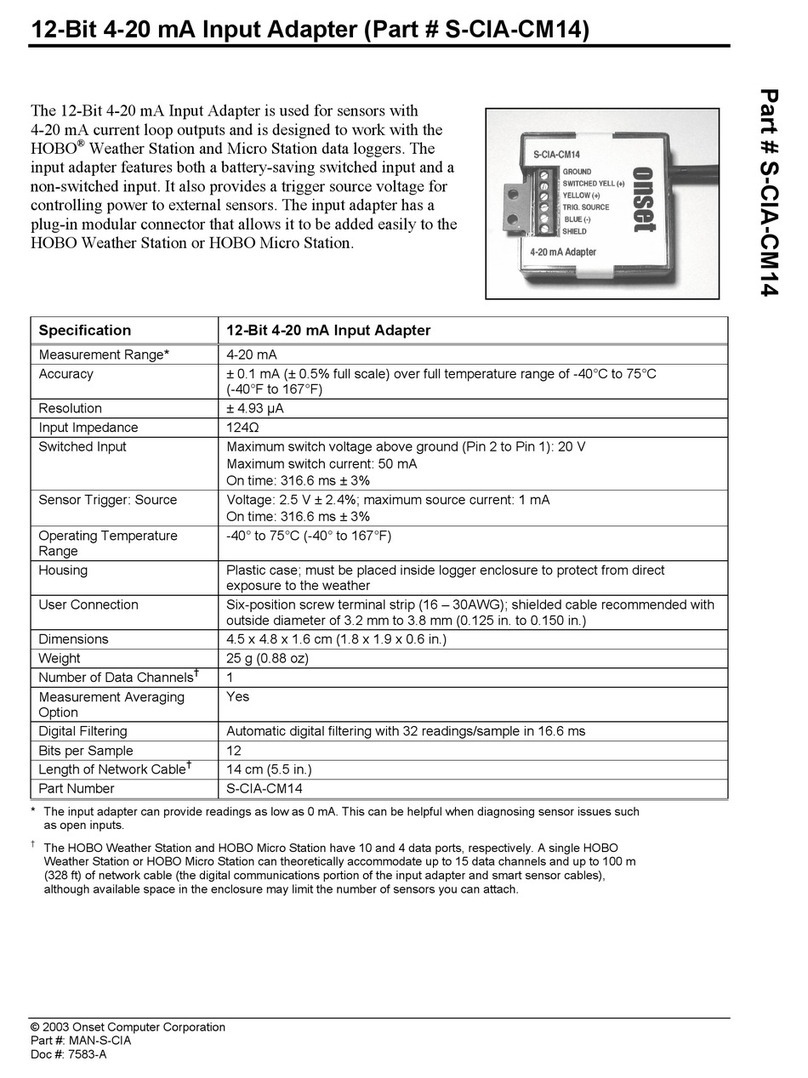
12-Bit 4–20 mA Input Adapter (S-CIA-CM14) Manual
© 2003–2017 Onset Computer Corporation. All rights reserved. Onset and HOBO are trademarks or registered
trademarks of Onset Computer Corporation. All other trademarks are the property of their respective
companies.
7583-C MAN-S-CIA
Note that fast sampling intervals (less than one minute)
significantly reduce battery life.
For more information about sampling intervals, refer to the
logger manual.
Using the Switched Input
The 12-Bit 4–20 mA Input Adapter can be used with
continuously powered 4–20 mA transducers as well as remote
applications with external battery-powered 4–20 mA
transducers. (See figures in Typical Setup.)
To take advantage of the switched input, the 4–20 mA
transducer must meet the following criteria:
•The sensor must be able to be powered from the 4–20 mA
loop.
•The sensor must have a warmup time of less than 300 ms.
Using the switched input can significantly reduce external
battery consumption because the transducer is powered only
during warmup and sampling, as shown in the following
diagram, instead of being powered continuously.
Logging with Switched Input
Note
•Using an external battery to drive the 4–20 mA transducer
does not increase the battery life of the logger.
Compared with continuously powering the 4–20 mA
transducer, the average current drain is significantly reduced.
For an example of the power savings with and without using
the switched input:
•If the logger’s sampling interval is 60 seconds and the
worst case current drain for the transducer is 20 mA, then
the average current drain will be:
transducer current × sample duration ÷ sampling
interval
20 mA × 0.327 s ÷ 60 s = 0.109 mA
•If we assume that the transducer battery used has a useful
capacity of 2000 mAh, the battery life is:
battery capacity ÷ average current
2000 mAh ÷ 0.109 mA ÷ 24 hr/day = 764 days
•Without switched input, the battery life would be:
2000 mAh ÷ 20 mA ÷ 24 hr/day = 4.1 days
Therefore, using the switched input allows the device to run
approximately 186 times longer!
Maintenance
With normal usage, if the adapter is installed correctly, the
adapter’s circuitry is protected against excessive moisture and
does not require any maintenance or cleaning. However, in an
unusually wet environment, excessive moisture can collect in
the logger enclosure and adversely affect measurement
accuracy and communications in the adapter module.
The circuit board is conformal coated to provide limited
protection against moisture, but if you observe heavy
condensation, consider the following options:
•Verify that the logger is installed properly and sealed
according to the instructions given in the logger user
manual.
•Consider moving the logger to a location that is better
protected from moisture, is better ventilated, or receives
some sunlight to help keep the logger dry.
•Apply WD-40, LPS 1, or 711 to the six-position terminal
block and the modular connectors to displace moisture
and help prevent corrosion. (Other spray lubricants may
be appropriate; check product labeling to ensure that it is
safe to use on plastics and electronics.)
Verifying Accuracy
You should check the accuracy of the 12-Bit 4–20 mA Input
Adapter annually. Verify the accuracy of the input adapter
against a known standard, such as a calibrated voltage source.
If it is not providing accurate data, it may have been damaged.
Shop for Data Logging products online at: www.DataLoggerStore.ca 1.800.561.8187