manuals.online logo
Brands
  1. Home
  2. •
  3. Brands
  4. •
  5. Panasonic
  6. •
  7. Home Cinema Speakers
  8. •
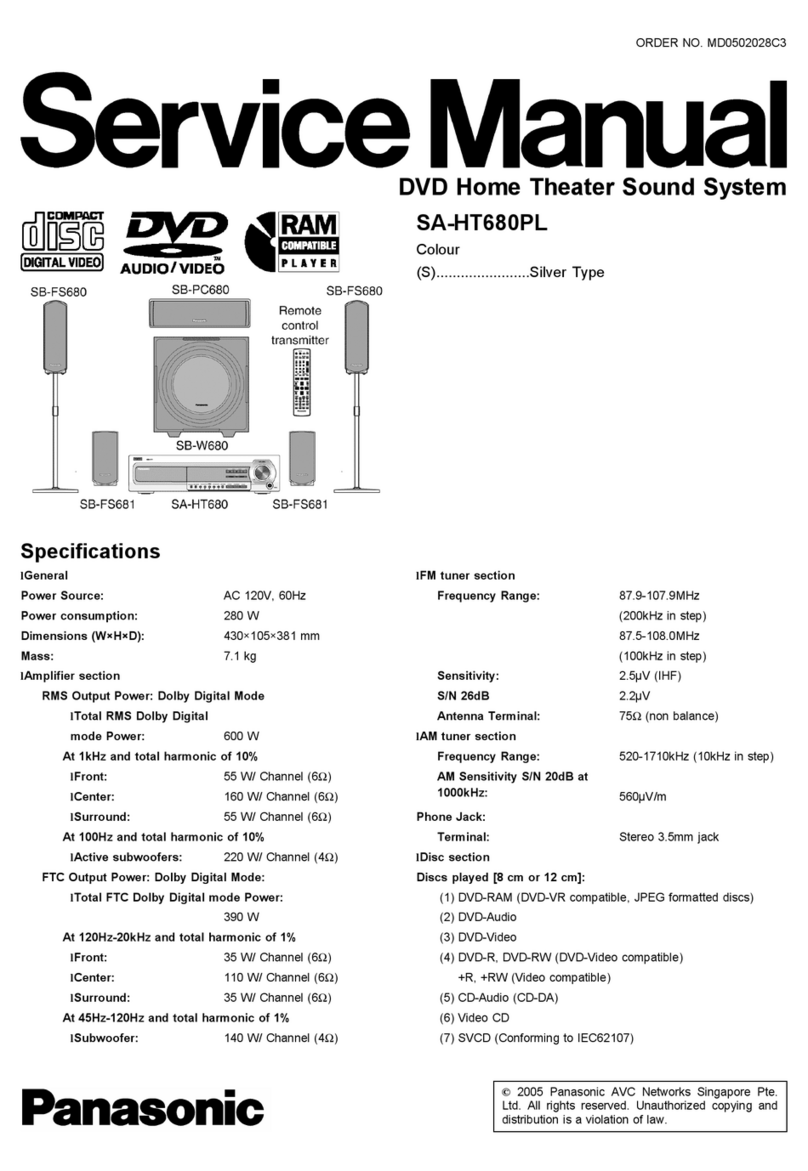
  9. Panasonic SCHT733 - DVD THEATER RECEIVER User manual

Panasonic SCHT733 - DVD THEATER RECEIVER User manual

This manual suits for next models

2

Other Panasonic Home Cinema Speakers manuals

Panasonic SC-HTB400 User manual

Panasonic

Panasonic SC-HTB400 User manual

Panasonic SC-HTX5 User manual

Panasonic

Panasonic SC-HTX5 User manual

Panasonic SC-HTB700 User manual

Panasonic

Panasonic SC-HTB700 User manual

Panasonic SC-ZT1GN User manual

Panasonic

Panasonic SC-ZT1GN User manual

Panasonic SCBT330 - BLU RAY HOME THEATER SYSTEM User instructions

Panasonic

Panasonic SCBT330 - BLU RAY HOME THEATER SYSTEM User instructions

Panasonic SCHT640W - DVD THEATER RECEIVER User manual

Panasonic

Panasonic SCHT640W - DVD THEATER RECEIVER User manual

Panasonic SC-HT730 - DVD Home Theater System User manual

Panasonic

Panasonic SC-HT730 - DVD Home Theater System User manual

Panasonic SC-ALL70T User manual

Panasonic

Panasonic SC-ALL70T User manual

Panasonic SC-PT770 User manual

Panasonic

Panasonic SC-PT770 User manual

Panasonic SC-HTB770 User manual

Panasonic

Panasonic SC-HTB770 User manual

Panasonic SCHT670 - RECEIVER W/5-DISK DV User manual

Panasonic

Panasonic SCHT670 - RECEIVER W/5-DISK DV User manual

Panasonic SC-HTB480 User manual

Panasonic

Panasonic SC-HTB480 User manual

Panasonic VIERA Link SC-ZT2EE User manual

Panasonic

Panasonic VIERA Link SC-ZT2EE User manual

Panasonic SC-BT205 User instructions

Panasonic

Panasonic SC-BT205 User instructions

Panasonic SC-HTB580 User manual

Panasonic

Panasonic SC-HTB580 User manual

Panasonic SC-HTB680 User manual

Panasonic

Panasonic SC-HTB680 User manual

Panasonic SC-HT855 User manual

Panasonic

Panasonic SC-HT855 User manual

Panasonic SC-HTE200 User manual

Panasonic

Panasonic SC-HTE200 User manual

Panasonic SC-PT70 User manual

Panasonic

Panasonic SC-PT70 User manual

Panasonic SCHT830V - DVD THEATER RECEIVER User manual

Panasonic

Panasonic SCHT830V - DVD THEATER RECEIVER User manual

Panasonic SC-HTB65 User manual

Panasonic

Panasonic SC-HTB65 User manual

Panasonic SC-HTB770 User manual

Panasonic

Panasonic SC-HTB770 User manual

Panasonic SA-HT640WPL User manual

Panasonic

Panasonic SA-HT640WPL User manual

Panasonic SC-HTE80 User manual

Panasonic

Panasonic SC-HTE80 User manual

Popular Home Cinema Speakers manuals by other brands

BÖHM B3 Soundbase user manual

BÖHM

BÖHM B3 Soundbase user manual

Philips HTS6120 Brochure & specs

Philips

Philips HTS6120 Brochure & specs

Insignia NS-HSB318 user guide

Insignia

Insignia NS-HSB318 user guide

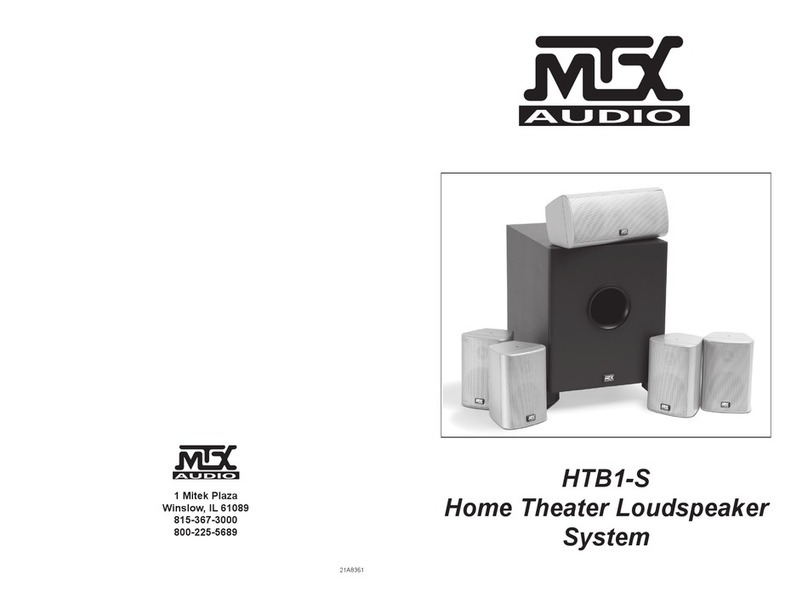
MTX MTX HTB1-S owner's manual

MTX

MTX MTX HTB1-S owner's manual

JBL Simply Cinema SCS138 owner's guide

JBL

JBL Simply Cinema SCS138 owner's guide

JBL Reference 610 quick start guide

JBL

JBL Reference 610 quick start guide

MTX 525W owner's manual

MTX

MTX 525W owner's manual

DaytonAudio HTS-1200B user manual

DaytonAudio

DaytonAudio HTS-1200B user manual

Goodmans ASPECT user manual

Goodmans

Goodmans ASPECT user manual

Philips Fidelio B5 quick start guide

Philips

Philips Fidelio B5 quick start guide

Denon DHT-486DV Specifications

Denon

Denon DHT-486DV Specifications

Philips HTS6100/75 quick start guide

Philips

Philips HTS6100/75 quick start guide

TCL TS5000 user manual

TCL

TCL TS5000 user manual

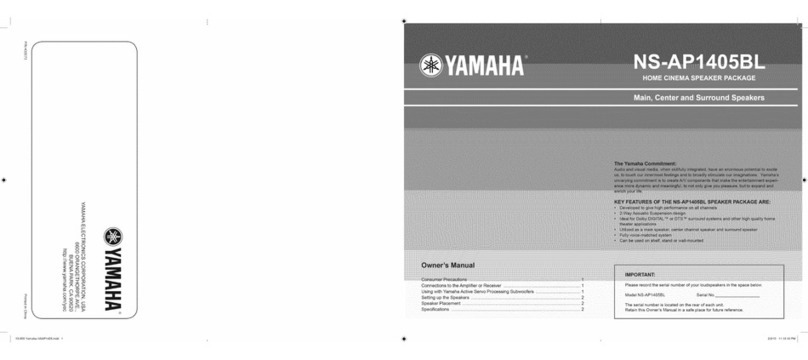
Yamaha NS-AP1405BL owner's manual

Yamaha

Yamaha NS-AP1405BL owner's manual

Sony SS-FCRW105 Hook-up instructions

Sony

Sony SS-FCRW105 Hook-up instructions

US Blaster USB 4001 user manual

US Blaster

US Blaster USB 4001 user manual

Sony SA-VA700 Service manual

Sony

Sony SA-VA700 Service manual

Jazz Speakers J-9941B operating instructions

Jazz Speakers

Jazz Speakers J-9941B operating instructions

manuals.online logo
manuals.online logoBrands
  • About & Mission
  • Contact us
  • Privacy Policy
  • Terms and Conditions

Copyright 2025 Manuals.Online. All Rights Reserved.

The illustration shows SC-HT730.
Operating Instructions
DVD Home Theater Sound System
Model No. SC-HT730/SC-HT733/
SC-HT930
Region number
The player plays DVD-Video marked with labels containing the region
number "1" or "ALl".
Example: _ _ _
AUD|O/VIDEO
As an ENERGY STAR's'Partner;_
Panasonic has determined that
this product meets the ENERGY STAR'_
guidelines for energy efficiency,
_ For Canada only: The word "Participant" is used in place of the word
"Partner".
If you have any questions contact
In the U.S.A.: 1-800-211-PANA (7262)
In Canada: 1-800-561-5505
Before connecting, operating or adjusting this product,
please read the instructions completely.
Please keep this manual for future reference.
[_ _ [_ RQT7972-2P
Dear customer
Thank you for purchasing this product. For optimum performance
and safety, please read these instructions carefully.
I_'_'_: indicates features applicable to SC-HT730 only.
_: SC-HT733 only.
HT930_:SC-HT930 only.
}S are a]
]Illust]
of SC-_
]t vouc
Jtlithe
Main unit SA-HT730 SA-HT733 SA-HT930
Front speakers SB-FS730 SB-FS730 SB-FS930
Center speaker SB-PC730 SB-PC730 SB-PC930
Surround speakers SB-FS731 SB-FS731 SB-FS931
Active subwoofer SB-WA730 SB-WA733 SB-WA930
RQT7972
CAUTION!
THIS PRODUCT UTILIZES A LASER.
USE OF CONTROLS OR ADJUSTMENTS OR
PERFORMANCE OF PROCEDURES OTHER THAN THOSE
SPECIFIED HEREIN MAY RESULT IN HAZARDOUS
RADIATION EXPOSURE.
DO NOT OPEN COVERS AND DO NOT REPAIR YOURSELF.
REFER SERVICING TO QUALIFIED PERSONNEL.
WARNING:
TO REDUCE THE RISK OF FIRE, ELECTRIC SHOCK
OR PRODUCT DAMAGE, DO NOT EXPOSE THIS
APPARATUS TO RAIN, MOISTURE, DRIPPING OR
SPLASHING AND THAT NO OBJECTS FILLED WITH
LIQUIDS, SUCH AS VASES, SHALL BE PLACED ON
THE APPARATUS.
I
I
I
CAUTION!
oDO NOT INSTALL OR PLACE THIS UNIT IN A BOOKCASE,
BUILT-IN CABINET OR IN ANOTHER CONFINED SPACE.
ENSURE THE UNIT IS WELL VENTILATED. TO PREVENT
RISK OF ELECTRIC SHOCK OR FIRE HAZARD DUE TO
OVERHEATING, ENSURE THAT CURTAINS AND ANY
OTHER MATERIALS DO NOT OBSTRUCT THE
VENTILATION VENTS.
eDO NOT OBSTRUCT THE UNIT'S VENTILATION OPENINGS
WITH NEWSPAPERS, TABLECLOTHS, CURTAINS, AND
SIMILAR ITEMS.
eDO NOT PLACE SOURCES OF NAKED FLAMES, SUCH AS
LIGHTED CANDLES, ON THE UNIT.
eDISPOSE OF BATTERIES IN AN ENVIRONMENTALLY
FRIENDLY MANNER.
This product may receive radio interference caused by mobile
telephones during use. If such interference is apparent, please
increase separation between the product and the mobile
telephone.
The socket outlet shall be installed near the equipment and
easily accessible or the mains plug or an appliance coupler shall
remain readily operable.
For units with PX printed on the outer packaging
THIS UNIT IS INTENDED FOR USE IN MODERATE CLIMATES.
For units with PX printed on the outer packaging
CAUTION:
The AC voltage is different according to the area.
Be sure to set the proper voltage in your area before use.
(For details, please refer to page 8.)
THE FOLLOWING APPLIES ONLY IN THE U.S.A.
CAUTION:
This equipment has been tested and found to comply with the
limits for a Class B digital device, pursuant to Part 15 of the FCC
Rules.
These limits are designed to provide reasonable protection
against harmful interference in a residential installation. This
equipment generates, uses and can radiate radio frequency
energy and, if not installed and used in accordance with the
instructions, may cause harmful interference to radio
communications. However, there is no guarantee that
interference will not occur in a particular installation. If this
equipment does cause harmful interference to radio or television
reception, which can be determined by turning the equipment off
and on, the user is encouraged to try to correct the interference
by one or more of the following measures:
•Reorient or relocate the receiving antenna.
• Increase the separation between the equipment and receiver.
• Connect the equipment into an outlet on a circuit different from
that to which the receiver is connected.
• Consult the dealer or an experienced radio/TV technician for
help.
Any unauthorized changes or modifications to this equipment
would void the user's authority to operate this device.
This device complies with Part 15 of the FCC Rules. Operation is
subject to the following two conditions: (1) This device may not
cause harmful interference, and (2) this device must accept any
interference received, including interference that may cause
undesired operation.
THE FOLLOWING APPLIES ONLY IN THE U.S.A. AND CANADA
ACAUTION
f;k
CAUTION: TO REDUCE THE RISK OF ELECTRIC
SHOCK, DO NOT REMOVE SCREWS.
NO USER-SERVICEABLE PARTS
INSIDE.
REFER SERVICING TO QUALIFIED
SERVICE PERSONNEL
The lightning flash with arrowhead symbol, within
an equilateral triangle, is intended to alert the user
to the presence of uninsulated "dangerous voltage"
within the product's enclosure that may be of suffi-
cient magnitude to constitute a risk of electric shock
persons.
The exclamation point within an equilateral triangle
is intended to alert the user to the presence of
important operating and maintenance (servicing)
instructions in the literature accompanying the ap-
pliance.

Readtheseoperatinginstructionscarefullybeforeusingtheunit.Followthesafetyinstructionsontheunitandtheapplicablesafetyinstructions
listedbelow.Keeptheseoperatinginstructionshandyforfuturereference.
1) Readtheseinstructions. 10)
2) Keeptheseinstructions.
3) Heedallwarnings. 11
4) Followallinstructions.
5) Donotusethisapparatusnearwater. 12)
6) Cleanonlywithdrycloth.
7) Donotblockanyventilationopenings.Installinaccordancewith
themanufacturer'sinstructions. 13)
8) Donotinstallnearanyheatsourcessuchasradiators,heat
registers,stoves,orotherapparatus(includingamplifiers)that
produceheat. 14)
Donotdefeatthesafetypurposeofthepolarizedorgrounding-
typeplug.Apolarizedplughastwobladeswithonewiderthan
theother.Agrounding-typeplughastwobladesandathird
groundingprong.Thewidebladeorthethirdprongare
providedforyoursafety.Iftheprovidedplugdoesnotfitinto
youroutlet,consultanelectricianforreplacementofthe
obsoleteoutlet.
Protectthepowercordfrombeingwalkedonorpinched
particularlyatplugs,conveniencereceptacles,andthepoint
wheretheyexitfromtheapparatus.
Onlyuseattachments/accessoriesspecifiedbythe
manufacturer.
Useonlywiththecart,stand,tripod,bracket,or
tablespecifiedbythemanufacturer,orsoldwith
theapparatus.Whenacartisused,usecaution
whenmovingthecart/apparatuscombinationto
avoidinjuryfromtip-over.
Unplugthisapparatusduringlightningstormsorwhenunused
forlongperiodsoftime.
Referallservicingtoqualifiedservicepersonnel.Servicingis
requiredwhentheapparatushasbeendamagedinanyway,
suchaspower-supplycordorplugisdamaged,liquidhasbeen
spilledorobjectshavefallenintotheapparatus,theapparatus
hasbeenexposedtorainormoisture,doesnotoperate
normally,orhasbeendropped.
B _KTa J,T _LE
U 6 Sll I ) I
1114_G,_E PNEI, F:R TF L]IJ
US S IIL_ a C X_: r
_T_E_]" 0_ =i qSII I IrLISI l ,i ! :,S
(Inside of product)
IMPORTANT SAFETY INSTRUCTIONS ............... 3
(Back of product)
The laser product label has not been attached to products for
the U.S.A. and Canada
O
O
.Q
iiii
iii/
Control reference guide .......................... 10
Discs that can be played ......................... 11
Main unit and disc caution ........................ 11
Convenient functions ......................... 14-17
Disc information/Displaying current playback condition (QUICK
OSD)/Reviewing titles to play (ADVANCED DISC REVIEW)/
CD sequential play (CD MODE)/Quick replay/
Skipping one minute forward (CM SKIP)/
Changing the zoom ratio/Changing play speed/
Angle selection and Still picture rotation/advance/
Changing soundtracks/Changing subtitles/Repeat play/
Program/Random play
Using navigation menus ........................ 18
Playing data discs/Playing from the selected track in the CD/
Playing HighMAT TM discs/Playing RAM discs
Using on-screen menus ......................... 20
Main menu/Other Settings
Changing the player settings ..................... 22
Changing the delay time (Speaker Settings)
The radio ..................................... 24
Automatic presetting/Selecting the preset channels/
Manual tuning/Optional antenna connections
Sound field and sound quality .................... 26
Sound Field Control/Super Surround!Center Focus/
Dolby Pro Logic H/Down-mixing/Enhancing the bass sound/
Subwoofer level/Speaker level adjustments
Other useful functions .......................... 27
Sleep timer/Muting/Using headphones
Operating other equipment ...................... 28
Operating the television and the video cassette recorder/
Operating the tape deck (_ only)
Other speaker setup options ..................... 29
Specifications ................................. 30
Troubleshooting guide .......................... 32
Product Service/Maintenance/Glossary ............ 34
Limited Warranty (ONLY FOR U.S.A.) .............. 35
Accessories ............................ Back cover RQT7972
Simple setup
Front speaker assembly The supplied stands are specially designed for
attachment to Panasonic SB-FS730 or SB-FS930
front speakers. Use only as indicated in this setup.
Preparation
eTo prevent damage or scratches, lay down a soft cloth and perform assembly on it.
• For assembly, use a Phillips-head screwdriver.
• Make sure you have all the indicated components before starting assembly, setup, and connection.
eThere is no difference between the right and left speakers and pipes.
You can use the front speakers without assembling with the stands. In this case, attach the included
rubber pads to the base of the speakers. This prevents vibration from causing the speakers to move
or fall over. Use 3 or 4 pads per speaker.
"If
!Attach the pipes to the bases.
_]_lnsert pipe B.
3Attach the pipes to the speakers.
Slot the screw head in between the 2stoppers of the speaker
groove.
Ensure the pipe is fastened on straight by gradually tightening the
right and left screws alternately until fully tightened.
To prevent a short-circuit, do not cover the connection
terminals with the pipe.
OSecure pipe B to the base.
Ensure the screws are securely fastened.
tWasher screws
_Phillip_s-head screwdriver
(not included)
,_ Assemble the pipes.
_]_Thread the speaker cable from pipe A through pipe B and
the base.
For quicker threading, loosely fold the cable in half (do not
crease), pass the folded portion through the pipe, and then pull
the rest of the cable through the base.
Cable
Pipe B
_Join pipe Ato pipe B.
Pipe B Cable
Secure the pipes.
Ensure the screws are securely fastened.
4
5
Stoppers Connection terminals
Connect the speaker cables.
Rear of the speaker
Secure the speaker cables to the bases.
Bottom of the base
IHT930 I
!i!i!i!i!i/iiiiillIIIIIIIIiiii!i!i!i!i!i!i!i!i!i!i!i!i!i!i!i!i!i!i
To prevent the speaker cables from being pulled out of the pipes, leave the plastic wrap on the pipes while
assembling the speaker stands.
t
!Assemble the speaker stands.
OThread the speaker cable through the base.
For quicker threading, loosely fold the cable in half (do not
crease), pass the folded portion through the hole, and then pull
the rest of the cable through the base.
2Attach the stands to the speakers.
Ensure the stand is fastened on straight by gradually tightening the
top and bottom screws alternately until fully tightened.
_Long screws
Olnsert the pipe.
Base
You can also attach to the lower rear of the speaker.
The height of the speaker can be changed 'when attaching the
stand to the upper rear or lower rear of the speaker.
3
Pipe Match the groove and these
_'_ _ holes with the base when you
Groove [/_/_/_// insertthe pipe.
Pipe support
Base
Insert the pipe while gently
pulling on the speaker cable.
OSecure the pipe to the base.
Ensure the screws ere securely fastened.
Connect the speaker cables.
Rear of the speaker
Press the speaker cable into the
groove.
If there is any excess speaker cable, thread the speaker cable
into the opening near the top of the pipe while pulling the speaker
cable from the bottom of the base.
Short screws
Before proceeding to the next step, please remove the plastic
wrap from the pipe.
ASecure the speaker cables to the bases.
Press the speaker cable into
the base cover groove as far
as possible. Rear side
of base
Cal: Groove
•Preventing the speakers from falling over
Preparation
Attach screw eyes (not included) to secure the speakers to the
wall (-_ diagram right).
• You will need to obtain the appropriate screw eyes to match
the walls or pillars to which they are going to be fastened.
• Consult a qualified housing contractor concerning the
appropriate procedure when attaching to a concrete wall or a
surface that may not have strong enough support. Improper
attachment may result in damage to the wall or speakers. HT93O
To prevent the speaker from failing over, thread the string
(not included) from the wall to the speaker as shown and
tie tightly.
Screw eye (not included)
String (not included)
speaker Approx. 150 mm (529/3£_)
Screw eye (net included)
String (not included)
;peaker Approx. 150 mm (529/3_")
FRONT(L,R)
Positioning
SURROUND CENTER
(L, R)
Setup example
How you set up your speakers can affect the bass and the sound field. Note the following
points:
• Place speakers on flat secure bases.
• Placing speakers too close to floors, walls, and corners can result in excessive bass.
Cover walls and windows with thick curtains.
eThe left and right speakers are the same with respect to the front and surround
speaker pairs.
ACTIVE FRONT (L, R) SURROUND CENTER ACTIVE
SUBWOOFER (L, R) SUBWOOFER
\
Main unit
• Place the front, center, and surround speakers at approximately
the same distance from the seating position.
The angles in the diagram are approximate.
eUse only supplied speakers
Using other speakers can damage the unit, and sound quality will
be negatively affected.
eSet the speakers up on an even surface to prevent them from
falling. Take proper precautions to prevent the speakers from
falling if you cannot set them up on an even surface.
• Other speaker setup options
(-_ page29).
Main unit
_l_t_J
Keep your speakers at least 10 mm (W32") away from the system
for proper ventilation.
Center speaker
eVibration caused by the center speaker can disrupt the picture if it
is placed directly on the television. Put the center speaker on a
rack or shelf.
eTo prevent the speakers from falling, do not place directly on top
of the television.
Active subwoofer
Place to the right or left of the television, on the floor or a sturdy
shelf so that it won't cause vibration. Leave 10 cm (4") at the rear
for ventilation.
Caution e.g.I_!
Do not stand on the base
and shake the speaker.
Be cautious when children
are near.
Notes on speaker use
• You can damage your speakers and shorten their useful life ifyou
play sound at high levels over extended periods.
• Reduce the volume in the following cases to avoid damage:
-When playing distorted sound.
-When the speakers are reverberating due to a record player,
noise from FM broadcasts, or continuous signals from an
oscillator, test disc, or electronic instrument.
-When adjusting the sound quality.
-When turning the unit on or off.
this setup. Failure to do so may lead to
damage to the amplifier and/or the
speakers, and may result in the risk of fire.
Consult a qualified service person if
damage has occurred or if you experience a
sudden change in performance.

eDo not attempt to attach these speakers to
walls using methods other than those
described in this manual.
Caution
• The active subwoofer and supplied
speakers are to be used only as indicated in
Connecting speakers with the subwoofer
•Attach the speaker-cable stickers to make connection easier,
• The terminals of the subwoofer have high output power. Carefully connect the speaker wires.
Speaker-cable sticker
ACTIVE
SUBWOOFER
(2_FRONT (R)
<_}FRONT (L)
@SURROUND (R)
_3}SURROUND (L)
The illustration shows SC-HT730
for U.S,A. and Canada.
<5)CENTER
oiH_o Even though the subwoofer shown is different, you can connect the speakers to the subwoofer in the same way.
• Never short-circuit positive (+) and negative (-) speaker wires.
• Be sure to connect only positive (n'i'_ _: white, HT-930: copper) wires to positive (÷ / terminals and negative (11_i_! _: blue,
_H_O: silver) wires to negative (-) terminals. Incorrect connection can damage the speakers.
Video connections
• Do not connect through the video cassette recorder.
Due to copy guard protection, the picture may not be displayed properly.
• Turn the television off before connecting, and refer to the television's operating instructions.
•Television with aVIDEO IN terminal •Television with COMPONENT VIDEO IN terminals
Television
Television Sack of the Video cables (not included)
Back of the ...... Video cable (not included) main unit
main unit (inc}uded)
•Television with an S-VIDEO IN terminal
Sack of the Television
main unit ..... (not included)
S-video cable
S-VIDEO OUT terminal
The S-VIDEO OUT terminal achieves a more vivid picture than the
VIDEO OUT terminal by separating the chrominance (C) and
}uminance (Y) signals. (Actual results depend on the television.)
COMPONENT VIDEO OUT terminals
These terminals can be used for eitt_er interlace or progressive
output and provide a purer picture than the S-VIDEO OUT
terminal. Connection using these terminals outputs the color
difference signals (PdPR) and luminance signal (Y} separately in
order to achieve high fidelity in reproducing colors.
•The description of the component video input terminals depends
on the television or monitor (e.g. WPdPR, Y/B-Y/R-Y, Y/CdCR).
Connect to terminals of the same color.
• After making this connection, select "Darker" from the "Black
Level Control" in the "Video" tab (-_ page 23).
a fat _ti_ _
II III IW I!. I I }1 lit /1 /J z, l, J_ _
Radio and system connections
oConnect the AC power supply cord after all other connections are complete.
oOptional antenna connections (-_ page 25).
/FM indoor antenna
Affix this end of the antenna where
.... reception is best.
Adhesive tape
The illustration shows SC-HT730
for U.S.A. and Canada.
Main unit
AM loop antenna
Stand the antenna up on its base.
Place the antenna where reception is best.
Keep loose antenna cable away from other
wires and cables.
Catch up
To disconnect
Press the catch
and pull out.
I _ t l i-;.i t_,;. k-]l :_:( _ :_li | II_'t_IlI;.i i [ • Ill_o _ i
Before connecting the AC
power supply cord
Set the voltage.
_127 V_ 110 V_ 220 V-230 V _ 240 V
VOLTADJ
Use a flat-head screwdriver to turn the
voltage selector on the back of the
subwoofer to the appropriate position for
the area in which this system is used.
If the power supply in your area is 115 V or
120 V, please set the voltage selector as
follows:
oFor 115 V: Set to 110 V.
oFor 120 V: Set to 127 V.
Active subwoofer
/A? power su,pp?or I......
' _,;_2_ *'_ olf the power plug does not fit
your AC outlet
Use the power plug adaptor
......... (included).
To household If it still doesn't fit, contact an
AC outlet electrical parts distributor for
assistance.
Conserving power
The main unit consumes a small amount of power, even when it is turned off (For U.S.A. and Canada: approx. 0.5 W or for other areas: approx.
0.9 W). To save power when the unit is not to be used for a long time, unplug it from the household AC outlet.
You will need to reset some memory items after plugging in the unit.
The included AC power supply cord is for use with this unit only. Do not use it with other equipment.
The remote control
RC/LR6,AA, UM=3
insert so the poles (+ and ) match those in the
remote control.
•Do not use
rechargeable type
batteries.
Do not:
emix old and new batteries.
• use different types at the same time.
• heat or expose to flame.
• take apart or short circuit.
• attempt to recharge alkaline or manganese batteries.
=use batteries if the covering has been peeled off.
Mishandling of batteries can cause electrolyte leakage which can
damage items the fluid contacts and may cause a fire.
Remove if the remote control is not going to be used for a long
period of time. Store in a cool, dark place.
• Use
Aim at the remote control signal sensor (-_ page 10), avoiding
obstacles, at a maximum range of 7 m (23 feet) directly in front of
the unit.
QUICK SETUP
The QUICK SETUP screen assists you to make necessary settings.
Turn on the television and select the appropriate video input on the television.
Turn on the unit.
DVD/CD
Select "DVD/CD".
Show the QUICK
SETUP screen.
RETURN
Follow the messages
and make the settings.
Press to finish QUICK
SETUP.
Press to exit.
To change these settings later
Select "QUICK SETUP _ in the "Others" tab (_ page 23)1
Control reference guide
See reference pages in brackets.
Turn the unit on/off
Select the disc or show disc information
Switch the television's video input mode (28)
Select television channels
numbers etc./Enter numbers (13)
Cancel
The illustration shows SC-HT730.
and Video cassette recorder operations (28)
AUX (29) (_ only), TUNER/BAND (24), DVD/CD (9)
select (24, 28)
ust the volume (13)
play (12, 13)
Select or reg
Show a disc top menu
program list (19)
screen, Frame-by-frame (13)
Show on-screen menu
television volume down (28)
To use functions labeled in orange:
While pressing [SHIFT],
press the corresponding button.
(18) or play list (19)
Return to previous screen (13) or television volume up
(28)
SUBWOOPER SUPERSRND C FOCUS MIX2CH
LEVEL HBASS SFC _]PL l
(2z) (28) (2_) (26)
SLEEP ZOOM SUBTITLE SETUP
QUICNOSD CMSKIP AUDIO MUTING
(14,27) (14:15) (15) (22,22)
ANGLE_PAGE C# MODE
FLDISPLAY GROUP REPEAl PLAYMODE
(13} (13, 15] (15}: (14,16)
ADVANCED PLAYSPEED TEST
DISCREVIEW QUICKREPLAY CNSELECT
(!4) (14,15) (2Z_
Standby/on indicator H.BASS I<P</_<, _,-D,-/It,,4H/vTUNING A
When the unit is connected to the AC mains Turn the bass sound enhancement Skipping or slow-search play (12)/ ....
supply, this indicator lights up in standby mode on/off (26) Select the radio stations (24)
and goes out when the unit is turned on. H.BASS indicator (i_HT930only) _OPEN/CLOSEA i
PROGRESSIVE Open/C ose the d sc drawer (12)
Enjoyprogressivevideo(12) D,SCEXCH,NGE
I CD MODE m I open the disc drawer to .exchange
the disc in the play poslhon (12)
INPUT SELECTOR (24) Play several music CD's sequentially (14) !:' !'
DVD/CD_ FM_AM_TV_VCR_ DISC SKIP
I AUX (_ only)_Return to DVD/CD I m I Skip to the next disc tray (12) ::
- m_R i i [
I I_ I Remote control
IDirect select buttons/indicators I/TUNE MODE Jog LED 1_ signal sensor i_ i i
I Se=ectthed_sctray(12) Stopp_ay_ng(12)/ 1_ on_y)I_
Select the tuning mode (24) PHONES
I Connect headphones (27)
I I/FM MODE
Standby/on switch [POWER (_)/I] Pause (12)/Ad ust the FM reception condition (24) VOLUME
Press to switch the unit from on to Turn up/down the volume (12) ,
standby mode or vice versa. In standby I_/MEMORY
mode, the unit is still consuming a small Play discs (12)/Memorize the receiving radio stations (24) !
amount of power. (12) :iii
AC supp y nd cator [AC N]
Thisindicator,ghtswhenthe
connectedtotheACmainssupp=y.