manuals.online logo
Brands
  1. Home
  2. •
  3. Brands
  4. •
  5. Philips
  6. •
  7. Electric Shaver
  8. •
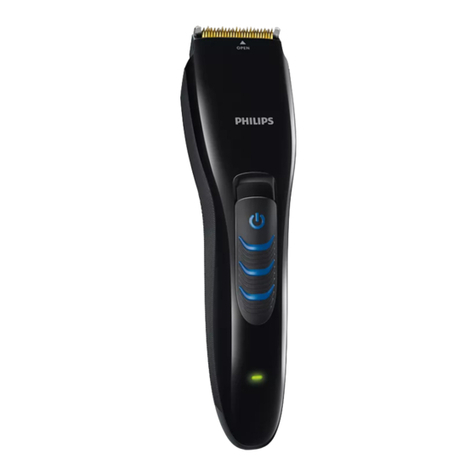
  9. Philips QT4005 User manual

Philips QT4005 User manual

Other manuals for QT4005

6

This manual suits for next models

2

Other Philips Electric Shaver manuals

Philips One Blade QP2531 User manual

Philips

Philips One Blade QP2531 User manual

Philips QG 3080 User manual

Philips

Philips QG 3080 User manual

Philips S5000 series User manual

Philips

Philips S5000 series User manual

Philips HQ9080 User manual

Philips

Philips HQ9080 User manual

Philips HQ7821/16 User manual

Philips

Philips HQ7821/16 User manual

Philips BRL160 User manual

Philips

Philips BRL160 User manual

Philips AT940 User manual

Philips

Philips AT940 User manual

Philips PQ215/16 User manual

Philips

Philips PQ215/16 User manual

Philips RQ119x User manual

Philips

Philips RQ119x User manual

Philips RQ1160/32 User manual

Philips

Philips RQ1160/32 User manual

Philips HQ8160 User manual

Philips

Philips HQ8160 User manual

Philips NORELCO QP2515 User manual

Philips

Philips NORELCO QP2515 User manual

Philips S7000 series Installation guide

Philips

Philips S7000 series Installation guide

Philips PT715 User manual

Philips

Philips PT715 User manual

Philips RQ1053/18 User manual

Philips

Philips RQ1053/18 User manual

Philips ProStyler 7 User manual

Philips

Philips ProStyler 7 User manual

Philips Essence 5000 Series User manual

Philips

Philips Essence 5000 Series User manual

Philips BT9290 User manual

Philips

Philips BT9290 User manual

Philips HQ6 User manual

Philips

Philips HQ6 User manual

Philips XZ5800/69 User manual

Philips

Philips XZ5800/69 User manual

Philips S7980 User manual

Philips

Philips S7980 User manual

Philips HS860/33 User manual

Philips

Philips HS860/33 User manual

Philips HQ6075 s User manual

Philips

Philips HQ6075 s User manual

Philips HQ8271 User manual

Philips

Philips HQ8271 User manual

Popular Electric Shaver manuals by other brands

Norelco Quadra 7610X owner's manual

Norelco

Norelco Quadra 7610X owner's manual

Braun WaterFlex WF2s manual

Braun

Braun WaterFlex WF2s manual

Daga MT-400 Directions for use

Daga

Daga MT-400 Directions for use

Remington BHT100 user manual

Remington

Remington BHT100 user manual

Kompernass KH 5537 operating instructions

Kompernass

Kompernass KH 5537 operating instructions

Remington BHT6100 manual

Remington

Remington BHT6100 manual

MIA Aqua Body manual

MIA

MIA Aqua Body manual

Matheo MLR 15 manual

Matheo

Matheo MLR 15 manual

Remington XR7000 user manual

Remington

Remington XR7000 user manual

Braun silk-epil 5 manual

Braun

Braun silk-epil 5 manual

SEVERIN SÉRIE E700 0533 Dimensions

SEVERIN

SEVERIN SÉRIE E700 0533 Dimensions

Remington PR1355 manual

Remington

Remington PR1355 manual

Aurora AU 3543 manual

Aurora

Aurora AU 3543 manual

Braun InterFace 3614 user manual

Braun

Braun InterFace 3614 user manual

Wahl 8061 5-STAR operating manual

Wahl

Wahl 8061 5-STAR operating manual

Norelco 4404LC Specifications

Norelco

Norelco 4404LC Specifications

Panasonic ER-GN30 operating instructions

Panasonic

Panasonic ER-GN30 operating instructions

Remington AQ7 WETECH Use and care guide

Remington

Remington AQ7 WETECH Use and care guide

manuals.online logo
manuals.online logoBrands
  • About & Mission
  • Contact us
  • Privacy Policy
  • Terms and Conditions

Copyright 2025 Manuals.Online. All Rights Reserved.

Always here to help you
Register your product and get support at
www.philips.com/welcome
User manual
QT4005
QT4000
1
QT4005, QT4000
ENGLISH 4
 10
 17
EESTI 22
 29
 35
 41
 48
 54
 60
 67
 73
 80
 86
 92
 98
4
Introduction
Congratulations on your purchase and welcome to Philips!

register your product at www.philips.com/welcome.
General description (Fig. 1)
1 Trimming comb
2 Cutting unit
3 Precision Zoom Lock™ adjustment ring
4 On/off slide
5 Socket for appliance plug
6 Brush
7 Appliance plug
8 Adapter with charging light
Important
Read this user manual carefully before you use the appliance and save it for
future reference.
Danger
- Make sure the adapter does not get wet.
Warning
- The adapter contains a transformer. Do not cut off the adapter to

- This appliance is not intended for use by persons (including children)


instruction concerning use of the appliance by a person responsible for
their safety.
- Children should be supervised to ensure that they do not play with
the appliance.
Caution
- Never immerse the appliance in water or rinse it under the tap.
Only the cutting unit can be rinsed under the tap.
- 
5°C and 35°C.
- Only use the adapter supplied.
- 

- This appliance is only intended for trimming the human beard. Do not
use it for any other purpose.
- Do not use the appliance if the cutting unit or the trimming comb is


This Philips appliance complies with all standards regarding electromagnetic


available today.
ENGLISH
General
- The appliance is equipped with an automatic voltage selector and is
suitable for mains voltages from 100 to 240 volts.
- The adapter transforms 100-240 volts to a safe low voltage of less
than 24 volts.
Charging

period of disuse.
It takes approximately 10 hours to fully charge the appliance.

to 35 minutes.
Note: For safety reasons, the epilator can only be used cordlessly. Make sure
the appliance is charged before use.
1 Make sure the appliance is switched off.
2 Insert the appliance plug into the appliance.
3 Put the adapter in the wall socket.
,The charging light on the adapter lights up green continuously to
indicate that the appliance is charging.
Note:The charging light on the adapter does not change colour and does not
go out when the appliance is fully charged.
4 After charging, remove the adapter from the wall socket and pull the
appliance plug out of the appliance.
Optimising the lifetime of the rechargeable battery

use it until the battery is completely empty. Continue to use the appliance
until the motor almost stops running during a session.Then recharge the

Using the appliance

start trimming.

too fast. Make smooth and gentle movements.
Trimming with comb
1 Turn the Precision Zoom Lock™ adjustment ring to the
desired setting.The selected setting is the setting in the centre of the
adjustment ring.
See the table below for an overview of the settings and the resulting hair
lengths.
ENGLISH 5
Setting Resulting hair length
1 1mm
2 2mm
3 3mm
4 4mm
5 5mm
6 6mm
7 7mm
8 8mm
9 9mm
10 10mm

familiarise yourself with the appliance.
2 Switch on the appliance.
3 To trim most effectively, move the trimmer against the hair growth

with the skin.
4 

The selected setting does not change when you do this.
Trimming at the unique ‘stubble look’ setting
1 
to setting 1.
ENGLISH6
Trimming without comb
Use the trimmer without beard trimming comb to trim full beards and
single hairs.

element removes every hair it touches.
1 
2 Switch on the appliance.
3 Make well-controlled movements.Touch the hair lightly with the
trimmer.
Cleaning

such as alcohol, petrol or acetone to clean the appliance.
1 Make sure the appliance is switched off and disconnected from the
mains.
2 Wipe the housing of the appliance with a dry cloth.
Never immerse the appliance in water or rinse it under the tap.
3 
4 

5 
the lug of the cutting unit into the guiding slot.
6 
ENGLISH 7
Replacement
Only replace a worn or damaged cutting unit with an original Philips cutting

1 Open the cutting unit.
2 
cutting unit.
3 Insert the lug of the new cutting unit into the guiding slot.
4 
Ordering accessories

www.shop.philips.com/service. If the online shop is not available in




ENGLISH8
Environment
- Do not throw away the appliance with the normal household waste


- The built-in rechargeable battery contains substances that may pollute
the environment.Always remove the battery before you discard and



service centre.The staff of this centre will remove the battery for you
and will dispose of it in an environmentally safe way.
Removing the rechargeable battery

1 
until the motor stops.
2 
part.
3 
4 

Guarantee and service

the Philips website at www.philips.com/support or contact the Philips



ENGLISH 9
10





 
 
 
 
 
 
 
 




- 

- 

- 




- 

- 

- 

- 
- 

- 

- 







