STEP3.
Settheupdatemode.
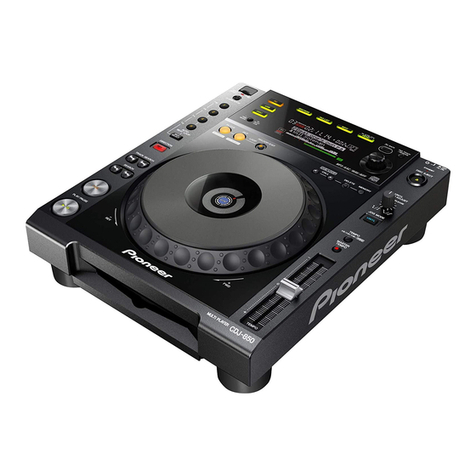
Ejectthediscfromthediscinsertionslot
andturnthepoweroff.DisconnecttheUSB
memorydeviceandcomputerconnectedto
theCDJ-850.
Next,turnonthepowerwhilesimultaneously
pressingthe[USB]and[RELOOP/EXIT]
buttons.
(Keeppressinguntilthe"POWERON"
indicatoronthemainunitdisplayturnsoff.)
Whenthemessagebelowappears,release
thebutton.
STEP4.
InserttheUSBmemorydeviceintotheUSB
port.
UsetheUSBmemorydeviceontowhichthe
updatefilewascopiedinadvance.
STEP5.
Updatingstartsautomatically.
Themessage"NOWUPDATING"flasheson
themainunitdisplayandtheprogressis
indicatedonaprogressbar.Atthesame
time,thecurrentversionnumberandthe
versionnumberafterrewritingaredisplayed.
DonotdisconnecttheUSBmemorydeviceor
turnoffthepowerduringupdating.
The"COMPLETE!Turnthepoweroff"
messageappearsafterapproximately1min.
Thiscompletestheupdatingprocedure.
STEP7.
Checkthatthefirmwarehasbeenupdated
tothelatestversion.
Referto"CheckingtheVersion"tocheck
thatthefirmwareisthelatestversion.
STEP6.
TurnthepoweroffanddisconnecttheUSB
memorydevice. *Ifupdatingdoesnotstartorif"Updatinghasfailed"isdisplayedwhenupdatingiscompleted:
Thefileyouhavedownloadedmaybecorrupt.
Startoverfromdownloadingthefirmwareupdatefile.Ifupdatingisstillnotpossible,theproblem
maybewiththeUSBmemorydevice.TryusingadifferentUSBmemorydevice.
*Iftheprogressbardoesnotprogressduringupdating,ifthe"COMPLETE!"messagedoesnot
appearafter5minutes,orifamessagesuchas"MAINfirmwareupdatefailed"appears:
ContactaCustomerSupportCenter.