4
En
Thank you forpurchasing this PIONEER product. To obtain the best performance from this product, please read this manual carefully. It will guide you in operating yourPIONEER product.
Contents
Accessories. . . . . . . . . . . . . . . . . . . . . . . . . . . . . . 4
Before you start . . . . . . . . . . . . . . . . . . . . . . . . . 5
General. . . . . . . . . . . . . . . . . . . . . . . . . . . . . . . . . . . . 5
Loading the batteries . . . . . . . . . . . . . . . . . . . . . . . . . 5
Controls and Displays . . . . . . . . . . . . . . . . . . . . . 6
Remote control. . . . . . . . . . . . . . . . . . . . . . . . . . . . . . 6
Front Panel. . . . . . . . . . . . . . . . . . . . . . . . . . . . . . . . . 7
Speakersystem (X-HM70DAB only) . . . . . . . . . . . . . . 7
Connecting your equipment . . . . . . . . . . . . . . . 8
Aerial connection . . . . . . . . . . . . . . . . . . . . . . . . . . . . 8
Speakerconnection . . . . . . . . . . . . . . . . . . . . . . . . . . 9
Using othersubwoofer. . . . . . . . . . . . . . . . . . . . . . . . 9
Connecting a TV, etc. . . . . . . . . . . . . . . . . . . . . . . . . . 9
Connecting to the network through LAN interface . . 10
AC powerconnection . . . . . . . . . . . . . . . . . . . . . . . . 10
General control . . . . . . . . . . . . . . . . . . . . . . . . . 11
To turn the poweron. . . . . . . . . . . . . . . . . . . . . . . . . 11
Setting the clock. . . . . . . . . . . . . . . . . . . . . . . . . . . . 11
Enhancing yoursystem . . . . . . . . . . . . . . . . . . . . . . 12
Listening to a CD or MP3/WMA disc. . . . . . . . . 13
Disc playback . . . . . . . . . . . . . . . . . . . . . . . . . . . . . . 13
Various disc functions . . . . . . . . . . . . . . . . . . . . . . . 13
Advanced CD orMP3/WMA disc playback . . . . . . . . 14
MP3/WMA foldermode (only forMP3/WMA files) . . 15
Listening to the iPod, iPhone or iPad . . . . . . . 17
Supported iPod, iPhone and iPad models: . . . . . . . . 17
Connecting youriPod/iPhone . . . . . . . . . . . . . . . . . . 17
To remove adaptorforiPod oriPhone. . . . . . . . . . . . 17
To insert iPad adaptor. . . . . . . . . . . . . . . . . . . . . . . . 17
Playing an iPod, iPhone oriPad . . . . . . . . . . . . . . . . 18
Listening to USB mass storage device/
MP3 player . . . . . . . . . . . . . . . . . . . . . . . . . . . . . 19
Connecting a USB device . . . . . . . . . . . . . . . . . . . . . 19
Playing a USB device . . . . . . . . . . . . . . . . . . . . . . . . 19
Playback with NETWORK feature. . . . . . . . . . . 20
Listening to Internet radio stations . . . . . . . . . . . . . 20
Playing back audio files stored on components on the
network. . . . . . . . . . . . . . . . . . . . . . . . . . . . . . . . . . 21
Playing back yourfavorite songs . . . . . . . . . . . . . . . 21
Network setupmenu. . . . . . . . . . . . . . . . . . . . . . . . 21
Network connection requirements . . . . . . . . . . . . . 22
About network playback . . . . . . . . . . . . . . . . . . . . . 22
Glossary. . . . . . . . . . . . . . . . . . . . . . . . . . . . . . . . . 23
Listening to the FM radio . . . . . . . . . . . . . . . . . 24
Using the Radio Data System (RDS). . . . . . . . . 25
An introduction to RDS . . . . . . . . . . . . . . . . . . . . . . 25
Listening to the DAB. . . . . . . . . . . . . . . . . . . . . 26
Using the auto scan function manually. . . . . . . . . . 26
Selecting DAB stations . . . . . . . . . . . . . . . . . . . . . . 26
Displaying DAB radio information. . . . . . . . . . . . . . 26
DAB setup. . . . . . . . . . . . . . . . . . . . . . . . . . . . . . . . 27
Timer and sleep operation . . . . . . . . . . . . . . . . 28
Setting the wake-uptimer. . . . . . . . . . . . . . . . . . . . 28
Sleepoperation . . . . . . . . . . . . . . . . . . . . . . . . . . . . 28
Additional Information . . . . . . . . . . . . . . . . . . 29
Troubleshooting chart. . . . . . . . . . . . . . . . . . . . . . . 29
Condensation . . . . . . . . . . . . . . . . . . . . . . . . . . . . . 31
If problem occurs. . . . . . . . . . . . . . . . . . . . . . . . . . 31
Factory reset, clearing all memory. . . . . . . . . . . . . . 31
Before transporting the unit . . . . . . . . . . . . . . . . . . 31
Care of compact discs. . . . . . . . . . . . . . . . . . . . . . . 31
Cleaning the cabinet . . . . . . . . . . . . . . . . . . . . . . . . 31
Caution forwhen the unit is installed in a rack with a
glass door. . . . . . . . . . . . . . . . . . . . . . . . . . . . . . . . 31
About playable music file formats . . . . . . . . . . . . . . 32
About status messages. . . . . . . . . . . . . . . . . . . . . . 32
Specifications . . . . . . . . . . . . . . . . . . . . . . . . . . . . . 33
About iPod/iPhone/iPad . . . . . . . . . . . . . . . . . . . . . 33
Software License Notice . . . . . . . . . . . . . . . . . . . . . 34
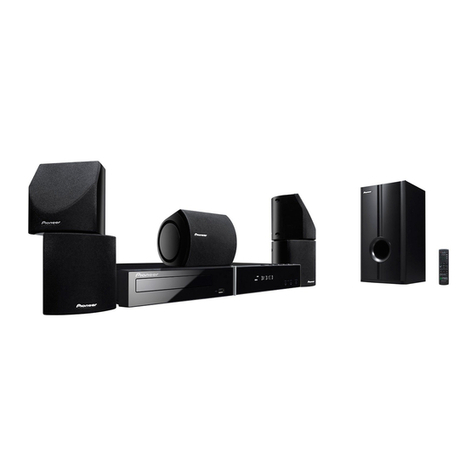
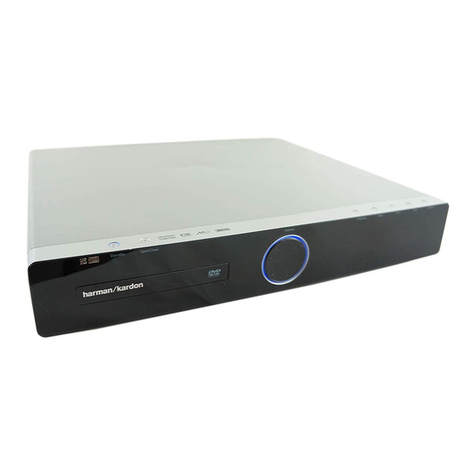
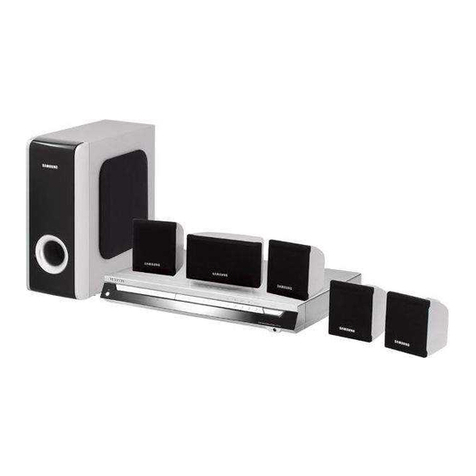
X-HM70DAB Network CD ReceiverSystem consisting of
main unit and speakersystem.
XC-HM70DAB Network CD Receiverconsisting of main unit.
Accessories
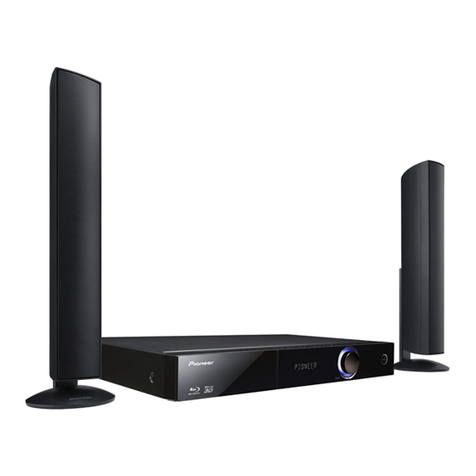
Please confirm that the following accessories are included.
Remote control x 1 “AAA” size battery x 2
DAB/FM aerial x 1 Video cable x 1
Speaker wires x 2
(X-HM70DAB only)
Speaker x 2
(X-HM70DAB only)
Power cord
Warranty card
These operating instructions
o
X-HM70_DAB_En.book 4 ページ 2011年8月10日 水曜日 午後2時9分