6. Date and Time Settings
Your ACE Blood Glucose Meter is preset with IST date and time.
Even if the date and time, are incorrect, test results are not affected.
You can reset the date and time on your ACE Glucose Meter.
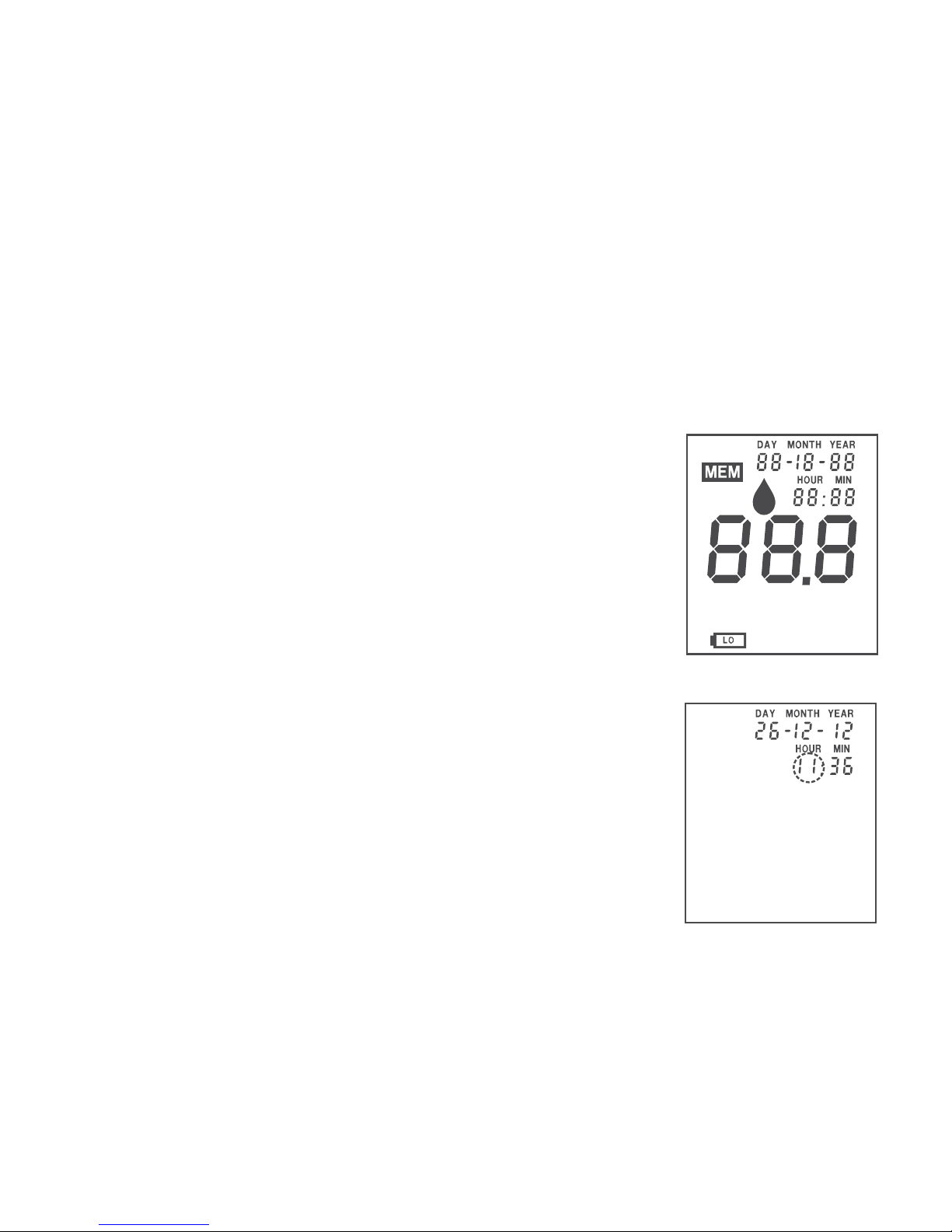
1) When you press the POWER Button, the
monitor switches ON and displays the initial
screen in which all the segment’s of the
display are shown.
2) Press the POWER button once again on your
monitor when the initial display (as shown in
the picture) is shown to enter the time and
date setting mode.
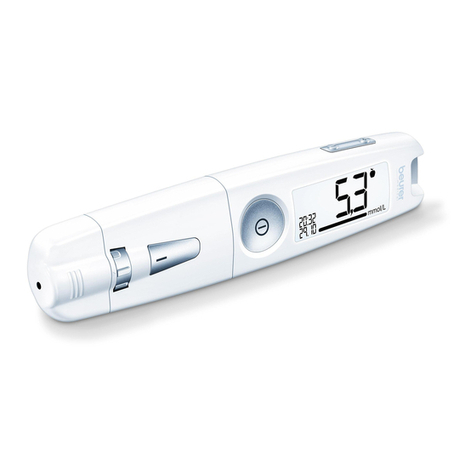
3) Your monitor now displays the current time
and date set on your monitor and the hour is
blinking. Press NEXT or POWER Button to
increase or decrease the hour setting till it
displays the desired hour value.
10
g/dl % mmol/L mg/dl
BEFORE MEAL
AFTER MEAL
ERROR
AVG.
CODE
4) Wait for 2 seconds to save the hour setting
and to go to the minutes set mode. The
minutes now start to blink.
5) Press the NEXT or POWER Button to
increase or decrease the minutes setting till it
displays the desired minutes value.
6) Wait for 2 seconds to save the minutes setting
and to go to the set day mode. The day now
starts to blink.
7) Press the NEXT or POWER Button to
increase or decrease the day setting till it
displays the desired date value.
8) Wait for 2 seconds to save the day setting and
to go to the set month mode. The month now
starts to blink.
9) Press the NEXT or POWER Button to
increase or decrease the month setting till it
displays the desired month value.
11