Manual for Q1900G4 MINI Motherboard
———————————————————————————————————————————————————
QOTOM TECHNOLOGY LIMITED 1/ 8 WWW.QOTOM.NET
Manual for Q1900G4 Nano Motherboard v1.1
Catalogue
I、Product Description.................................................................... 2
1. Brief Introduction .............................................................. 2
2. Version Specification............................................................ 2
3. Characteristics & Performances.................................................... 2
II、Product Overview ..................................................................... 3
1. Front View.................................................................... 3
2. Back View .................................................................... 4
3. Connectors and Headers ......................................................... 5
III、Detailed Description of Connection Ports................................................... 5
1. Power Input Port ............................................................... 5
2. HDD led & Power led ........................................................... 5
3. 1000M LAN Port............................................................... 5
4. USB Ports .................................................................... 6
5. VGA Connector................................................................ 6
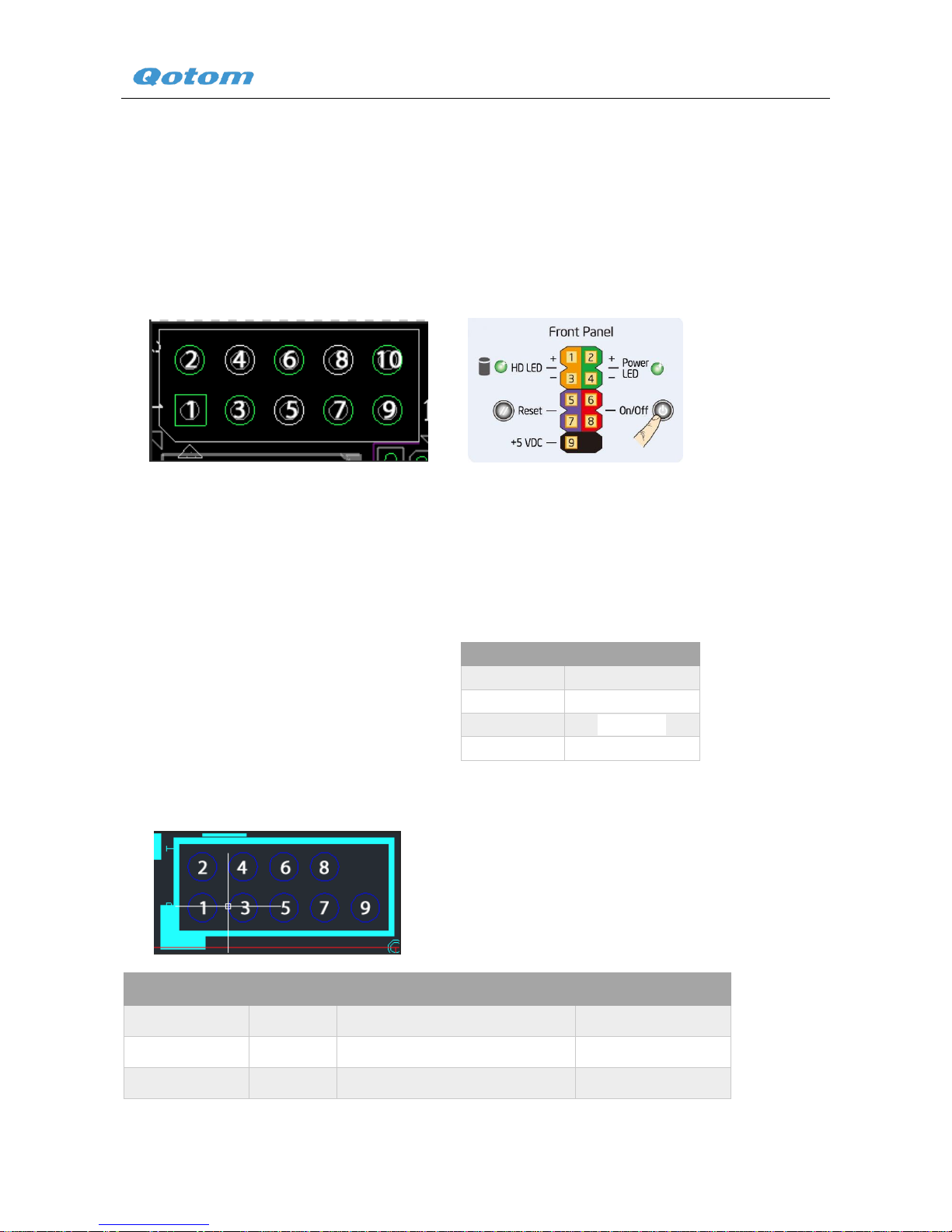
6. Extended Pin for External Panel ................................................... 6
7. Power led..................................................................... 6
8. Power Switch.................................................................. 6
9. CPU Fan Header ............................................................... 6
10. Serial port header............................................................... 6
11. Automatically boot jumper ....................................................... 7
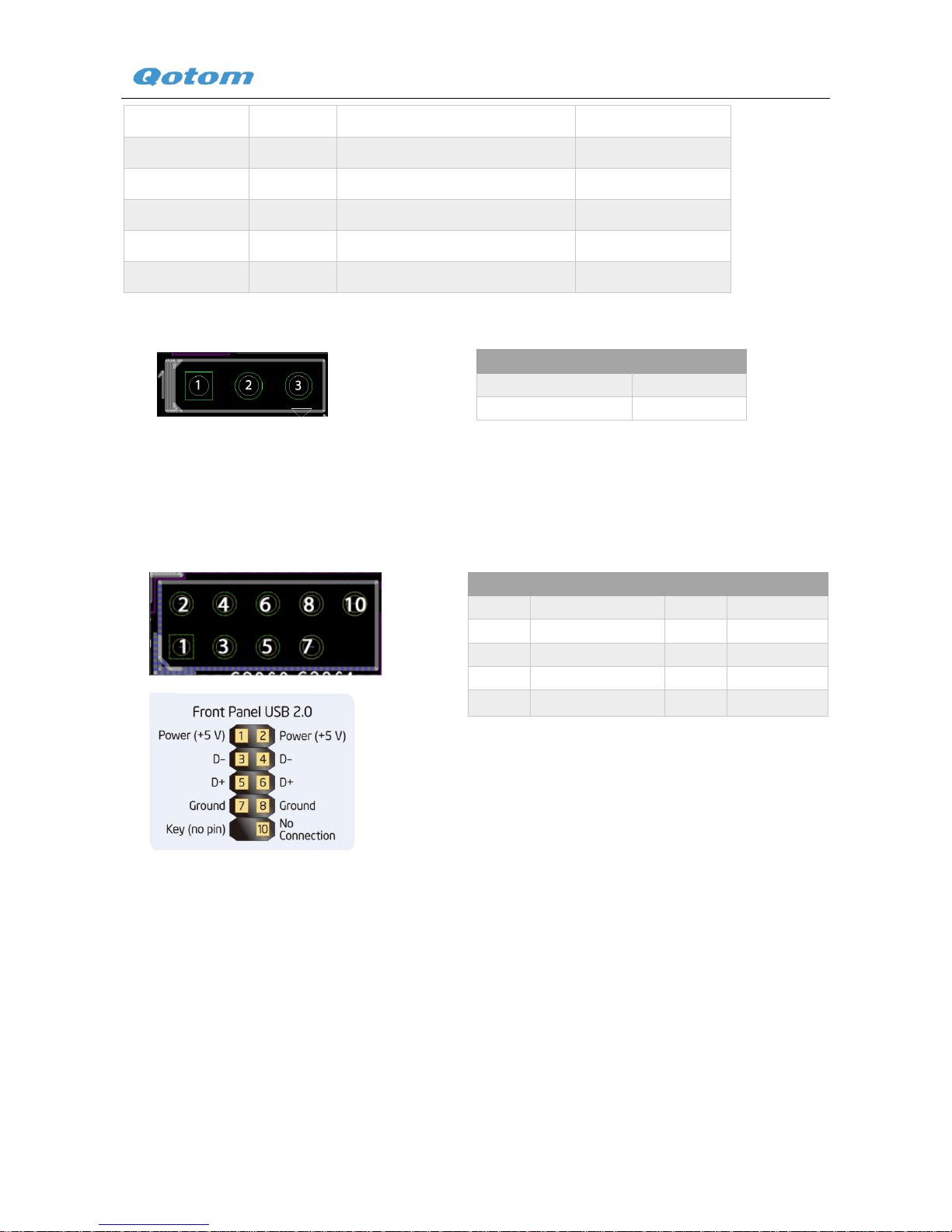
12. Extended USB Pin.............................................................. 7
13. Intel Baytrail Processor .......................................................... 7
14. SATA 3.0 Port................................................................. 7
15. SATA Power Connector ......................................................... 8
16. PCI Express Full-Mini Card Slot (For MSATA SSD) .................................. 8
17. SIM card slot .................................................................. 8
18. PCI Express Half-Mini Card Slot .................................................. 8
19. Memory Slot .................................................................. 8