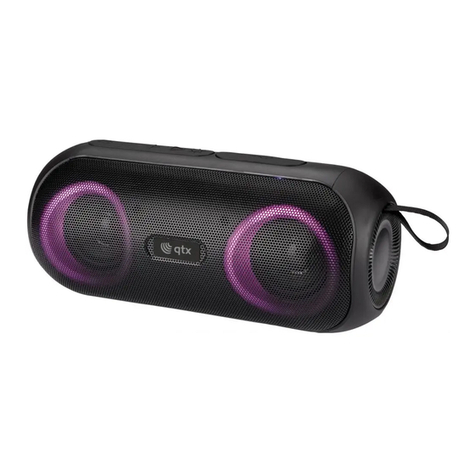
100.614UK User Manual
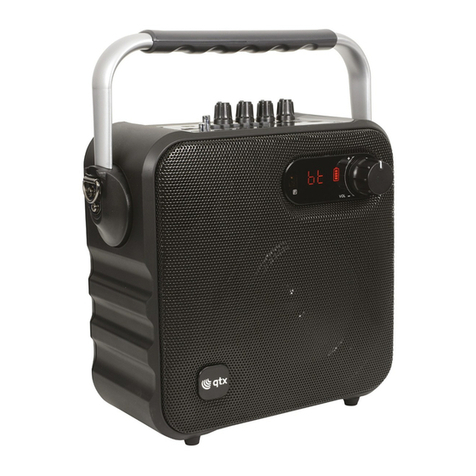
Unit Controls and Features:
1. DC in 5V micro USB port: Use the charging cable supplied and connect to a compatible USB power
source for charging or constant power.
2. USB port: Multimedia playback via a USB flash drive or other compatible USB device.
3. Micro SD (TF) slot: Multimedia playback via a compatible Micro SD/TF card (max 64GB)
4. AUX in jack: Use to connect to audio output devices with a compatible 3.5mm lead (not supplied).
5. Microphone/guitar jacks: Connect the wired microphone supplied for constant voice playback or
recording; and/or connect a separate guitar for constant playback.
6. Microphone volume: Rotate to increase or lower the connected microphone volume (Mic-In only).
7. Volume control: Rotate to increase or lower the master volume.
8. Echo volume: Rotate to increase or lower the echo effect of a connected microphone (Mic-In only).
9. Power/mode button ( ): Long press to power the unit on or off. Short press to switch between
modes (Bluetooth/AUX/FM/Record).
10. EQ button: Press repeatedly to alter the equalizer sound settings; EQ1 is normal, EQ2 is bass boost,
EQ3is Rock.
11. Bluetooth pairing button ( ): Press to enter Bluetooth pairing mode to connect with compatible
devices.
12. Track and station control buttons (<>): Short press to move to the previous or next track in BT/USB
mode, or previous/next station in FM radio mode.
13. Play/pause button ( ): Long press to turn the LED Light show on or off. Short press in BT/USB
mode to play or pause the current track or in FM mode to perform a channel scan.
14. LED charging indicator: Glows red when the unit is connected to a compatible USB power source and in
charging mode. Goes out when fully charged.
15. Reset aperture: Press using a pin or sharp object to reset the unit to factory settings when required.
Charging the battery:
•Fully charge the Effect’s internal battery before first use. Use the USB cable provided and only connect to a
suitable 5V USB power supply.
•During charging, the LED charging indicator (14) will glow red and go out when the unit is fully charged.
Note: If the Effect is used while connected to a USB power source, the indicator will always glow, even
when the unit is fully charged.
Bluetooth Mode:
•Select Bluetooth mode by short pressing the Power/mode button (9)repeatedly until you hear the relevant
voice prompt or alternatively by pressing the Bluetooth Pairing button (11).
•The Effect will enter Bluetooth pairing mode and become discoverable from your smart device.
•Enter the Bluetooth device list on your smart device and search for “QTX-Effect Aqua”and select to pair.
•Your device may ask you for a pairing confirmation or code, enter “0000”if prompted. When successful, a
pairing tone can be heard.
•Once paired, the Effect will automatically reconnect to your device when both are in Bluetooth mode and
within 18m of each other.
•You can now use the unit’s Play/pause (13) and Track control buttons (12)to control the music on your
connected smart device.
USB & Micro SD/TF modes:
•The Effect is fitted with a media player which can play compatible music files from the USB (2) or
MicroSD/TF port (3) on the top of the unit.
•Simply insert the relevant media and the unit will automatically enter either USB or Micro SD/TF mode and
a voice prompt can be heard. Alternatively, you can select the relevant mode by short pressing the
Power/mode button (9) repeatedly until you hear the relevant voice prompt.
•You can now use the unit’s Play/pause (13) and Track control buttons (12)to control the music on your
inserted media.