Raytheon RayChart 620 User manual

Distributed by
Any reference to Raytheon or
RTN in this manual should be
interpreted as Raymarine.
The names Raytheon and RTN
are owned by the
Raytheon Company.

ELECTRONIC CHARTING SYSTEM
OPERATION MANUAL
N 43#34.944'
W 72#26.223'
N 43#34.944'
W 72#26.223'
.12

RayChart 620

RayChart 620
RayChart 620
ElectronicChartingSystem
OperationManual
IMPORTANT NOTICE
This device is only an aid to navigation. Its accuracy can be
affected by many factors, including equipment failure or defects,
environmental conditions and improper handling or use.
It is the user’s responsibility to exercise common prudence and
navigational judgement, and this device should not be relied upon
as a substitute for such prudence and judgement.

RayChart 620
RAYTHEON MARINE ELECTRONICS products are supported by a
network of Authorized Service Representatives. For information on
Raytheonproductsandservices,contacteitherofthefollowing:
UNITEDSTATES RaytheonMarineCompany
676IslandPond Road
Manchester,NH03109-5420
Telephone: (603) 647-7530
800 539-5539
Fax: (603) 634-4756
EUROPE Raytheon Marine Europe
AnchoragePark
Portsmouth
HampshirePO35TD
England
Telephone:01705693611
Fax:01705694642
Copyright © Raytheon Marine Company 1997
Thetechnicalandgraphicalinformationcontainedin this handbook, to
thebestofourknowledge,wascorrectasitwenttopress.However, the
Raytheonpolicyofcontinuousimprovementandupdatingmaychange
productspecificationswithoutpriornotice.Therefore,unavoidable
differencesbetweentheproduct and handbook mayoccurfromtime to
time, for which liability cannot be accepted by Raytheon.
Raytheon is a registered trademark of Raytheon Company
SeaTalk is a registered trademark of Raytheon Marine Europe Limited
RayChart is a trademark of Raytheon Marine Company
C-MAPisa registered trademark.

Preface i
Preface
This handbook covers the RayChart 620 electronic charting system
from Raytheon. It contains very important information on the installation
and operation of your new equipment. In order to obtain the best results
in operation and performance, please read this handbook thoroughly.
Raytheon Product Support or your local dealer will be available to
answer any questions you may have.
How this Handbook is Organized
This handbook is divided into the following chapters:
Chapter 1: Introduces the RayChart 620’s features and concepts.
Chapter 2: Explains how start using the RayChart 620, including
instructions for turning it on, using the controls, changing the lighting,
and using chart cards. Simple exercises are also included.
Chapter 3: Provides instructions for controlling the chart (including
moving the chart and changing the chart scale), and using the default
soft keys to set up and use on-screen routes.
Chapter 4: Explains how to use additional basic functions, such as
track histories, marks and events, and how to display navigational data.
It also explains how to use the MOB function.
Chapter 5: Provides information on the stored data, such as waypoints,
routes and events, and how you can review, edit and use it.
Chapter 6: Provides instructions for customizing the RayChart 620
defaults, such as the numerical units used, the equipment connected
and the alarm settings, to suit your preferences. It also explains how to
customize the screen display.
Chapter 7: Provides instructions for installing the RayChart 620.
Chapter 8: Provides information on maintenance, and what to do if you
experience problems with your RayChart 620.
Appendix A: Provides information on the data sources and standards,
together with information on data output.
Appendix B: Lists the system specifications.
A glossary, index and warranty information are included at the end of
the handbook.

ii RayChart 620
How to Use this Handbook
This handbook is organized with the information about operating the
RayChart 620 at the front, since you will probably use these chapters
most often.
When you first receive your RayChart 620, you should read Chapter 7,
and install the equipment. Then read Chapter 2, and familiarize yourself
with the controls of the RayChart 620. You may also wish to read
Chapters 3, 4 and 5.
When you are happy with the basics of using the RayChart 620, read
Chapter 6, decide how you wish to set up your defaults, alarms and the
screen, and follow the instructions to make your changes.
Once you are on the water, you can follow the instructions in Chapters 3
and 4 to perform all your routine tasks, and refer to Chapter 5 for
information about more advanced features.
If you experience any difficulties with your RayChart 620, refer to
Chapter 8.
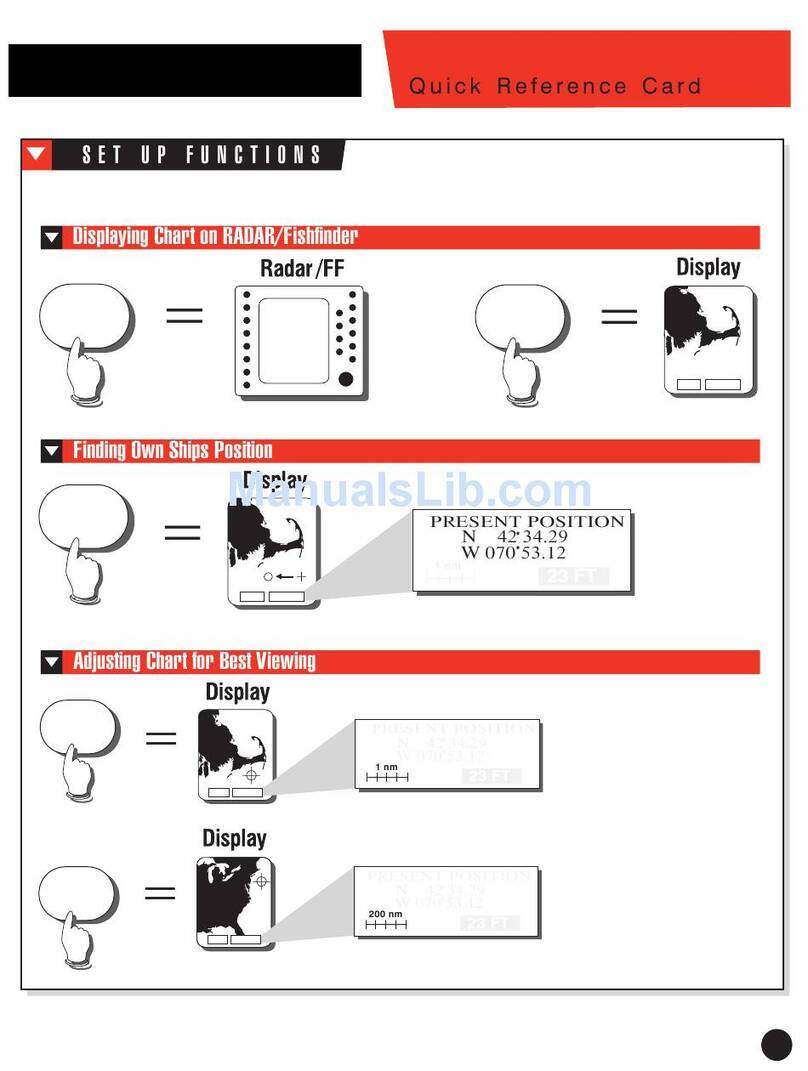
Note: The Quick Reference Card, included with your system, provides
a useful summary of the RayChart controls.
Warranty
To verify your RayChart 620 ownership, please take a few minutes to fill
out the warranty registration card found at the end of this handbook. It is
very important that you complete the owner information and return the
card to the factory in order to receive full warranty benefits.
EMC Conformance
All Raytheon equipment and accessories are designed to the best
industry standards for use in the leisure marine environment.
Their design and manufacture conforms to the appropriate
Electromagnetic Compatibility (EMC) standards, but good installation is
required to ensure that performance is not compromised.

Contents iii
Contents
Chapter 1: Introduction.........................................................1
1.1 Overview........................................................................... 1
1.2 RayChart 620 Features...................................................... 1
1.3 Navigational Displays ........................................................ 2
Chapter 2: Getting Started ....................................................3
2.1 Introduction ....................................................................... 3
Basics............................................................................... 3
Text Conventions .............................................................. 4
2.2 Turning the RayChart On and Off ....................................... 4
2.3 The Chart Display .............................................................. 6
2.4 Using the RayChart Controls .............................................. 8
The Trackpad.................................................................... 8
The Soft Keys.................................................................... 8
Soft Key Default Functions .......................................... 10
Other Soft Key Functions ............................................ 11
2.5 djusting the Lighting and Contrast..................................... 11
2.6 Using Chart Cards ........................................................... 12
Inserting a Chart Card ...................................................... 12
Removing a Chart Card ................................................... 13
Chapter 3: Controlling the Chart and Using the Default
Soft Keys ............................................................................15
3.1 Introduction ..................................................................... 15
3.2 Controlling the Chart ........................................................ 16
Moving the Chart ............................................................. 16
Changing the Chart Scale ................................................ 17
Centering the Chart and Using Home Mode ...................... 18
Centering the Chart..................................................... 18
Using Home Mode ...................................................... 19

iv RayChart 620
Displaying Information About Objects ............................... 20
3.3 Using the GO TO Key ...................................................... 21
Tracking to a Target Point ................................................ 21
Editing the Waypoint Details............................................. 22
Clearing or Changing a GO TO ........................................ 22
3.4 Setting Up and Using On-Screen Routes .......................... 23
Making a New On-Screen Route ...................................... 24
Editing an Existing Route On-Screen................................ 26
Editing Route Information................................................. 27
Using a Route ................................................................. 29
Following, Reversing and Stopping a Route ................. 29
Advancing to the Next Leg of the Route........................ 30
Erasing a Route .......................................................... 30
3.5 Measuring Distances Using the RULER Key ..................... 31
Chapter 4: Additional Basic Functions ...............................33
4.1 Introduction ..................................................................... 33
4.2 Marks and Events............................................................ 34
Placing and Deleting a Mark............................................. 34
Placing and Deleting an Event.......................................... 35
4.3 Using Track Histories ....................................................... 36
Starting and Stopping a Track .......................................... 36
Deleting the Current Track ............................................... 37
Editing Track Controls...................................................... 37
4.4 Displaying Navigation Information, Using DISPLAY........... 39
Chart .............................................................................. 39
Changing between Full Screen and Windows .............. 40
Changing the Window Setup ....................................... 40
Navigation....................................................................... 42
4.5 Man Overboard (MOB) .................................................... 43
4.6 Alarms and Timers........................................................... 44

Contents v
Chapter 5: Using Stored Lists (EDIT) ..................................45
5.1 Introduction ..................................................................... 45
5.2 The Waypoint List ............................................................ 46
Viewing the Waypoint List ................................................ 46
Waypoint List Operations ................................................. 47
Finding a Waypoint in the List ...................................... 47
Editing a Waypoint or Adding a New Waypoint ............. 48
5.3 The Current Route ........................................................... 49
Viewing the Current Route ............................................... 49
Current Route Operations ................................................ 50
5.4 The Route List ................................................................. 51
Viewing the Route List ..................................................... 51
Route List Operations ...................................................... 52
Route Details................................................................... 53
Editing a Route or Building a New Route ........................... 54
5.5 Finding and Displaying a Waypoint ................................... 55
5.6 Displaying and Printing the Log ........................................ 56
5.7 Printing ........................................................................... 56
Chapter 6: Customizing the RayChart ................................57
6.1 Introduction ..................................................................... 57
6.2 Setting Up the Data.......................................................... 58
Setting the Defaults ......................................................... 58
Setting Up the System ..................................................... 59
Input Selection............................................................ 60
Units .......................................................................... 61
Language................................................................... 61
Printer Baud Rate ....................................................... 61
Date and Time ............................................................ 61
Head Up Response .................................................... 62
Table of contents
Other Raytheon GPS manuals

Raytheon
Raytheon 198 User manual

Raytheon
Raytheon NSC 18 User manual

Raytheon
Raytheon RayChart 600XX User manual

Raytheon
Raytheon RayChart 610EST User manual

Raytheon
Raytheon RayChart 601XX User manual

Raytheon
Raytheon 600 RAYCHART SERIES Reference guide

Raytheon
Raytheon Raystar 112LP User manual

Raytheon
Raytheon E32001 User manual