manuals.online logo
Brands
  1. Home
  2. •
  3. Brands
  4. •
  5. RCA
  6. •
  7. Adapter
  8. •
  9. RCA AH3WH User manual

RCA AH3WH User manual

This manual suits for next models

1

Other RCA Adapter manuals

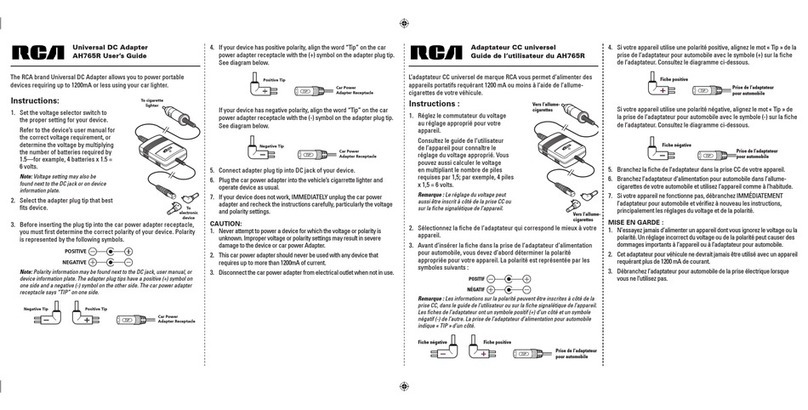
RCA AH765R User manual

RCA

RCA AH765R User manual

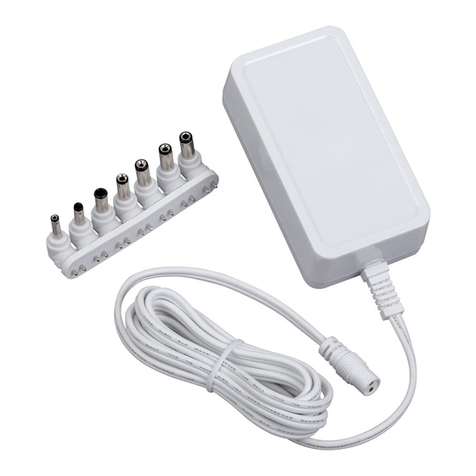
RCA AH615R User manual

RCA

RCA AH615R User manual

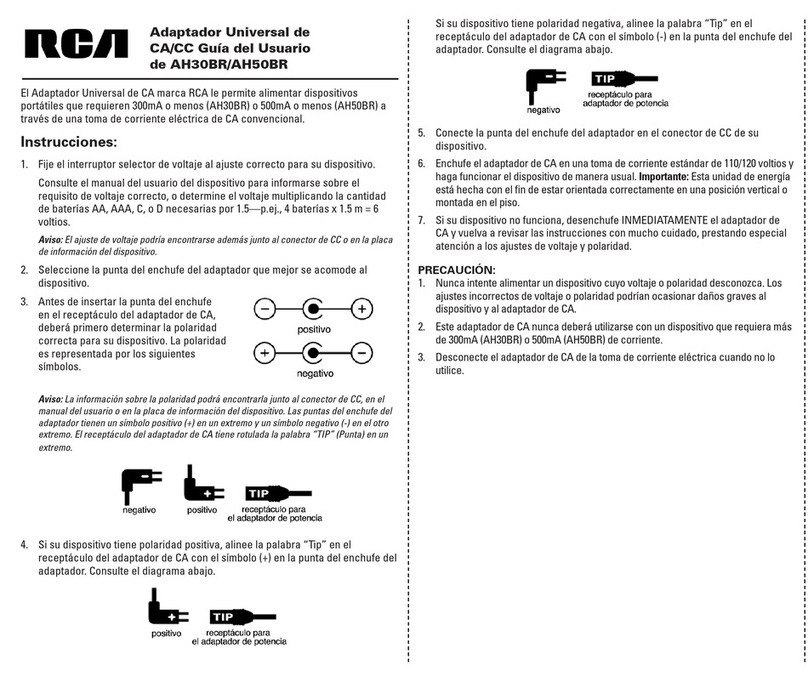
RCA AH30BR Quick start guide

RCA

RCA AH30BR Quick start guide

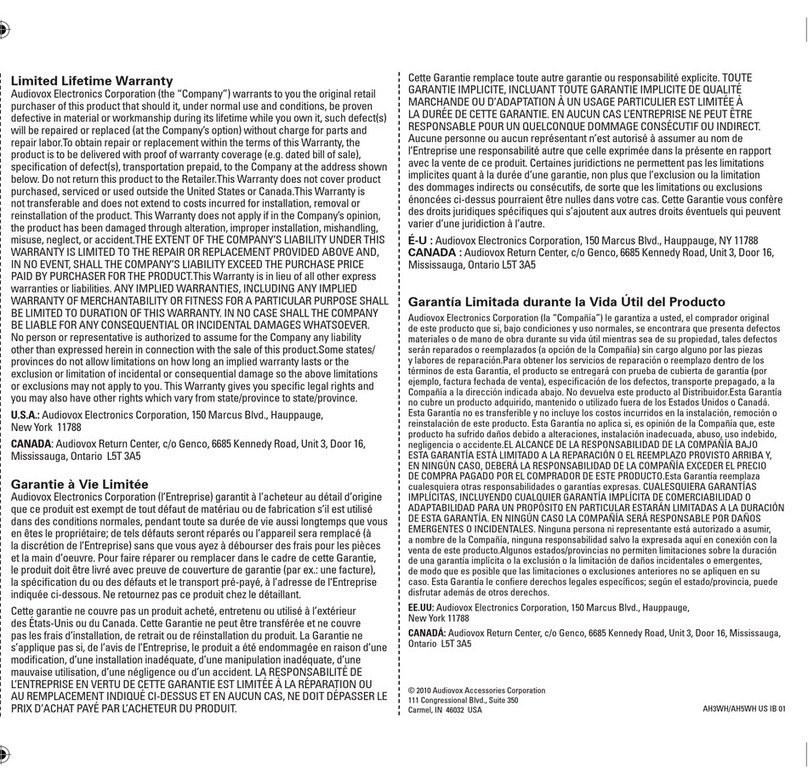
RCA AH3WH User manual

RCA

RCA AH3WH User manual

RCA AH57R User manual

RCA

RCA AH57R User manual

RCA AH57R User manual

RCA

RCA AH57R User manual

RCA AH56R User manual

RCA

RCA AH56R User manual

RCA AH3WHR User manual

RCA

RCA AH3WHR User manual

RCA MAF200KIT User manual

RCA

RCA MAF200KIT User manual

RCA AH30BR User manual

RCA

RCA AH30BR User manual

RCA AH30BR User manual

RCA

RCA AH30BR User manual

Popular Adapter manuals by other brands

Mini Gadgets BB2Outlet user manual

Mini Gadgets

Mini Gadgets BB2Outlet user manual

LSI LSISAS3442E-R Quick installation guide

LSI

LSI LSISAS3442E-R Quick installation guide

Moeller BBA -16 Series installation instructions

Moeller

Moeller BBA -16 Series installation instructions

Acer MWA3 quick start guide

Acer

Acer MWA3 quick start guide

Connect Tech ADG095 user guide

Connect Tech

Connect Tech ADG095 user guide

cable matters 604002 user manual

cable matters

cable matters 604002 user manual

Solwise PL-85PEW Easy start

Solwise

Solwise PL-85PEW Easy start

HP Photosmart 7100 user guide

HP

HP Photosmart 7100 user guide

HP E2494A installation guide

HP

HP E2494A installation guide

StarTech.com USB150WN1X1 quick start guide

StarTech.com

StarTech.com USB150WN1X1 quick start guide

Lindy 43198 user manual

Lindy

Lindy 43198 user manual

A&D AD-8527 instruction manual

A&D

A&D AD-8527 instruction manual

Motorola WU830G user guide

Motorola

Motorola WU830G user guide

Hawking HUF2 Specifications

Hawking

Hawking HUF2 Specifications

Allen-Bradley E3 Plus installation instructions

Allen-Bradley

Allen-Bradley E3 Plus installation instructions

Trust BT-2210Tp manual

Trust

Trust BT-2210Tp manual

HP NC7170 overview

HP

HP NC7170 overview

Uconnect BLE-485C user manual

Uconnect

Uconnect BLE-485C user manual

manuals.online logo
manuals.online logoBrands
  • About & Mission
  • Contact us
  • Privacy Policy
  • Terms and Conditions

Copyright 2025 Manuals.Online. All Rights Reserved.

Universal AC/DC Adapter
AH3WH/AH5WH User’s Guide
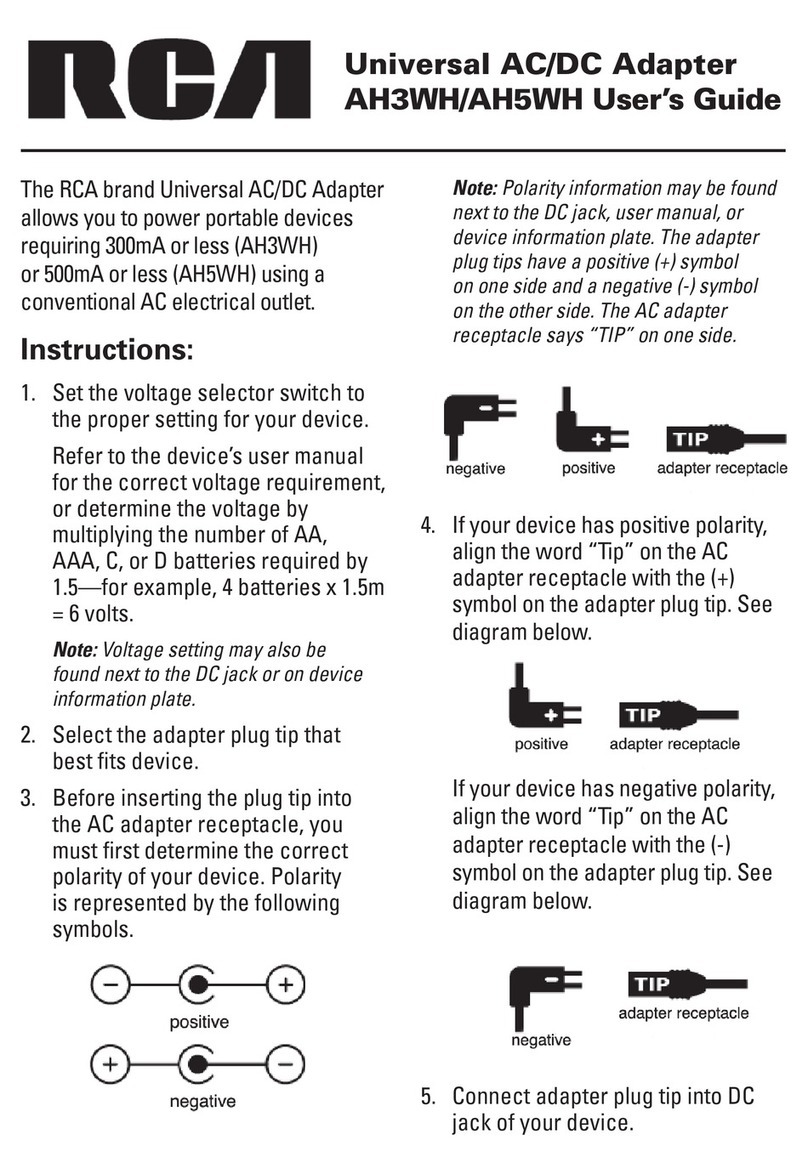
The RCA brand Universal AC/DC Adapter
allows you to power portable devices
requiring 300mA or less (AH3WH)
or 500mA or less (AH5WH) using a
conventional AC electrical outlet.
Instructions:
1. Set the voltage selector switch to
the proper setting for your device.
Refer to the device’s user manual
for the correct voltage requirement,
or determine the voltage by
multiplying the number of AA,
AAA, C, or D batteries required by
1.5—for example, 4 batteries x 1.5m
= 6 volts.
Note: Voltage setting may also be
found next to the DC jack or on device
information plate.
2. Select the adapter plug tip that
best fits device.
3. Before inserting the plug tip into
the AC adapter receptacle, you
must first determine the correct
polarity of your device. Polarity
is represented by the following
symbols.
Note: Polarity information may be found
next to the DC jack, user manual, or
device information plate. The adapter
plug tips have a positive (+) symbol
on one side and a negative (-) symbol
on the other side. The AC adapter
receptacle says “TIP” on one side.
4. If your device has positive polarity,
align the word “Tip” on the AC
adapter receptacle with the (+)
symbol on the adapter plug tip. See
diagram below.
If your device has negative polarity,
align the word “Tip” on the AC
adapter receptacle with the (-)
symbol on the adapter plug tip. See
diagram below.
5. Connect adapter plug tip into DC
jack of your device.
12 Month Limited Warranty
Audiovox Electronics Corporation (the “Company”) warrants to the original retail purchaser of this product that
should this product or any part thereof, under normal use and conditions, be proven defective in material or
workmanship within 12 months from the date of original purchase, such defect(s) will be repaired or replaced (at
the Company’s option) without charge for parts and repair labor. To obtain repair or replacement within the terms
of this Warranty, the product along with any accessories included in the original packaging is to be delivered
with proof of warranty coverage (e.g. dated bill of sale), specification of defect(s), transportation prepaid, to the
Company at the address shown below. Do not return this product to the Retailer.
This Warranty is not transferable and does not cover product purchased, serviced or used outside the United
States or Canada. The Warranty does not extend to the elimination of externally generated static or noise. This
Warranty does not apply to costs incurred for installation, removal or reinstallation of the product, or, if in the
Company’s opinion, the product has been damaged through acts of nature, alteration, improper installation,
mishandling, misuse, neglect, accident, or the simultaneous use of different battery types (e.g. alkaline, standard or
rechargeable). This Warranty does not cover damage caused by an AC adapter not provided with the product.
THE EXTENT OF THE COMPANY’S LIABILITY UNDER THIS WARRANTY IS LIMITED TO THE REPAIR OR
REPLACEMENT PROVIDED ABOVE AND, IN NO EVENT, SHALL THE COMPANY’S LIABILITY EXCEED THE
PURCHASE PRICE PAID BY PURCHASER FOR THE PRODUCT.
This Warranty is in lieu of all other express warranties or liabilities. ANY IMPLIED WARRANTIES, INCLUDING ANY
IMPLIED WARRANTY OF MERCHANTABILITY OR FITNESS FOR A PARTICULAR PURPOSE, SHALL BE LIMITED TO
DURATION OF THIS WARRANTY. ANY ACTION FOR BREACH OF ANY WARRANTY HEREUNDER, INCLUDING ANY
IMPLIED WARRANTY, MUST BE BROUGHT WITHIN A PERIOD OF 24 MONTHS FROM THE DATE OF ORIGINAL
PURCHASE. IN NO CASE SHALL THE COMPANY BE LIABLE FOR ANY CONSEQUENTIAL OR INCIDENTAL
DAMAGES WHATSOEVER. No person or representative is authorized to assume for the Company any liability other
than expressed herein in connection with the sale of this product.
Some states/provinces do not allow limitations on how long an implied warranty lasts or the exclusion or limitation
of incidental or consequential damage so the above limitations or exclusions may not apply to you. This Warranty
gives you specific legal rights and you may also have other rights which vary from state/province to state/province.
U.S.A.: Audiovox Electronics Corporation, 150 Marcus Blvd., Hauppauge, New York 11788
CANADA: Audiovox Return Center, c/o Genco, 6685 Kennedy Road, Unit 3, Door 16, Mississauga, Ontario L5T 3A5
© 2007 Audiovox Accessories Corporation
111 Congressional Blvd., Suite 350
Carmel, IN 46032 USA
AH3WH/AH5WH US IB 00
6. Plug the AC adapter into a 110/120-
volt standard electrical outlet and
operate device as usual. Important:
This power unit is intended to be
correctly oriented in a vertical or
floor mount position.
7. If your device does not work,
IMMEDIATELY unplug the AC
adapter and recheck the instructions
carefully, particularly the voltage and
polarity settings.
CAUTION:
1. Never attempt to power a device
for which the voltage or polarity is
unknown. Improper voltage or polarity
settings may result in severe damage
to the device or AC Adapter.
2. This AC adapter should never be
used with any device that requires
more than 300mA (AH3WH) or 500mA
(AH5WH) of current.
3. Disconnect the AC adapter from
electrical outlet when not in use.