13800-101-Rev. F
10
110V/230V Operation
To ensure proper operation, check the fuse voltage setting on the power input mod-
ule. The factory setting is 110 V. If 230 V operation is desired, remove the fuse
holder and pull out the white plastic insert Refer to Figure 3. Rotate the insert so
"230" appears in the window when inserted in the fuse holder. Remove the 500 mA
fuses and replace them with 250 mA fuses. See page 14 for fuse types. Install the
fuse holder in the power input connector.
Alignment & Focusing
WARNING: PROPER SETTING OF THE FOCUS AND DISTANCE CONTROLS REQUIRES THAT THE PROJECTOR
COVER BE OPEN WHILE THE INSTRUMENT IS PLUGGED IN AND TURNED ON. UTILIZE ONLY THE DISTANCE
AND FOCUS CONTROLS WHILE THE COVER IS OPEN. DO NOT TOUCH ANY OTHER COMPONENTS UNDER
THE COVER OR PERSONAL INJURY MAY RESULT.
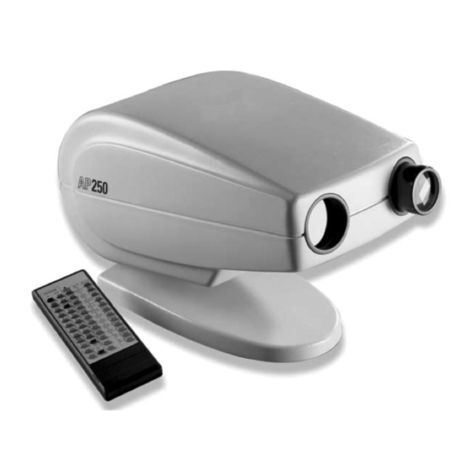
The AP250 can be optimally focused at projection distances between 10 ft (3 m) and 26.5 ft (8 m) when the patient and
projector are equidistant from the projection screen.
1. Project a 20/200 or 0.1 character onto the screen by pressing the key.
2. Check the three-dimensional alignment of the sys-
tem.Tooptimizethealignment,itmaybenecessary
to angle the screen to direct light towards the pa-
tient’s head. As a test, place a mirror on the screen.
The light should project where the patient's head
would be (see Figure 3).
3. Adjust the image positioning on the screen. It may
be necessary to adjust the projector and the screen.
Secure projector by tightening mounting screw.
4. Determinetheproperlettersizebasedontherefract-
ingdistanceused.RefertotheLetterSizingCharts
at the end of this manual.
5. AttachLetterSizingCharttothescreen.
6. Open the projector cover by removing the hexagon
screw under the front of the AP250.
7. Move the AP250's focusing controls (see page 5, #
11 & 12) until the 20/200 or .01 "Z" is in sharp focus
andfillsthebracketontheLetterSizingChart,as
shown in Figure 3.
Note: To obtain longer refracting distances in
small rooms, a mirror or system of mirrors
can be used. A high quality front-surface
mirror is required. See Figure 4 as an ex-
ample of a short room with a full refracting
distance of 20 feet.
Note: To prevent interference with the operation
of the Remote Control window, care should
be taken not to position any bright lights
directly toward the front of the AP250.
Figure 4 - Using a mirror system in a small room.
Screen
Patient
AP250
Small
Mirror
Patient
Mirror
Setup (continued)
Figure 3 - Fuse Orientation
Figure 3 - Checking three-dimensional alignment.
à
à
AP250
Screen
Patient
Spot of
Light on
Wall
Mirror